
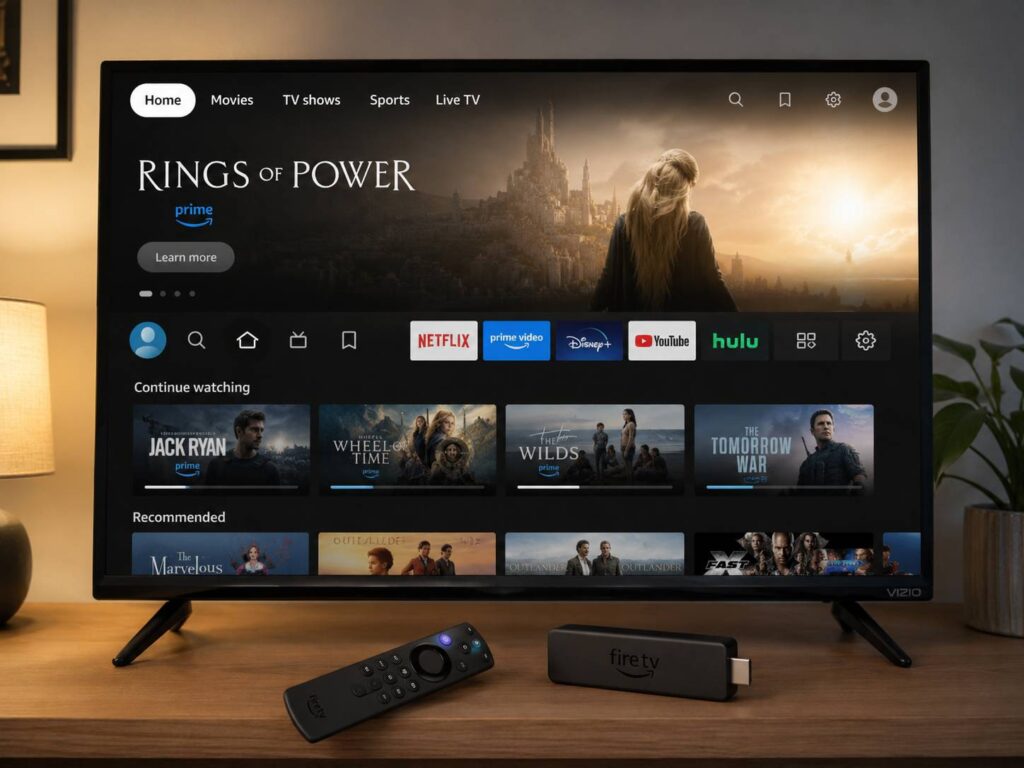
Amazon is preparing a new accessibility setting that will make Fire TV screens easier to read from across the room. Called Adaptive Display, the feature will enlarge text, menus, and other interface elements without turning the whole screen into one oversized image.
The feature will first arrive on the 2026 Fire TV Stick HD through a software update. Amazon has not shared a fixed release date yet. For now, the company says the update will reach users in the months after the device’s launch.
At first glance, Adaptive Display sounds like a simple text-size option. In practice, it appears to do more. The feature can resize several parts of the Fire TV interface at once. Text gets larger, menu items become easier to identify, and artwork scales with the rest of the page.
That balanced scaling is the most useful part. A standard zoom feature can cut off parts of the screen or hide nearby controls. Adaptive Display aims to keep the layout familiar, just with larger and clearer elements.
What Is Amazon Fire TV Adaptive Display?
Adaptive Display is an accessibility feature created for viewers who find small television text difficult to read. It changes the size of menus, labels, titles, posters, and other interface elements on Fire TV.
Instead of magnifying only one part of the screen, the feature rearranges and resizes the full layout. As a result, users should see more readable text without losing access to nearby buttons or content rows.
For example, a film title can appear larger, and the poster next to it can grow at a matching rate. At the same time, menus can keep their normal structure. This should feel more natural than moving a magnified window around the display.
Users will get several size choices. That matters since every home setup is different. A smaller television in a bedroom needs a different setting from a large screen in a living room. Viewing distance matters too.
So, rather than forcing one enlarged layout on everyone, Amazon plans to let each viewer choose a size that feels comfortable.
How Adaptive Display Changes the Fire TV Interface
The new setting focuses on the parts of Fire TV that people interact with most often.
It can make:
- Menu labels larger
- Movie and show titles easier to read
- Navigation items clearer
- Artwork bigger and better balanced
- Content rows less difficult to scan
The proportional scaling should prevent the screen from looking awkward. A basic font-size control can create cramped menus or long titles that no longer fit. By comparison, Adaptive Display changes the surrounding elements too.
For instance, if a title becomes larger, its poster and nearby controls can resize with it. This gives the interface more room to breathe. It should feel less like a zoomed webpage and more like a layout made for larger text from the start.
Still, Amazon has not shown every screen or every size option. The final result can vary across menus and supported apps. Even so, the idea looks practical and well suited to television use.
Who Can Benefit From the New Feature?
Adaptive Display is mainly presented as an accessibility tool for people with low vision. Yet its appeal is much wider.
Older viewers often struggle with thin fonts and small labels. People who sit far from the television can face the same issue. Smaller televisions can make menus harder to read too, even for viewers with good eyesight.
The feature can help in several common situations:
- A viewer sits far from the screen
- The television is smaller than the room requires
- Text appears thin or crowded
- The user finds long browsing sessions tiring
- Several people in the same home need different text sizes
This is why Adaptive Display feels useful beyond its accessibility label. Many smart TV interfaces look attractive in promotional images, but real living rooms create different challenges. Lighting, screen size, viewing distance, and eyesight all affect readability.
In my view, streaming platforms have waited too long to offer proper interface scaling. Phones, tablets, and computers have supported larger text for years. Television software should give people the same choice.
Which Fire TV Devices Will Get Adaptive Display?
Amazon has confirmed the feature for the new Fire TV Stick HD. So far, the company has not announced a full list of other supported devices.
That means support remains unconfirmed for:
- Fire TV Stick 4K models
- Fire TV Stick 4K Max
- Fire TV Cube
- Older Fire TV Stick HD devices
- Amazon Fire TV smart televisions
- Partner televisions with Fire TV built in
The first supported device is the 2026 Fire TV Stick HD. It supports video playback at up to 1080p and targets people who use an HD television rather than a 4K model.
The updated stick is around 30% narrower than the previous HD version. It supports Wi-Fi 6 and Bluetooth 5.3. Amazon says it performs more than 30% faster on average than the earlier model.
The device can draw power from a compatible television USB port through its Direct Power feature. This can reduce cable clutter, though compatibility can vary by television.
Adaptive Display will arrive as a software update. So, owners will not need a separate accessory or replacement remote.
How Adaptive Display Differs From Screen Magnifier
Fire TV already offers a Screen Magnifier tool. Still, Adaptive Display works in a different way.
Screen Magnifier enlarges a selected part of the screen. The viewer can then move around the page to read smaller items. This can help with close inspection, but it can hide surrounding content.
Adaptive Display changes the full layout instead. It enlarges several elements and keeps more of the interface visible at one time.
Here is the practical difference:
- Screen Magnifier zooms into one area
- Adaptive Display resizes the interface
- Screen Magnifier can hide content outside the selected area
- Adaptive Display aims to preserve the page structure
- Screen Magnifier works like a movable zoom tool
- Adaptive Display works like a larger interface mode
For many users, the second option can feel easier during daily browsing. There is less panning, less repositioning, and less chance of losing track of the selected menu item.
How It Fits With Other Fire TV Accessibility Tools
Adaptive Display will join a larger group of Fire TV accessibility features.
Current Fire TV devices support tools such as:
- VoiceView screen reader
- Screen Magnifier
- High Contrast Text
- Closed captions
- Audio descriptions
- Dialogue Boost on supported content
VoiceView reads interface text aloud and announces selected items. Screen Magnifier enlarges part of the display. High Contrast Text changes the appearance of some labels so they stand out more clearly.
Closed captions display dialogue and sound information. Audio descriptions provide spoken details about visual scenes. Dialogue Boost can make speech clearer in supported Prime Video content.
Adaptive Display fills a gap between these tools. It gives viewers larger interface elements without requiring spoken navigation or a movable zoom window.
That choice matters. One user can prefer spoken menus. Another can need larger text. Someone else can benefit from both.
How Users Will Turn On Adaptive Display
Amazon has not published the final setup guide yet. The setting is expected to appear in the Accessibility section of Fire TV settings after the update reaches the device.
The steps will likely look similar to these:
- Open Settings from the Fire TV home screen.
- Select Accessibility.
- Choose Adaptive Display.
- Turn the feature on.
- Pick a preferred display size.
The exact menu names can change in the finished release. Still, Amazon normally places visual assistance tools inside the Accessibility menu.
Users can check for Fire TV updates through these steps:
- Open Settings.
- Select My Fire TV.
- Choose About.
- Select Check for System Update.
Updates can arrive in stages. For that reason, one Fire TV Stick HD can receive Adaptive Display earlier than another.
Why This Update Matters for Everyday Streaming
Streaming interfaces now show a huge amount of information. Home screens contain app icons, advertisements, live channels, recommendations, watchlists, categories, and content rows.
As a result, some pages can feel crowded. Small labels under large posters can be hard to read. Thin text can disappear against bright or detailed backgrounds. Then, users spend more time trying to understand the interface than choosing something to watch.
Adaptive Display addresses that problem directly. It does not change movie or television playback. Instead, it focuses on the menus people use before and after watching content.
This type of practical update can improve a device more than another content row or promotional banner. The same point applies to product safety news. Small design choices can affect daily use, as seen in the recent Kobalt USB-C power tool battery recall.
In both cases, the details matter. A clearer interface can reduce frustration. A well-timed safety notice can help people avoid damaged hardware. Useful consumer technology coverage should focus on those real effects.
Adaptive Display Comes During a Wider Fire TV Redesign
Amazon has been changing the wider Fire TV experience too. The updated interface uses revised typography, rounded visual elements, reorganized navigation, and cleaner content categories.
Movies, television programs, sports, news, and live content now appear in more clearly defined areas. Users can rearrange installed apps and access common controls from a shortcut panel.
Adaptive Display fits naturally into that redesign. Cleaner typography helps, but fixed text sizes still do not work for every viewer. Adjustable scaling gives people more control over the final appearance.
At the same time, Amazon needs to keep the feature consistent. Larger text should work across search results, settings, content pages, and app menus. A feature that works only on the home screen will feel incomplete.
What Amazon Still Needs to Confirm
Several details remain unknown.
Amazon has not confirmed:
- The exact release date
- Every available size option
- Support for older Fire TV devices
- Support for Fire TV smart televisions
- How the setting works inside third-party apps
- Whether developers need to update their apps
These details will shape how useful Adaptive Display becomes. System-wide support would offer the best experience. Limited support could create a situation where the Fire TV home screen looks clear, but certain apps still use small text.
For now, owners of other Fire TV models should wait for an official compatibility announcement. Buying a new device only for this feature would be premature until Amazon publishes more information.

Amazon Fire TV Stick 4K Max (newest model), streaming device, with AI-powered Fire TV Search, supports Wi-Fi 6E, free & live TV without cable or satellite,...
A Small Change With a Real Everyday Benefit
Amazon Fire TV Adaptive Display will not increase video resolution or add new streaming services. Yet it can make Fire TV much easier to use.
Larger menus can reduce eye strain. Clearer labels can shorten browsing time. Proportional artwork scaling can keep the interface neat. Several size choices can help viewers match the display to their television and room.
The 2026 Fire TV Stick HD is the first confirmed device. Amazon plans to add Adaptive Display through a software update in the months after launch. A precise date has not been announced.
This is a welcome change. Television interfaces should remain readable from a normal sofa distance. Adaptive Display brings Fire TV closer to that basic goal.