
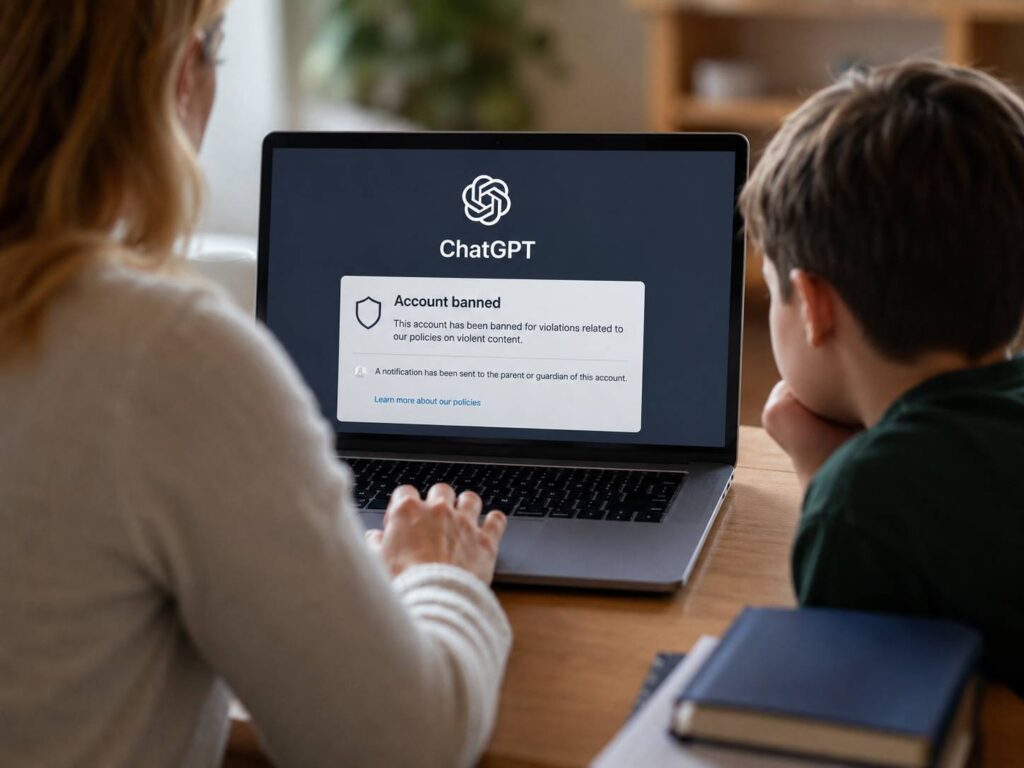
OpenAI is expanding its safety tools for families. Parents or guardians can now receive an alert when a linked teen account gets banned after conversations connected to acts of violence.
The update has already caused some confusion. Several headlines suggest that parents will get a message whenever a teenager is “kicked off ChatGPT.” That description sounds broader than the actual policy.
For now, the alert applies to a narrow group of serious cases. The teen account must be linked to a parent or guardian, and the ban must involve conversations related to real-world violence. A normal content refusal, an inappropriate joke, or a minor rule violation does not automatically trigger a parent notification.
Still, the change marks a clear shift in how OpenAI handles teen safety. The company now wants parents to receive limited information when a conversation points to a serious risk.
How the ChatGPT Teen Ban Alert Works
A parent must first connect their ChatGPT account to the teenager’s account. The teen receives an invitation and must accept it before the parental controls become active.
After that, ChatGPT can send safety notifications in selected situations. These alerts can cover:
- A serious concern related to self-harm
- An account ban connected to conversations about acts of violence
- The removal of the parent and teen account connection
- The end of teen protections after the user turns 18
OpenAI uses automated systems to flag conversations that may require review. Then, trained reviewers can examine the case before an account ban or parent notification takes place.
Parents can receive alerts through email, text message, or push notification. Safety alerts start in the active position once the accounts are connected.
In practice, this means the system does not send every unusual prompt straight to a parent. OpenAI first looks for signs of a serious safety issue.
Parents Will Not Be Notified About Every Rule Violation
ChatGPT refuses many types of requests. For example, it can block instructions related to weapons, violent acts, self-harm, explicit sexual material, dangerous online challenges, or illegal activity.
A refusal is not the same as a ban.
A teenager can ask an inappropriate question and receive a warning or refusal without losing access to the account. In that case, the parent will not automatically receive an alert.
The new notification focuses on teen accounts banned after conversations tied to acts of violence. OpenAI says this does not include ordinary discussions about books, films, games, history, politics, or the news.
That difference matters. A student writing a crime story can use violent words without planning real harm. A gamer can describe a battle without threatening anyone. A teenager can express anger without intending to act on it.
For that reason, context plays a central role. Human review can reduce false alerts and separate fictional discussions from serious threats.
Parents Cannot Read the Teen’s Full Chat History
The parental control feature does not give parents complete access to private conversations.
Parents cannot open every prompt, read each response, or monitor the teen’s ChatGPT activity in real time. OpenAI limits the information shared through safety alerts.
In a serious case, the notification can explain the type of concern detected and the action taken against the account. A self-harm alert can include support information and crisis resources.
At the same time, the full conversation remains private in most cases. This creates a boundary between safety and constant monitoring.
That boundary is sensible. Teens often use online tools to ask personal questions that they feel uncomfortable discussing face to face. Full parental access could push some teenagers toward secret accounts, hidden browsing, or less moderated services.
A limited alert gives parents a reason to check in without turning ChatGPT into a surveillance tool.
Families looking for simpler ways to give children access to communication tools can read about Pinwheel Home, a kids’ landline without apps or social media. It reflects the same concern many parents have today. Children need ways to communicate, but they do not always need unrestricted access to every online feature.
How to Connect a Parent and Teen ChatGPT Account
Parents can set up the connection through the ChatGPT settings menu.
The process is straightforward:
- Open the ChatGPT profile menu.
- Select Settings.
- Open Parental controls.
- Select Add family member.
- Choose an email or phone invitation.
- Send the invitation to the teenager.
- Ask the teen to accept the connection.
- Return to the Family members section to manage the account settings.
A teenager can start the connection too. The teen can open Parental controls, select Invite a parent, and send the request.
Each teen account can connect to one parent or guardian at a time. One adult account can manage several linked teen accounts.
Either person can remove the connection. Still, the parent receives a notification when the teen unlinks the account.
Other ChatGPT Parental Controls
The violent-content ban alert is only one part of OpenAI’s family safety system.
Parents can manage several features from the linked account page. The current controls cover:
- Sensitive content filters
- Voice Mode
- Image generation and editing
- ChatGPT memory
- Study Mode
- Quiet hours
- Model training preferences
- Browser access
- Internet access during code tasks
Some options begin with stricter settings for teen users. For example, sensitive-content reduction starts active. The use of teen conversations for model training starts inactive.
Quiet hours give parents another useful control. A family can select a period when the teenager cannot access ChatGPT. This can limit late-night use during school days or reduce distractions before bedtime.
Study Mode can guide the teen through a topic with questions and explanations. It does not always provide a ready-made final answer. So, it can support learning when used with clear family rules.
These settings do not block every risk. Teenagers can still find ways around restrictions, create another account, or use a different service. Parental controls work best as part of a wider conversation about online habits.
ChatGPT Has Stronger Rules for Users Under 18
OpenAI applies extra protections to users identified as teenagers.
These protections can restrict content linked to:
- Graphic violence
- Self-harm
- Dangerous viral challenges
- Sexual or romantic roleplay
- Violent roleplay
- Extreme dieting
- Body-shaming content
- Harmful beauty standards
ChatGPT can identify teen users through the date of birth entered on the account. It can also use an age-prediction system based on account and usage signals.
For example, the system can examine the age of the account, activity times, stated age, and other usage patterns. If ChatGPT believes an account belongs to a teenager, it can apply the stricter experience.
An adult placed into the teen experience by mistake can complete age verification. The process can require a selfie or another verification method.
What Happens When the Teen Turns 18?
Parental controls end when ChatGPT identifies the account holder as an adult.
The user can receive a notice before the change. The linked parent can receive a similar message. After the teen protections end, the account holder gains full control over the ChatGPT settings.
The parent will no longer receive safety alerts. The family connection will appear as ended or unlinked in the account settings.
A teenager incorrectly identified as an adult can start age verification. The teen must complete the process personally. A parent cannot complete it on the teen’s behalf.
This transition gives adult users control over their own accounts. It also prevents parental monitoring from continuing without a clear age limit.
Is the New Parent Alert a Good Idea?
The alert makes sense when OpenAI keeps it focused on serious cases.
Parents should know when a teenager loses access to ChatGPT after conversations connected to real-world violence. That information can prompt a calm discussion, closer supervision, or professional support.
Yet an alert is not proof that the teenager planned to hurt someone.
Automated systems can misunderstand sarcasm, fiction, emotional language, school research, or dark humour. Human review reduces that risk, but no review process gets every decision right.
In my view, parents should treat the notification as a warning sign that needs context. They should not treat it as a final judgment.
A careful conversation will usually reveal more than punishment. The parent can ask what happened, what the teen was trying to discuss, and whether anyone faces an immediate risk.
What Parents Should Do After Receiving an Alert
A ChatGPT safety alert can feel frightening. Still, a calm first response gives the parent a better chance of understanding the situation.
Start with a private conversation. Ask the teenager what they discussed and why the conversation took that direction. Let them explain before making assumptions.
Next, review the wording inside the notification. Check whether it refers to violence, self-harm, an account ban, or another type of safety concern.
Then, look for signs of immediate danger. Contact emergency services if the teenager describes a current plan to hurt themselves or another person. Seek support from a qualified mental health professional when the concern is serious but not immediate.
After the situation is clear, review the ChatGPT parental settings together. Quiet hours, stricter content filters, and feature limits can create firmer boundaries.
Most of all, keep the conversation open. A teenager who expects instant punishment is less likely to share what really happened.
What This Change Means for Families
OpenAI is not giving parents access to every teen conversation. It is creating a focused alert for linked accounts banned after discussions connected to acts of violence.
The feature joins existing teen safeguards, parental controls, age prediction, quiet hours, content limits, and self-harm notifications.
No system can understand every message perfectly. Jokes, stories, games, and emotional conversations can all include violent language. Human review remains necessary, and parents still need to ask questions before drawing conclusions.
Still, the alert can give families useful information during a serious situation. Its value will depend on accuracy, privacy, and the way parents respond after receiving it.
A thoughtful response can turn a frightening notification into a useful conversation. For many families, that conversation can matter far more than the account ban itself.