
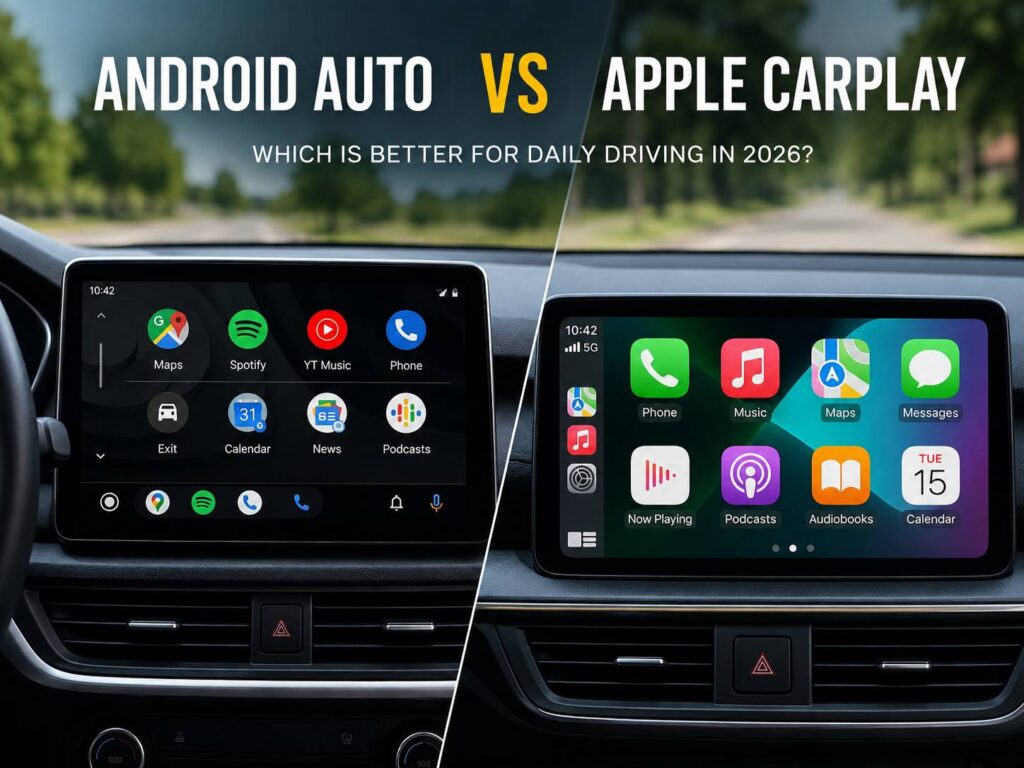
Phone connectivity has become part of everyday driving. Maps, calls, messages, music, podcasts, and voice controls now sit directly on the dashboard in many cars. For most drivers, that means choosing between Android Auto and Apple CarPlay.
Both systems handle the same basic jobs, yet they take different routes to get there. Android Auto connects closely with Google Maps, Gemini, Google Messages, and other Google services. CarPlay feels more natural for people who already use an iPhone, Apple Maps, iMessage, Apple Music, and Siri.
Still, the best system is not always the one with the longest feature list. Daily driving brings out smaller differences that matter much more. Connection speed matters. Wireless reliability matters. The map layout matters too. In some cars, a dependable wired connection can be more useful than every new dashboard feature combined.
This guide compares Android Auto vs Apple CarPlay in 2026 for commuting, longer drives, navigation, voice control, media, apps, and reliability.
Android Auto and Apple CarPlay in 2026
Android Auto displays supported Android apps on a compatible car screen. Google has continued changing the platform during 2026, with a refreshed interface, more flexible layouts, new widgets, updated media controls, and a stronger focus on Gemini.
Some features are arriving in stages. So, two Android Auto users can see slightly different layouts or options depending on their phone, car, region, and software version.
Apple CarPlay takes a similar idea and connects it to the iPhone. Current CarPlay versions support navigation, messaging, media, calls, widgets, Live Activities, and other approved app categories.
Apple has previewed more CarPlay changes tied to newer iOS releases. Still, announced features should not be treated as features available in every car today. Vehicle makers control part of the experience, and support can differ between models.
For that reason, check the exact car and phone combination before making a buying decision.
Check Phone and Car Compatibility First
The basic rule is simple. Android Auto works with compatible Android phones, and CarPlay works with iPhone.
Many cars support both systems. Some older models support only wired connections, and newer cars often offer wireless projection too.
Yet wireless support is not guaranteed simply because the car has Bluetooth. The infotainment system needs dedicated wireless Android Auto or wireless CarPlay support.
Before buying a car, check these points:
- Does the exact trim support Android Auto?
- Does it support Apple CarPlay?
- Is the connection wired, wireless, or both?
- Which USB port supports phone data?
- Does the car need a software update?
- Does wireless projection work on every trim?
For example, one trim level can include wireless CarPlay, yet a cheaper version of the same car can offer only a wired connection.
That small detail is easy to miss on a specification sheet.
Navigation: Android Auto Has a Natural Google Maps Advantage
Navigation is one of the biggest reasons people use phone projection.
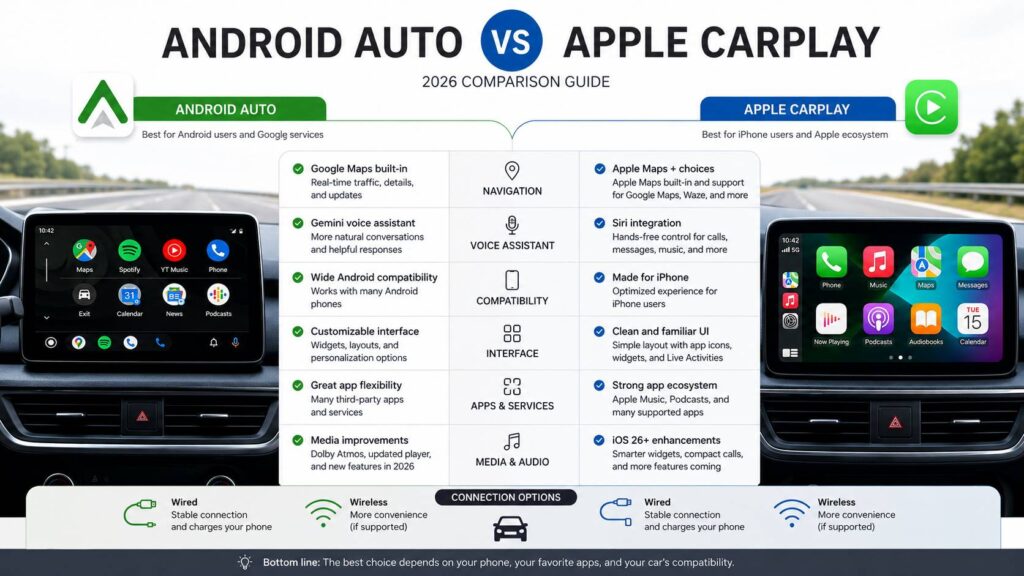
Android Auto places Google Maps at the center of the experience. Routes, traffic information, saved locations, nearby businesses, and Google account data work naturally together.
Google has been improving the visual side of Maps in Android Auto too. Newer designs can show clearer road structures, richer map details, and better information around complicated junctions on supported systems.
CarPlay gives iPhone users more choice than some people expect. Apple Maps works directly with CarPlay, but drivers can use supported third-party navigation apps such as Google Maps and Waze too.
So, an iPhone owner does not need an Android phone just to get Google Maps on the dashboard.
In daily use, Android Auto still feels more centered around Google’s navigation services. That makes sense for people who already save places in Google Maps, search for businesses through Google, or use Google accounts for most travel planning.
CarPlay remains very capable. In practice, your preferred navigation app matters more than the platform name.
Voice Control: Gemini Gives Android Auto a Bigger Role in 2026
Voice controls have become far more useful than they were a few years ago.
Android Auto is moving toward Gemini for more natural voice interaction. Drivers can use spoken requests for navigation, calls, messages, media, and other supported tasks.
For example, a driver can ask for a destination, request a song, reply to a message, or search for information without moving through several menus.
That can make Android Auto feel less dependent on exact command phrases.
CarPlay uses Siri for voice control. Siri handles common driving tasks such as calls, messages, navigation requests, and music playback.
Apple is developing more advanced Siri features for newer iOS versions. Still, availability can depend on the iPhone model, language, region, and software release.
For drivers choosing a system right now, Android Auto has a clear attraction for people interested in Google’s Gemini features.
CarPlay makes more sense for drivers who already use Siri throughout the day.
Calls and Messages Are Good on Both
Both platforms handle basic communication well.
Android Auto can display incoming calls, read supported messages aloud, and let drivers reply by voice. Google Messages works naturally, and supported third-party messaging apps can appear too.
CarPlay offers similar features for iPhone users. Calls, messages, Siri replies, and supported communication apps can all work through the dashboard.
Recent CarPlay updates have improved how incoming calls appear, so they do not need to cover as much of the map or current app.
At the same time, messaging features have become easier to use without turning the dashboard into a full phone screen.
The choice here mostly follows your normal phone habits.
If you use iMessage every day, CarPlay feels familiar almost immediately. If Google Messages and Google’s services are already part of your routine, Android Auto feels more natural.
Either way, voice replies are the better option during a drive.
Music, Podcasts, and Audio Apps
Both platforms support the major types of audio apps.
CarPlay works closely with Apple Music and Apple Podcasts. Android Auto fits naturally with YouTube Music and Google’s services.
Spotify works on both, so Spotify users have little reason to choose one platform over the other based only on music.
Other supported services can include:
- Podcast apps
- Audiobook apps
- Internet radio
- Music streaming
- News audio
- Selected media apps
The difference often comes down to habits.
For instance, someone with years of Apple Music playlists will probably feel more at home in CarPlay. A YouTube Music user may prefer Android Auto.
So, look at the services you already pay for before worrying about small interface differences.
Wired vs Wireless Android Auto and CarPlay
Wireless projection is one of those features that quickly becomes hard to give up.
You get into the car, start the engine, and the phone connects without a cable. For short trips, that is genuinely convenient.
Still, wireless connections add another layer of complexity. Bluetooth starts the connection, Wi-Fi carries much of the data, and the car’s infotainment software has to work smoothly with the phone.
That can lead to random connection failures, slow startup, battery drain, or extra phone heat.
A wired connection is less tidy, but it can be easier to diagnose when something goes wrong. It can charge the phone during long trips too.
For a deeper look at the practical differences, this guide to wired vs wireless CarPlay explains the trade-offs around connection speed, battery use, reliability, and convenience.
If either system keeps disconnecting, try these steps:
- Restart the phone.
- Restart the car’s infotainment system.
- Delete the saved car connection and pair it again.
- Test another USB cable.
- Use the car’s proper data USB port.
- Update the phone.
- Check for infotainment firmware updates.
- Test a wired connection instead of wireless.
In practice, a reliable connection matters more than whether it uses a cable.
Which Interface Is Easier to Use?
CarPlay tends to feel familiar for iPhone users from the first drive.
The app grid looks familiar, icons are easy to recognize, and the dashboard view keeps navigation, audio, and other useful information close together.
Android Auto places more attention on maps, contextual information, and Google services.
Recent interface changes give Android Auto more flexibility across different screen sizes. That matters since modern cars use everything from small horizontal displays to huge portrait screens.
At the same time, the car itself changes how both systems feel.
A good touchscreen can make Android Auto and CarPlay easy to use. A slow infotainment processor can make either one feel frustrating.
Physical controls matter too. Steering-wheel buttons, rotary controllers, touchpads, and shortcuts can change the experience more than expected.
So, test the system inside the actual car rather than judging it only from screenshots.
Apps: More Apps Do Not Automatically Mean a Better System
Android Auto and CarPlay limit the kinds of apps that appear on the dashboard.
That is intentional. Driving interfaces need fewer distractions than a phone screen.
Common app categories include:
- Navigation
- Music
- Podcasts
- Messaging
- Calls
- Charging services
- Parking
- Selected driver information
- Approved communication apps
Video features are starting to appear in newer vehicle systems, but they are tied to parked use and supported cars.
For everyday driving, that distinction barely matters. Most people spend nearly all their Android Auto or CarPlay time using maps, music, phone calls, or messages.
So, app quality matters much more than the total app count.
CarPlay Ultra Is Not the Same as Regular CarPlay
CarPlay Ultra can cause some confusion for buyers in 2026.
Regular CarPlay projects supported iPhone apps and information onto the car’s infotainment display.
CarPlay Ultra goes deeper into supported vehicles. It can place Apple-designed information across more screens and interact with selected vehicle functions.
Yet CarPlay Ultra needs specific support from the car maker. A vehicle that works with standard CarPlay does not automatically support CarPlay Ultra.
For most people buying a mainstream new car or used car, regular CarPlay remains the feature that matters first.
Android users can run into similar naming confusion.
Android Auto is different from Google built-in. Android Auto relies on your phone. Google built-in runs Google services directly on the car’s native operating system.
That difference matters when comparing vehicle specifications.
Which Is Better for Daily Commuting?
Commuting puts a different kind of pressure on these systems.
You want the phone to connect quickly. You want the map to load. You want your music to continue where it stopped. Then you want everything to work without touching the screen again.
Android Auto is a strong choice for people who rely heavily on Google Maps, Google Messages, Google Calendar, and Gemini.
CarPlay is a strong choice for people who already use iMessage, Apple Music, Siri, and Apple Maps.
For a short commute, the difference between the two systems is smaller than many online comparisons suggest.
Connection reliability can matter far more.
A CarPlay system that connects in five seconds every morning will feel better than an Android Auto setup that occasionally needs to be paired again. The same is true in reverse.
Which Is Better for Long Road Trips?
Long drives bring battery use, phone temperature, charging speed, and navigation reliability into the picture.
Android Auto works particularly well for drivers who prefer Google Maps and Google’s voice tools.
CarPlay remains a strong road-trip companion for iPhone users, especially with Apple Maps, Google Maps, Waze, and major audio apps available.
Before a long journey, test:
- Navigation with weak mobile coverage
- Offline map options in your chosen app
- Phone temperature during wireless use
- Charging speed
- USB cable stability
- Wireless reconnection after stops
- Audio switching between calls and music
- Navigation prompts over music
For long drives, I often prefer wired projection. The cable is less convenient, but it keeps the phone charging and removes one possible wireless problem.
That is a personal preference rather than a universal rule.
Android Auto vs Apple CarPlay for Different Drivers
Android Auto makes the most sense if:
- You use an Android phone.
- Google Maps is your main navigation app.
- You use Google Messages regularly.
- Gemini voice features interest you.
- Most of your daily services are connected to Google.
Apple CarPlay makes the most sense if:
- You use an iPhone.
- You depend on iMessage.
- Apple Music is your main music service.
- You already use Siri regularly.
- You prefer Apple’s interface and services.
For most drivers, changing phone platforms only for the car interface does not make much sense.
Your phone affects far more than driving. Photos, messages, apps, watches, earbuds, cloud storage, and smart-home devices all sit around the same ecosystem.
So, pick the phone platform that works for your wider needs first. Then check how well your car supports it.
How to Test Android Auto or CarPlay Before Buying a Car
Do not rely only on the dealer’s feature list.
Bring your own phone to the test drive and connect it to the car.
Then try these tasks:
- Start navigation.
- Search for a destination.
- Play music.
- Change tracks.
- Make a voice request.
- Make a call.
- Test a message reply.
- Lock the phone.
- Turn the car off.
- Start the car again.
- Check how quickly the phone reconnects.
Next, look at the physical controls.
Try the steering-wheel voice button. Find the shortcut back to the car’s native menu. Test any rotary controller or touchpad.
This simple test can expose annoying issues that a brochure never mentions.
Android Auto vs Apple CarPlay: Which Is Better in 2026?
Android Auto has a strong advantage for drivers who depend on Google’s services. Google Maps fits naturally, Gemini is becoming a bigger part of the experience, and Android Auto continues to gain new interface and media features.
CarPlay remains an excellent choice for iPhone users. It feels familiar, works closely with Apple’s services, and supports the navigation and media apps most people use every day.
Still, there is no universal winner.
For Android phone owners, Android Auto is the natural choice. For iPhone owners, CarPlay is usually the better fit.
The car itself can change that experience more than expected. Screen quality, processor speed, USB ports, wireless hardware, steering-wheel controls, and infotainment software all affect daily use.
So, the smartest comparison is not Android Auto on one car against CarPlay on another. Test both systems on the same vehicle whenever possible.
A system that connects quickly, keeps navigation clear, handles calls properly, and stays reliable will make far more difference during daily driving than one extra feature buried inside a menu.