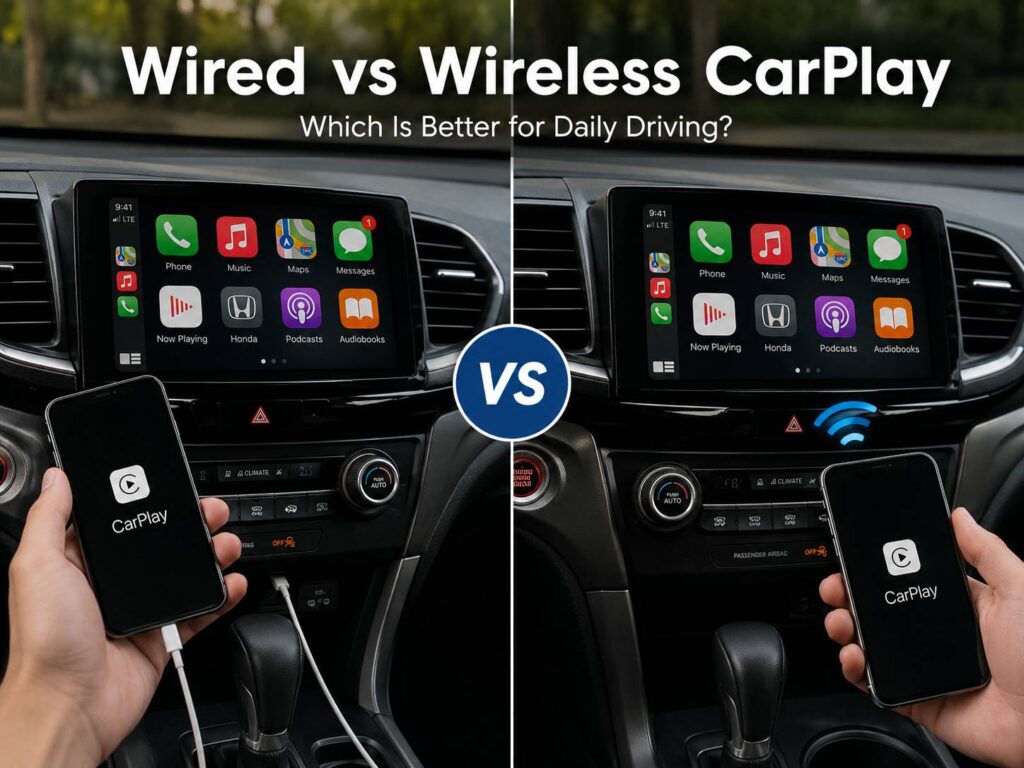
Apple CarPlay has become one of those car features that quickly feels hard to give up. It puts navigation, music, podcasts, calls, messages, and compatible iPhone apps directly on the vehicle’s screen.
Still, there is one choice that often confuses drivers. Should you use wired or wireless CarPlay?
Both versions give you almost the same CarPlay interface. The main difference is how your iPhone connects to the car. Wired CarPlay uses a USB cable. Wireless CarPlay connects through Bluetooth and Wi-Fi.
At first, wireless CarPlay sounds like the obvious winner. You get into the car, start the engine, and leave your phone in your pocket. Yet wired CarPlay still has several practical benefits. It can be more reliable, it charges your phone at the same time, and it makes sense on long journeys.
So, the better choice comes down to how you drive.
This guide explains the real differences between wired and wireless CarPlay, including reliability, battery use, sound quality, connection problems, startup speed, and daily convenience.
How Wired and Wireless CarPlay Work
Wired CarPlay is the simpler system.
You connect your iPhone to a compatible USB port in the car, then CarPlay appears on the infotainment screen. Some cars have several USB ports, but only one or two support CarPlay data. The others may charge your phone without starting CarPlay.
For this reason, check for a CarPlay or smartphone symbol beside the USB port if your phone does not connect.
Wireless CarPlay removes the cable from the data connection. Instead, the iPhone pairs with the vehicle and uses Bluetooth and Wi-Fi to maintain CarPlay.
So, Bluetooth and Wi-Fi need to stay active for wireless CarPlay to work correctly.
In practice, the setup process usually takes only a few minutes. Once paired, the car normally remembers the phone and reconnects during future trips.
Some vehicles support both wired and wireless CarPlay. That is the best setup since you can switch between the two depending on the trip.
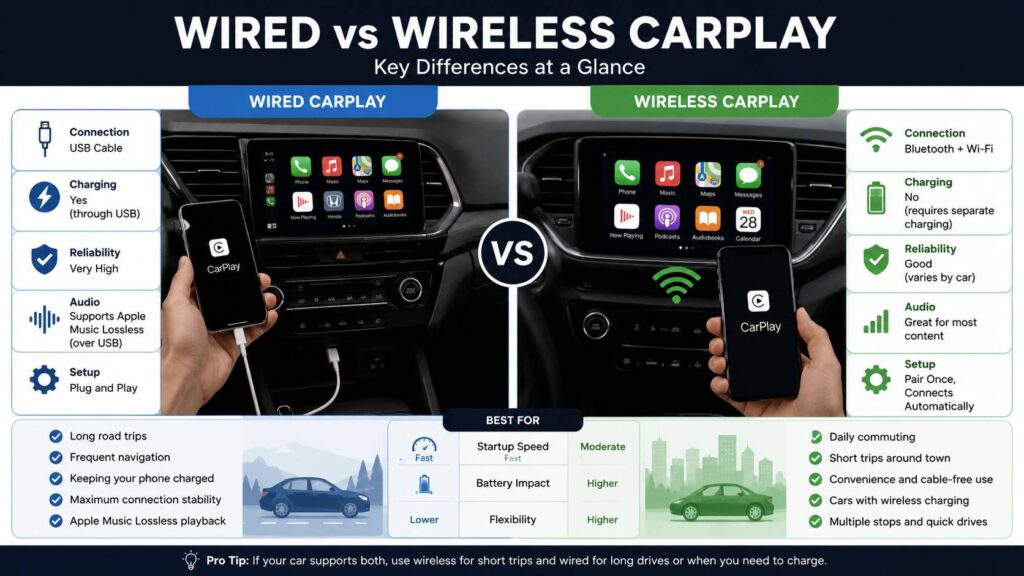
Wired vs Wireless CarPlay at a Glance
| Feature | Wired CarPlay | Wireless CarPlay |
|---|---|---|
| Connection | USB cable | Bluetooth and Wi-Fi |
| Initial setup | Very easy | Requires pairing |
| Daily convenience | Good | Excellent |
| Reliability | Usually excellent | Varies by car |
| Phone charging | Usually included | Separate charging needed |
| Cable required | Yes | No |
| Best for short trips | Good | Excellent |
| Best for long trips | Excellent | Good |
| Apple Music lossless over CarPlay | Supported through USB | USB has the clear advantage |
| Common problems | Cable and USB port issues | Pairing and wireless connection issues |
Still, a table only tells part of the story.
A person who drives ten minutes to work every day may prefer wireless CarPlay. Someone who regularly spends three hours on the road may prefer the cable.
Wireless CarPlay Is Better for Short Daily Trips
Convenience is the biggest reason to use wireless CarPlay.
You get into the car with your iPhone in your pocket, start the engine, and CarPlay can connect automatically. There is no cable to find and no phone to plug in.
That sounds like a small advantage. Yet it becomes noticeable when you make several short trips every day.
For example, think about school runs, grocery shopping, commuting, or driving between several local appointments. Plugging and unplugging the phone five or six times can get annoying.
Wireless CarPlay removes that small routine.
So, it works particularly well for:
- Short commutes
- School runs
- Shopping trips
- Frequent stops
- Delivery driving
- City driving
- Cars with a wireless charging pad
At the same time, the quality of wireless CarPlay varies from one vehicle to another.
Some cars connect within a few seconds. Others take longer to recognize the phone. A few infotainment systems occasionally fail to connect on the first attempt.
That means the car’s hardware and software matter just as much as the iPhone.
Wired CarPlay Still Makes More Sense for Long Drives
A cable feels far less annoying during a long trip.
You plug the phone in once, place it in the console, and leave it there for the next few hours.
More importantly, the USB connection usually charges the phone at the same time.
Navigation, mobile data, music streaming, calls, and GPS can drain an iPhone battery faster than normal use. So, charging becomes useful during motorway trips or long journeys.
Wired CarPlay works particularly well for:
- Road trips
- Long commutes
- Regular navigation
- Older infotainment systems
- Rental cars
- Drivers who already charge their phone in the car
For this reason, it is worth keeping a USB cable in the glovebox even with wireless CarPlay.
It is a simple backup, and it can be very useful.
Which CarPlay Connection Is More Reliable?
Wired CarPlay usually wins for connection reliability.
A physical USB link removes several wireless variables. The phone does not need to reconnect to the vehicle’s CarPlay Wi-Fi network each time you drive.
So, there are fewer steps that can go wrong.
Still, wired CarPlay can have problems of its own.
A worn USB cable can disconnect when the car hits a bump. Dirt inside the phone’s charging port can cause an unstable connection. A loose USB socket in the vehicle can create the same issue.
For example, you may notice CarPlay disconnecting every time you move the phone. In that situation, the cable or connector is often the first thing worth checking.
Wireless CarPlay has different weak points.
It depends on the phone, Bluetooth, Wi-Fi, the infotainment system, and the pairing information stored by the car.
So, wired CarPlay is not perfect, but its faults are often easier to track down.
Common Wireless CarPlay Problems
Wireless CarPlay works very well in many cars. Yet connection problems are not unusual.
Here are the issues drivers most often run into.
CarPlay Does Not Connect Automatically
You start the car, but nothing appears on the screen.
First, check that Bluetooth and Wi-Fi are enabled on the iPhone. Then check whether the vehicle still appears in the iPhone’s CarPlay settings.
The CarPlay Wi-Fi connection should have Auto-Join enabled too.
If the problem continues, restart the iPhone and the infotainment system.
That simple reset fixes a surprising number of temporary connection problems.
The Car Connects to the Wrong iPhone
This often happens in households with two or more iPhones paired to the same car.
For example, you get into the driver’s seat, but the vehicle connects to your partner’s phone sitting nearby.
Many cars let you choose a preferred or priority device. The exact setting depends on the manufacturer.
So, check the infotainment system’s Bluetooth or phone menu if this happens often.
Wireless CarPlay Disconnects During Driving
Random disconnects are frustrating, especially during navigation.
The screen can fall back to the car’s own interface, and music may stop for a few seconds.
In that case, restart both devices first. Then remove the vehicle from the iPhone’s CarPlay list and pair it again.
You should check for infotainment firmware updates too.
Sometimes the phone gets blamed when the car’s software is actually causing the issue.
Common Wired CarPlay Problems
Wired CarPlay avoids wireless pairing problems, but the cable becomes part of the system.
One of the most common issues is repeated connecting and disconnecting.
If that happens, test another cable first.
A cable can charge an iPhone and still fail to carry CarPlay data reliably. So, seeing the battery icon does not prove that the cable is working correctly.
Then check the vehicle’s USB port.
Some cars have several USB sockets, but only one supports CarPlay. A port can work for charging and still have no CarPlay data support.
You should check the phone connector too.
Lint and dirt can collect inside an iPhone port over time. That can stop the cable from seating correctly.
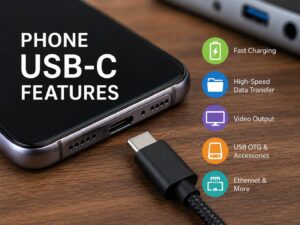
For newer iPhones and cars with USB-C, cable quality still matters. If you are unsure what a USB-C port can actually do, our guide to phone USB-C features explained covers charging, data transfer, video output, and other common USB-C capabilities.
In practice, a direct cable connection is often the safest choice for CarPlay. Extra adapters can add another failure point.
Wired vs Wireless CarPlay Audio Quality
Most drivers will not hear a dramatic difference between wired and wireless CarPlay during everyday listening.
Road noise, tire noise, speaker quality, cabin acoustics, and the car’s amplifier often have a much bigger effect on sound.
Still, wired CarPlay has one clear technical advantage for Apple Music users.
Apple supports lossless Apple Music playback through CarPlay over USB.
So, drivers who care about lossless audio may prefer the wired connection.
That does not mean every car will suddenly sound much better.
For example, an entry-level factory sound system may hide much of the difference. A premium audio system gives lossless music a better chance to show its strengths.
For podcasts, calls, normal Spotify streaming, and everyday music, either connection works well.
Wireless CarPlay Uses More Phone Battery
Wireless CarPlay does not charge your phone.
That sounds obvious, but it is easy to forget when the phone stays hidden in a pocket or bag.
Navigation, music streaming, mobile data, and CarPlay communication all use power.
So, a short journey usually makes little difference. A long drive is another story.
For example, you might start a three-hour trip with 60% battery and arrive with far less if the phone never touches a charger.
Wired CarPlay avoids that problem since the USB connection normally provides power.
Still, charging speed varies between cars. An older USB-A port may charge much more slowly than a modern USB-C power port.
Wireless CarPlay paired with a good wireless charging pad can solve the battery issue too. Yet some built-in pads charge slowly or make the phone warm during navigation.
So, wired charging remains the simpler setup for long trips.
Is Wireless CarPlay Faster?
Not necessarily.
Once connected, wired and wireless CarPlay can feel very similar during normal use.
The bigger difference appears during startup.
Wired CarPlay can begin connecting as soon as you plug in the cable. Wireless CarPlay needs the phone and car to recognize each other, then establish the wireless connection.
A good system can complete that process quickly.
Still, some cars take 10, 15, or even more seconds before CarPlay appears.
For this reason, do not judge wireless CarPlay only from the feature list. The quality of the infotainment system makes a big difference.
A fast, stable wireless system feels excellent. A slow one can become irritating.
Should You Buy a Wireless CarPlay Adapter?
Wireless CarPlay adapters are popular with drivers who have wired CarPlay but want a cable-free setup.
The adapter plugs into the car’s CarPlay USB port. It then creates a wireless connection between the iPhone and the wired CarPlay system.
The idea is simple and useful.
Still, the adapter adds another device between the phone and the car.
That can introduce:
- Slower startup
- Pairing problems
- Random disconnects
- Firmware bugs
- Problems switching between phones
- Compatibility issues with some infotainment systems
Some adapters work very well. Others can be frustrating.
So, native wireless CarPlay remains the better choice in a new vehicle.
For an existing wired-only car, an adapter can still make sense. Keep a normal USB cable nearby as a backup.
Can You Use Wired CarPlay in a Car With Wireless CarPlay?
Many cars support both, and that gives you the most flexibility.
You can use wireless CarPlay during short daily journeys, then plug the phone in for a long trip.
That setup works particularly well.
For example, wireless CarPlay is great for a 15-minute commute. On a four-hour road trip, the cable gives you charging and a direct connection.
So, you do not have to choose one system forever.
Use whichever connection suits the trip.
Which CarPlay Setup Is Best for Commuting?
Wireless CarPlay is usually the better choice for commuting.
The phone stays in your pocket. There is no cable to plug in each morning. Music and navigation can start automatically.
For short drives, battery drain is rarely a serious issue.
So, wireless CarPlay feels more convenient in daily city use.
Still, drivers with unreliable factory wireless systems may prefer the cable. Reliability matters more than saving a few seconds.
Which CarPlay Setup Is Better for Road Trips?
Wired CarPlay has the advantage on long drives.
The phone receives power, the connection is direct, and you can use Apple Music lossless playback through USB.
More importantly, you will probably want to charge the phone anyway.
So, plugging in one cable at the start of the trip barely adds any inconvenience.
Wireless CarPlay remains useful, but it offers less benefit once the phone needs charging.
What Should You Look for in a New Car?
If you are buying a new car, support for both wired and wireless CarPlay is ideal.
That gives you freedom to choose the connection based on the situation.
Look for:
- Wired CarPlay
- Native wireless CarPlay
- USB-C ports
- Good charging speeds
- A well-positioned wireless charging pad
- Easy switching between paired phones
- Regular infotainment software updates
Still, do not reject a good car only because it lacks wireless CarPlay.
Wired CarPlay gives you the core CarPlay experience. Wireless support mostly adds convenience.
The quality of the infotainment system matters more than the words “wireless CarPlay” on a specification sheet.
Wired or Wireless CarPlay: Which One Should You Choose?
Choose wired CarPlay if you care most about reliability, phone charging, long-distance driving, or Apple Music lossless playback through USB.
Choose wireless CarPlay if convenience matters more and you make lots of short trips.
For many drivers, the best answer is to use both.
Wireless CarPlay feels better for daily errands and commuting. Wired CarPlay makes more sense for road trips, charging, and troubleshooting.
So, keep wireless enabled if your car supports it, but leave a reliable USB cable in the car.
That simple setup gives you the best parts of both systems.
Frequently Asked Questions
Does Wireless CarPlay Need Bluetooth?
Yes. Wireless CarPlay uses Bluetooth during the connection process, and Wi-Fi needs to stay active too.
If wireless CarPlay stops connecting, checking both settings is a good first step.
Does Wireless CarPlay Charge Your iPhone?
No. Wireless CarPlay only handles the connection.
You still need a wireless charging pad or a cable to charge the phone.
Is Wired CarPlay Better for Sound Quality?
Wired CarPlay has a technical advantage for Apple Music users since lossless playback is supported through USB.
Still, the car’s audio system, road noise, and speakers have a major effect on what you actually hear.
Why Does Wireless CarPlay Keep Disconnecting?
Start by checking Bluetooth, Wi-Fi, Auto-Join, and the stored CarPlay pairing.
Then restart the phone and infotainment system.
If the problem continues, remove the car from the iPhone’s CarPlay settings and pair it again. Checking for vehicle infotainment updates can help too.
Can USB-C iPhones Use Wired CarPlay?
Yes.
You need a compatible USB cable for the ports available in your vehicle. A direct USB-C connection is preferable where the car supports it.
Is a Wireless CarPlay Adapter Worth It?
It can be useful in a car that has reliable wired CarPlay but no wireless option.
Still, adapter quality varies. Native wireless CarPlay is usually cleaner and easier to live with.
Is Wireless CarPlay Worth Paying Extra For?
It has the most value for drivers who make frequent short trips.
If you mainly drive long distances and charge your phone anyway, wired CarPlay already covers most of what you need.