Review

Razer Viper V4 Pro review: battery at 8,000 Hz

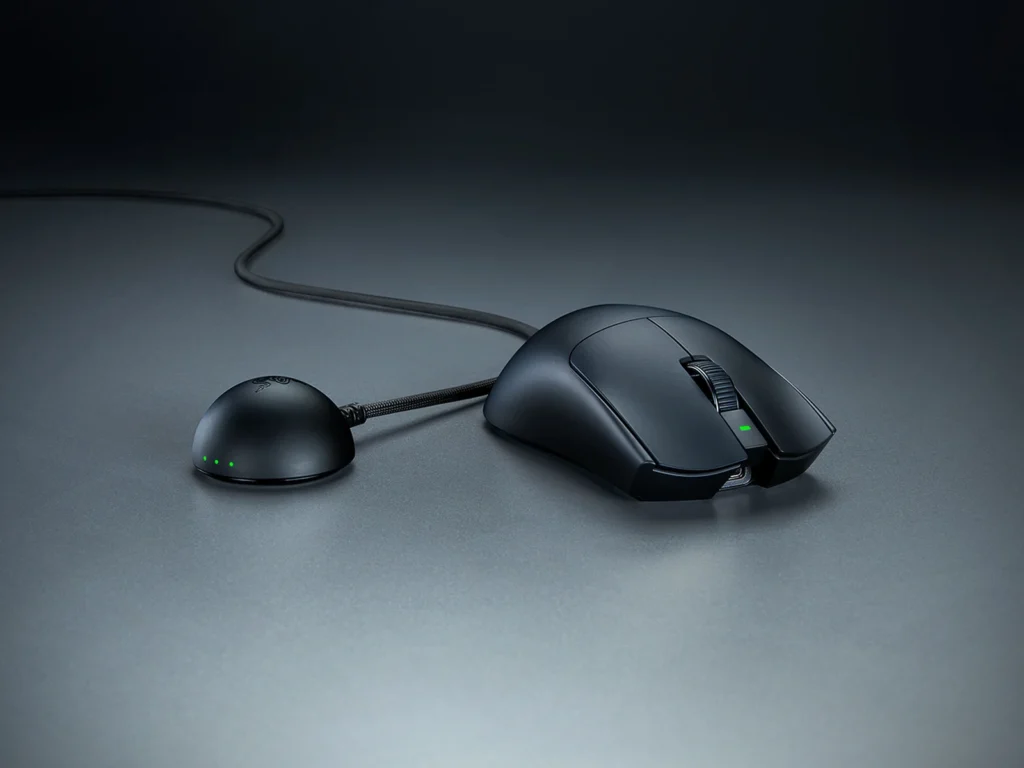
The black Razer Viper V4 Pro weighs under 49 g and supports 8,000 Hz polling over wireless or cable. That setting sends position reports more often and cuts Razer’s battery estimate for wireless use. It’s a mouse to consider if you want the faster reporting option and already know you like a right-handed claw or fingertip shape.

The Logitech G PRO X SUPERLIGHT 2 reaches the same polling rate and weighs 60 g by Logitech’s specification. Those figures come from the manufacturers. Use them to compare weight and settings, then check the fit separately.
By Published Research-based assessment

Affiliate disclosure: the price links on this page may earn us a commission at no extra cost to you. Retailers cannot pay for placement or influence the score. How we stay independent

Quick verdict

Razer Viper V4 Pro, black (RZ01-05630100-R3U1)
RecommendationConsider if you want the higher polling option and a low, light shell for a right-handed gripEvidence: maker figures, some of them conflicting

The Viper V4 Pro suits a right-handed claw or fingertip player who wants the option of 8,000 Hz polling. Pick a lower polling rate when you want longer battery life from the same mouse.

Strengths

  • 8,000 Hz in both modes
  • Under 49 g in black

Weaknesses

  • Thumb buttons are on the left edge for a right-hand grip
  • Shorter rated battery life at the maximum polling rate
  • Default DPI control sits underneath

Key specifications

Model
Razer Viper V4 Pro, black (RZ01-05630100-R3U1)
Shape
Right-handed symmetrical, two side buttons on the left
Size
127.1 x 63.9 x 39.9 mm
Weight
Black under 49 g without cable or dongle
Sensor
Focus Pro 50K Optical Sensor Gen-3, up to 50,000 DPI, 930 IPS, 90 G
Polling rate
Up to 8,000 Hz, wireless and wired
Battery
Up to 180 hours at 1,000 Hz, up to 45 hours at 8,000 Hz
Connection
HyperSpeed Wireless Gen-2 dongle, or USB-A to USB-C cable
Buttons and switches
6 programmable, Optical Mouse Switches Gen-4 rated for 100 million clicks
Scroll wheel
24-step optical, no tilt
Onboard memory
1 profile
Feet and lighting
100% PTFE feet, no RGB lighting

How we reviewed it

Basis
Research-based: assessed from the manufacturer’s published specifications, documentation and the independent sources listed at the end. We have not tested this unit ourselves; any measurement quoted belongs to the cited source.
Method

Razer's Viper V4 Pro specifications give dimensions, polling rates, battery estimates and onboard storage. Razer's launch release explains the grip and controls. Logitech's product page supplies the Superlight 2 specifications.

Evidence

Battery figures come from Razer at the stated polling rates. The difference between the two estimates shows the trade-off of the setting.

Limitations

Published specifications leave battery life in an individual setup, click and motion latency, and grip comfort unmeasured for this assessment.

What the polling setting does to battery life

Not rated · Evidence: maker figures only
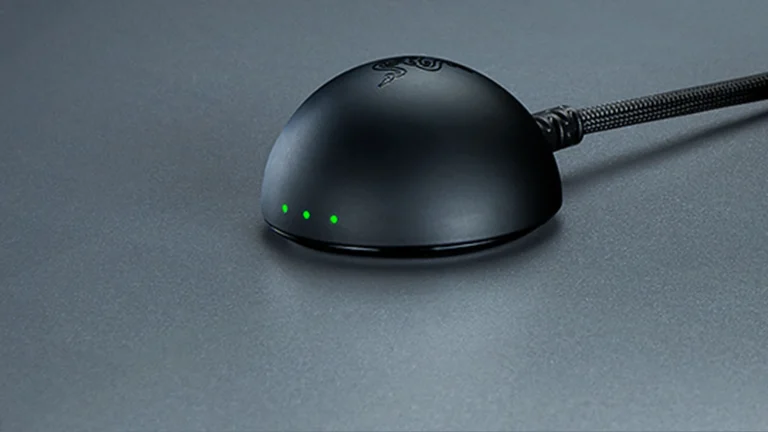
Razer's dome-shaped HyperSpeed Wireless Gen-2 dongle for the Viper V4 Pro, with three green status lights at its base
The Viper V4 Pro's wireless dongle, with its three status lights along the base. Image: Razer (cropped)

Razer rates the battery for up to 180 hours at 1,000 Hz. At maximum wireless polling, the estimate drops to 45 hours, a quarter of that runtime. How often you'll need to charge depends on how you use it.

If you want to keep the faster setting when the battery runs low, plug in the cable. The wired connection supports the same top polling rate.

A light shell with the buttons on one side

Not rated · Evidence: conflicting sources
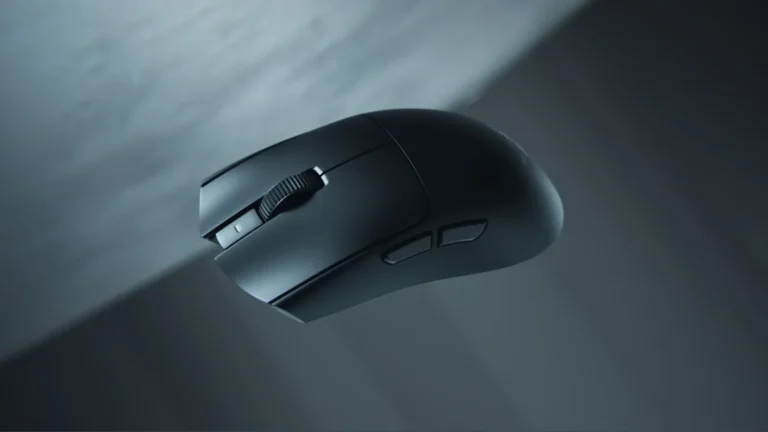
Black Razer Viper V4 Pro seen from its left side, showing the two side buttons and the scroll wheel
The left side of the Viper V4 Pro, where both side buttons sit. Image: Razer (cropped)

The shell is symmetrical, with both thumb buttons on the left edge for a right-hand grip. Razer designed it for claw and fingertip grips. If you rest your whole palm on a mouse, compare the dimensions in the specs with a shell you already know.

Razer puts the black V4 Pro at around 9% lighter than the V3 Pro. The weight tells you how much mass you'll move, while the shape decides where your fingers can rest.

Check how you'll change DPI

Not rated · Evidence: maker figures only
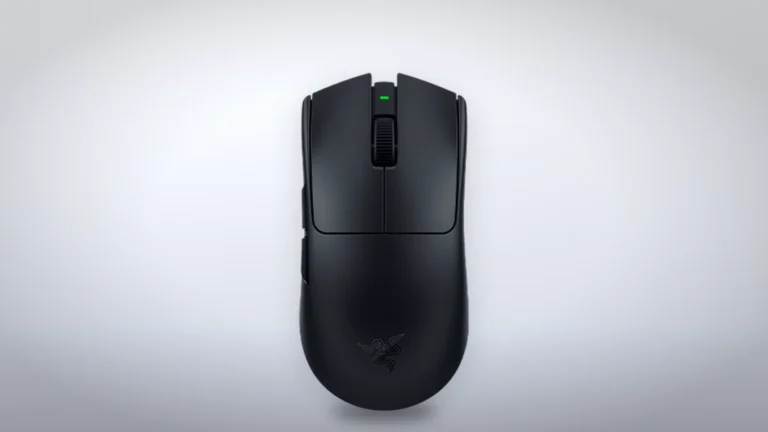
Black Razer Viper V4 Pro seen from above on a plain light backdrop, with the scroll wheel between the two main buttons
The Viper V4 Pro from above, with the scroll wheel between the two main buttons. Product illustration based on Razer's render on a generated backdrop. Product illustration based on manufacturer imagery (Razer render)

With the default mapping, the button underneath changes sensitivity. If you adjust DPI during games, decide before playing which of the six programmable controls you want to use.

Razer offers Synapse Web for browser-based tuning. The mouse stores one profile, enough to carry your chosen setup between computers.

Where to buy

In-stock offers for this exact model, sorted by item price in USD. Shipping is not included unless a retailer supplies it. Not every retailer is listed. Prices last checked 11 hours ago.

Retailer prices for the Razer Viper V4 Pro, black (RZ01-05630100-R3U1)
RetailerItem priceShippingAvailabilityCheckedLink
Amazon.com$134.99 $159.99See retailerIn stockCheck price at Amazon.com

Prices and availability come from retailer feeds and change without notice; the retailer’s page is authoritative. We may earn a commission if you buy through these links.

Final verdict

Razer Viper V4 Pro, black (RZ01-05630100-R3U1)
RecommendationConsider if you want the higher polling option and a low, light shell for a right-handed grip

This review gives no score out of 10, because no section rests on a measurement by an independent body. The recommendation and the written verdict stand on their own.

Pros

  • 8,000 Hz in both modes
  • Under 49 g in black

Cons

  • Thumb buttons are on the left edge for a right-hand grip
  • Shorter rated battery life at the maximum polling rate
  • Default DPI control sits underneath

Conclusion

Check how the shell supports your grip before replacing a mouse that fits you. You can use the lower polling rate for longer sessions and keep the faster setting available for games where you want it.

Our take

The ability to use the maximum polling rate over a cable gives you a way to keep that setting when the battery is low. The published figures give a clearer reason to change the polling rate than to replace a mouse that already fits.

Best for
  • Right-handed players with a claw or fingertip grip
  • Players who switch between wireless and wired polling
Consider an alternative if
  • You need thumb buttons on the right edge
  • You want several profiles stored on the mouse

Questions readers ask

Does the Viper V4 Pro support its top polling rate over USB?

Yes. Razer lists the same maximum polling rate in wired and wireless modes.

How many profiles fit in the mouse's memory?

Razer lists one onboard profile.

About the reviewer

Editor

Andreea reads BetterBuyBase’s articles, guides and reviews before they are published. When she has also checked a piece against its sources, the note at the end of it says so, with her name and the date.

This is a research-based assessment: the reviewer compiled it from published specifications, documentation and independent measurements rather than from testing the unit.

Profile and other work →

Sources

  • Razer: Viper V4 Pro technical specifications and FAQrazer.com
  • Razer via Games Press: Viper V4 Pro launch announcement, March 24, 2026gamespress.com
  • Logitech G: PRO X SUPERLIGHT 2 wireless gaming mouselogitechg.com

This review was created with the help of AI. How we work

← Back to the blog