Review

How far does the Epson ET-8550’s ink go on photos?

The Epson EcoTank Photo ET-8550 makes borderless prints up to 13 x 19 inches. That paper size is the reason to choose it over the smaller ET-8500. Epson’s two-year ink estimate assumes regular document printing. Use the paper capacity to plan a photo run and keep the ink estimate separate from the number of photos you expect to print.

Epson’s specifications and manual establish the paper and ink figures in this review. ENERGY STAR’s certification covers the printer’s power draw.
By Published Research-based assessment

Affiliate disclosure: the price links on this page may earn us a commission at no extra cost to you. Retailers cannot pay for placement or influence the score. How we stay independent

Quick verdict

Epson EcoTank Photo ET-8550 (C11CJ21201)
RecommendationConsider if you regularly print photos larger than letter sizeEvidence: maker figures only

The ET-8550 makes sense for photographers who regularly print larger than letter size. Its rear feeder accepts borderless 13 x 19 inch prints on compatible photo paper.

Strengths

  • Borderless prints up to 13 x 19 inches
  • A separate rear slot takes card stock up to 1.3 mm thick
  • Maintenance box you replace yourself

Weaknesses

  • Five sheets per load for listed A3+ photo stocks
  • Document yield figures cannot predict ink cost for large photos
  • No document feeder

Key specifications

Model
C11CJ21201
Largest borderless print
13 x 19 in
Inks
Six 552 bottles (70 mL): black, photo black, cyan, magenta, yellow, gray
ISO page yields
Color 6,200, black 6,700, photo black 7,300, gray 46,600
Thickest media
1.3 mm (rear slot, one sheet)
Scanner
Flatbed, up to legal size, no document feeder
Connections
Wi-Fi 5, Ethernet, USB, SD card
Weight
24.5 lb
Warranty
1 year (US and Canada)

How we reviewed it

Basis
Research-based: assessed from the manufacturer’s published specifications, documentation and the independent sources listed at the end. We have not tested this unit ourselves; any measurement quoted belongs to the cited source.
Method

Epson's US specification lists the ink yields, supported print sizes and physical dimensions. The user guide gives the rear feed capacities and cleaning instructions. ENERGY STAR lists the measured power draw for the ET-8550.

Evidence

Epson specifies borderless printing up to 13 x 19 inches. The paper charts in the guide give the capacity for each stock and paper path.

Limitations

The document yield uses ISO/IEC 24712 and doesn't predict the number of large photos. ENERGY STAR's certification covers energy use.

What Epson's ink yields describe

Not rated · Evidence: maker figures only
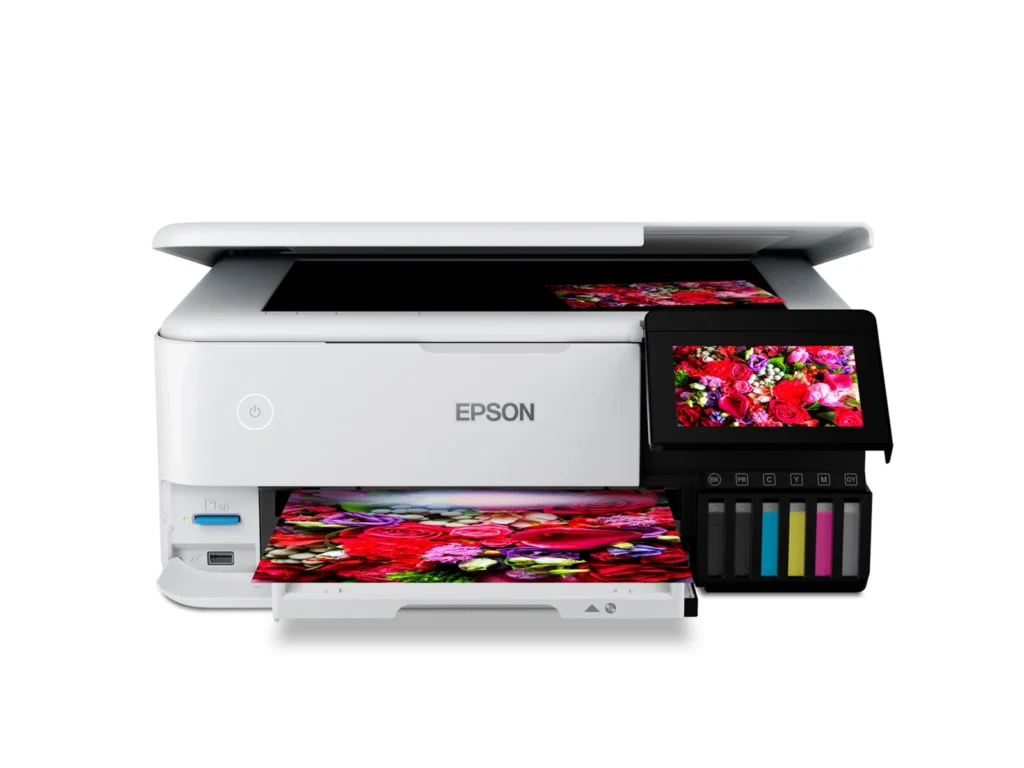
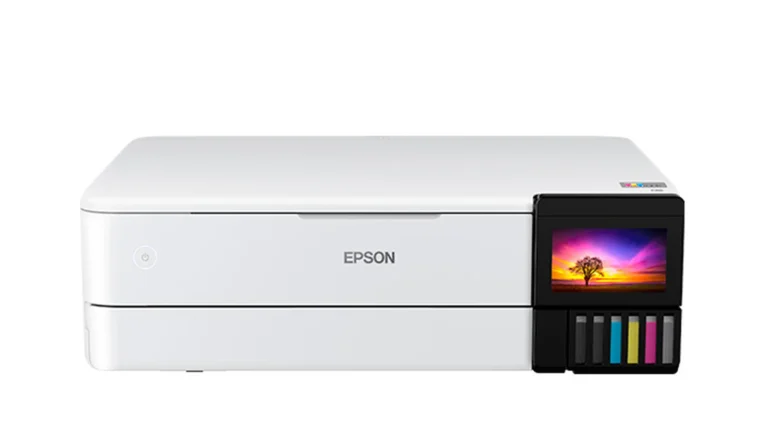
Epson ET-8550 seen straight on, with the touch screen above six ink tanks on the right of the white body
The ET-8550 from the front, with its six ink tanks under the touch screen. Product image: Epson

Epson's two-year estimate assumes about 200 document pages a month, or roughly 4,800 pages over two years. The replacement color bottles' 6,200-page rating comes from a standard document pattern under ISO/IEC 24712. Epson uses a different standard for photo yields and says those yields are lower.

If most of your jobs are large photos, use that document figure only for the text pages you print alongside them. For an inkjet that sits unused for weeks, infrequent printing and maintenance can also reduce the number of pages a bottle produces.

Load 13 x 19 inch paper in the rear feeder

Not rated · Evidence: maker figures only
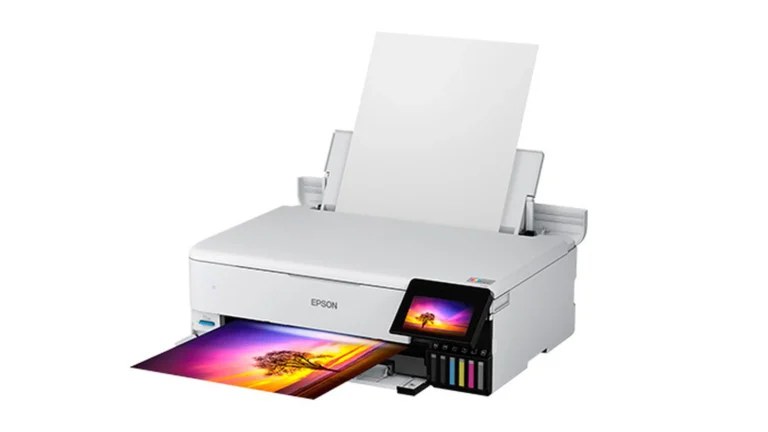
Epson ET-8550 from the left with the rear paper feeder raised and a large photo print coming out of the front
The rear paper feeder raised, with a print leaving the front tray. Product image: Epson

Match the stock to the right opening. The rear feeder holds five A3+ sheets at a time for listed papers such as Epson Premium Glossy Photo Paper. Thicker media goes into the separate straight rear slot, one sheet at a time. Epson lists a maximum thickness of 1.3 mm for that path.

Refill the feeder as a batch progresses. Keep the front trays for smaller stock or plain paper so you can leave your everyday paper loaded. The ET-8500 shares the six-ink system, but its paper path stops at smaller sizes.

When the maintenance box needs replacing

Not rated · Evidence: maker figures only
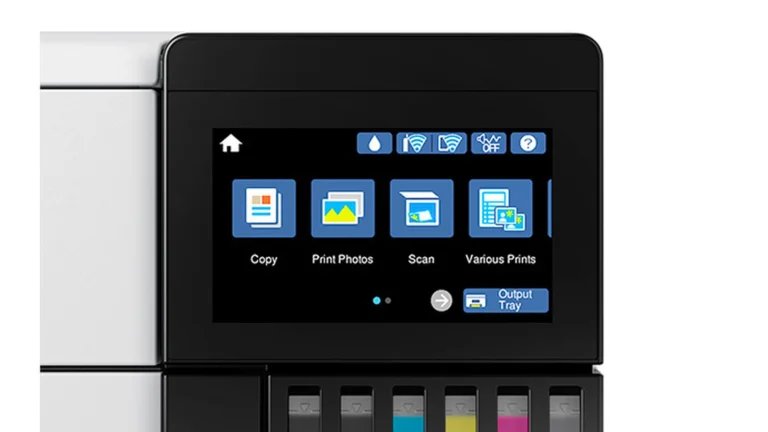
Close view of the Epson ET-8550 touch panel showing Copy, Print Photos, Scan and Various Prints above the ink tanks
The touch panel's home screen above the ink tanks. Product image: Epson

The printer collects waste ink in a replaceable maintenance box, Epson part C9345. If photos show lines or streaks, start with the nozzle check and standard cleaning sequence in the manual. Use Power Cleaning when the guide calls for it. That cycle needs every tank at least one-third full and uses room in the maintenance box. Epson says to wait at least 12 hours before repeating it.

ENERGY STAR lists 0.7 W in sleep and 0.1 W in standby. Epson lists a one-year limited warranty in the US and Canada.

Where to buy

In-stock offers for this exact model, sorted by item price in USD. Shipping is not included unless a retailer supplies it. Not every retailer is listed. Prices last checked 1 hour ago.

Retailer prices for the Epson EcoTank Photo ET-8550 (C11CJ21201)
RetailerItem priceShippingAvailabilityCheckedLink
Amazon.com$499 $749.99See retailerIn stockCheck price at Amazon.com

Prices and availability come from retailer feeds and change without notice; the retailer’s page is authoritative. We may earn a commission if you buy through these links.

Final verdict

Epson EcoTank Photo ET-8550 (C11CJ21201)
RecommendationConsider if you regularly print photos larger than letter size

This review gives no score out of 10, because no section rests on a measurement by an independent body. The recommendation and the written verdict stand on their own.

Pros

  • Borderless prints up to 13 x 19 inches
  • A separate rear slot takes card stock up to 1.3 mm thick
  • Maintenance box you replace yourself
  • Six inks, with gray and photo black alongside the usual four
  • Scanner glass fits legal-size originals

Cons

  • Five sheets per load for listed A3+ photo stocks
  • Document yield figures cannot predict ink cost for large photos
  • No document feeder
  • One-year warranty

Conclusion

Measure the space from the wall to the front of the shelf. Epson lists the printer at 14.9 inches deep in storage and 29.8 inches with the trays in use. Leave room to load paper from the rear.

Our take

Choose the smaller ET-8500 for photos that fit its paper path. It uses the same six ink colors, and the ET-8550 makes more sense when you need the larger borderless size or the legal-size scanner glass.

Best for
  • Hobby photographers who print larger than letter size
  • Crafters
  • A household that wants documents and photos from one machine
Consider an alternative if
  • You print a few photos a year
  • Your large print runs go to dozens of sheets at a time
  • You scan stacks of multi-page documents

Questions readers ask

Can the Epson ET-8550 print 13 x 19 inch photos without borders?

Yes. Epson lists borderless printing up to that size. Use the rear paper feeder and check the loading capacity for the paper you choose.

Does the ET-8550 use the same ink as the ET-8500?

Yes. Epson's guide covers both printers and lists one set of 552 bottles: black, photo black, cyan, magenta, yellow and gray.

Does the Epson ET-8550 have a maintenance box?

It does, part number C9345 in Epson's guide, and the printer tells you when it needs to be replaced.

About the reviewer

Editor

Andreea reads BetterBuyBase’s articles, guides and reviews before they are published. When she has also checked a piece against its sources, the note at the end of it says so, with her name and the date.

This is a research-based assessment: the reviewer compiled it from published specifications, documentation and independent measurements rather than from testing the unit.

Profile and other work →

Sources

This review was created with the help of AI. How we work

← Back to the blog