Inkjet vs Laser Printer: What’s the Real Difference?
Buying a printer should feel simple, but it rarely does. You start by choosing between inkjet and laser, then you run into cartridge prices, toner costs, page yield, Wi-Fi issues, print speed, scanners, duplex printing, and photo quality. It gets annoying fast.
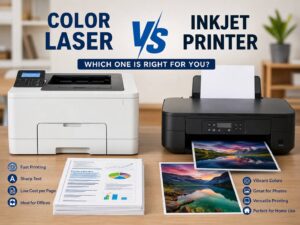
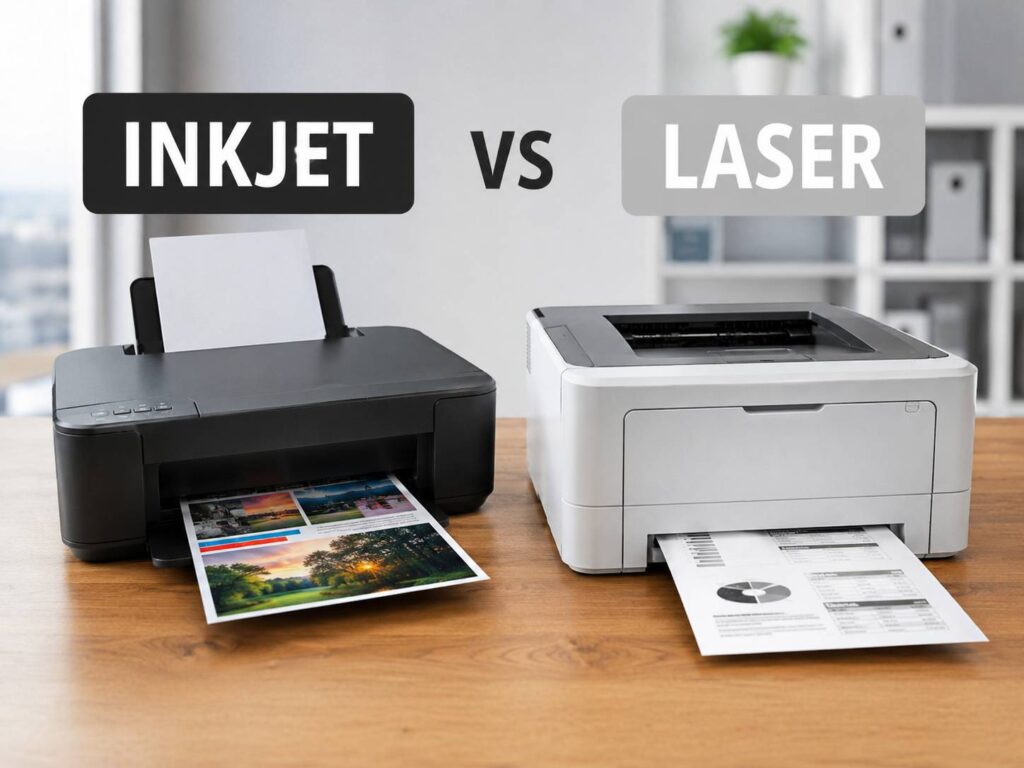
The basic difference is easy to understand. An inkjet printer uses liquid ink. It sprays tiny drops onto paper, which helps it create smooth colors and detailed images. A laser printer uses toner powder. It bonds that toner to paper with heat, which makes it great for sharp text and fast document printing.
That is why inkjet printers often fit homes, students, photos, school projects, and colorful pages. Laser printers usually fit offices, home offices, forms, contracts, invoices, labels, and long text documents.
The better printer is not always the most expensive one. It is the one that matches what you print most often.
Quick Answer: Choose Inkjet for Color, Photos, and Mixed Home Use
An inkjet printer makes the most sense if you print a mix of photos, homework, recipes, charts, forms, and colorful documents. It is more flexible with paper types, and it usually gives better photo results than a laser printer.
Inkjet printers are a good fit for:
- Families that print homework, photos, and everyday forms
- Students who need a low-cost all-in-one printer
- Home users who print both text and color pages
- Small offices that print light color work
- People who want borderless photo printing
- Anyone who uses glossy paper, matte paper, stickers, or craft paper
Still, inkjet printers have one real problem: they do not like sitting unused. Ink can dry, printheads can clog, and cleaning cycles can waste ink. If you print once every few months, a cheap inkjet can become frustrating.
For regular home printing, an ink tank printer can be a better choice than a cartridge inkjet. It costs more at the start, but the refill bottles usually last much longer. That can lower running costs and reduce the stress of buying cartridges all the time.
Quick Answer: Choose Laser for Text, Speed, and Low-Fuss Printing
A laser printer makes more sense if you mostly print black text, office forms, shipping labels, contracts, reports, or invoices. It prints fast, the text looks crisp, and toner does not dry out like ink.
Laser printers are a strong choice for:
- Home offices
- Small businesses
- People who print many black-and-white pages
- Users who print in batches
- Anyone who leaves the printer unused for weeks
- Buyers who care more about clean text than photos
A monochrome laser printer is one of the safest printer choices for people who mostly need documents. It does one job well, and it usually does it with less drama than a cheap inkjet.
Color laser printers also exist, and they work well for business charts, presentations, and training pages. They are not the best choice for glossy photos, though. If you want photo prints that look rich and smooth, inkjet still wins.
Print Quality: Text, Photos, and Color Pages
Print quality depends on the printer model, paper, settings, and supplies. Still, inkjet and laser printers each have clear strengths.
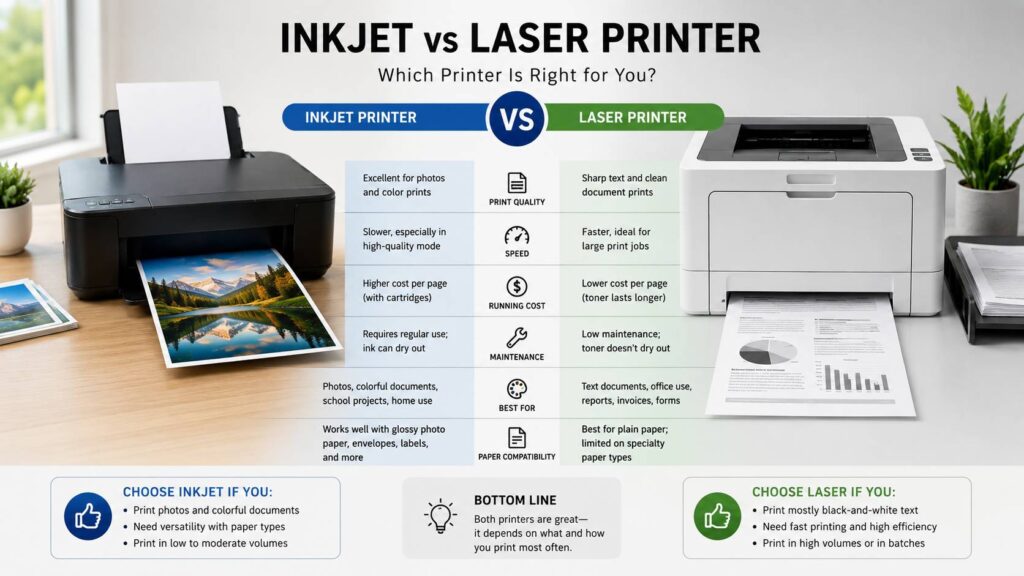
Laser printers usually produce better black text. Letters look sharp, lines stay clean, and pages come out dry. That makes laser better for resumes, contracts, reports, tax forms, and business documents.
Inkjet printers usually produce better photos. They handle color blending better, especially on photo paper. Skin tones, skies, shadows, and bright colors often look more natural from a good inkjet.
For color documents, the answer is closer. Inkjet printers can make colors look richer, especially on coated paper. Laser printers make charts, headings, and mixed text pages look clean on plain office paper.
My honest opinion: do not buy a color laser printer for family photos and expect photo-lab quality. It can print images, but it is better for business pages than keepsakes.
Speed: Laser Printers Usually Feel Faster
Laser printers usually print faster than inkjets, especially with text pages. That matters if you print long PDFs, office reports, shipping labels, worksheets, invoices, or manuals.
Inkjet printers can feel slower. Cheaper models may pause between pages, and high-quality color printing takes time. Photo printing is slower too, but that is normal. A printer needs more time to place ink accurately on photo paper.
Printer speed claims can also be a little misleading. Brands often test pages per minute in ideal settings. Real speed changes with Wi-Fi strength, duplex printing, color mode, paper type, and quality settings.
For office documents, laser wins. For light home printing, inkjet speed is usually fine.
Running Costs: Ink, Toner, and the Real Price of Printing
The printer price on the box is only part of the cost. Ink and toner matter more over time.
Cheap inkjet printers often look like a bargain at first. Then the replacement cartridges cost more than expected. Small cartridges can run out quickly, especially if you print color pages often.
Ink tank printers solve part of that problem. They use refill bottles instead of small cartridges. The printer costs more upfront, but the ink lasts longer. For families, teachers, and home offices that print often, an ink tank model can save money over time.
Laser printers use toner cartridges. A toner cartridge usually costs more than an ink cartridge, but it often prints more pages. For black-and-white printing, a laser printer can be cheaper per page than a cartridge inkjet.
A simple way to choose:
- Low print volume with photos: inkjet
- Low print volume with mostly text: laser
- Regular color printing: ink tank
- Heavy black-and-white printing: monochrome laser
- Office color documents: color laser or business ink tank
Do not look only at cartridge price. Check page yield, high-yield options, drum costs, and whether the printer ships with starter supplies. Starter cartridges often contain less ink or toner than normal replacements.
Maintenance: Inkjet Needs More Care
Inkjet printers can print beautiful pages, but they need more attention. The most common problem is dried ink. If the printer sits unused for too long, the printhead can clog. Then you may see faded lines, missing colors, streaks, or messy output.
Common inkjet issues include:
- Dried ink after long idle periods
- Clogged printheads
- Banding or missing lines
- Ink used during cleaning cycles
- Smudging on cheap paper
- Fast cartridge drain on cheaper models
The easiest habit is to print something every week or two. It does not need to be a full page photo. A small color page can help keep ink moving.
Laser printers need less regular care. Toner is dry, so it does not dry out in the same way liquid ink does. Laser printers can still need drums, rollers, fusers, or waste toner boxes replaced, based on the model. Still, for most people, laser feels easier to live with.
If you print rarely and hate troubleshooting, a laser printer is usually the better pick.
Upfront Price: Cheap Printers Can Become Expensive
Inkjet printers often cost less at purchase. That makes them tempting for home use. You can find all-in-one inkjet models with printing, scanning, and copying at a low price.
Laser printers often cost more upfront, especially color laser models. Monochrome laser printers can still be affordable, and they often give better long-term value for text-heavy printing.
The mistake is buying the cheapest printer without checking supplies. A low-cost printer can become expensive if the ink or toner costs too much.
Before buying, check:
- Replacement black ink or toner price
- Replacement color supply price
- Page yield
- High-yield cartridge support
- Duplex printing
- Paper tray size
- Scanner and copier features
- Mobile printing support
- Wi-Fi setup reviews
- Warranty terms
Printer buying is similar to comparing other tech specs. You need to know which details matter and which ones are just marketing. The same idea applies when comparing an optical vs laser mouse or choosing the best color gamut for editing work. The right choice depends on real use, not just the bigger number on the box.
Paper Handling and Daily Use
Inkjet printers are often better with different paper types. Many models can print on glossy photo paper, matte paper, envelopes, labels, card stock, and craft paper. That makes them useful for creative projects and home tasks.
Laser printers work best with plain office paper. Some can handle labels and envelopes, but you must use laser-safe materials. Laser printers use heat, and the wrong paper or label sheet can cause problems.
Paper tray size matters too. Cheap inkjets often have small trays. That gets annoying if you print often. Laser printers, especially office models, usually hold more paper and handle bigger jobs with fewer interruptions.
Duplex printing is worth having. It prints on both sides of the page and saves paper. An automatic document feeder is also useful if you scan or copy multi-page documents. Without it, you place each page on the scanner glass by hand.
Inkjet vs Laser for Home Use
For most homes, an inkjet printer is better if you need one machine for many jobs. It can print photos, school projects, forms, recipes, return labels, and color pages.
A cartridge inkjet works for light use, but an ink tank printer is better if you print often. It costs more upfront, yet it can be cheaper and less annoying over time.
A laser printer is better for homes that mostly print black-and-white pages. It is also better for people who leave the printer unused for long periods. Toner handles idle time better than ink.
Best home printer by need:
- Family photos and school projects: inkjet
- Lots of homework and color pages: ink tank
- Mostly forms and documents: monochrome laser
- Very occasional printing: monochrome laser
- Mixed home use every week: inkjet or ink tank
Inkjet vs Laser for Office Use
Laser printers still make the most sense in many offices. They print fast, text looks clean, and they handle repeat document jobs well.
A monochrome laser printer works well for invoices, reports, contracts, packing slips, and daily paperwork. A color laser printer is better for charts, presentations, office handouts, and training pages.
Business inkjet printers can also work in small offices. Some print fast, offer low running costs, and handle color documents well. They make sense for menus, classroom materials, office forms, and light marketing pages.
For office use, check recommended monthly page volume. This number matters more than the maximum duty cycle. The duty cycle shows what the printer can survive for a short period. Recommended volume gives a better idea of normal use.
Common Problems People Notice After Buying
Many printer complaints come from choosing the wrong type of printer.
Common inkjet complaints include:
- Ink runs out too fast
- The printer cleans itself and uses ink
- Colors look dull on plain paper
- Printheads clog after long breaks
- Cartridges cost too much
- Wi-Fi setup feels harder than expected
Common laser printer complaints include:
- Color models cost more
- Toner cartridges feel expensive
- Photos look flat
- Some models are bulky
- The first page can take a little time
- Some printers need separate drum replacements
Software can be another pain point. Some printers push account setup, apps, supply warnings, firmware updates, and subscription offers. Before buying, read recent owner reviews about setup and drivers. A printer can have great specs and still be annoying if the software gets in the way.
Which Printer Is Better for Photos?
Inkjet is the better choice for photos. It handles color blending, glossy paper, and fine image detail better than most laser printers.
For better results, use proper photo paper and the correct print settings. Cheap copy paper will not show what an inkjet can really do. It absorbs ink differently, so colors can look flat.
A photo inkjet with more ink colors can produce better results than a basic four-color model. If photos matter a lot, choose a printer made for photo printing, not just a basic home all-in-one.
A laser printer can print images, but it is better for reports and handouts than framed photos.
Which Printer Is Better for Students?
Students usually need a printer that is affordable, easy to use, and good enough for essays, forms, scans, and the occasional color page.
A basic inkjet all-in-one can work well for light student use. It handles scanning, copying, text, and color pages. The problem is ink cost if printing becomes frequent.
A monochrome laser printer is often better for students who print lots of lecture notes, PDFs, essays, and study materials. It prints faster, toner lasts longer, and it does not suffer from dried ink.
Best student choices:
- Mostly essays and PDFs: monochrome laser
- Mixed text, color, and scanning: inkjet all-in-one
- Frequent color printing: ink tank printer
Which Printer Is Better for Small Business?
Small businesses should choose based on print volume and document type.
A monochrome laser printer is the safest choice for receipts, invoices, contracts, forms, and shipping labels. It is fast, clean, and reliable for everyday business paperwork.
A color laser printer is better for offices that need charts, branded pages, presentations, and client documents. It gives clean output on plain paper and handles batches better than many cheap inkjets.
An ink tank printer can work well for small businesses that print lots of color pages but want lower supply costs. It can be a strong choice for menus, classroom pages, flyers, and customer handouts.
Avoid the cheapest printer if it has tiny cartridges, no duplex printing, slow scanning, or a weak paper tray. Those small limits waste time every week.
Which Printer Lasts Longer?
Laser printers often feel more durable for document-heavy use. They are built for repeat text printing, and toner handles long idle periods better than ink.
Inkjet printers can last for years too, but they need regular use. The main risk is printhead trouble. Some ink cartridges include the printhead, which can make replacement easier. Other printers use fixed printheads, which can cost more to repair.
Supply support also matters. Before buying, check how easy it is to find ink, toner, drums, and maintenance parts. A good printer becomes a problem if supplies are hard to find or too expensive.
Final Verdict: Inkjet vs Laser Printer
Choose an inkjet printer if you want better color, better photos, and more paper flexibility. It is the better choice for families, students, creative projects, and mixed home printing. If you print often, an ink tank model is usually the smarter version of inkjet printing.
Choose a laser printer if you mostly print text, forms, labels, reports, and office documents. A monochrome laser printer is one of the best low-stress choices for home offices and small businesses. It prints fast, text looks sharp, and toner does not dry out.
Here is the simple buying guide:
- Best for photos: inkjet
- Best for sharp text: laser
- Best for low-cost color printing: ink tank
- Best for office documents: laser
- Best for rare printing: laser
- Best for school projects: inkjet
- Best for high-volume black-and-white printing: monochrome laser
The right printer should match your real routine. Think about what you print, how often you print, and how much replacement ink or toner costs. That one check can save you money, time, and a lot of printer frustration.