Alienware AW2726DM Review: QD-OLED at 240 Hz Through One Port
Connect the Alienware AW2726DM to a PC with DisplayPort to use its rated 240 Hz at full resolution. Its two HDMI inputs stop at 120 Hz. Dell’s included stand provides height, swivel and portrait adjustment.
Dell’s specifications and exact-model user guide support this assessment. Brightness, color and response-time figures are manufacturer ratings, without independent picture measurements here.
Affiliate disclosure: the price links on this page may earn us a commission at no extra cost to you. Retailers cannot pay for placement or influence the score. How we stay independent
Quick verdict
RecommendationRecommended for PC gamers who connect over DisplayPort and want burn-in cover on a first OLEDEvidence: maker figures only
The AW2726DM combines 1440p QD-OLED with 240 Hz over DisplayPort, an adjustable stand and three-year burn-in coverage. HDMI tops out at 120 Hz, and its warranty remains subject to Dell’s diagnosis and service terms.
Strengths
Dell lists VESA AdaptiveSync and AMD FreeSync Premium support
Three-year OLED burn-in coverage under Dell’s service terms
Height, swivel and portrait pivot on the included stand
Weaknesses
Only DisplayPort reaches 240 Hz
200-nit typical and 400-nit 10%-window HDR ratings are manufacturer figures
VESA AdaptiveSync and AMD FreeSync Premium, as listed by Dell
Brightness
200 nits typical, 400 nits HDR peak at a 10% window (Dell)
HDR certification
No AW2726DM entry found in VESA’s complete DisplayHDR table, November 20, 2026
Inputs
1 DisplayPort 1.4, 2 HDMI (HDMI 2.1 TMDS)
USB and audio
No USB ports, no speakers, headphone jack
Stand
130 mm height, tilt -5 to 21 degrees, swivel, pivot 90 degrees each way
Mount
VESA 100 x 100, panel 3.9 kg without stand
Warranty
3 years, Advanced Exchange, includes OLED burn-in (Dell US)
In the box
Power and HDMI cables. Check DisplayPort cable inclusion for the package you buy.
How we reviewed it
Basis
Research-based: assessed from the manufacturer’s published specifications, documentation and the independent sources listed at the end. We have not tested this unit ourselves; any measurement quoted belongs to the cited source.
Method
Dell’s product specifications and AW2726DM user guide cover connections, service and OLED maintenance. VESA's DisplayHDR list supplies the certification check. This assessment uses those documents without independent picture measurements.
Evidence
Dell supplies the technical ratings and conditional service terms. No numerical editorial score is inferred from manufacturer specifications or certification.
Limitations
Brightness, color and response-time figures remain Dell ratings. We have no independent brightness, color, input-lag or long-term aging measurements. A warranty is a service commitment, not a guarantee that burn-in cannot occur.
What Dell's burn-in warranty and Pixel Refresh ask of you
Not rated · Evidence: maker figures only
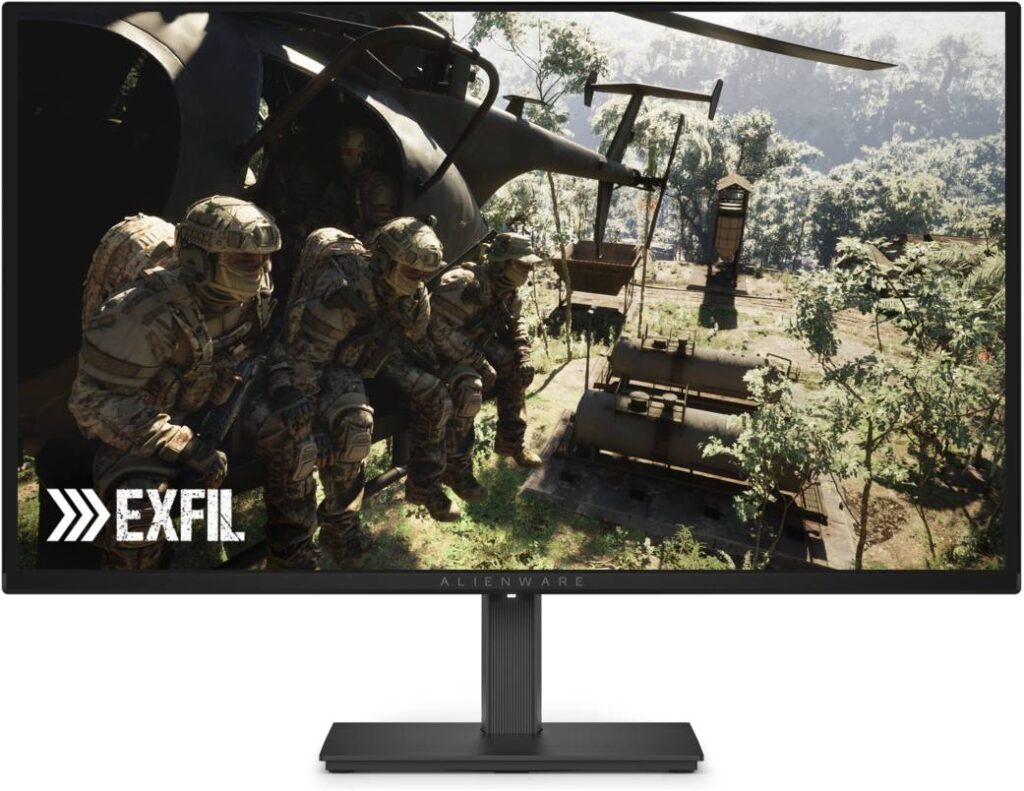
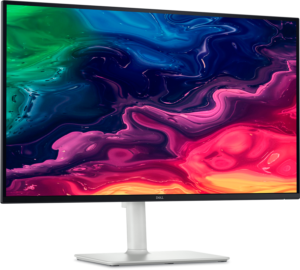
The AW2726DM from the front, with the small power light under the Alienware lettering that blinks during Pixel Refresh. Product illustration based on manufacturer imagery: Dell render on a generated backdrop
Dell's warranty for the AW2726DM runs three years and includes OLED burn-in. It's an Advanced Exchange plan, so if Dell's remote diagnosis finds the monitor needs to be replaced, the replacement and return of the original hardware follow Dell's service terms. Check those terms for the response time and panel exchange conditions.
Dell’s guide places Pixel Refresh under Others > OLED Panel Maintenance. After more than four hours of accumulated use, it runs automatically when the monitor enters standby or you turn it off with its button. The process takes about six to eight minutes, with the power LED blinking rapidly white.
If the monitor shares a switched power strip with your PC and you flip it off at the end of a session, the refresh has no power to run on. Leave the monitor plugged in and let it go to standby.
Dell's guide adds the usual OLED advice: a screen saver that keeps changing, and the monitor off when nobody is using it. The product page names a graphite sheet that spreads heat and an anti-burn-in algorithm.
Only the DisplayPort reaches 240 Hz
Not rated · Evidence: maker figures only
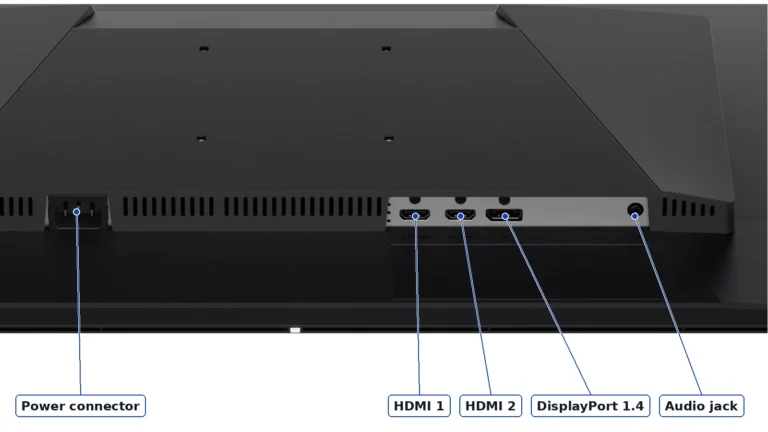
The port row on the underside, labeled from Dell's guide: power, the two HDMI ports, the DisplayPort and the headphone jack. Product illustration based on manufacturer imagery: crop of a Dell render, labels from Dell's user's guide
The AW2726DM has one DisplayPort 1.4 input. It's the only connection that reaches 240 Hz at full resolution, and it supports Display Stream Compression (DSC). Check whether your retailer's package includes a DisplayPort cable. Dell lists VESA AdaptiveSync and AMD FreeSync Premium support for the monitor.
Both HDMI ports stop at half that rate at the same 2560 x 1440. Dell's spec sheet calls them HDMI 2.1 (TMDS). In practice that's the older TMDS signaling, with HDMI 2.1's variable refresh and HDR support but without the faster link that higher refresh rates need.
Dell's guide lists 2160p among the formats the HDMI ports accept, so a console left at 4K output still gets a picture, shown at the panel's own 2560 x 1440.
There's nothing else on the underside: no USB-C, no USB hub and no speakers, only a headphone jack. A laptop needs its own HDMI or DisplayPort cable, and the keyboard and mouse stay plugged into the computer. Settings live in the menu you steer with the joystick on the back, and Dell lists no Alienware Command Center support for this model.
Brightness ratings and HDR certification
Not rated · Evidence: maker figures only
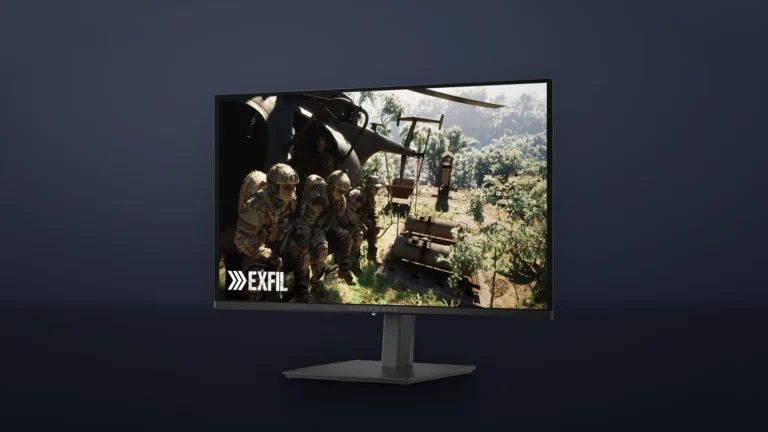
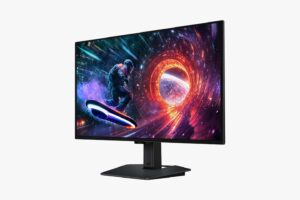
The AW2726DM from the front left, showing Dell's own screen artwork. Product illustration based on manufacturer imagery: Dell render on a generated backdrop
Dell rates the panel at 200 nits typical for everyday use and 400 nits HDR peak on a 10% screen window. These are manufacturer ratings, not measurements made for this review.
VESA lists the LG 27GX704A under DisplayHDR True Black 400. VESA’s complete DisplayHDR product table contained no AW2726DM entry when checked on November 20, 2026. A certification difference alone does not establish which has the better HDR picture. Compare measurements made under the same test conditions before choosing primarily for HDR.
Dell rates DCI-P3 coverage at 99% and lists 1.07 billion colors. At 2560 × 1440 over a 26.5-inch viewable area, pixel density works out to about 111 pixels per inch. Dell describes the surface as an anti-reflection coating with 2H hardness. These specifications do not demonstrate how the display handles reflections or text in your room.
Height, swivel and portrait adjustment
Not rated · Evidence: maker figures only
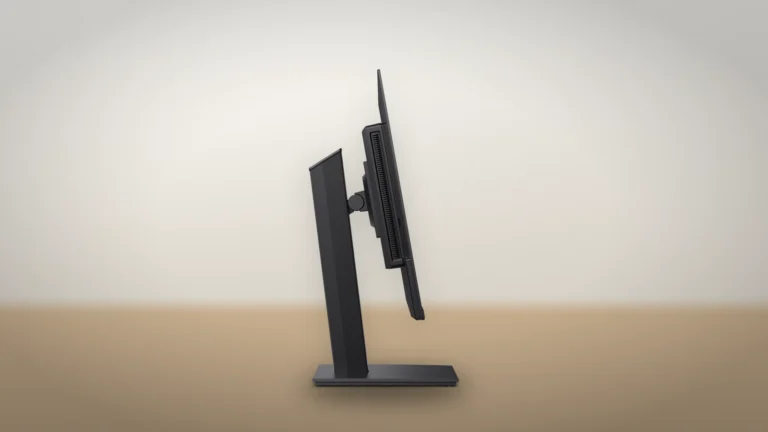
The AW2726DM in profile, with the stand column and the tilt hinge behind the screen. Product illustration based on manufacturer imagery: Dell render on a generated backdrop
The AW2726DM's stand raises the screen by up to 130 mm. It tilts from -5 to 21 degrees, swivels all the way around, and pivots 90 degrees either way into portrait.
The panel comes off for a standard VESA arm. On its own it weighs 3.9 kg, so check the arm's weight rating. The stand has no cable routing, and Dell's spec sheet lists cable management as not applicable. Its base is 233 mm deep, so measure the space in front of the wall on a shallow desk.
Where to buy
We have no current price for the Alienware 27 240Hz QD-OLED Gaming Monitor AW2726DM: no retailer listing is on record for this exact model at the moment, so check the maker’s site or a retailer directly.
Prices and availability come from retailer feeds and change without notice; the retailer’s page is authoritative. We may earn a commission if you buy through these links.
RecommendationRecommended for PC gamers who connect over DisplayPort and want burn-in cover on a first OLED
This review gives no score out of 10, because no section rests on a measurement by an independent body. The recommendation and the written verdict stand on their own.
Pros
Dell lists VESA AdaptiveSync and AMD FreeSync Premium support
Three-year OLED burn-in coverage under Dell’s service terms
Height, swivel and portrait pivot on the included stand
Two HDMI inputs
Cons
Only DisplayPort reaches 240 Hz
200-nit typical and 400-nit 10%-window HDR ratings are manufacturer figures
No USB ports or speakers
Stand has no cable routing
Conclusion
The AW2726DM offers documented 1440p QD-OLED specifications, 240 Hz through DisplayPort, 120 Hz through HDMI and a stand with height, swivel and portrait adjustment. Its three-year OLED burn-in coverage is useful, but replacement follows Dell’s remote diagnosis and service terms.
Brightness and response-time figures remain manufacturer ratings. Buyers who need strong HDR performance or a one-cable USB-C laptop setup should compare those requirements separately.
Our take
The connection limits and adjustable stand make the AW2726DM easiest to assess for a PC using DisplayPort. Dell’s three-year burn-in coverage adds a defined service benefit, but it does not remove OLED aging risk or replace independent picture measurements.
Best for
PC gamers who connect over DisplayPort
First-time OLED buyers worried about burn-in
Consider an alternative if
You require independently verified HDR performance before buying
Your laptop needs one USB-C cable for video and charging
Andreea reads BetterBuyBase’s articles, guides and reviews before they are published. When she has also checked a piece against its sources, the note at the end of it says so, with her name and the date.
This is a research-based assessment: the reviewer compiled it from published specifications, documentation and independent measurements rather than from testing the unit.
RecommendedAlienware 27 240Hz QD-OLED Gaming Monitor AW2726DMWhere to buy
Cookies on BetterBuyBase
We keep cookies to a minimum. Without your consent, this site sets only the ones it needs to work: remembering your answer here and keeping the site secure. If you allow analytics cookies, Google Analytics counts visits and shows us which pages people read. If you allow functional cookies, embedded videos you choose to always show are remembered. The site is also set up for Google AdSense ads; the cookie policy explains how Google uses cookies once ads run. Cookie policy
Customise consent preferences
Each category below lists the exact cookies behind it, what they do and how long they last. Strictly necessary cookies cannot be switched off because the site would stop working without them. Anything else is yours to decline.
NecessaryAlways active
Strictly necessary cookies keep the site working and secure: they remember your choice here, help the security layer stop attacks and keep site accounts signed in to the admin area. The site cannot run without them.
Show the cookies in this category (7)
cmp_consent
BetterBuyBase · 1 year
Remembers your consent choice for each cookie category, so the banner does not ask again on every page.
wp-settings-(id), wp-settings-time-(id)
WordPress · 1 year
Remembers layout preferences inside the WordPress admin screens. Set only for accounts that sign in to run the site, never for ordinary visitors.
WordPress · Session, or 14 days if “Remember me” is ticked
Keeps a site account signed in to the WordPress admin, and checks that the browser accepts cookies at login. Set only for accounts that sign in to run the site, never for ordinary visitors.
wfwaf-authcookie-(hash)
Wordfence (Defiant, Inc.) · 12 hours
Lets the Wordfence firewall check a signed-in user’s access level before WordPress loads, so administrators are not blocked by firewall rules. Set only when you log in to the site.
wf_loginalerted_(hash)
Wordfence (Defiant, Inc.) · Persistent
Records that the administrator has already been alerted about a sign-in from this device. Only used if login alerts are enabled, and set only when you log in to the site.
wfCBLBypass
Wordfence (Defiant, Inc.) · Only if enabled
Allows a visitor who knows a hidden bypass address to pass country blocking. It is only used if country blocking is enabled, and we do not currently use it.
wfls-remembered-(hash)
Wordfence (Defiant, Inc.) · Up to 30 days
Remembers a trusted browser for two-factor login when a signed-in user chooses “remember this device”. Set only for site accounts that use two-factor authentication.
Functional
A functional cookie is set only when you tick “Always display content from …” on an embedded video or post. Decline and the rest of the site works exactly as before, and embedded videos still load one at a time when you click them.
Show the cookies in this category (1)
embed-privacy
BetterBuyBase · 1 year
Remembers the providers whose embedded content you chose to always display (for example YouTube), so their videos and posts load without a click. Set only when you tick “Always display content from …”, a box that appears only once functional cookies are allowed.
Analytics
Analytics cookies let Google Analytics count visits and show us which pages people read and how they found them, so we know what to improve. Google Analytics loads only after you switch this on. Google signals and ad personalization are turned off, and Google Analytics does not log or store IP addresses. Decline and the site works exactly the same.
Show the cookies in this category (2)
_ga
Google (Google Analytics) · 13 months
Gives your browser a random ID so Google Analytics can tell new visitors from returning ones. It holds no name, email address or account. Set only after you allow analytics cookies.
_ga_C026ZS2MGP
Google (Google Analytics) · 13 months
Keeps track of the current visit for this site’s Google Analytics property, such as when it started and how many pages it covered. Set only after you allow analytics cookies.
Advertising (Google AdSense)
This site is set up for Google AdSense. No ads are shown until Google approves the site. In the EEA, the UK and Switzerland, Google asks for your consent in its own message before it uses advertising cookies, and that message also decides Google Analytics there. Elsewhere, you can turn off personalized ads in Google’s ad settings.
Show the cookies in this category (2)
FCCDCF, FCNEC
Google (consent message) · Up to 13 months
Stores the choices you make in Google’s consent message, which visitors in the EEA, the UK and Switzerland see, so the message does not appear on every page.
__gads, __gpi, __eoi
Google (AdSense) · Up to 13 months
Used by Google AdSense to show ads, limit how often you see the same ad and detect fraud. Set only on pages that show an ad; no ads are shown until Google approves the site.
Set by other sites
These are set by another company, not by this site: a retailer, after you click through to its website, or a video or social-media provider, after you click to load its content here. That company’s own policy governs them, not this banner.
Show the cookies in this category (2)
Embedded video and social-media cookies
YouTube, Vimeo, TikTok, Instagram, Spotify, X, Reddit · Set by the provider
Articles can embed a video or post. Nothing loads from the provider until you click its placeholder; when you do, the provider may set or read its own cookies under its own policy. YouTube videos load in YouTube’s privacy-enhanced mode (youtube-nocookie.com).
Retailer / affiliate cookies
Amazon & affiliate networks · Set by the retailer
Set on the retailer’s own website after you click a “View deal” or “Check price” link, to attribute a purchase. We do not set or read these.