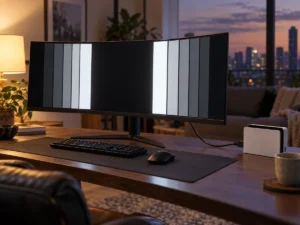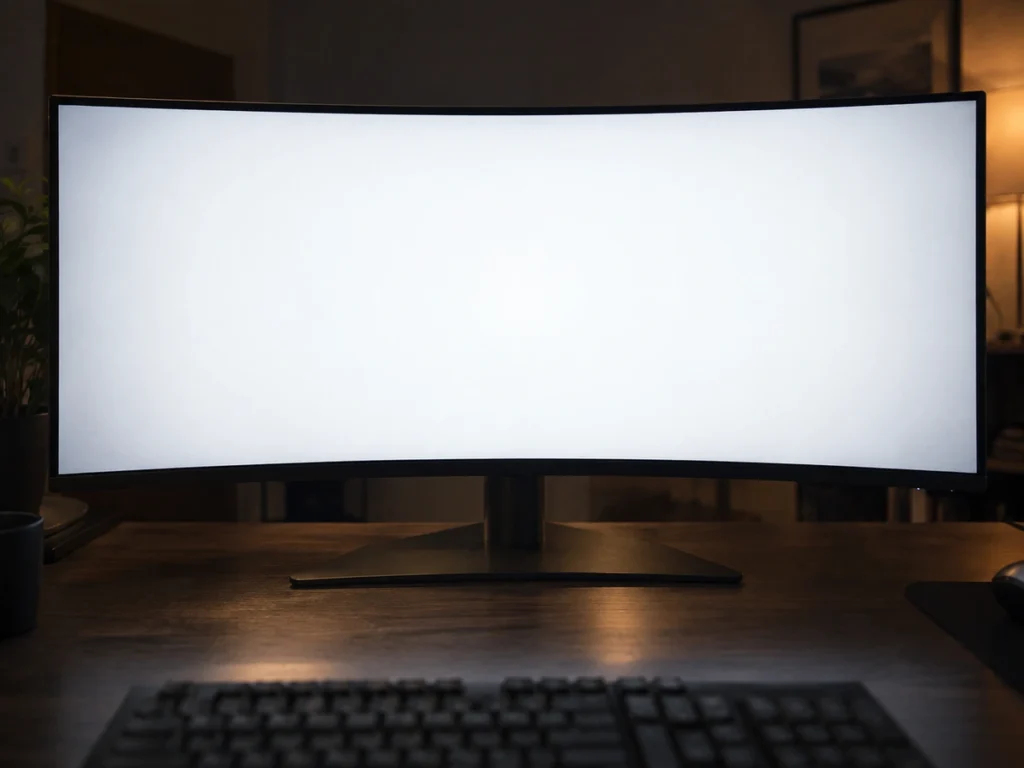
Buy a large OLED monitor and you may notice the corners and edges of the picture sitting slightly darker than the middle. OLED edge dimming is the usual cause, and on a white document it reads as a soft vignette. Owners of Alienware’s new 39-inch ultrawide have been raising exactly that, and on 15 September 2026 Alienware responded with a statement. The company is testing a toggle. Behind that small piece of news sits a feature most buyers have never heard of, and a trade-off worth understanding before you decide your monitor is faulty.
What Alienware said, and on what date
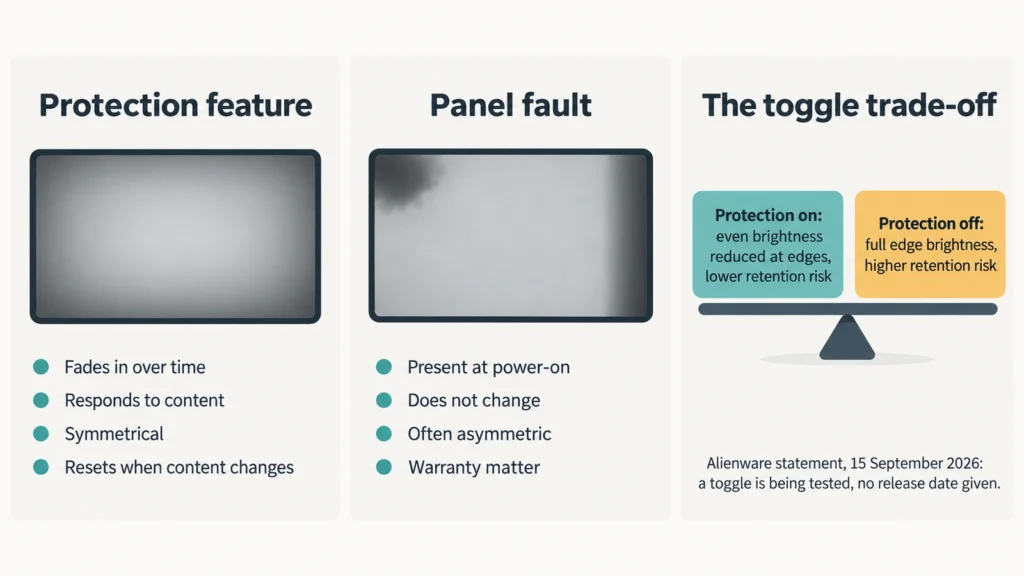
Alienware provided an updated statement on 15 September 2026, given to the reviewers who had raised the issue after testing the AW3926QW. The wording is short and careful. The company says it hears the feedback on uniformity, that it is actively testing a potential toggle to give customers more control over uniformity, and that it wants to understand the full customer experience implications before enabling anything.
No date was attached to a release. Members of the Alienware team also scheduled a public question session on Reddit for 16 September 2026, covering this monitor and other screens shown at IFA earlier in the month.
Context on the product itself. The AW3926QW is a 39-inch glossy ultrawide using a WOLED panel with an RGB stripe subpixel layout, and it went on sale widely in the United Kingdom and Europe from 9 September 2026.
What CPC actually does
The feature at the centre of the complaints is called Convex Power Control, usually shortened to CPC. What it does is dim the outer regions of the screen. It exists as an image retention mitigation, and it is not unique to this monitor.
When it engages, the result reads as a gradual fall-off in brightness toward the edges rather than a hard border. On mixed content most people do not register it. On a full-screen white page, a spreadsheet or a bright document, the gradient becomes easier to see.
The important detail in the current situation is not the feature. It is the absence of a switch. Many manufacturers ship comparable protections with a user control, and Alienware currently offers none for CPC, so it activates in a range of situations whether or not a given user wants it.
Why an OLED needs a feature like this
OLED pixels make their own light, and organic emitters age as they work. Age them unevenly and the difference becomes permanent. That is burn-in, and it is the one failure mode that separates OLED from the backlit panels most people upgrade from.
A monitor is a harsher environment for this than a television. Televisions show moving pictures. Monitors show a taskbar in the same place for eight hours, a browser chrome that never moves, a game HUD pinned to a corner. Static, high-contrast elements clustered near the edges are precisely the pattern that causes differential ageing.
So panel makers and monitor makers stack several defences. Pixels shift by tiny amounts over time. Compensation cycles run when the screen goes idle or after a set number of hours. Overall brightness drops when a large bright area fills the screen. Edge dimming belongs to the same family, and it targets the region where the risk is concentrated.
OLED edge dimming is not the same as a bad panel
This distinction decides whether you return a monitor, so it deserves a clear statement. Deliberate OLED edge dimming and genuine panel non-uniformity are different things with different signatures.
A protection feature behaves like software, because it is software. The effect fades in rather than simply existing, and it responds to what is on screen and to how long that content has been there. Symmetry is a further clue, since a rule applies evenly where manufacturing variation does not.
A real uniformity defect behaves like hardware. It sits there from the first second the panel lights up, and nothing about it shifts as content changes. Shape gives it away too, because a defect usually shows as a patch, a band or one darker corner rather than an even ring.
How to tell which one you have
A short test separates them without any equipment. Open a full-screen white image and watch it for two or three minutes without touching anything. If the edges are even at first and then sink gradually, you are watching a protection feature work. If the pattern is there immediately and never moves, it is the panel.
Second check. Change the content. Switch from the white page to a dark desktop, wait, then return. A feature resets. A defect does not.
Third check. Look at the shape. An even, symmetrical fall-off toward all four edges points to a designed behaviour. A blotch, a vertical band or a single dark corner points to a manufacturing issue and is worth raising with the seller under warranty.
Why a toggle is not a simple win
It would be easy to read Alienware’s caution as foot-dragging. The trade-off is real, though, and the statement names it indirectly by referring to customer experience implications.
Turn off an image retention mitigation and you increase the stress on the region it was protecting. That matters commercially as well as technically, because OLED monitor warranties frequently include specific burn-in terms. A vendor that lets users disable a protection has to decide what happens to that cover afterwards, and it has to know from testing how much extra risk the change actually creates.
Editorial judgment, stated as such: a toggle paired with a clear warning is the right outcome, and the delay to test it first is defensible rather than evasive.
Alienware is not alone in this
Protections of this type are widespread. Reviewers testing the competing 39-inch OLED ultrawide from LG report the same category of behaviour on that screen, so this is a panel-class characteristic rather than one company’s mistake.
Alienware’s own OLED range spans more than one panel technology, and every one of them carries some mix of pixel shifting, compensation cycles and brightness limiting. The 34-inch Dell Alienware AW3425DW uses a QD-OLED panel rather than WOLED, and buyers moving between the two should expect the protection behaviour to differ in detail while remaining present in some form. No current OLED monitor ships without any of it.
What a buyer should do now
If you already own the monitor, keep your firmware current and wait for the toggle rather than returning a working screen. Alienware released new firmware for this model at the end of August 2026, and update behaviour on these panels does change between versions.
If you are shopping, treat user control over OLED edge dimming as a specification worth checking, in the same way you check port count or stand adjustment. Reviews that test with a white field and report on what engages and when are far more useful here than a specification sheet, because none of this appears on the box.
If you mostly read documents on a large bright screen, a WOLED or QD-OLED ultrawide is a demanding choice regardless of the toggle question, and a bright panel of another type may serve you better.
What is still unconfirmed
Alienware has not said when a toggle would ship, which firmware would carry it, or whether it would apply to any model other than the AW3926QW. Nor has it published the technical detail of how CPC decides to engage. I cannot confirm any of that, and the statement itself promises only that more information is coming.