
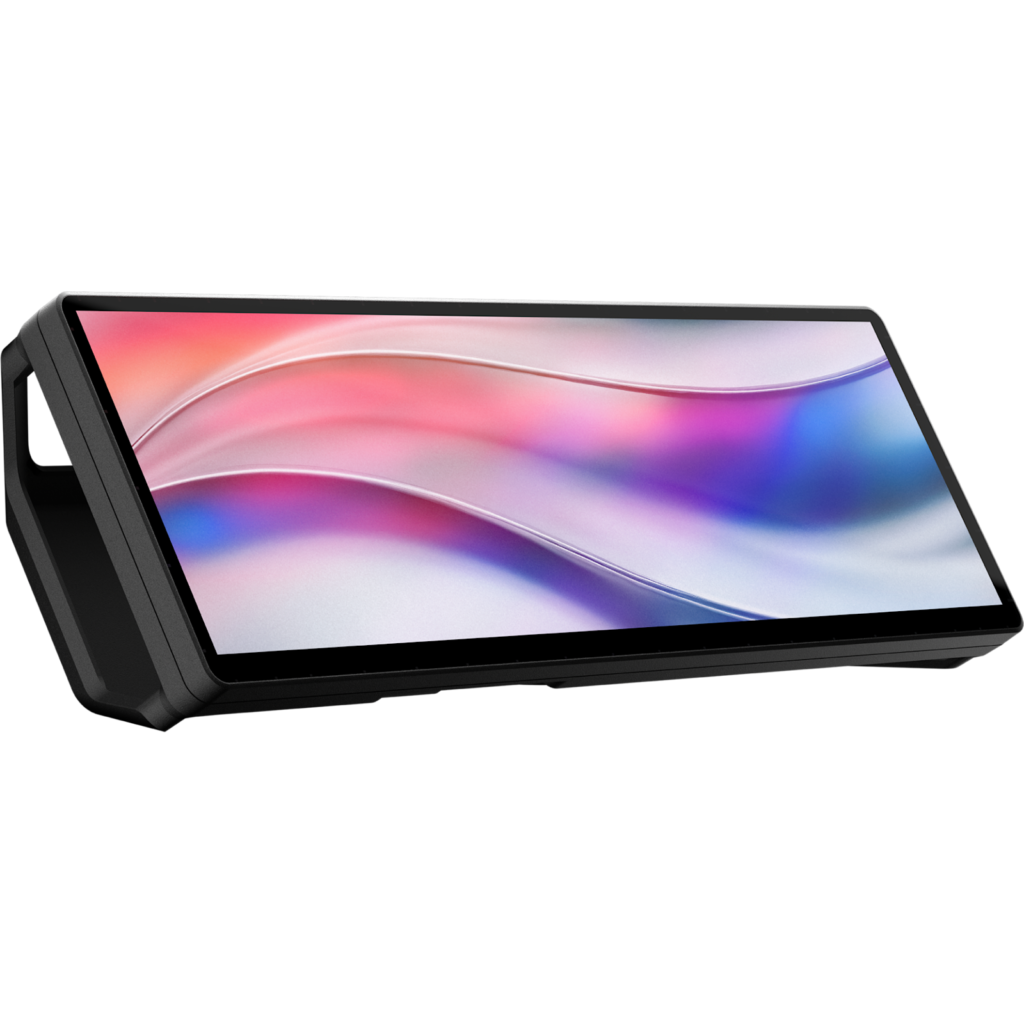
Corsair XENEON EDGE: Specs, Price, Pros & Cons
Stood on its end, the Corsair XENEON EDGE becomes a tall column of touchscreen beside a main monitor, and Corsair supports both landscape and portrait use. That flexibility, together with where the screen can be mounted, defines what it is: a companion display for a Windows gaming PC, made to carry small live panels while the main screen gets on with the game or the work.
Its pixels are packed at 183.4 ppi, so the small print of a widget stays sharp at arm's length. It connects over HDMI or USB-C, and with the right port a single cable carries both picture and power. The touch layer turns widgets into buttons, which is how Corsair's virtual Stream Deck and its stream overlays work.
Corsair's software decides most of its value. Plugged in with nothing installed, it shows up in Windows as a plain extra display and works as one. The system monitoring widgets, sim dashboards, chat panels and profiles all come from iCUE, though, and the Mac version of iCUE does not support it, so a Mac gets the bare screen without any of the widgets.
The mounting options suit a PC builder more than an office worker. A magnetic back holds it to a steel surface or the supplied stand, tripod threads take an arm, and its footprint fits a radiator mount inside a large case, so the screen can live inside the build itself. It is aimed at someone who already knows which readouts or controls they want in view at all times, runs Windows and uses iCUE for the rest of the setup. The strip shape suits readouts and buttons, and ordinary windows and documents feel cramped on it.
How this VS Score was computed
Score 0: each known spec is measured against the median of all companion displays (1 products), then weighted; 50 means level with that median. In classes of six or more, a value beyond the class’s 10th–90th percentile range counts as that limit, so one extreme product cannot set the scale. 0% of the scoreable weight could be used; unknown values, features not applicable to this class and proxies (battery capacity where a rated life exists) add or remove nothing.
Not scored: Screen size (too few comparable peers (1, need 3)); Pixel density (too few comparable peers (1, need 3)); Touchscreen (too few comparable peers (1, need 3)); Touch points (too few comparable peers (1, need 3)); Refresh rate (too few comparable peers (1, need 3)); Peak brightness (too few comparable peers (1, need 3)); Color depth (too few comparable peers (1, need 3)); USB-C (too few comparable peers (1, need 3)); HDMI ports (too few comparable peers (1, need 3)); DisplayPort inputs (too few comparable peers (1, need 3)); Single-cable operation (too few comparable peers (1, need 3)); Works without software (too few comparable peers (1, need 3)); Orientation options (too few comparable peers (1, need 3)); Magnetic mounting (too few comparable peers (1, need 3)); Stand included (too few comparable peers (1, need 3)); Built-in speakers (too few comparable peers (1, need 3)); Weight (too few comparable peers (1, need 3)); System monitoring widgets (too few comparable peers (1, need 3)); Stream overlay support (too few comparable peers (1, need 3)); macOS support (too few comparable peers (1, need 3)).
Editor’s note
The XENEON EDGE is a 14.5-inch strip of screen, 2560 by 720, and the first question to ask is what you would put on it. Corsair's answer is widgets: CPU and GPU readouts, a clock, weather, stream chat, a virtual Stream Deck via Elgato's integration, or a dashboard in a racing sim. Buyers who already know which of those they want will find this a tidy way to get it. If you are buying it because it looks good in a build photo, be honest with yourself about that, because it is not cheap.
The hardware is sensible. An AHVA panel, 8-bit color, 350 nits, 60 Hz, and a five-point capacitive touchscreen, so widgets can work as controls. It takes HDMI 2.0 or USB-C DisplayPort Alt Mode, and Corsair's FAQ is precise about the single-cable case: video and power over one USB-C lead only from a Thunderbolt or USB4 port. From anything else you run a second cable, either USB-C to a USB-A port or to an internal USB 2.0 header. There is no battery.
Mounting is where Corsair has done the thinking. Fourteen magnets in the backplate, a detachable magnetic desk stand in the box, two quarter-twenty threads for a tripod or an Elgato arm, and a footprint that fits a 360 mm radiator mount inside a case. That last one is the trick that makes it a PC-builder's accessory.
The limitation that would make me hesitate is software. Windows treats it as a normal display and it works without iCUE, but every widget, dashboard and profile feature lives inside iCUE, and the macOS version of iCUE does not support it. On a Mac it is a plain 720-pixel-tall touchscreen and nothing more. Buy it for a Windows build where you have a specific job for that strip of pixels. Leave it if you are on a Mac, or if you are not yet sure what you would display.
Specifications
Display
Connectivity
Mounting & design
Software
Sources and verification
Where the specifications come from
- Official product pagecorsair.com
- Retailer listing (cross-check)amazon.com
Verification
- First published
- Specifications last checked
- Sheet completeness
- 25 of 26 specifications verified; the rest show as Unknown and are never estimated or scored
- Page type
- Product specification page — Compiled from the manufacturer’s published specifications and the cited sources; this is not a hands-on test.
- Basis
- Research-based: specifications and editorial text were compiled from the documents listed here and the manufacturer’s published data. We have not tested this unit ourselves; where independent measurements are mentioned they belong to the linked publication.
Where to buy
Prices and availability may change. Check the retailer before buying. We may earn a commission on purchases.
Price history
Ratings & reviews
No reviews yet. Be the first to share your experience.
The bottom line
- Who it’s for
- Windows PC builders and streamers with a specific use in mind (system stats, a virtual Stream Deck, sim dashboards) who want a screen that mounts inside the case or on a magnet and keeps the desk clear.
- Who should look elsewhere
- Mac owners, for whom it is only a bare secondary display because macOS iCUE does not support it. Also not for anyone after a small general-purpose monitor: 720 pixels tall is too short for normal windows.
- The trade-off that matters
- Excellent mounting flexibility and a useful touch panel, against a hard dependency on iCUE on Windows for everything that makes it interesting, and a single-cable setup that only works from Thunderbolt or USB4 ports.
- The main alternative
- Elgato Stream Deck + – if what you want is touch controls and a status strip rather than a display. Eight LCD keys, four dials and a touch bar, cross-platform, and no case mounting.
The VS Score is calculated from the weighted specifications above, each measured against the median of comparable companion displays — a shortlisting guide, not a substitute for your own priorities. See how we score.