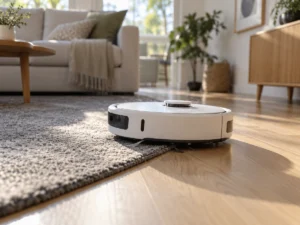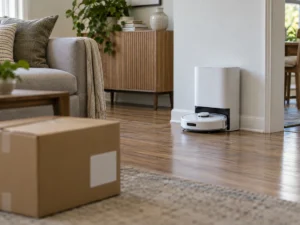
Which firmware is your eufy robot running? For owners of the Omni C20 and the X10 Pro Omni, that became the one setting worth checking on September 24, 2026, when the US Cybersecurity and Infrastructure Security Agency (CISA) published an advisory on both robots. It lists three flaws, each fixed in firmware 1.6.4. The worst, rated 9.4 out of 10, affects only the Omni C20 and could let an attacker who intercepts the robot’s traffic run code on it. The X10 Pro Omni has one flaw, and it can only be triggered while the robot is being paired. Nobody has been seen exploiting any of them, according to the agency. Checking takes a minute in the eufy Clean app, and switching on automatic updates covers you for the next advisory too. This eufy robot vacuum vulnerability is a patch-and-move-on case, as long as the robot has taken the patch.
What the advisory lists
The advisory, ICSA-26-267-02, credits a researcher at the security firm Somerset Recon with the findings. It lists the robots as deployed worldwide, so owners in Europe and elsewhere are in the same position as those in the US.
| Flaw | What it allows, per the advisory | Score | Robots affected |
|---|---|---|---|
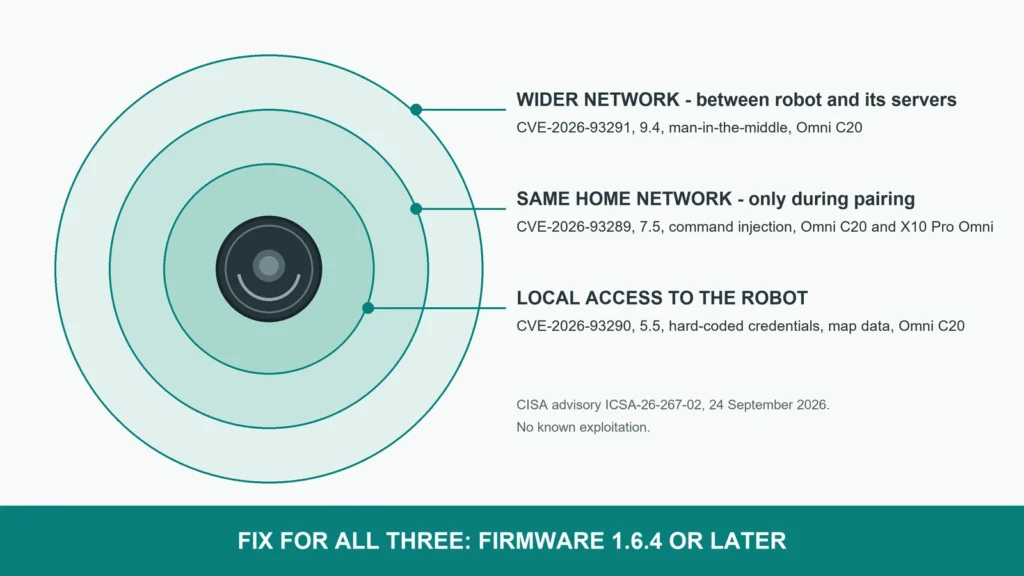
| CVE-2026-93291 | Missing certificate checks allow a man-in-the-middle attack that could run arbitrary code | 9.4 | Omni C20 |
| CVE-2026-93289 | Command injection that lets an unauthenticated attacker run system commands during pairing | 7.5 | Omni C20, X10 Pro Omni |
| CVE-2026-93290 | Hard-coded credentials that could expose information such as mapping data through log files | 5.5 | Omni C20 |
The fix is the same for all three. eufy recommends upgrading to version 1.6.4 or later, the advisory says.
What the scores say about who could attack
A single number hides the part that matters to an owner, which is where the attacker has to be. The advisory publishes that too, in the technical string behind each score.
The 9.4 flaw is the only one reachable over a wider network. The robot does not properly check the certificates of the servers it talks to, so someone who can get between the robot and those servers can pose as one of them. In a home, that means someone in control of the router or of a network along the path. That position is hard to reach. The attack itself needs no password and nothing from you.
The pairing flaw needs an attacker on the same local network, and the scoring rates the attack as complex to pull off. It also has a narrow window, because it works during the pairing process that links the robot to your Wi-Fi and account.
The credentials flaw needs local access to the robot with some privileges, the hardest position of the three to reach. What it can expose is the map. A robot’s map is a floor plan of your home, with room names you may have typed yourself.
The name in the advisory is not the name on the box
The advisory calls the second robot the “Omni X10 Pro”. eufy sells it as the eufy X10 Pro Omni, the model with the self-emptying, self-washing station. It is the same robot, and a search for the retail name will not turn up the advisory.
The X10 Pro Omni is affected only by the pairing flaw. In practice that makes the moment of risk predictable. It is the next time you pair the robot, after a new router, a changed Wi-Fi password or a reset. Update it now, while it is still connected.
The Omni C20 carries all three flaws, including the 9.4, so it is the one to check first.
How to check and update
Open the eufy Clean app, choose the robot, then go to Settings and Firmware Update. On the Omni C20, the installed version should read 1.6.4 or later. On the same screen, eufy offers an Auto Upgrade switch. The X10 Pro Omni is harder to check. eufy’s own support pages number its firmware in a 2.x series, such as 2.1.0 for mopping several floors without the station, so a version above 1.6.4 on that robot does not prove the fix is installed. eufy has not explained how the advisory’s 1.6.4 maps onto that robot’s version numbers.
eufy’s instructions for the X10 Pro Omni add two conditions. The robot has to sit on its station with the station powered, and it needs a stable 2.4 GHz Wi-Fi connection. With Auto Upgrade on, eufy says the robot looks for new firmware by itself in the early morning. A robot that spends the night off its dock, or on a weak edge of the Wi-Fi, can miss that window for weeks.
If your router offers a guest or separate smart home network, the robot belongs there. That does not fix the flaws, but it keeps a compromised robot away from laptops and phones.
Why EU owners will not get a warning
Since September 11, the EU’s Cyber Resilience Act reporting duty makes manufacturers tell authorities, and the owners of affected products, when attackers are exploiting a flaw. That duty covers actively exploited flaws only. CISA reports no known exploitation of these three, so the rule does not apply to them. An owner in Europe can expect no notice, and has to check the firmware version in the app.
No proof-of-concept code has been published, and the advisory’s revision history shows only the first publication. The fix exists and installs itself on robots set to update. What remains unconfirmed is how many Omni C20 and X10 Pro Omni robots have taken it.