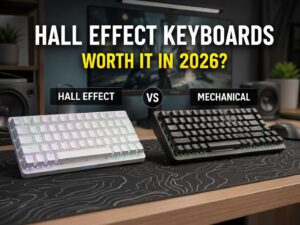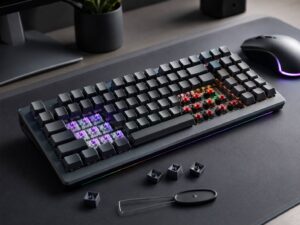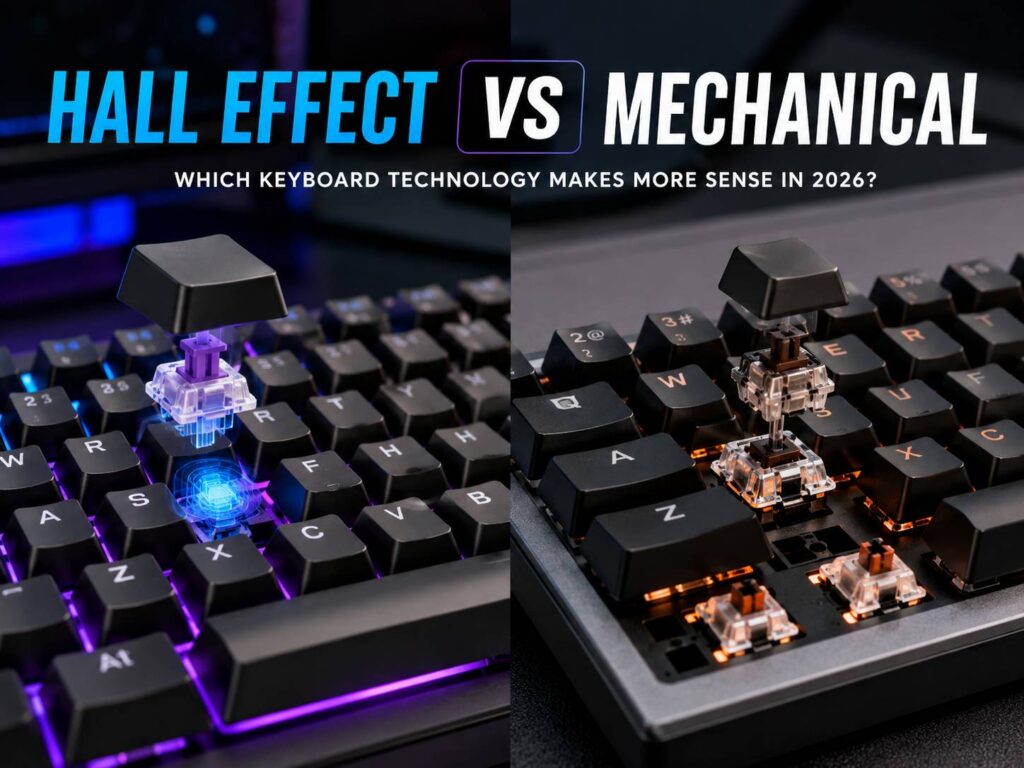
Hall Effect vs mechanical keyboards has become a much more interesting comparison than it was a few years ago. Mechanical keyboards still dominate when it comes to switch choice, typing feel, and customization. Hall Effect keyboards, though, now offer features that traditional mechanical switches simply cannot reproduce in the same way.
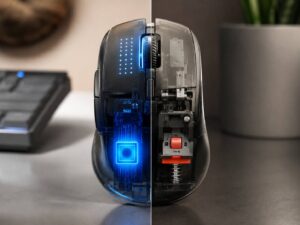
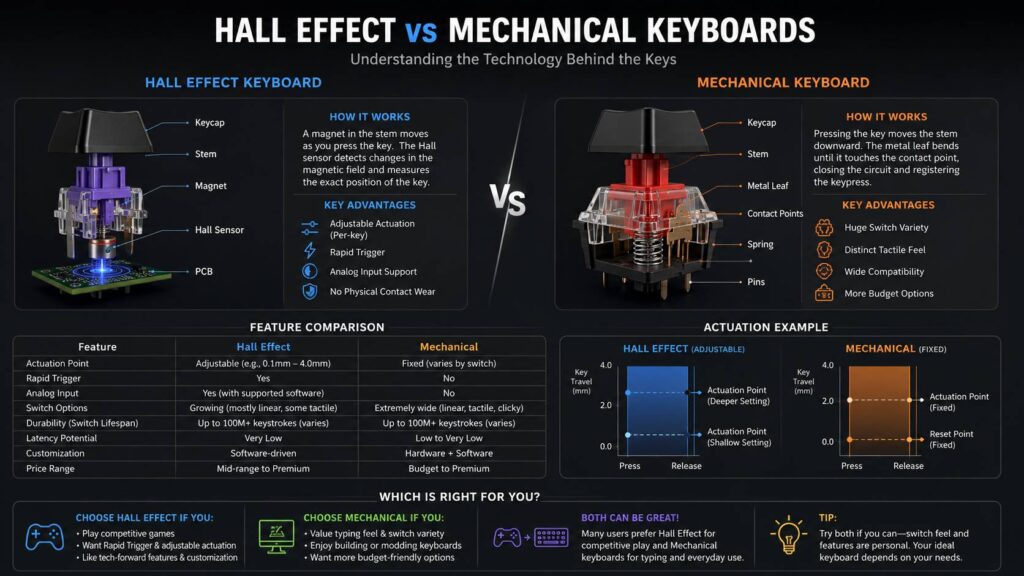
The biggest difference is how each keyboard detects a keypress. A mechanical switch closes an electrical contact at a fixed point. A Hall Effect keyboard uses a magnet and a sensor to measure how far the key has moved.
Because of that, Hall Effect keyboards can support adjustable actuation, Rapid Trigger, and, in some cases, analog input. These features make them especially attractive for competitive gaming. Mechanical keyboards, meanwhile, still have a clear advantage if you care more about tactile feedback, switch variety, or building a highly customized board.
So, which one makes more sense? For competitive gaming, Hall Effect usually has the edge. For typing, general desktop use, and customization, mechanical keyboards are still hard to beat.
If you’re considering a magnetic keyboard specifically, it may also help to look at whether Hall Effect keyboards are worth buying in 2026 before deciding whether the extra features matter for the way you actually use your PC.
Hall Effect vs Mechanical Keyboards at a Glance
| Feature | Hall Effect Keyboard | Mechanical Keyboard |
|---|---|---|
| Key detection | Magnetic Hall sensor | Physical electrical contact |
| Adjustable actuation | Common | Usually fixed |
| Rapid Trigger | Common | Usually unavailable |
| Analog key position | Possible | Usually not possible |
| Switch selection | Growing | Very wide |
| Linear switches | Very common | Very common |
| Tactile switches | Available on some newer models | Extremely common |
| Clicky switches | Uncommon | Common |
| Physical contact debounce | Not needed for sensing | Usually required |
| Hot-swap support | Available on some boards | Widely available |
| Switch compatibility | Often platform-specific | Broad MX-style ecosystem |
| Competitive gaming | Excellent | Good to excellent |
| Typing customization | Improving | Excellent |
| Software dependence | Often higher | Varies |
| Price range | Mostly midrange to premium | Budget to premium |
At first glance, Hall Effect looks like the obvious technical winner. Still, keyboard performance depends on more than the switch technology alone.
A well-designed mechanical keyboard can easily feel better than a poorly built magnetic one. Firmware, stabilizers, case quality, switch design, polling rate, and software all matter too.
How a Mechanical Keyboard Works
A traditional mechanical switch contains a stem, spring, housing, and electrical contacts.
As you press the key, the stem moves downward. At a predefined point, the contacts close and the keyboard registers the press.
That point is normally fixed by the physical switch design. So, if a switch activates at around 2 mm, you cannot simply tell the keyboard to make that same switch activate at 0.5 mm.
Mechanical switches usually fall into three main groups:
- Linear switches move smoothly without a tactile bump.
- Tactile switches provide noticeable physical feedback during the press.
- Clicky switches add both tactile feedback and an audible click.
There are many variations inside those groups. For example, you can find silent switches, short-travel gaming switches, heavy tactile switches, low-profile switches, and countless enthusiast designs.
That huge range is one of the biggest reasons mechanical keyboards remain so popular.
Mechanical switches also deal with contact bounce
Because mechanical switches use physical electrical contacts, those contacts can briefly bounce between open and closed states as they touch.
The keyboard firmware uses debounce logic to avoid registering one press several times.
Modern boards can keep debounce delays very short. So, in practice, this does not automatically make mechanical keyboards feel slow. Still, physical contact bounce is something the keyboard has to account for.
Hall Effect sensing avoids that specific issue because it does not rely on those same electrical contacts.
How a Hall Effect Keyboard Works
A Hall Effect switch typically contains a small magnet inside the moving stem. Underneath it, the keyboard PCB has a Hall sensor.
When you press the key, the magnet moves closer to the sensor. The sensor then detects changes in the magnetic field.
Instead of seeing only “pressed” or “not pressed,” the keyboard can estimate how far the key has traveled.
For example, the firmware may see something roughly like this:
- Key untouched: 0 mm
- Slight press: 0.5 mm
- Partial press: 1.5 mm
- Deeper press: 3 mm
- Fully pressed: around 4 mm
The exact values vary by switch and keyboard.
Because the controller can track the key throughout its movement, the actuation point does not have to stay fixed. As a result, software can let you decide where the key activates.
That single difference is what makes most Hall Effect gaming features possible.
Adjustable Actuation Is Useful, but Easy to Overdo
One of the biggest advantages of Hall Effect keyboards is adjustable actuation.
Instead of being stuck with one physical activation point, you can often configure each key separately. Some models support extremely shallow settings near the top of the key travel.
For gaming, that can be useful. A shallow WASD setting means you do not need to press very far before your character starts moving.
However, shallower is not always better.
If every key activates from the slightest touch, normal typing can become frustrating. You may trigger letters simply by resting your fingers on the keyboard.
A more practical setup could look like this:
- WASD: shallow actuation
- Shift and Ctrl: moderately shallow
- Space: medium actuation
- Ability keys: adjusted to preference
- Normal typing keys: deeper actuation
This setup lets the gaming keys react quickly without making the rest of the keyboard overly sensitive.
Rapid Trigger Is the Bigger Gaming Advantage
Adjustable actuation changes where the key first activates. Rapid Trigger changes how quickly it can reset.
On a traditional mechanical switch, you usually need to release the key past a certain reset point before you can press it again.
Rapid Trigger works differently.
Instead of waiting for a fixed reset position, the keyboard can reset the key as soon as it detects upward movement beyond a configured threshold. Then, as soon as you press down again, the key can reactivate.
For competitive games, this can make direction changes feel more immediate.
It is particularly useful in fast shooters and rhythm games where repeated presses and movement timing matter.
Even so, the lowest possible Rapid Trigger setting is not automatically the best choice.
Very sensitive settings can react to tiny finger movements. Because of that, you may accidentally release or reactivate a key without intending to.
A better approach is to start with a moderate value and reduce it gradually.
Are Hall Effect Keyboards Actually Faster?
They can be, but the answer is not as simple as the marketing often suggests.
Hall Effect sensing avoids the need to debounce conventional switch contacts. Rapid Trigger can also reduce how much physical movement is needed before the next input.
Those are real advantages.
Still, overall keyboard latency depends on several other things:
- Matrix scanning
- Sensor processing
- Firmware
- USB polling rate
- Internal filtering
- Wireless implementation
- Operating system processing
- Game input handling
So, a keyboard does not automatically have lower latency simply because it uses Hall Effect switches.
A well-engineered mechanical gaming keyboard can still be extremely responsive.
What about 8,000 Hz polling?
Some Hall Effect keyboards now advertise USB polling rates as high as 8,000 Hz.
The theoretical report intervals are:
- 1,000 Hz = 1 ms
- 2,000 Hz = 0.5 ms
- 4,000 Hz = 0.25 ms
- 8,000 Hz = 0.125 ms
These numbers describe the USB polling interval, not the complete input latency.
Also, high polling rates are not exclusive to Hall Effect keyboards. Mechanical and optical keyboards can use them too.
For most people, moving from a slow keyboard to a good 1,000 Hz model is a much bigger improvement than jumping from 1,000 Hz to 8,000 Hz.
Hall Effect Does Not Automatically Mean Analog Gaming
Since Hall Effect sensors can measure key travel, manufacturers can also expose that movement as an analog value.
In theory, this lets a key behave somewhat like a controller trigger or analog stick.
For example, a racing game could interpret:
- A light W press as partial throttle
- A deeper W press as stronger throttle
- A full press as maximum throttle
That sounds useful, and sometimes it is.
However, the game must support the right kind of controller input. Some games also handle simultaneous mouse and controller inputs poorly.
Because of that, analog control remains more niche than adjustable actuation or Rapid Trigger.
For most gamers, the latter two features are much more useful.
Mechanical Keyboards Still Offer More Switch Choice
This is one area where traditional mechanical keyboards still have a clear advantage.
Hall Effect switches used to be almost entirely linear. That has started to change, and tactile magnetic switches are now available for some platforms.
Even so, the mechanical switch market is much larger.
You can choose from:
- Light linear switches
- Heavy linear switches
- Silent linear switches
- Sharp tactile switches
- Soft tactile switches
- Silent tactile switches
- Clicky switches
- Short-travel gaming switches
- Low-profile switches
- Long-pole switches
There are also many spring weights, stem designs, housings, and aftermarket parts.
So, if you are very particular about typing feel, mechanical still gives you more freedom.
Can You Use Mechanical Switches in a Hall Effect Keyboard?
Usually, no.
A magnetic switch may look similar to a standard MX-style mechanical switch, but the sensing systems are completely different.
Mechanical switches rely on conductive contacts and metal pins. Hall Effect switches rely on the position of a magnet relative to a sensor on the PCB.
Even magnetic switches are not always interchangeable with each other.
Compatibility can depend on:
- Magnet orientation
- Magnet strength
- Switch dimensions
- PCB design
- Sensor position
- Firmware calibration
- Plate design
Because of this, you should not assume a magnetic switch will work just because it physically fits.
Always check the keyboard manufacturer’s compatibility list before buying replacement switches.
Hall Effect Hot-Swap Is Not the Same as Mechanical Hot-Swap
Mechanical hot-swap keyboards have become quite standardized around MX-style switch footprints.
That makes experimentation relatively easy. You can often swap between many switch brands without replacing the PCB.
Hall Effect hot-swap is more complicated.
A magnetic keyboard may support several compatible switch families, or it may work with only a few specific models.
Also, some keyboards need recalibration after a switch change.
So, if you like experimenting with different switches, check compatibility before buying the board.
Durability: Which One Lasts Longer?
Hall Effect switches do not need physical electrical contacts to detect a press.
That removes one source of wear from the sensing system.
Still, the switch itself has moving parts. It includes a stem, spring, housing, and sliding surfaces, all of which can wear over time.
Mechanical switches can also last for many years. Current high-quality switches often have lifecycle ratings reaching tens of millions of keystrokes or more.
As a result, both technologies can be highly durable.
You should not choose Hall Effect only because someone claims mechanical switches wear out quickly. In normal use, a well-made mechanical keyboard can remain reliable for a very long time.
Typing Feel and Sound Have Improved on Hall Effect Boards
Early Hall Effect keyboards often focused almost entirely on gaming performance.
That sometimes meant average acoustics and limited switch feel.
Today, that situation has improved.
Modern magnetic keyboards can include:
- Pre-lubed switches
- Better stabilizers
- Gasket mounting
- Multiple foam layers
- Improved plates
- Heavier cases
- Silent magnetic switches
- Tactile magnetic switches
Because of these improvements, a good Hall Effect keyboard can sound and feel much closer to a quality enthusiast board.
Mechanical keyboards still have more variety, though.
If you want a very specific tactile bump, click mechanism, spring weight, or sound profile, mechanical is still easier to customize.
Hall Effect Software Is a Big Part of the Experience
With a mechanical keyboard, you may barely need to open the software.
With Hall Effect, the software can be one of the most important parts of the product.
Useful configuration options include:
- Per-key actuation
- Rapid Trigger
- Rapid Trigger sensitivity
- Key remapping
- Multiple profiles
- Analog input
- Calibration
- Onboard memory
- SOCD-style controls
- Macros
- Firmware updates
Browser-based configuration tools are also becoming more common.
That can be convenient because you do not always need to install a desktop application.
Still, check whether the keyboard can save profiles onboard. If it cannot, switching between computers may be less convenient.
Rapid Trigger and SOCD Features Are Not the Same
This is easy to misunderstand.
Rapid Trigger changes how quickly one key activates and resets based on its movement.
SOCD-style features deal with opposing keys, such as A and D, being pressed at the same time.
Depending on the implementation, the keyboard may prioritize the latest keypress.
Manufacturers use different names for these functions, including Snap Tap, Rapid Tap, Snap Click, and similar terms.
These are separate from Rapid Trigger.
That difference also matters in competitive games, since some games or tournaments may restrict certain forms of input assistance.
If you play competitively, check the current rules before enabling multi-key priority features.
Strong Magnets Can Interfere With Hall Effect Sensing
Hall Effect sensors work by detecting magnetic fields.
Because of that, a sufficiently strong magnet placed near the keyboard can interfere with key readings.
This does not come up during normal desk use.
Still, possible symptoms include:
- Keys activating unexpectedly
- Keys appearing stuck
- Incorrect analog values
- Inconsistent actuation
If that happens, move magnetic accessories or other strong magnets away from the keyboard and recalibrate it.
Mechanical contact switches do not have this particular limitation.
How to Set Up a Hall Effect Keyboard for Gaming
It can be tempting to set every key to the lowest possible actuation point immediately.
In practice, that often causes more mistakes than it solves.
A better setup is fairly simple.
- Update the firmware.
New firmware may improve calibration, Rapid Trigger behavior, or compatibility. - Calibrate the keyboard.
If your model offers calibration, run it before adjusting sensitivity. - Start with moderate actuation.
This makes the keyboard easier to control while you learn how sensitive it feels. - Reduce WASD actuation gradually.
Lower it until movement feels responsive without creating accidental presses. - Enable Rapid Trigger on movement keys.
You may not need it across the entire keyboard. - Adjust Rapid Trigger sensitivity.
Start conservatively and move lower if you want a faster reset. - Keep typing keys deeper.
This helps prevent mistakes outside games. - Create separate profiles.
A gaming profile and typing profile can make the keyboard much easier to live with. - Test your settings before competitive matches.
Extremely sensitive settings can feel impressive at first but become harder to control during longer sessions.
Which Is Better for Competitive Gaming?
For competitive gaming, Hall Effect has the clearer technical advantage.
Adjustable actuation can reduce how far you need to press movement keys. Rapid Trigger can reduce how far they need to travel before resetting.
That is particularly useful in games where quick directional changes matter.
Still, the keyboard will not suddenly improve your aim or movement by itself. Your timing, positioning, and game sense matter much more.
For casual gaming, the difference may be far less noticeable.
Which Is Better for Typing?
For dedicated typing, mechanical keyboards still make more sense for many people.
There are far more tactile, clicky, silent, and specialty switches to choose from.
A good tactile mechanical switch also gives you physical feedback without requiring software setup.
Hall Effect keyboards are no longer poor typing options, though. Modern magnetic switches can feel smooth, stable, and quiet. Tactile HE switches are also becoming easier to find.
Still, if you spend most of the day writing or coding, switch feel may matter more than Rapid Trigger.
Which Is Better for Work and Gaming?
This is where Hall Effect keyboards have become surprisingly practical.
Since actuation can often be changed by profile, one keyboard can behave very differently depending on what you are doing.
For example:
- 0.5 mm actuation for WASD
- 1.5 to 2 mm for other gaming keys
- Around 2 mm or deeper for typing
The exact numbers depend on your keyboard and preferences.
If the board has onboard memory, switching between work and gaming profiles can be quick and painless.
Hall Effect vs Mechanical Keyboard Cost
Mechanical keyboards cover almost every budget.
You can find basic low-cost models, midrange hot-swap boards, premium gaming keyboards, and expensive enthusiast builds.
Hall Effect used to sit mostly in the premium category. Prices have fallen as more brands entered the market, but many magnetic boards still focus on gaming features that increase the overall cost.
So, compare the complete keyboard rather than just the switch technology.
Look at:
- Case quality
- Keycaps
- Stabilizers
- Software
- Wireless support
- Polling rate
- Onboard profiles
- Switch compatibility
- Warranty
- Replacement parts
If you will never use adjustable actuation or Rapid Trigger, a cheaper mechanical keyboard may give you better value.
Common Hall Effect Keyboard Problems
Accidental keypresses
The actuation point is probably too shallow.
Raise it slightly, especially for typing keys. You may also want to reduce Rapid Trigger sensitivity.
A key activates at the wrong distance
Run the keyboard’s calibration process.
If the issue appeared after changing switches, also confirm that the replacements are officially compatible.
Keys activate without being touched
Move strong magnets and magnetic accessories away from the keyboard.
Then recalibrate the sensors.
Rapid Trigger feels inconsistent
Check the firmware, calibration, switch compatibility, and sensitivity settings.
Very small thresholds can also expose tiny finger movements that you would never notice on a normal mechanical keyboard.
Analog mode does not work correctly
The game may not support the required controller input properly.
Try standard keyboard mode first. If that works, the issue is likely related to analog or controller handling rather than a defective switch.
Hall Effect vs Mechanical Keyboards: Which One Should You Choose?
A Hall Effect keyboard makes more sense if you mainly want:
- Rapid Trigger
- Adjustable actuation
- Per-key sensitivity
- Analog input options
- Advanced gaming profiles
- Contactless magnetic sensing
A mechanical keyboard is still a strong choice if you care more about:
- Tactile or clicky typing
- Huge switch selection
- Broad hot-swap compatibility
- Custom keyboard building
- Simple operation
- More budget options
For serious competitive gaming, Hall Effect offers features that standard mechanical switches cannot fully replicate.
Mechanical keyboards are far from obsolete, though. Their switch ecosystem is larger, their customization options are broader, and they remain excellent for typing and everyday use.
The better choice comes down to which features you will genuinely use. If Rapid Trigger and adjustable actuation matter to you, Hall Effect is easy to justify. If they do not, a good mechanical keyboard may still be the smarter buy.