If you play Counter-Strike 2 on Valve's servers, turn off Snap Tap on the Razer Reclusa Mini 65% before you queue. Valve says hardware-assisted counter-strafing can lead to a kick, and its rule names Snap Tap. Razer's FAQ for the new keyboard still pitches two related features for CS2.
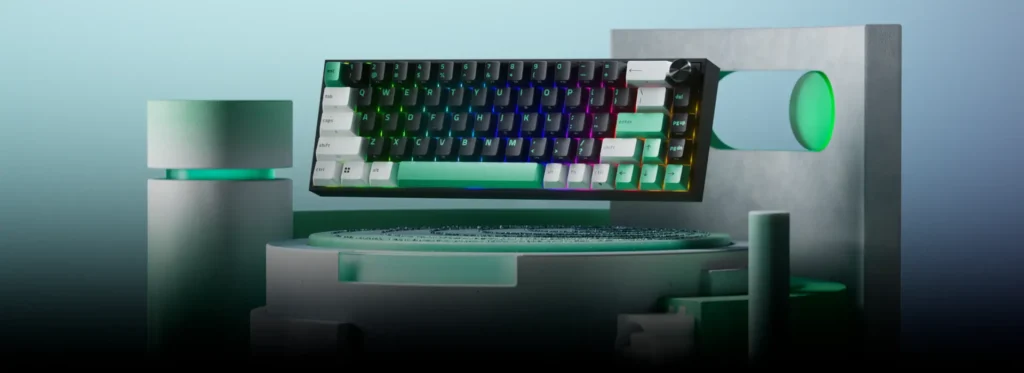
Razer announced the Reclusa Mini 65% on October 27. It's a wireless 65% board with Hall effect magnetic switches you can pull and replace. Razer's US store listed it at $129.99 on October 30.
What Valve's rule covers
Valve drew the line in August 2024, in a post titled "Side-stepping Skill." Automation that gets around the game's core skills, by script or by hardware, is no longer allowed. Players suspected of automating several actions from one input may be kicked from the match.
Valve's official servers now detect hardware-assisted counter-strafing and kick the player. In-game binds that put more than one movement or attack command on one key stopped working the same day, null binds and jump-throw binds included.
Counter-strafing is tapping the opposite movement key to stop dead before you shoot. Snap Tap does part of that for you. While you hold A and press D, the keyboard sends only the newer key, so you never have to let go of the first one.
Valve's post asks owners of keyboards with a feature like "Snap Tap Mode" to turn it off before joining a match.
Snap Tap and three more input tricks
The Reclusa Mini 65% carries four of Razer's input tricks:
- Snap Tap sends only the newest of two paired keys.
- Snap Flex gives one key one action on press and a second on release.
- Dynamic Keystroke fires up to four commands from one key, depending on how far it travels.
- Dual-Keypress Priority decides which of two held movement keys reaches the game.
Snap Tap comes with A and D paired, and you can save up to four pairs.
The illustration for Snap Flex on Razer's site is a grenade jump-throw, the exact bind Valve disabled. Valve made the jump-throw reliable without a bind, so jumping and throwing quickly is enough in CS2.
Razer's FAQ says Snap Flex can simplify advanced techniques in Counter-Strike 2 and VALORANT. For CS2 on Valve's servers, we'd ignore that advice, because two commands from one key is what Valve's rule describes.
Dual-Keypress Priority gets the same CS2 pitch in Razer's FAQ. By our reading, it falls under the counter-strafing Valve detects, since it decides on its own which held movement key counts, so we'd switch it off too.
Rapid Trigger and the actuation depth
Valve's rule is about one input that sets off several actions. Rapid Trigger resets a key as soon as it starts to rise. Actuation sets how deep a press has to go before it counts, anywhere from 0.1 to 4.0 mm on this board.
Each press still sends one key to the game, so by our reading both fit within Valve's rule. They're also the features worth paying for if CS2 is your main game, because they change how quickly a key starts and stops your movement.
Setting up a CS2 profile
Build your CS2 setup in one of the keyboard's four custom onboard profiles. Two more are fixed presets, and the green-lit Factory Default runs at 2.0 mm with Rapid Trigger off and can't be changed.
- In Razer Synapse, pick a custom profile and turn on Rapid Trigger under the keyboard's Actuation tab.
- Set the actuation depth you want for movement and the rest of the board.
- Check that no key in that profile has Snap Flex or Dynamic Keystroke assigned, and that Dual-Keypress Priority is off.
- Press FN + Left Shift and watch A and D. Red means Snap Tap is off, and white means it's on.
Whether Snap Tap ships switched on isn't in Razer's FAQ, so do the last step before your first match.
Buying it for Counter-Strike 2
For a CS2 player, the useful features are Rapid Trigger, adjustable actuation and replaceable magnetic switches. Razer’s Huntsman V3 Pro 8KHz is another board with Snap Tap; whichever keyboard you use, keep automated input features off on Valve’s official servers.
The hot-swap sockets will matter more over the keyboard's life than Snap Tap, which you'll keep off in CS2 anyway. The board takes third-party magnetic switches, but Razer doesn't name any that fit, so check with the switch maker before you order a set.
We'd buy it for the switches and Rapid Trigger, and leave the input tricks for games that allow them.