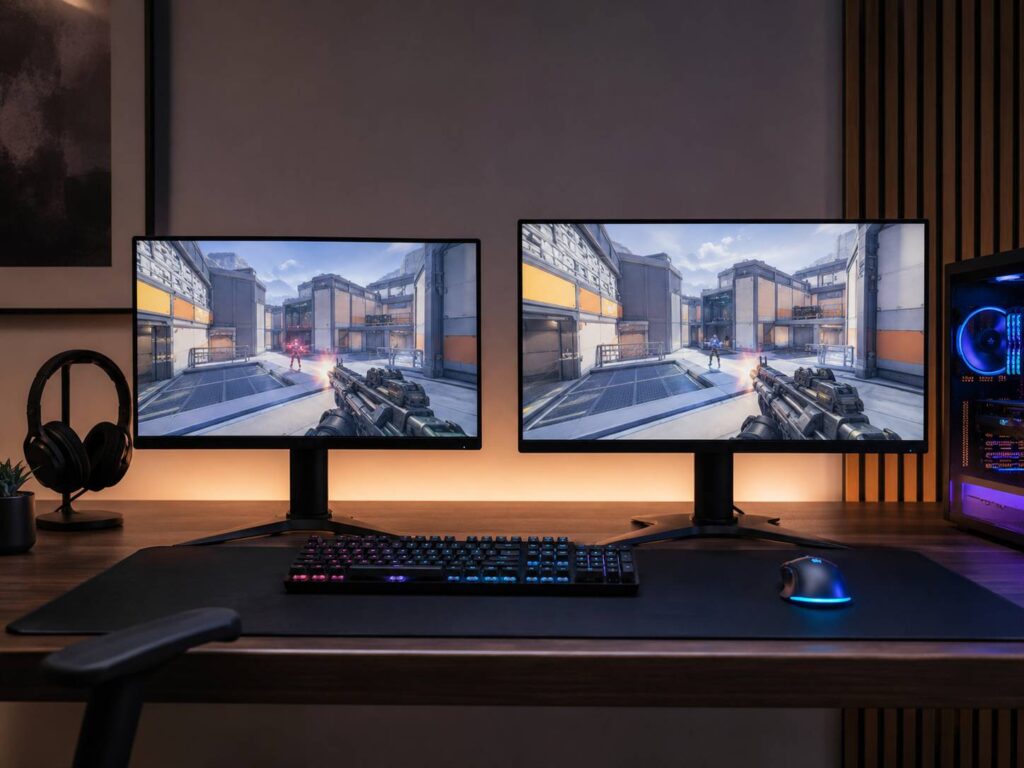
Choosing between a 24.5-inch and 27-inch gaming monitor sounds straightforward, but screen size affects more than how much space the display takes up on your desk. It changes how easily you can scan the whole image, how close you can comfortably sit, which resolutions make the most sense, and how hard your PC has to work to maintain a high frame rate.
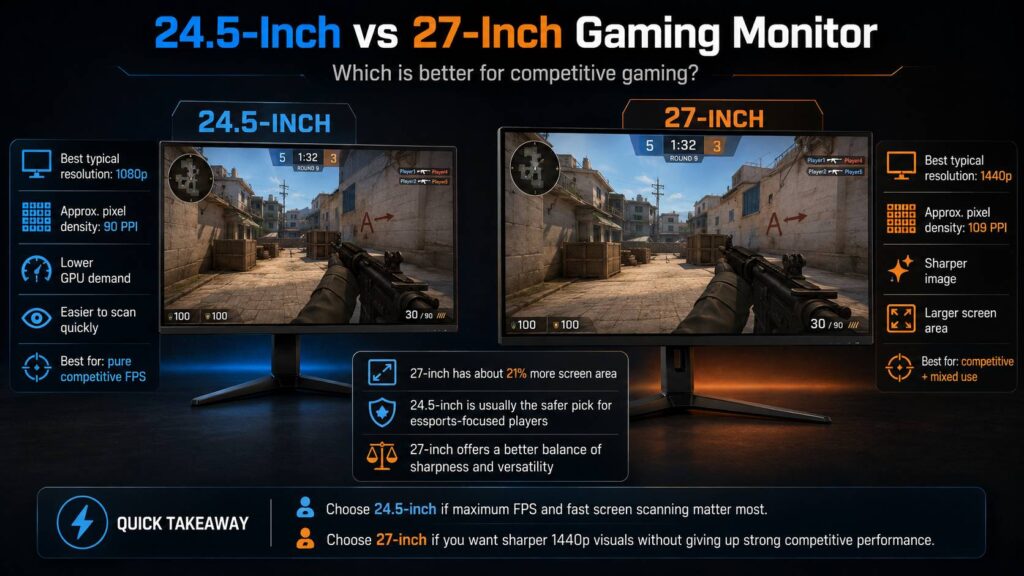
For dedicated competitive gaming, especially games such as Counter-Strike 2 and VALORANT, a 24.5-inch monitor is still the safer choice for most serious players. The screen is compact, 1080p looks reasonable at this size, and there are plenty of extremely high-refresh-rate models available.
A 27-inch monitor, though, is a better fit if you want competitive performance without giving up image quality. At 2560 × 1440, a good 27-inch display looks noticeably sharper, while modern gaming monitors can still offer refresh rates of 240Hz, 360Hz, 480Hz, or even higher.
Neither size is automatically faster. Refresh rate, pixel response, panel technology, overdrive tuning, input processing, and your PC’s actual frame rate all matter more than a couple of extra inches.
24.5-Inch vs 27-Inch Gaming Monitor at a Glance
| Feature | 24.5-inch | 27-inch |
|---|---|---|
| Best typical resolution | 1920 × 1080 | 2560 × 1440 |
| Approximate pixel density | 90 PPI at 1080p | 109 PPI at 1440p |
| Screen area | Smaller | About 21% larger |
| Easy to scan quickly | Excellent | Very good |
| GPU demand | Lower | Higher at 1440p |
| High-refresh options | Excellent | Excellent |
| Competitive FPS focus | Excellent | Very good |
| General gaming | Good | Excellent |
| Productivity | Adequate | Better |
| Image sharpness | Good | Much better at 1440p |
| Best for mixed use | Good | Better |
In reality, this comparison is rarely just about physical size. In practice, you are usually choosing between a 24.5-inch 1080p monitor and a 27-inch 1440p monitor.
That makes resolution, frame rate, hardware performance, and viewing distance just as important as screen size.
Why 24.5-Inch Monitors Are Still Popular for Competitive Gaming
Competitive shooters are all about reading the screen quickly. You need to notice movement, identify targets, check your minimap, track ammunition, and react without wasting time moving your eyes around a huge display.
A 24.5-inch monitor keeps everything fairly close together.
At the same viewing distance, a 27-inch monitor takes up more of your field of view. That can make games feel more immersive, but immersion isn’t necessarily an advantage in Counter-Strike 2, VALORANT, Rainbow Six Siege, Overwatch, or other competitive shooters.
On a smaller screen, important interface elements remain relatively close to the center of your vision. You can often glance at the minimap or HUD without making large eye movements.
That doesn’t mean a 27-inch monitor will suddenly make you slower. Still, the compact layout of a 24 to 25-inch display is one reason this size remains popular in esports.
Manufacturers clearly still see demand for it too. High-end competitive monitors in the 24-inch class continue to push refresh rates into the 500Hz and 600Hz range.
Does 27 Inches Really Feel Much Bigger Than 24.5 Inches?
The difference between 24.5 and 27 inches doesn’t sound huge.
Once both monitors are sitting on a desk, though, it’s fairly noticeable.
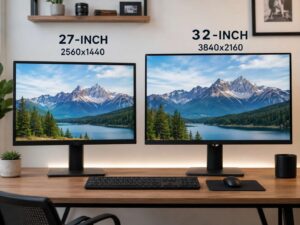
Because monitor size is measured diagonally, increasing the diagonal also increases both the width and height of the panel. With the same 16:9 aspect ratio, a 27-inch screen has roughly 21% more display area than a 24.5-inch screen.
Approximate dimensions look like this:
- 24.5-inch 16:9: 54.2 cm wide and 30.5 cm tall
- 27-inch 16:9: 59.8 cm wide and 33.6 cm tall
At around 60 cm from your eyes, a 24.5-inch screen covers roughly 49 degrees horizontally. A 27-inch display is closer to 53 degrees.
You can definitely notice that difference.
Still, viewing distance changes the experience dramatically. Move the 27-inch monitor back by a few centimeters and it can feel much closer to a 24.5-inch screen.
So check your desk depth before you choose.
Resolution Matters More Than Screen Size Alone
A larger display doesn’t automatically mean a better-looking image.
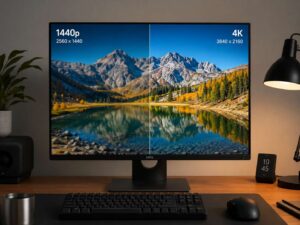
Resolution determines how many pixels the monitor has. Screen size determines how closely those pixels are packed together.
That relationship is especially important when comparing 24.5-inch and 27-inch gaming monitors.
24.5-Inch at 1080p
A 24.5-inch 1920 × 1080 display has roughly 90 pixels per inch.
That’s a sensible match for competitive gaming. The image won’t look as sharp as a high-resolution display, but individual pixels usually aren’t overly distracting at a normal desk distance.
The bigger advantage is performance.
1080p isn’t very demanding by modern standards, which makes it easier to reach the extremely high frame rates needed for 240Hz, 360Hz, 500Hz, or faster displays.
27-Inch at 1080p
Stretching 1920 × 1080 across 27 inches lowers pixel density to roughly 82 pixels per inch.
That difference is easy to notice when you’re sitting close.
Text can look softer, edges are less refined, and individual pixels become easier to see. It’s perfectly usable for gaming, but it isn’t the resolution we’d normally pair with a 27-inch monitor unless maximum FPS or budget matters more than image quality.
27-Inch at 1440p
A 27-inch 2560 × 1440 monitor reaches roughly 109 pixels per inch.
This is where 27 inches starts to make a lot more sense.
Text looks cleaner, distant objects have more detail, and the whole desktop feels sharper. Games also gain more fine detail without requiring the scaling compromises of 4K.
If you’re considering an even higher resolution, our guide on whether a 27-inch 4K monitor is worth it goes into the benefits and drawbacks of combining 4K with this screen size.
The downside to 1440p is GPU load.
1920 × 1080 contains around 2.07 million pixels. By comparison, 2560 × 1440 contains about 3.69 million pixels.
That’s roughly 78% more pixels per frame for the GPU to deal with.
Your frame rate won’t automatically drop by 78%, though. Competitive games often become CPU-limited at very high frame rates. Still, if your GPU is already heavily loaded at 1080p, moving to 1440p can reduce performance noticeably.
Is 24.5 Inches Better for Counter-Strike 2 and VALORANT?
For someone who mainly plays Counter-Strike 2 or VALORANT, 24.5 inches remains a very practical choice.
Several things work in its favor:
- The screen is easy to scan.
- 1080p suits the size well.
- High frame rates are easier to maintain.
- Ultra-high-refresh monitors are common.
- It uses less desk space.
- You can sit fairly close without the display feeling overwhelming.
Counter-Strike players also frequently use resolutions below 1080p, including stretched 4:3 configurations. A 1080p esports monitor fits naturally into that type of setup.
Still, don’t buy a 24.5-inch monitor only because professional players use one.
Professional gaming setups are designed around competition, consistency, tournament equipment, and maximum performance. That’s a very different use case from someone who spends four hours gaming and another eight hours working, browsing, or editing on the same display.
For mixed use, 27-inch 1440p usually feels much more comfortable.
Can a 27-Inch Monitor Still Be Good for Competitive Gaming?
Yes, easily.
The idea that 27-inch monitors are too slow for esports is outdated.
Modern 27-inch 1440p monitors can run at extremely high refresh rates. Many models offer 240Hz or 360Hz, while premium displays now push toward 480Hz and beyond.
OLED has also changed the picture.
Because OLED pixels switch extremely quickly, a fast 27-inch OLED can deliver very clean motion and excellent responsiveness. In some cases, its pixel response can be faster than that of a smaller LCD esports monitor.
The main difference becomes physical size rather than raw speed.
If you sit very close to a 27-inch screen, interface elements in the corners can feel farther away. Move the monitor back slightly, though, and that problem often disappears.
On a reasonably deep desk, 27 inches works very well for competitive gaming.
240Hz, 360Hz, 500Hz, and 600Hz Matter More Than Two Inches
Refresh rate determines how often the monitor can display a new image.
The theoretical time between refreshes is:
| Refresh rate | Time per refresh |
| 144Hz | 6.94 ms |
| 240Hz | 4.17 ms |
| 360Hz | 2.78 ms |
| 480Hz | 2.08 ms |
| 500Hz | 2.00 ms |
| 540Hz | 1.85 ms |
| 600Hz | 1.67 ms |
The jump from 144Hz to 240Hz is fairly substantial.
As refresh rates climb higher, the improvement between each step becomes smaller. Going from 500Hz to 600Hz only reduces the theoretical refresh interval by about 0.33 ms.
Your PC also needs to produce enough frames for those refresh rates to make sense.
Buying a 600Hz monitor doesn’t mean every game suddenly runs at 600 FPS. If you’re only producing 180 FPS, you won’t receive the full benefit of that refresh rate.
For many players, choosing between 144Hz and 240Hz matters much more than choosing between 24.5 and 27 inches.
24.5-Inch 1080p vs 27-Inch 1440p Performance
This is probably the most useful real-world comparison.
A 24.5-inch 1080p monitor requires the GPU to render roughly 2.07 million pixels each frame.
A 27-inch 1440p monitor pushes that number to around 3.69 million.
So 1440p requires substantially more graphics work.
The effect varies from game to game, though.
Modern AAA titles are often GPU-limited, so increasing the resolution can have a noticeable impact on performance.
Competitive games behave differently. At low settings and very high frame rates, titles such as Counter-Strike 2 or VALORANT can become limited by CPU performance instead.
A useful way to judge your own system is to check GPU utilization while playing.
If the GPU spends most of its time around 95 to 100% utilization, moving from 1080p to 1440p is more likely to reduce your frame rate.
If GPU usage is much lower because your processor is the limiting factor, increasing the resolution may have a smaller effect than expected.
Pixel Response Time Matters More Than Screen Size
A 24.5-inch monitor isn’t automatically faster simply because it’s smaller.
Physical size has very little to do with pixel response.
A good 27-inch OLED can have much faster pixel transitions than a 24.5-inch LCD. Likewise, a specialized esports TN panel can deliver excellent motion clarity despite having weaker image quality and viewing angles.
Panel technology matters much more.
TN
TN panels still appear in specialized esports monitors.
They can support extremely high refresh rates and offer strong motion performance, which is why they haven’t disappeared from competitive gaming.
The drawbacks are usually weaker viewing angles and less impressive image quality compared with IPS or OLED.
IPS
Fast IPS is a good middle ground.
You can get high refresh rates, good colors, wide viewing angles, and strong response times without many of the compromises associated with traditional TN panels.
For someone using the same monitor for gaming and everyday work, IPS is often a sensible option.
OLED
OLED pixels don’t rely on liquid crystals changing orientation, so pixel transitions can happen very quickly.
This gives OLED excellent motion clarity and minimal ghosting.
There are trade-offs, though. Static desktop content can contribute to burn-in over long periods, brightness behavior differs from LCD monitors, and high-refresh OLED displays tend to cost more.
That’s why advertised numbers such as 0.03 ms, 0.5 ms, and 1 ms shouldn’t decide the purchase on their own.
The quality of the whole panel matters.
Motion Blur Reduction Can Change the Result
Some esports monitors include backlight-strobing technologies designed to reduce perceived motion blur.
These modes work by shortening how long each frame remains visible.
In fast shooters, the improvement can be surprisingly noticeable.
Still, there are compromises.
Depending on the monitor, blur-reduction modes may:
- Reduce brightness
- Disable variable refresh rate
- Work only at selected refresh rates
- Introduce visible flicker
- Affect image quality
- Work best when FPS stays close to refresh rate
OLED handles motion differently, but it can still show sample-and-hold blur at a given refresh rate.
So compare actual motion performance rather than assuming one panel type always wins.
Does a 27-Inch Monitor Make Enemies Look Bigger?
Technically, yes, if you keep the monitor at exactly the same distance.
But that doesn’t mean enemies are easier to hit.
If both displays use the same aspect ratio, in-game field of view, and settings, the entire image becomes physically larger on a 27-inch screen. Enemies look larger, but so does everything around them.
Move the monitor farther back and most of that size difference disappears.
Higher resolution is different.
1440p gives the game more pixels to draw edges, distant objects, and fine details. That can make enemy outlines look cleaner, especially at long distances.
Still, resolution doesn’t magically change the game’s field of view.
Viewing Distance Can Make 27 Inches Feel Like 24.5
Monitor positioning is surprisingly important.
A 24.5-inch display can sit fairly close without taking over your entire field of view.
A 27-inch display may feel too large at that same distance, but moving it back by a few centimeters can make a big difference.
This is one reason monitor arms are useful for gaming setups. They let you adjust distance more precisely than many stock stands.
Try placing the center of the monitor close to your natural forward gaze. Then adjust the distance until you can comfortably see the corners and HUD without turning your head.
There isn’t one perfect viewing distance for everyone.
Your eyesight, desk depth, posture, game, and personal preference all play a role.
Best Monitor Size for Different Competitive Players
Choose 24.5 inches if you mainly play competitive shooters
A 24.5-inch 1080p display makes a lot of sense for games such as:
- Counter-Strike 2
- VALORANT
- Rainbow Six Siege
- Competitive Fortnite
- Overwatch
- Other high-FPS shooters
It’s especially appealing if frame rate matters more to you than resolution.
Choose 27 inches if you play a wider mix of games
A 27-inch 1440p monitor works better if competitive gaming is only part of what you play.
For example, you might spend one evening playing VALORANT and the next playing an RPG, racing game, strategy title, or visually demanding single-player release.
The sharper image makes those games much more enjoyable.
You also gain extra desktop space for browsing, work, and multitasking.
Choose 27 inches if your GPU can handle 1440p comfortably
If your system can maintain your target frame rate at 1440p, the main disadvantage of the higher resolution becomes less important.
In that case, you get sharper visuals without giving up much competitive performance.
Choose 24.5 inches if maximum FPS is the priority
If you’re intentionally running low settings, 1080p, and a powerful gaming CPU to chase the highest possible frame rate, the 24 to 25-inch esports category remains hard to beat.
It’s simple, focused, and built around competitive speed.
Recommended Settings for Competitive Gaming
Buying a fast monitor is only half the job. Incorrect settings can leave a 360Hz monitor running at 60Hz, or make an otherwise quick LCD look worse because of aggressive overdrive.
1. Use the native resolution
For most players, that means:
- 1920 × 1080 on a 1080p monitor
- 2560 × 1440 on a 1440p monitor
Competitive players intentionally using lower or stretched resolutions are the obvious exception.
2. Set the highest refresh rate in Windows
In Windows 11, go to:
Settings > System > Display > Advanced display
Select your gaming monitor, then choose the refresh rate you want.
It’s worth checking manually. Windows doesn’t always use the highest available setting automatically.
3. Check your cable and video port
Very high refresh rates can require specific HDMI or DisplayPort capabilities.
Some monitors also support different maximum refresh rates depending on which connection you use.
For example, DisplayPort might support the monitor’s maximum refresh rate while an older HDMI connection doesn’t.
Check the monitor and GPU specifications before assuming every port offers identical performance.
4. Don’t automatically select maximum overdrive
LCD monitors often offer overdrive options such as Normal, Fast, Faster, or Extreme.
The fastest option isn’t always the cleanest.
Too much overdrive can produce bright trails or inverse ghosting behind moving objects. A slightly slower setting often gives a better balance between speed and image quality.
5. Enable low-latency features where appropriate
Some games support technologies such as NVIDIA Reflex that can reduce latency in the rendering pipeline.
This matters because monitor latency is only one part of overall system delay.
Your mouse, processor, GPU, game engine, render queue, and display all contribute.
6. Decide whether VRR fits your setup
Variable refresh rate technologies can reduce tearing when frame rate changes.
Some competitive players prefer uncapped FPS with a fixed high refresh rate instead.
Neither approach is always better.
The right choice depends on your monitor, frame rate range, game, and sensitivity to tearing.
Common Mistakes When Choosing Between 24.5 and 27 Inches
One common mistake is buying a 27-inch 1080p monitor and expecting the same sharpness as a smaller 1080p display.
You won’t get it.
Another mistake is assuming a 24.5-inch monitor automatically has less input lag.
Screen size doesn’t work that way.
It’s also easy to overspend on an extreme refresh rate that your PC can’t use. A 500Hz or 600Hz monitor makes far more sense if the games you play can actually run at several hundred frames per second.
The opposite mistake happens with resolution.
1440p looks much sharper, but if it pushes your GPU into a heavy bottleneck and drops your FPS below your target, the extra pixels may not be worth it for competitive play.
Desk depth matters too.
A 27-inch monitor can feel enormous at 45 cm and perfectly normal at 65 or 70 cm.
How Competitive Gaming Monitors Have Changed
Competitive monitors used to follow a very predictable formula.
You got a roughly 24-inch screen, 1080p resolution, a TN panel, and the highest refresh rate available.
That formula still works.
What’s changed is that larger and sharper monitors have become much faster.
Modern 27-inch 1440p gaming monitors can now deliver refresh rates that would have sounded excessive not that long ago. High-end OLED and LCD options have pushed well beyond 240Hz, so choosing 1440p no longer means settling for a slow display.
That changes the buying decision.
Instead of asking whether 27 inches is fast enough, you’re often better off asking whether your PC can render 1440p at the frame rate you want.
For many modern competitive setups, the GPU or CPU will become the limitation before the monitor does.
Frequently Asked Questions
Is 24.5 inches better than 27 inches for competitive gaming?
For dedicated competitive FPS gaming, 24.5 inches is usually the safer choice.
It’s compact, works well with 1080p, and is widely available with very high refresh rates.
A 27-inch monitor can still be excellent for competitive gaming, especially at 1440p and 240Hz or higher.
Is 27 inches too big for FPS games?
No.
A 27-inch display can work very well for FPS games.
If it feels too large, try moving it farther away before deciding you need a smaller monitor.
Is 1080p better than 1440p for competitive gaming?
1080p is easier to render, so it can help you maintain very high frame rates.
1440p looks sharper and provides more fine detail, but it creates a heavier GPU workload.
The better option depends on your hardware and target FPS.
Is 27-inch 1080p bad for gaming?
It’s usable, but the pixel density is relatively low at around 82 PPI.
A 24.5-inch 1080p monitor looks sharper from the same distance. Meanwhile, 1440p is a much better match for a 27-inch screen.
Is 1440p worth it for competitive gaming?
Yes, if your PC can maintain the frame rate you want.
Modern GPUs and high-refresh 1440p monitors have made the resolution much more practical for competitive gaming.
Should I choose 24.5-inch 360Hz or 27-inch 240Hz?
For someone focused almost entirely on competitive shooters, the 24.5-inch 360Hz model may make more sense.
For mixed gaming, work, and everyday use, a 27-inch 1440p 240Hz monitor is usually the more flexible choice.
Still, don’t decide based on refresh rate alone. Response time, motion clarity, input lag, panel quality, and overdrive performance can change the result.
Which Monitor Size Should You Choose?
Choose a 24.5-inch gaming monitor if competitive FPS performance comes before almost everything else.
Its compact size is easy to scan, 1080p keeps GPU requirements relatively low, and the category contains some of the fastest esports monitors available.
Choose a 27-inch 1440p gaming monitor if you want competitive performance with a noticeably sharper image.
Modern 27-inch monitors can reach refresh rates that were once limited to specialized 1080p esports displays. Because of that, the difference in raw speed isn’t nearly as large as it used to be.
For players who spend most of their time in Counter-Strike 2, VALORANT, or similar competitive games and want the highest possible frame rates, 24.5 inches remains the practical choice.
For anyone who wants one display for competitive gaming, general gaming, browsing, work, and better image quality, 27 inches at 1440p offers the better overall balance.
Screen size alone doesn’t determine responsiveness. Refresh rate, pixel response, motion clarity, frame rate, latency, resolution, and viewing distance matter far more. The best choice is the monitor that fits your complete setup rather than the one with the smaller or larger diagonal.