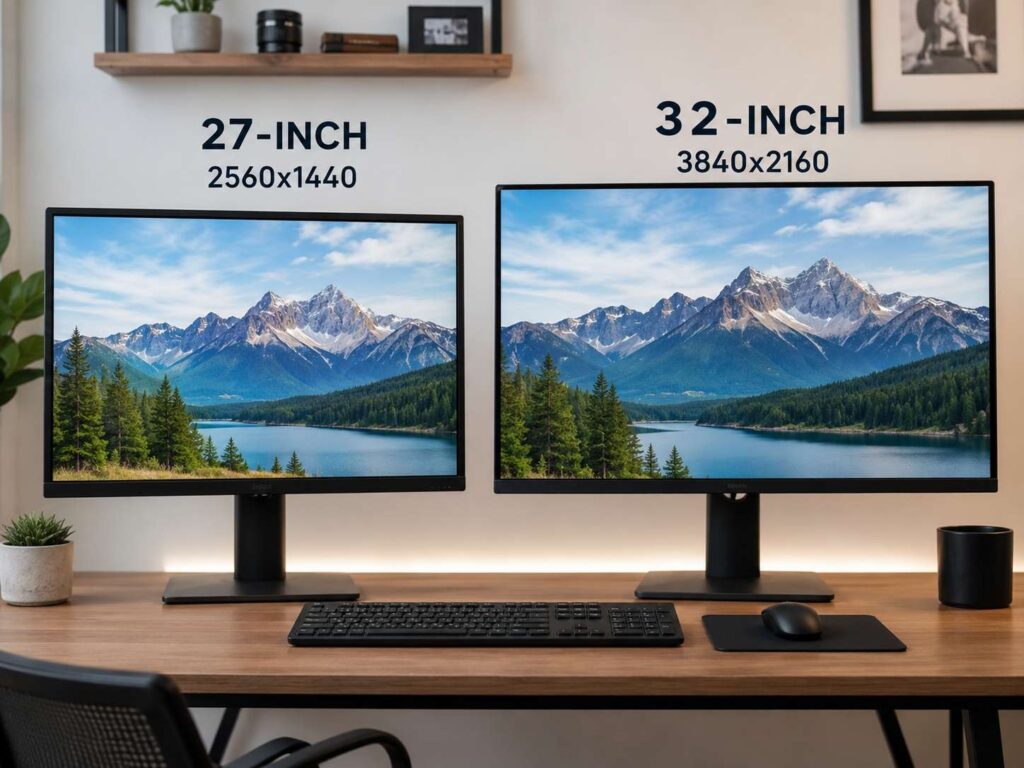
Choosing between a 27-inch and 32-inch monitor sounds simple. One gives you a smaller screen, and the other gives you more room. Still, that size gap changes your desk, your posture, your text clarity, and the way you work every day.
A 27-inch monitor feels balanced. It fits most desks, pairs well with 1440p, and works well for office tasks, study, browsing, gaming, and home use.
A 32-inch monitor feels larger and more relaxed. It suits big spreadsheets, video editing, design work, console gaming, and split-screen layouts. Yet it needs more desk depth, and it works best with 4K.
So, which one makes more sense? For most people, a 27-inch 1440p monitor gives the best mix of price, comfort, and sharpness. For users who want more screen space, a 32-inch 4K monitor is the better pick.
27-Inch vs 32-Inch Monitor: The Quick Answer
A 27-inch monitor is the safer choice. It gives enough room for daily work, keeps your setup tidy, and feels easy to use on a normal desk. It also pairs very well with 1440p resolution, so text stays clean without making icons tiny.
A 32-inch monitor is better for users who want a larger screen and have the desk space for it. It works best with 4K resolution. At that size, 4K gives you sharper text, more room for windows, and a bigger image for games or movies.
The best pairings are simple:
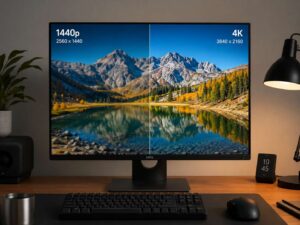
- 27-inch monitor: best with 2560 x 1440 resolution
- 32-inch monitor: best with 3840 x 2160 resolution
- 27-inch 4K monitor: very sharp, but text may feel small
- 32-inch 1440p monitor: large and smooth, but text looks softer
For a deeper look at sharpness, scaling, and real desk use, this guide on whether a 27-inch 4K monitor is worth it is a helpful next read.
Why Monitor Size Matters
Monitor size affects comfort, focus, desk space, and text clarity. A larger screen does not always feel better.
With a 27-inch display, most content stays inside your natural view. Your eyes move less across the screen. That helps during writing, coding, browsing, email, research, and fast gaming.
A 32-inch display spreads content across a wider area. That gives you more room for video timelines, large tables, design apps, maps, and dashboards. At the same time, your eyes travel more from side to side.
Think about how close you sit. A 27-inch screen often feels better at a normal desk distance. A 32-inch screen feels better on a deeper desk, especially if you sit farther back.
Best Resolution for a 27-Inch Monitor
A 27-inch monitor works best at 1440p, also called QHD or 2K. This resolution gives you 2560 x 1440 pixels. It offers much more space than 1080p, and text still looks clear.
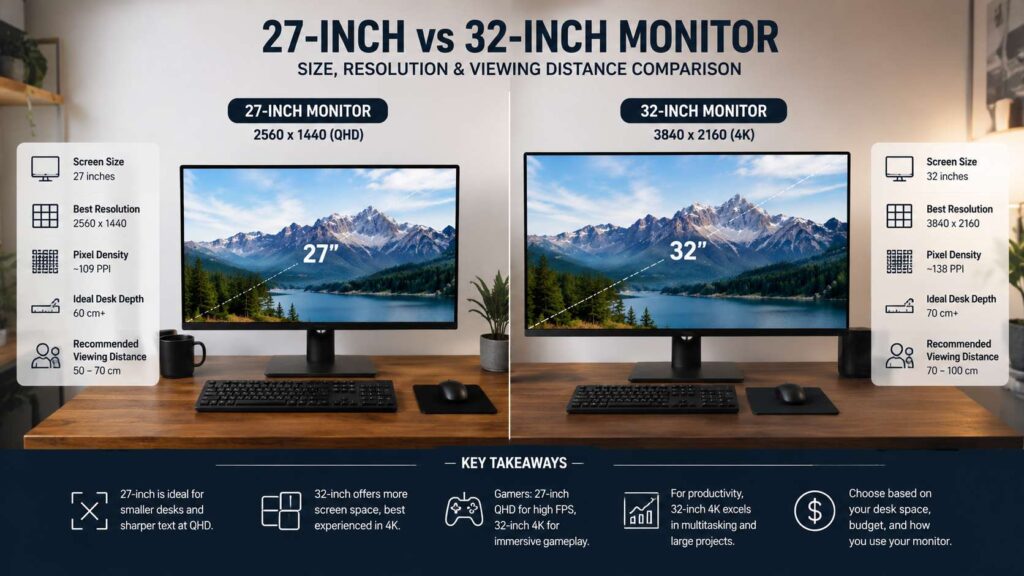
At 27 inches, 1440p gives about 109 pixels per inch. That matters for long work sessions. Text looks sharp enough, icons stay easy to read, and you get more room than Full HD.
A 27-inch 1080p monitor still works for basic tasks. Still, text can look softer, and the image may feel less crisp. For modern office work, 1080p feels dated at this size.
A 27-inch 4K monitor gives very sharp detail. It reaches about 163 pixels per inch. Photos, icons, and text look crisp. The tradeoff comes from scaling. You will likely need larger interface scaling, or text feels too small.
Choose a 27-inch 1440p monitor for:
- Work from home
- Writing and editing
- Coding
- Web browsing
- School or college work
- General PC gaming
- Photo editing at a hobby level
- Small and medium desks
Choose a 27-inch 4K monitor for:
- Very sharp text
- Mac setups
- Design work
- Photo editing
- Close viewing distance
- Clean, crisp interfaces
Unless you want more screen space, 27-inch 1440p is the safer buy.
Best Resolution for a 32-Inch Monitor
A 32-inch monitor needs more pixels to look sharp. That is why 4K fits this size so well.
A 32-inch 4K monitor gives you 3840 x 2160 pixels. The image looks sharp, and the workspace feels generous. Text looks clean, windows have room to breathe, and photos or videos show more detail.
A 32-inch 1440p monitor gives about 92 pixels per inch. That is close to the sharpness of a 24-inch 1080p monitor. It can look fine for games, movies, and casual browsing. For text-heavy work, it will look softer than 27-inch 1440p.
This does not make 32-inch 1440p a bad choice. It gives a big image, high refresh rates, and lower graphics card demand than 4K. For long writing, coding, and spreadsheet work, 32-inch 4K feels much cleaner.
Choose a 32-inch 4K monitor for:
- Large spreadsheets
- Video editing
- Design work
- Photo editing
- Split-screen work
- Console gaming
- Movies
- Large home office setups
Choose a 32-inch 1440p monitor for:
- PC gaming
- Lower-cost large-screen setups
- Farther viewing distance
- Large visuals over fine text clarity
For more help with screen sharpness, this guide on the best monitor resolution for your desk explains the main resolution choices in plain terms.
Desk Space and Viewing Distance
Desk size can make this decision easier.
A 27-inch monitor fits most desks. It works well on a desk around 60 cm deep. You still get room for a keyboard, mouse, speakers, notebook, or laptop stand.
A 32-inch monitor needs more space. A desk around 70 to 80 cm deep feels much better. You need enough distance so the screen does not feel too close.
If the display sits too near your face, you may move your head more and feel tired faster. For this reason, a monitor arm helps a lot with larger screens. It moves the panel back, frees desk space, and gives better height control.
Use this simple guide:
- Desk depth under 60 cm: choose 27-inch
- Desk depth from 60 to 70 cm: choose 27-inch, or use a monitor arm for 32-inch
- Desk depth over 70 cm: 32-inch becomes easier to use
Screen height matters too. The top edge of the display should sit near eye level or slightly lower. That helps your neck stay relaxed during long sessions.
27-Inch vs 32-Inch for Office Work
For office work, a 27-inch monitor works well. It gives enough space for two windows side by side. You can keep a document open next to a browser, notes app, or email window.
Text looks clear at 1440p. The screen feels large enough without taking over the desk. That makes it a strong choice for writers, students, office workers, and remote workers.
A 32-inch monitor works better for heavier multitasking. It gives more space for wide spreadsheets, dashboards, project boards, reports, and video calls. A 32-inch 4K monitor can even replace two smaller displays for some users.
At the same time, a dual-monitor setup still has advantages. Two screens give clear task separation. One large 32-inch screen gives one wide workspace.
For focused office work, choose 27-inch. For large layouts and many windows, choose 32-inch 4K.
27-Inch vs 32-Inch for Gaming
Gaming changes the answer.
A 27-inch monitor works very well for fast games. It keeps the full screen easy to scan. That helps in shooters, racing games, strategy games, and online matches.
A 27-inch 1440p monitor with 144 Hz, 165 Hz, 240 Hz, or higher refresh rate gives a strong mix of sharpness and speed. It also needs less graphics power than 4K.
A 32-inch monitor feels more immersive. It suits role-playing games, racing games, sports games, flight games, open-world games, and console gaming. A 32-inch 4K display pairs very well with PlayStation 5, Xbox Series X, and strong gaming PCs.
Your graphics card matters here. 1440p runs faster on more systems. 4K looks sharper, but it needs more GPU power for smooth frame rates at high settings.
For competitive gaming, choose 27-inch 1440p. For cinematic gaming, choose 32-inch 4K.
27-Inch vs 32-Inch for Productivity
Productivity depends on how many windows you use.
A 27-inch 1440p monitor gives enough room for normal multitasking. You can write in one window and research in another. You can code and keep a preview nearby. Photo editing works well too, since tool panels still fit on the screen.
A 32-inch 4K monitor gives more room. You can place three or four windows in a useful layout. You can keep a calendar, chat, browser, and document visible at the same time.
Large spreadsheets feel easier on a 32-inch display. Video timelines feel less cramped too. Designers and analysts may get more value from the extra space.
For everyday productivity, 27-inch is enough. For heavy multitasking, 32-inch 4K gives you more breathing room.
Text Sharpness and Pixel Density
Pixel density tells you how sharp the screen looks. Higher pixel density means sharper text and cleaner image edges.
Here are the useful numbers:
- 27-inch 1080p: about 82 pixels per inch
- 27-inch 1440p: about 109 pixels per inch
- 27-inch 4K: about 163 pixels per inch
- 32-inch 1440p: about 92 pixels per inch
- 32-inch 4K: about 138 pixels per inch
These numbers explain why 27-inch 1440p feels so popular. It gives good sharpness without making text tiny.
They also explain why 32-inch 4K works better than 32-inch 1440p for office work. At 32 inches, 1440p spreads the pixels across a larger panel. Text can look soft at normal desk distance.
If you read or write for hours, pixel density matters. If you mainly play games or watch video, lower density may bother you less.
27-Inch vs 32-Inch for 4K
4K works on both sizes, but it feels different.
On a 27-inch monitor, 4K looks very sharp. Text, icons, lines, and photos look crisp. The issue comes from size. Without scaling, the interface can feel too small.
On a 32-inch monitor, 4K feels more natural. You get sharp text and a larger workspace. The screen gives more room for windows, timelines, documents, and tool panels.
A 27-inch 4K monitor suits people who want maximum sharpness in a compact setup. A 32-inch 4K monitor suits people who want more usable screen space.
For most 4K buyers, 32 inches is the better match.
Panel Type, Refresh Rate, and Features
Size and resolution matter first, but panel quality still matters.
IPS panels suit general use. They give good color, wide viewing angles, and clear text. VA panels offer stronger contrast, which helps dark scenes in movies and games. OLED and QD-OLED panels give deep blacks and very fast response times, but they cost more and need care with static content.
Refresh rate matters too. For office use, 75 Hz to 120 Hz feels smoother than 60 Hz. For gaming, 144 Hz or higher makes motion look cleaner.
A 27-inch 1440p high-refresh monitor gives great value for PC gaming. A 32-inch 4K high-refresh monitor looks excellent, but it costs more and needs stronger hardware.
Look for these features:
- Height-adjustable stand
- USB-C with power delivery
- HDMI 2.1 for consoles
- DisplayPort for PC gaming
- Low blue light mode
- Flicker-free backlight
- Good warranty
- VESA mount support
Do not buy by size alone. A high-quality 27-inch monitor can beat a cheap 32-inch model in daily comfort, clarity, and build quality.
Which Size Is Better for a Small Desk?
A 27-inch monitor is better for a small desk.
It leaves more space for your keyboard and mouse. It gives you room for speakers, a lamp, a laptop stand, or a notebook. The screen also feels easier to place at the right distance.
A 32-inch monitor can feel too close on a shallow desk. It can force more eye movement. It may make the setup look crowded as well.
This matters most in bedrooms, dorm rooms, apartments, and small home offices. A 27-inch screen gives you a larger display than a laptop without overwhelming the space.
For a small desk, choose 27-inch 1440p.
Which Size Is Better for Eye Comfort?
Eye comfort comes from distance, brightness, text size, glare control, and posture. Screen size alone does not fix eye strain.
A 27-inch monitor can feel more comfortable at close range. You can see the full display with less eye movement. This helps during writing, coding, and reading.
A 32-inch monitor can feel more comfortable from farther away. It gives larger visuals and makes text easier to read with the right scaling. It works best on a deeper desk.
Set the brightness to match the room. Avoid strong glare from windows. Raise text size instead of leaning forward. Keep the top of the screen near eye level or a little lower.
For close viewing, 27-inch wins. For a relaxed sitting distance, 32-inch can feel better.
Price and Value
A 27-inch monitor usually gives better value.
You can find many 27-inch 1440p monitors with good panels, high refresh rates, strong stands, and USB-C. This size has many options, so buyers can compare prices and features with ease.
A 32-inch monitor costs more, mainly at 4K. Models with USB-C, high refresh rate, strong color coverage, or OLED panels often reach higher prices.
Budget 32-inch monitors often cut corners. Some use lower pixel density, weaker stands, lower brightness, or fewer ports. A cheap large screen can feel worse than a smaller, sharper monitor.
If your budget is limited, buy a better 27-inch monitor. If your budget allows a strong 32-inch 4K model, the larger screen can feel worth it.
Who Should Buy a 27-Inch Monitor?
Buy a 27-inch monitor if you want the safest all-round size.
It fits most desks, pairs well with 1440p, and works for many uses. It suits office work, study, gaming, browsing, and light creative work. It gives strong value too.
A 27-inch monitor suits you if:
- You sit close to the screen
- You use a normal desk
- You write, browse, code, or study
- You play competitive games
- You want sharp text at a fair price
- You prefer a clean setup
- You do not need a very large screen
For most people, 27-inch 1440p is the best monitor size.
Who Should Buy a 32-Inch Monitor?
Buy a 32-inch monitor if you want more space and have the desk for it.
It suits large work areas, deeper desks, and users who like bigger visuals. It works best with 4K resolution. It can replace two smaller screens for some workflows.
A 32-inch monitor suits you if:
- You edit video
- You work with large spreadsheets
- You use design software
- You want one large screen
- You sit farther back
- You play console games
- You watch movies at your desk
- You want larger text and images
For the best result, choose 32-inch 4K for work-heavy use.
Final Verdict: 27-Inch or 32-Inch?
Choose a 27-inch monitor if you want the best balance of size, sharpness, price, and comfort. A 27-inch 1440p monitor remains the best choice for many office users, students, gamers, and home workers.
Choose a 32-inch monitor if you want more screen space and your desk can handle it. A 32-inch 4K monitor works well for video editing, large documents, spreadsheets, console gaming, and split-screen work.
The simple answer is this: choose 27-inch 1440p for value and focus. Choose 32-inch 4K for space and comfort.