Quick answer
Yes, a 27-inch 4K monitor is worth it for sharp text, clean detail, office work, coding, photo editing, video editing, and general desk use. It gives you a crisp image without taking over your desk.
Still, it is not the best choice for every buyer. For fast PC gaming, a 27-inch 1440p monitor with a high refresh rate often gives better value. For office work, creative work, and console gaming, 4K at 27 inches makes much more sense.
So, the real answer is simple: choose 4K if you care more about clarity. Choose 1440p if you care more about high frame rates and lower cost.
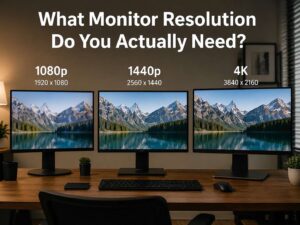
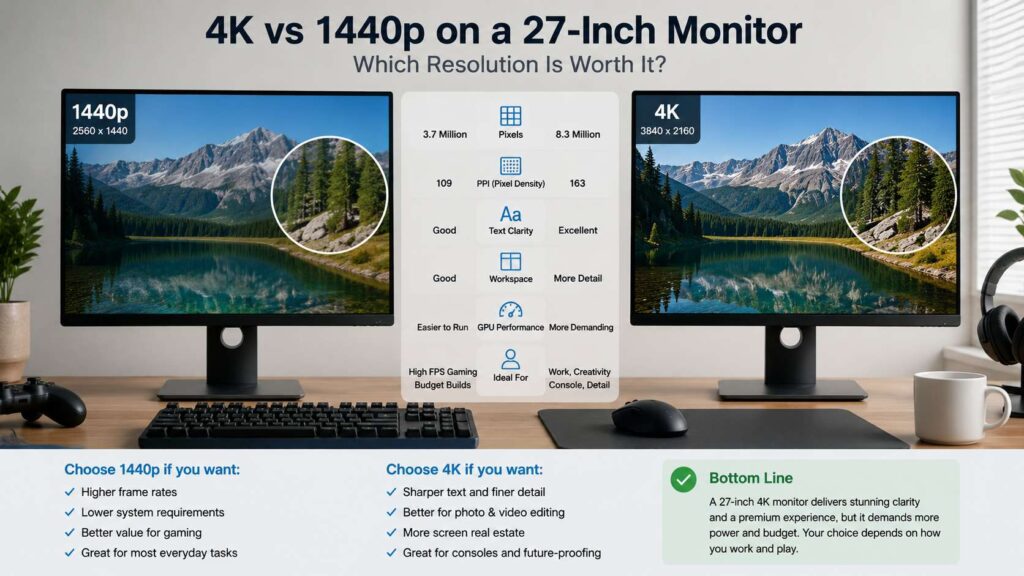
A 27-inch 4K screen has a resolution of 3840 x 2160. That gives you more than 8.2 million pixels. A 27-inch 1440p screen has about 3.7 million pixels. A 27-inch 1080p screen has about 2 million pixels.
For that reason, 4K looks much cleaner at the same size. Text looks smoother. Icons look sharper. Images show more fine detail. Once you use a good 27-inch 4K monitor for work, it can feel hard to go back.
Why 27-inch 4K looks so clear
The main reason is pixel density. A 27-inch 4K monitor has about 163 pixels per inch. A 27-inch 1440p monitor has about 109 pixels per inch. A 27-inch 1080p monitor has about 82 pixels per inch.
That difference is easy to see at a normal desk distance. Letters have cleaner edges. Small buttons look less rough. Thin lines in apps look sharper. Photos show more texture.
At the same time, 27 inches is still a practical size. It fits most desks. It works well for single-monitor setups. It gives enough room for two windows side by side without feeling huge.
This is why 27-inch 4K works as a premium office size. It gives you the sharpness of a high-end laptop screen, but with far more space.
Text clarity is the biggest win
It is easy to think about 4K for movies or games first. Still, the biggest daily benefit is text clarity.
A 27-inch 4K monitor makes writing, reading, and browsing feel cleaner. You notice it in emails, documents, spreadsheets, PDFs, code editors, and web pages. Letters look smooth, and your eyes do not work as hard to read small text.
For example, writers can keep drafts and research open side by side. Developers can use smaller fonts without making the screen feel messy. Office users can scan spreadsheets with less visual noise. Designers can judge small UI details with more confidence.
So, if you work at a desk for hours, 4K is not just a luxury feature. It can improve the feel of your whole setup.
Scaling matters on a 27-inch 4K monitor
A 27-inch 4K monitor packs many pixels into a compact screen. At 100% scaling, text and icons look too small.
Most Windows users start at 150% scaling. That setting gives a comfortable desktop size, but it still uses the extra pixels for sharper text. Some people prefer 125% scaling for more workspace. Others prefer 175% for larger text.
Mac users get scaled display options too. The idea is the same. You choose a size that feels comfortable, and the system uses the high pixel count to draw a cleaner image.
This is one reason 4K at 27 inches feels different from 1440p. A 1440p monitor often works well at 100% scaling. A 4K monitor usually works best with scaling. That is normal, not a flaw.
4K vs 1440p at 27 inches
A 27-inch 1440p monitor still makes a lot of sense. It gives good clarity, strong value, and easier gaming performance. It also costs less in many product lines.
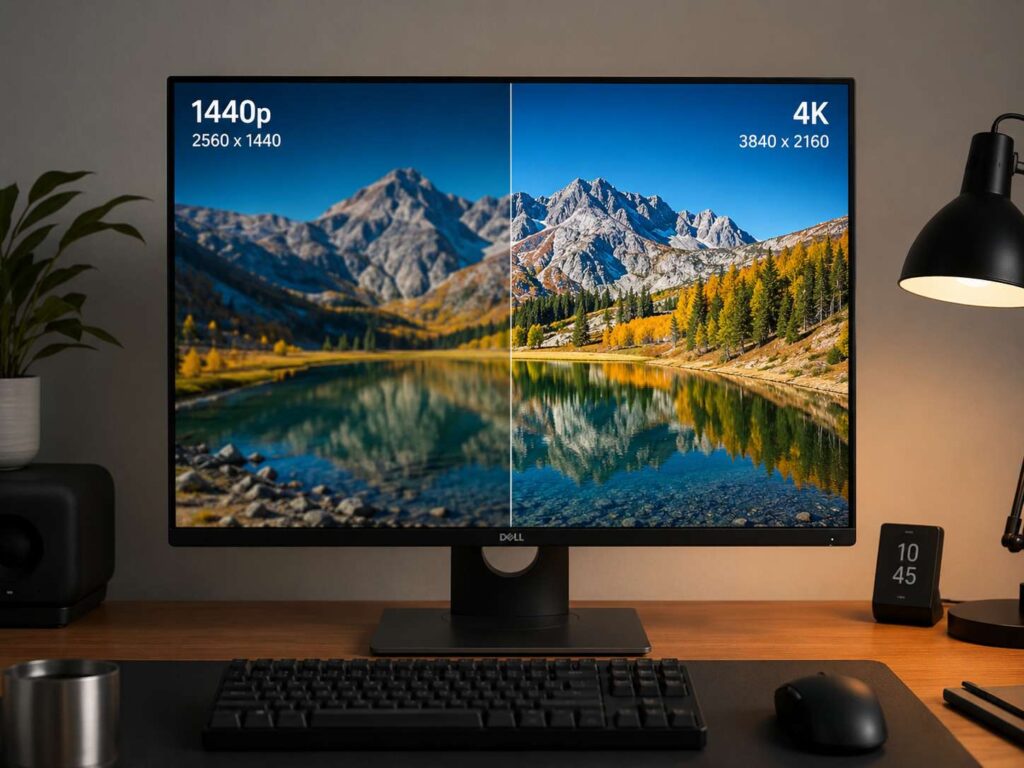
Still, 4K gives a sharper image. The difference shows up most in text, photos, icons, and fine UI details. For work and media, the screen feels cleaner and more polished.
If you want a deeper comparison before you buy, this guide on 1440p vs 4K monitor can help you compare both resolutions in a practical way.
Pick 1440p at 27 inches if you want:
Fast gaming
Lower GPU load
Lower price
High refresh rate for less money
Simple 100% scaling
Pick 4K at 27 inches if you want:
Sharper text
Cleaner images
Better detail for photo work
A more premium desktop feel
Strong console gaming support
For many people, 1440p is the value pick. For sharper daily use, 4K wins.
Is 4K worth it for office work?
Yes, 4K is worth it for office work on a 27-inch monitor. This is where the format shines.
Office work means emails, spreadsheets, documents, browser tabs, dashboards, and video calls. These tasks do not need a powerful graphics card. They benefit from clear text and a clean layout.
For that reason, a 27-inch 4K monitor can be a strong upgrade for remote workers, students, writers, editors, analysts, and anyone who spends long hours reading on-screen.
You can place two windows side by side. You can read small text more easily. You can work with PDFs and spreadsheets without the screen feeling blurry. Over a full workday, that extra clarity starts to matter.
A good monitor also lasts longer than many laptops. So, if you use your desk setup every day, spending more on the screen can make sense.
Is 4K worth it for gaming?
For gaming, 4K at 27 inches looks great, but it asks more from your hardware.
A 4K monitor needs your graphics card to draw 8.2 million pixels per frame. A 1440p monitor needs far fewer pixels. So, many games run faster at 1440p than at 4K.
Still, 4K has clear strengths. Story games look crisp. Open-world games show more detail. Racing games, role-playing games, and slower single-player titles can look beautiful.
For competitive PC gaming, 1440p often feels better. You can get higher frame rates for less money. You can buy a faster refresh rate monitor. You can reduce GPU strain.
For console gaming, 4K makes more sense. PlayStation 5 and Xbox Series X pair well with a 4K screen, mainly if the monitor supports 120Hz and the right HDMI ports.
So, for gaming, ask one simple question: do you want sharper graphics or faster frame rates? For sharp graphics, pick 4K. For high-FPS play, pick 1440p.
Refresh rate can change the experience
Resolution is only one part of the monitor. Refresh rate matters too.
A 4K 60Hz monitor works well for office work, browsing, coding, and casual media. It can handle slower games too. Still, mouse movement and scrolling look smoother at 120Hz or 144Hz.
A 4K 144Hz monitor feels much better for mixed work and gaming. It gives you sharp detail and smooth motion. That combination feels excellent, but the price rises.
Your PC must support it too. You need the right graphics card, port, and cable. A weak GPU will struggle to push modern games at 4K and high frame rates.
For work-first users, 4K 60Hz is fine. For mixed use, 4K 120Hz or 144Hz is the better target. For esports, 1440p high refresh still gives better value.
HDR can be useful, but check the real quality
Many 4K monitors advertise HDR. That label alone does not mean the display has great HDR.
Real HDR needs strong brightness, deep contrast, and good tone control. Some cheaper monitors can accept an HDR signal, but the picture does not look much better than standard mode.
So, do not buy a 27-inch 4K monitor just for a basic HDR label. Look at the panel type, brightness, contrast, and real test results from trusted reviewers.
For office use, HDR matters less. For movies and gaming, it matters more. OLED and mini-LED screens often deliver stronger HDR than basic IPS panels, but they cost more.
Panel type matters too
A weak 4K panel can still disappoint. So, resolution should not be your only filter.
IPS panels are common on 27-inch 4K monitors. They usually give good color, wide viewing angles, and sharp text. For most users, IPS is the safest choice.
OLED panels give deep blacks, fast response, and rich contrast. They look excellent for games and movies. Still, desktop users need to think about static content and burn-in risk.
VA panels often give better contrast than IPS. Some models show more motion blur in fast games, so they need more careful shopping.
Mini-LED panels can give strong brightness and better HDR. They often cost more, but they work well for media, gaming, and creative tasks.
For most people, a good IPS 27-inch 4K monitor is the best balance. For premium gaming and movies, OLED or mini-LED can look better.
27-inch 4K vs 32-inch 4K
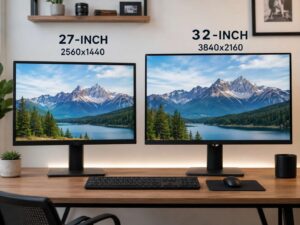
A 27-inch 4K monitor and a 32-inch 4K monitor use the same resolution. The difference is size and pixel density.
A 27-inch 4K monitor looks sharper. It has about 163 pixels per inch. It fits smaller desks better. It feels clean for text and close-up work.
A 32-inch 4K monitor feels larger and more open. It gives more physical room for timelines, spreadsheets, and creative apps. Text looks a little less dense, but the larger size can feel more comfortable.
So, choose 27-inch 4K if you want sharpness and a compact desk setup. Choose 32-inch 4K if you want a larger screen and sit farther back.
Desk depth matters here. A shallow desk works better with 27 inches. A deep desk can handle 32 inches more comfortably.
For more help on matching screen size and resolution to your setup, see this guide on the best monitor resolution for your desk.
Best settings for a 27-inch 4K monitor
Start with 150% scaling. Use it for a full workday, then adjust. Do not judge scaling too fast. Give your eyes time to settle.
Next, set the refresh rate to the highest option your monitor supports. Some screens ship at 60Hz by default, even if they support more.
Then, adjust brightness for your room. A bright room needs more brightness. A dark room needs less. Too much brightness can make white pages feel harsh.
Use the sRGB mode for normal web, office, and content work if colors look too strong. Use wider color modes for photo or video projects that need them.
For laptops, USB-C can be very useful. One cable can carry display, charging, and USB data on many monitors. Check the power delivery rating before you buy. Some monitors charge a laptop well. Others only give light power.
What to check before buying
Before you buy a 27-inch 4K monitor, check more than the resolution.
Look for:
3840 x 2160 resolution
At least 60Hz for work
120Hz or 144Hz for gaming
IPS, OLED, VA, or mini-LED panel type
DisplayPort for desktop PCs
HDMI 2.1 for modern consoles
USB-C with power delivery for laptops
Height adjustment
Good warranty terms
Clear return policy
For gaming, check variable refresh rate support. For creative work, check color coverage and calibration options. For office use, check ergonomics, text clarity, and port layout.
A monitor with better height adjustment can feel better every day than a cheaper model with a fixed stand. Comfort matters, mainly during long sessions.
Who should buy a 27-inch 4K monitor?
A 27-inch 4K monitor is a strong pick for people who work with text, images, and detailed layouts.
It fits writers, editors, developers, designers, photographers, students, office workers, and remote workers. It also works well for console players who want crisp 4K output on a desk.
The best buyer values clarity more than the lowest price. They want a screen that feels clean every day. They plan to keep the monitor for years.
If that sounds like your setup, 4K at 27 inches is worth it.
Who should skip it?
Skip a 27-inch 4K monitor if you only play competitive PC games and want the highest frame rate for the money. A 27-inch 1440p high refresh monitor fits that job better.
Skip it if your computer is old and you plan to run heavy games or editing apps. Basic office tasks will still work, but demanding 4K use needs stronger hardware.
Skip it if you dislike display scaling. A 1440p 27-inch monitor feels simpler at 100% scaling.
Skip it if you sit far from your screen. At a longer distance, the extra sharpness becomes harder to see. A 32-inch 4K monitor can make more sense for a deeper desk.
Final verdict
A 27-inch 4K monitor is worth it for work, reading, writing, coding, photo editing, video editing, and premium everyday use. It gives you sharp text, clean detail, and a polished desktop feel.
Still, 1440p remains a better value for many PC gamers. It costs less, runs faster, and offers high refresh rates at lower prices.
So, choose 4K if your day centers on clarity. Choose 1440p if your day centers on frame rates. For many desk setups, 27-inch 4K hits a great balance between size, sharpness, and long-term comfort.