Review

Samsung Odyssey OLED G5 G50SF Review: QD-OLED Contrast on a Tilt-Only Stand

Samsung's footnotes say more about the Odyssey OLED G5 G50SF than its headline specs do. The 27-inch QD-OLED monitor runs at 180 Hz over DisplayPort, but its one HDMI port is slower. The logo dimming that protects an OLED panel from burn-in is not available in PC mode, according to the fine print on Samsung's US product page.

It is the entry point to Samsung's OLED range, below the Odyssey OLED G60SD, a faster QD-OLED on a fully adjustable stand. Its real rivals are fast IPS monitors such as Dell's Alienware AW2725DM, which match the 180 Hz and adjust for height, with none of an OLED's burn-in risk.

We have no independent measurements of this model yet. The assessment rests on Samsung's specifications and footnotes, UL Solutions' verification of the matte film and the patterns in owner reviews on Samsung's store.
By Published Updated Research-based assessment

Affiliate disclosure: the price links on this page may earn us a commission at no extra cost to you. Retailers cannot pay for placement or influence the score. How we stay independent

Quick verdict

Samsung Odyssey OLED G5 G50SF, 27-inch QHD 180 Hz (LS27FG500SNXZA, US model)
RecommendationConsider if you game on a PC over DisplayPort, add a monitor arm and play in a room you can keep dimEvidence: partly measured by independent bodies, the rest maker figures

With DisplayPort and a monitor arm, a PC gamer gets QD-OLED blacks in dark games and sidesteps the tilt-only stand and the older HDMI port.

Strengths

  • Per-pixel contrast with true black, in a 1440p monitor priced well below Samsung's other OLEDs
  • Burn-in written into the warranty for home use
  • Matte Glare Free film, verified by UL

Weaknesses

  • Tilt-only stand
  • A single HDMI 2.0 input, slower than the DisplayPort and shared by every console or laptop you own
  • No USB-C

Key specifications

Model
Samsung Odyssey OLED G5 G50SF, LS27FG500SNXZA (US)
Panel
QD-OLED, 27-inch class (590.42 x 333.72 mm active area), 2560 x 1440, 16:9, flat, matte Glare Free film
Refresh rate
180 Hz over DisplayPort, 144 Hz over HDMI
Response time
0.03 ms GtG (Samsung)
Brightness
200 nits typical, 190 nits minimum (Samsung). No published HDR peak
Contrast and color
1,000,000:1 static, 99% DCI-P3, up to 1 billion colors, Pantone Validated
HDR
HDR10, no DisplayHDR certification
Inputs
1 x DisplayPort 1.4, 1 x HDMI 2.0, headphone out, service port. No USB-C, no USB hub, no speakers
Sync
AMD FreeSync, NVIDIA G-Sync Compatible
Stand
Tilt only, -2 to 15 degrees. VESA 100 x 100 mm
Size and weight
609.9 x 463.8 x 234.5 mm with stand. 3.3 kg with stand, 2.5 kg without (Samsung)
Power
External adapter, 78 W maximum
Burn-in
Covered within warranty at normal use, commercial use excluded. Three-year term advertised for select models
In the box
Monitor, power cable, DisplayPort cable

How we reviewed it

Basis
Research-based: assessed from the manufacturer’s published specifications, documentation and the independent sources listed at the end. We have not tested this unit ourselves; any measurement quoted belongs to the cited source.
Method

Samsung's US product page for the LS27FG500SNXZA supplies the specifications, the refresh limit on each input, the active display size, the stand range, the burn-in protections with their footnotes and the warranty wording, and its port diagram gives the order of the sockets. UL Solutions' verification record for the Glare Free claim, which lists the LS27FG50 series, backs the section on the matte screen. Owner reports on Samsung's US store were read for recurring patterns.

Evidence

Samsung's specifications and footnotes carry most of this review. UL Solutions verifies the matte film's glare claim for this model series. Owners on Samsung's US store describe the picture, the stand and a small number of faults, and those are treated as individual experiences.

Limitations

We have no independent brightness, color, response time or input lag measurements for the G50SF, so every picture figure here is Samsung's rating. Samsung does not publish a peak HDR brightness. Burn-in behavior over years of use is unknown for this panel.

Black that switches off, brightness that stays modest

Not rated · Evidence: maker figures only
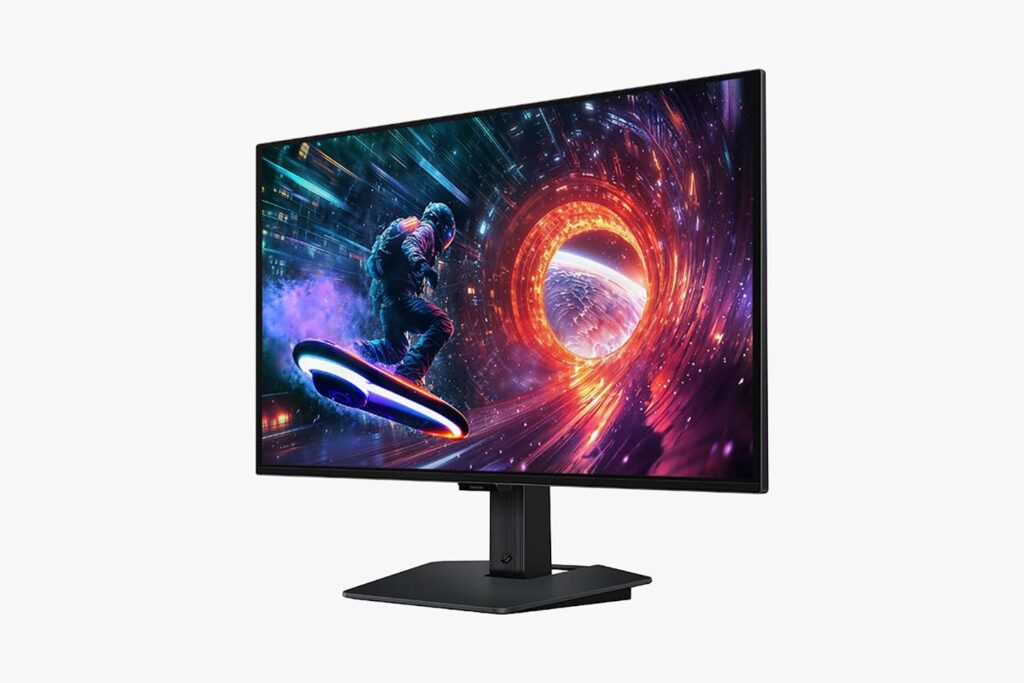
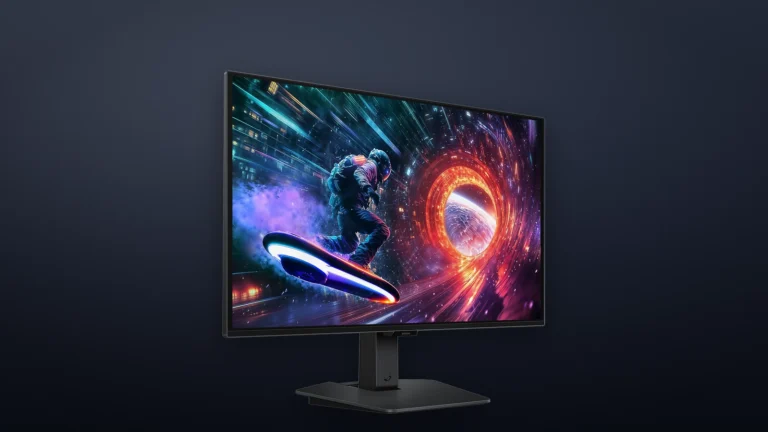
Samsung Odyssey OLED G5 G50SF seen at an angle from the right, showing a colourful space scene on screen against a dark blue backdrop
Product illustration based on manufacturer imagery: Samsung's angled render of the G50SF on a generated dark backdrop. The on-screen image is Samsung's own. Product illustration based on manufacturer imagery (Samsung render)

An OLED pixel makes its own light, so a black pixel is simply off. That is why Samsung can quote a static contrast ratio of 1,000,000:1 and why a dark game scene on this monitor has none of the gray haze an IPS panel shows. Samsung's spec sheet rates the color range as nearly the whole DCI-P3 cinema gamut, with up to a billion colors and Pantone validation. Samsung lists the active area at 590 by 334 mm, a diagonal of about 26.7 inches, a little under the 27-inch class name.

Brightness is where the price shows. Samsung rates the panel at 200 nits typical. That suits a room with a lamp and a window to the side, and it is modest for a desk that faces the afternoon sun. HDR10 support means the monitor accepts an HDR signal, but it carries no DisplayHDR True Black certification and Samsung publishes no peak HDR figure. Until someone measures it, treat HDR as a bonus.

Several owners on Samsung's store single out dark games and the contrast as the reason they bought it. One reported a pink tint on white screens and returned the unit, which is a single report and no evidence of a pattern. If the QD-OLED panel type is new to you, its color layer and subpixel layout are covered in our guide.

One HDMI port, and it stops at 144 Hz

Not rated · Evidence: maker figures only
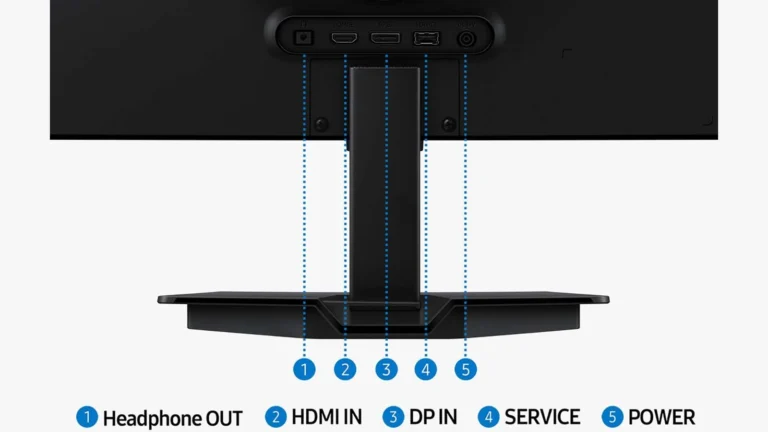
Rear of the Samsung Odyssey OLED G5 G50SF with numbered labels for Headphone OUT, HDMI IN, DP IN, SERVICE and POWER under the stand neck
Samsung's US port diagram for the LS27FG500SNXZA, cropped and enlarged. The pixels and the numbered labels are Samsung's own. Samsung product imagery (Samsung US port diagram)

Samsung's port diagram shows five sockets in a row under the stand neck: headphone out, HDMI in, DisplayPort in, a service port and the power input for the external adapter. There is no USB-C, no USB hub and no speaker.

The refresh limits differ by input. Samsung lists 180 Hz over DisplayPort and 144 Hz over HDMI, with HDMI at version 2.0 and DisplayPort at 1.4. The DisplayPort cable comes in the box, and it is the cable that gets a PC to the full 180 Hz. FreeSync and G-Sync Compatible both work, with a compatible AMD or NVIDIA graphics card.

A console has only the HDMI port, and so does a laptop without a DisplayPort output. With one HDMI input, a PlayStation and a work laptop cannot both stay plugged in, and swapping cables behind a tilt-only stand is the daily routine that follows.

Burn-in protection, and what PC mode leaves out

Not rated · Evidence: maker figures only
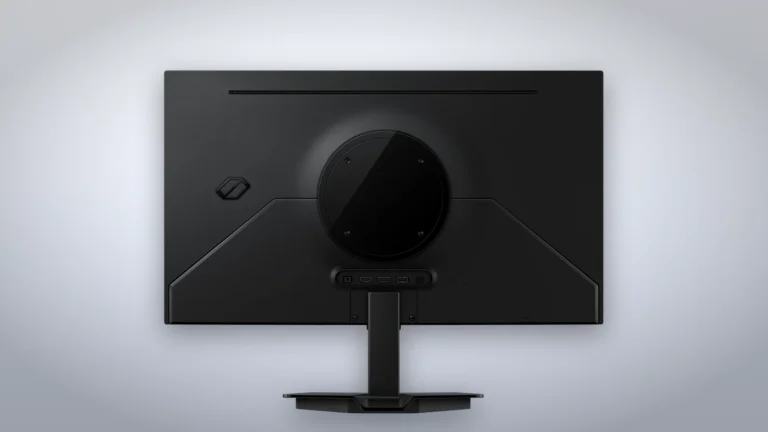
Back of the black Samsung Odyssey OLED G5 G50SF showing the round stand mount, the port bar and the flat base on a grey studio backdrop
Product illustration based on manufacturer imagery: Samsung's rear render of the G50SF on a generated studio backdrop. Product illustration based on manufacturer imagery (Samsung render)

Samsung groups its burn-in measures as OLED Safeguard. A thermal modulation system limits heat in the panel, Logo and Taskbar Detection dims static elements, and a screen saver dims the whole screen after ten minutes without input.

The footnotes on the same page narrow that list. Logo detection is not available in PC mode. Thermal modulation runs only in the preset picture modes when the Adjust Logo Brightness setting is Off or Low, and all the time only when that setting is on High. A Windows desktop, with a taskbar that never moves, is the static image a PC monitor shows most, and it is the case where the automatic dimming does less. Hiding the taskbar automatically and using a dark wallpaper are cheap habits for anyone who leaves the PC on all day.

The warranty is the safety net. Samsung's US specifications state that burn-in at normal usage is covered within warranty, with commercial use, abuse and misuse excluded. The product page advertises a three-year warranty that includes burn-in, with an asterisk saying the three years apply to select models only. Check the warranty card in the box or ask Samsung before relying on the third year.

A stand that only tilts

Not rated · Evidence: maker figures only
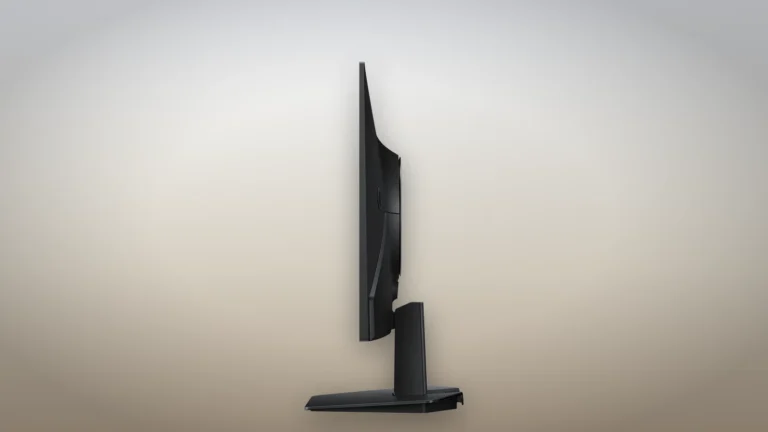
Side profile of the Samsung Odyssey OLED G5 G50SF showing the thin panel, the short fixed-height stand neck and the flat base
Product illustration based on manufacturer imagery: Samsung's side render of the G50SF on a generated desk backdrop. Product illustration based on manufacturer imagery (Samsung render)

Samsung calls the stand Simple, and it moves one way: tilt from minus 2 to 15 degrees. There is no height adjustment, no swivel and no pivot, so the top of the screen sits wherever the base puts it. Owners on Samsung's store mention the plastic stand as the compromise they accepted for the panel.

The 100 x 100 mm VESA mount is the fix, and the monitor is light enough for an inexpensive arm, at 3.3 kg with the stand and 2.5 kg without it, according to Samsung's European listing for the same model. Budget for the arm if you sit tall or share the desk.

A matte screen on a QD-OLED

Not rated
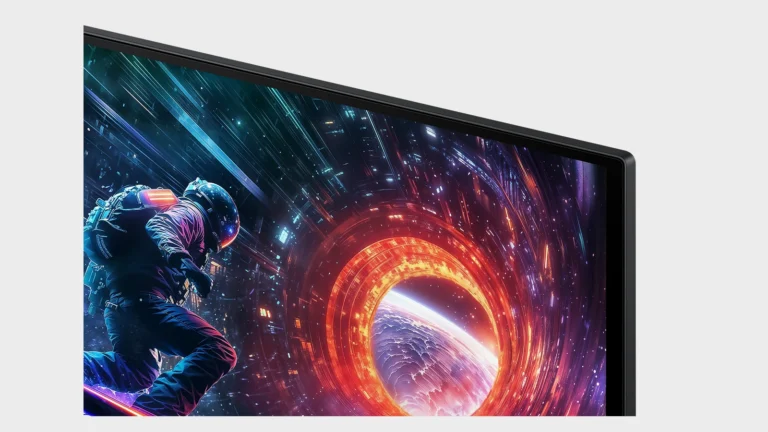
Close view of the top right corner of the Samsung Odyssey OLED G5 G50SF, showing the thin bezel and the screen surface
Samsung's corner render of the G50SF, cropped and enlarged. The pixels are unmodified, on a plain gray background. Samsung product imagery (Samsung render)

Most QD-OLED monitors have a glossy surface, and this one has Samsung's matte Glare Free film. UL Solutions has verified the Glare Free claim for this model series, rating reflection, discomfort and disability glare against workplace lighting standards. By Samsung's internal comparison, the film is about half as glossy as the anti-reflection film it used on some 2023 Odyssey models. Matte surfaces scatter a window's reflection instead of mirroring it, at the cost of a slightly less inky look on black in a lit room. Nobody has published a measurement of how much, so this section carries no score.

Where to buy

In-stock offers for this exact model, sorted by item price in USD. Shipping is not included unless a retailer supplies it. Not every retailer is listed. Prices last checked 5 hours ago.

Retailer prices for the Samsung Odyssey OLED G5 G50SF, 27-inch QHD 180 Hz (LS27FG500SNXZA, US model)
RetailerItem priceShippingAvailabilityCheckedLink
Amazon.com$319.99 $499.99See retailerIn stockCheck price at Amazon.com

Prices and availability come from retailer feeds and change without notice; the retailer’s page is authoritative. We may earn a commission if you buy through these links.

Final verdict

Samsung Odyssey OLED G5 G50SF, 27-inch QHD 180 Hz (LS27FG500SNXZA, US model)
RecommendationConsider if you game on a PC over DisplayPort, add a monitor arm and play in a room you can keep dim

This review gives no score out of 10, because no section rests on a measurement by an independent body. The recommendation and the written verdict stand on their own.

Pros

  • Per-pixel contrast with true black, in a 1440p monitor priced well below Samsung's other OLEDs
  • Burn-in written into the warranty for home use
  • Matte Glare Free film, verified by UL
  • DisplayPort cable in the box

Cons

  • Tilt-only stand
  • A single HDMI 2.0 input, slower than the DisplayPort and shared by every console or laptop you own
  • No USB-C
  • Samsung's logo detection is switched off in PC mode, where a static taskbar sits all day
  • Modest rated brightness
  • No independent measurements yet

Conclusion

The G50SF does one thing that no IPS monitor at its price can: it shows a black pixel as off. Everything else about it is set to reach that price, and Samsung's own spec sheet shows where: the stand only tilts, the HDMI port is a generation old and the typical brightness is modest.

So the buyer it suits is specific. A PC gamer with a DisplayPort cable, a monitor arm or a desk at the right height, and a room that is not bright, gets the panel without feeling the cuts. Anyone who needs a console on full-time duty, a stand that adjusts for height without an arm, or a screen that fights the afternoon sun will be happier with an IPS monitor such as the Alienware AW2725DM. Read the warranty card before relying on the third year of burn-in cover.

Our take

As a first OLED for a PC this is a good buy, paired with a cheap arm from day one and a Windows taskbar set to hide itself. The panel is the expensive part, and Samsung has kept it while cutting things an arm and a habit can replace. For a living room console setup it is the wrong pick, because the one HDMI port is the part nothing on the desk can fix.

Best for
  • Dark games on a PC, in a room where you control the light
  • Desks with an arm
  • A first OLED, because the burn-in cover in the warranty takes part of the risk away
Consider an alternative if
  • You play on a console
  • You need the screen higher than the base allows and have no arm
  • Your desk faces a bright window
  • Static spreadsheets or trading dashboards stay on screen for hours every day

Questions readers ask

Does the Odyssey OLED G5 G50SF run at 180 Hz over HDMI?

Only over DisplayPort. Samsung lists the HDMI input at 144 Hz, so use the DisplayPort cable from the box for the full refresh rate on a PC.

Is burn-in covered by the warranty?

Samsung's US specifications say burn-in at normal usage is covered within warranty, excluding commercial use, abuse and misuse. The product page advertises a three-year warranty with burn-in cover and notes that the three-year term applies to select models, so check the warranty card.

Can I adjust the height of the stand?

The stand tilts from minus 2 to 15 degrees and has no height, swivel or pivot adjustment. A 100 x 100 mm VESA arm solves that.

Does the G50SF have USB-C or speakers?

Neither. It has one DisplayPort input, one HDMI 2.0 input, a headphone output and a service port.

Does the G50SF have a glossy screen?

It uses Samsung's matte Glare Free film, and UL Solutions has verified the Glare Free claim for this model series.

About the reviewer

Editor

Andreea reads BetterBuyBase’s articles, guides and reviews before they are published. When she has also checked a piece against its sources, the note at the end of it says so, with her name and the date.

This is a research-based assessment: the reviewer compiled it from published specifications, documentation and independent measurements rather than from testing the unit.

Profile and other work →

Sources

  • Samsung US, 27-inch Odyssey OLED G5 G50SF (LS27FG500SNXZA) product page and specificationssamsung.com
  • UL Solutions, Verify ID V166045: Samsung Glare Free claim (applies to LS27FG50*S****)verify.ul.com

This review was created with the help of AI. How we work

← Back to the blog