Do You Need the PRO X SUPERLIGHT 2’s 8,000 Hz Receiver?
The PRO X SUPERLIGHT 2 supports an 8,000 Hz wireless report rate. Its SE sibling is limited to 1,000 Hz with its supplied receiver, but that is not their only published specification difference. Choose the higher rate only if it helps your games without hurting frame stability.
Running at 8,000 Hz takes Logitech’s G HUB software, and the company’s help pages tie high report rates to frame drops on some PCs. Its battery rating doesn’t name the report rate behind it.
Affiliate disclosure: the price links on this page may earn us a commission at no extra cost to you. Retailers cannot pay for placement or influence the score. How we stay independent
Quick verdict
RecommendationConsider if you'll run the receiver above 1,000 HzEvidence: maker figures, some of them conflicting
Worth considering if you want a 60 g mouse and will use its higher report rates on a PC that stays stable. The SE has a slower supplied receiver and different published sensor limits.
Strengths
8,000 Hz receiver in the box, with an extension adapter
Weighs 60 g
LIGHTFORCE switches rated for 70 million clicks
Weaknesses
The battery rating names no report rate
Logitech's pages disagree on the maximum DPI
8,000 Hz needs G HUB, and Logitech links high report rates to frame drops on some PCs
Logitech G PRO X SUPERLIGHT 2, mouse MR0097, receiver CU0025. US SKUs 910-006628 (Black), 910-006636 (White), 910-006795 (Magenta)
Size and weight
125 x 63.5 x 40 mm, 60 g
Sensor
HERO 2. Store spec table: 100 to 32,000 DPI. Support specification and store feature text: up to 44,000 DPI. Over 888 IPS and over 88 G, tested on the Logitech G640 pad
Report rate
Up to 8,000 Hz (0.125 ms), set in G HUB
Buttons and switches
5 buttons, LIGHTFORCE hybrid optical-mechanical switches rated for 70 million clicks
Battery and charging
95 hours of constant motion (Logitech, no report rate stated), USB-C, POWERPLAY compatible
Feet
No-additive PTFE
Onboard memory
Yes, advanced features need G HUB
In the box
Mouse, USB-A to USB-C cable, LIGHTSPEED receiver, receiver extension adapter, optional grip tape, optional aperture door with PTFE foot, documentation
Requirements at release
Windows 10 or 11, USB 2.0 port
How we reviewed it
Basis
Research-based: assessed from the manufacturer’s published specifications, documentation and the independent sources listed at the end. We have not tested this unit ourselves; any measurement quoted belongs to the cited source.
Method
Logitech's US store page supplied the spec table, the box contents, the switch rating and the feature text with the higher DPI figure. Logitech's support specifications for the SUPERLIGHT 2 and the SE gave the model and receiver numbers and the report rates that set the two apart. Its help articles on high report rates and on the Windows pointer setting are the basis for the advice in the first two sections.
Evidence
Logitech supplies every figure, and it tested the sensor's speed and acceleration on a G640 pad of its own make. Our arithmetic turns the battery rating into weeks of play.
Limitations
We have no independent measurement of the SUPERLIGHT 2's battery life at any report rate, its click latency or its sensor tracking. Logitech's pages disagree on the maximum DPI, so the review gives each page's figure.
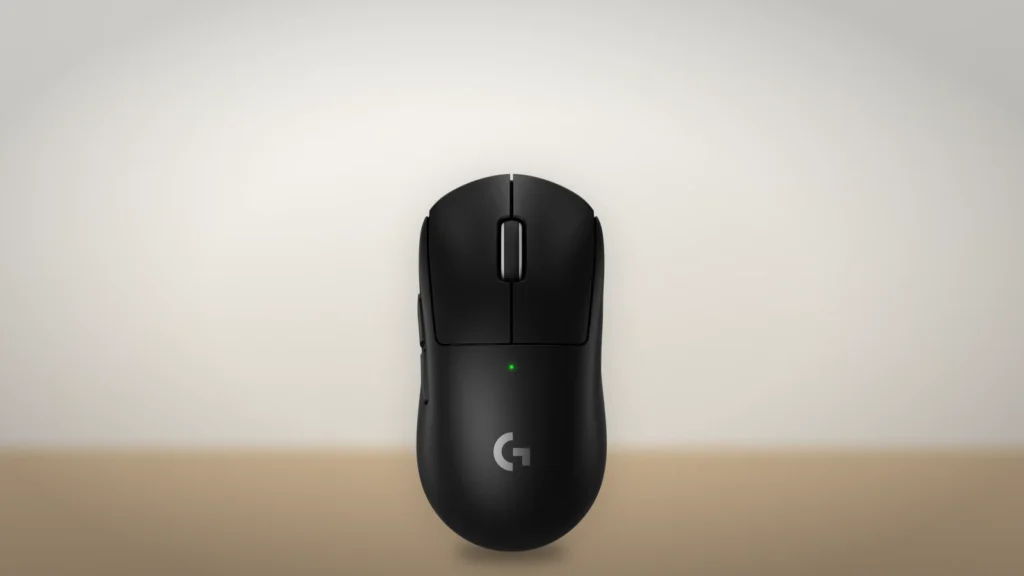
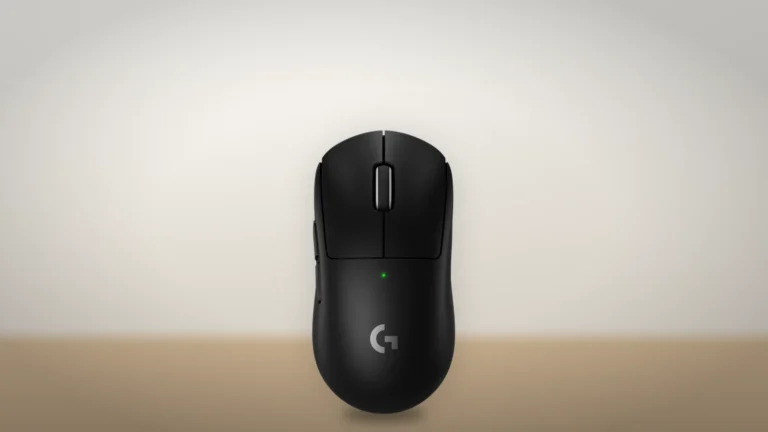
The PRO X SUPERLIGHT 2 from above, with the two side buttons on its left edge. Image: Logitech G; generated background.
The receiver in the box carries up to 8,000 reports a second, one every 0.125 ms. Logitech lists that top rate among the features that need G HUB, where the setting sits on the Performance tab as Report Rate. An extension adapter in the box lets the receiver sit on the desk near the mouse.
Logitech's help page on frame drops says some players see a lower frame rate above 1,000 Hz, because the extra USB traffic loads the system. Its fix is to lower the rate. Our pick is to start at 1,000 Hz and move to a higher polling rate only in a game that holds its frame rate.
Logitech rates the battery for 95 hours of constant motion without naming the report rate. Dividing that rating by three hours a day gives about a month, purely as an illustration under the rating's conditions. It cannot establish runtime at 8,000 Hz. Charging is by USB-C or a separately sold POWERPLAY mat.
Logitech lists the SE with the same MR0097 model number, weight and LIGHTFORCE switch type, but lower sensor limits and a 1,000 Hz supplied receiver. Shared identifiers do not prove identical hardware. Compare the actual prices and features if you would stay at 1,000 Hz.
Two DPI ceilings from one maker
Not rated · Evidence: conflicting sources
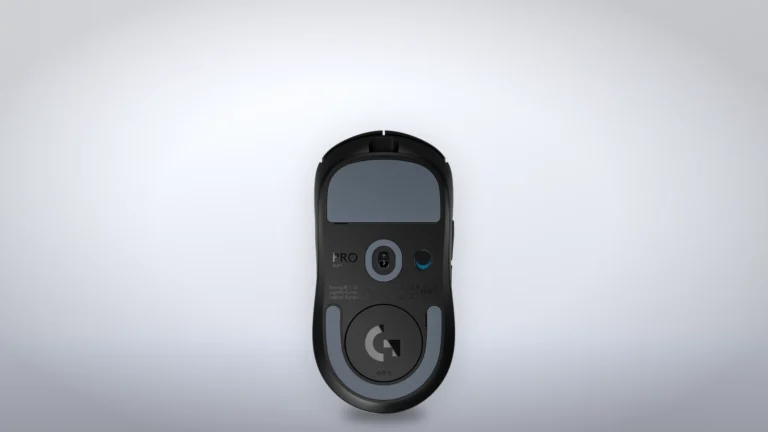
The underside of the SUPERLIGHT 2, with the sensor window at the center and the round door near the back. Image: Logitech G; generated background.
Logitech's US store spec table gives the HERO 2 sensor a ceiling of 32,000 DPI. The same page's feature text says up to 44,000 DPI, and so does Logitech's support specification, which still names the sensor "HERO 2 25K".
The tracking figures say more about fast flicks than either ceiling. Logitech rates the sensor above 888 IPS (inches per second, the fastest movement it follows) and 88 G of acceleration, both tested on its own G640 pad. For the SE it lists the store table's lower DPI ceiling and over 500 IPS.
G HUB sets sensitivity separately for the X and Y axes and lets you adjust lift-off distance, the height at which the sensor stops tracking. Logitech's help center adds that the Windows setting Enhance pointer precision can make the DPI shift when you change the wireless report rate. It recommends turning that setting off under Pointer Options.
A 60 g shell with five buttons and hybrid switches
Not rated · Evidence: maker figures only
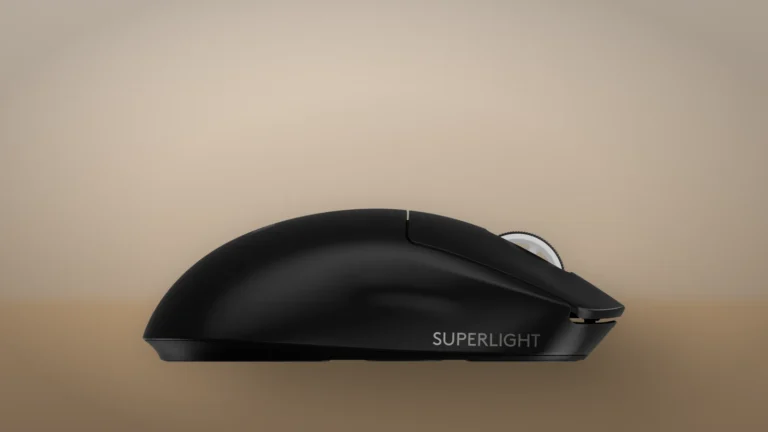
The right side of the SUPERLIGHT 2, which carries no buttons. Image: Logitech G; generated background.
Logitech's support specification gives the mouse as 125 mm long and 60 g. It has five buttons, and Logitech's renders put two of them on the left side. Settings live in onboard memory, though Logitech notes that the advanced features need G HUB. The feet are no-additive PTFE.
Under the main buttons sit LIGHTFORCE switches, which Logitech calls hybrid optical-mechanical and rates for 70 million clicks.
The box adds optional grip tape and a spare aperture door with its own PTFE foot. On a mouse this light, those two extras are worth having, and the SE's box leaves both out.
Where to buy
In-stock offers for this exact model, sorted by item price in USD. Shipping is not included unless a retailer supplies it. Not every retailer is listed. Prices last checked 16 hours ago.
Retailer prices for the Logitech G PRO X SUPERLIGHT 2 Wireless Gaming Mouse, MR0097 with CU0025 receiver, Black (US 910-006628)
Prices and availability come from retailer feeds and change without notice; the retailer’s page is authoritative. We may earn a commission if you buy through these links.
✓
Final verdict
Logitech G PRO X SUPERLIGHT 2 Wireless Gaming Mouse, MR0097 with CU0025 receiver, Black (US 910-006628)
RecommendationConsider if you'll run the receiver above 1,000 Hz
This review gives no score out of 10, because no section rests on a measurement by an independent body. The recommendation and the written verdict stand on their own.
Pros
8,000 Hz receiver in the box, with an extension adapter
Weighs 60 g
LIGHTFORCE switches rated for 70 million clicks
Charges over USB-C or on a POWERPLAY mat
Spare aperture door with its own PTFE foot and optional grip tape included
Cons
The battery rating names no report rate
Logitech's pages disagree on the maximum DPI
8,000 Hz needs G HUB, and Logitech links high report rates to frame drops on some PCs
POWERPLAY mat sold separately
Conclusion
The higher report-rate ceiling is the clearest reason to consider the SUPERLIGHT 2 over the SE. The sensor specifications and supplied accessories also differ. Neither a shared model number nor matching weight proves the two are one mouse with a different receiver.
Our take
Use the higher rate as a feature to evaluate in your own games, not a guarantee of better play. If frame rates fall or you stay at 1,000 Hz, compare less expensive options before paying for a capability you will not use.
Best for
Competitive players whose PCs hold high frame rates
Anyone who wants a light mouse that charges on a POWERPLAY mat
Consider an alternative if
You'd never raise the report rate
Your PC drops frames
You want a battery figure for 8,000 Hz before you buy
Andreea reads BetterBuyBase’s articles, guides and reviews before they are published. When she has also checked a piece against its sources, the note at the end of it says so, with her name and the date.
This is a research-based assessment: the reviewer compiled it from published specifications, documentation and independent measurements rather than from testing the unit.
ConsiderLogitech G PRO X SUPERLIGHT 2 Wireless Gaming Mouse, MR0097 with CU0025 receiver, Black (US 910-006628)Compare prices
Cookies on BetterBuyBase
We keep cookies to a minimum. Without your consent, this site sets only the ones it needs to work: remembering your answer here and keeping the site secure. If you allow analytics cookies, Google Analytics counts visits and shows us which pages people read. If you allow functional cookies, embedded videos you choose to always show are remembered. The site is also set up for Google AdSense ads; the cookie policy explains how Google uses cookies once ads run. Cookie policy
Customise consent preferences
Each category below lists the exact cookies behind it, what they do and how long they last. Strictly necessary cookies cannot be switched off because the site would stop working without them. Anything else is yours to decline.
NecessaryAlways active
Strictly necessary cookies keep the site working and secure: they remember your choice here, help the security layer stop attacks and keep site accounts signed in to the admin area. The site cannot run without them.
Show the cookies in this category (7)
cmp_consent
BetterBuyBase · 1 year
Remembers your consent choice for each cookie category, so the banner does not ask again on every page.
wp-settings-(id), wp-settings-time-(id)
WordPress · 1 year
Remembers layout preferences inside the WordPress admin screens. Set only for accounts that sign in to run the site, never for ordinary visitors.
WordPress · Session, or 14 days if “Remember me” is ticked
Keeps a site account signed in to the WordPress admin, and checks that the browser accepts cookies at login. Set only for accounts that sign in to run the site, never for ordinary visitors.
wfwaf-authcookie-(hash)
Wordfence (Defiant, Inc.) · 12 hours
Lets the Wordfence firewall check a signed-in user’s access level before WordPress loads, so administrators are not blocked by firewall rules. Set only when you log in to the site.
wf_loginalerted_(hash)
Wordfence (Defiant, Inc.) · Persistent
Records that the administrator has already been alerted about a sign-in from this device. Only used if login alerts are enabled, and set only when you log in to the site.
wfCBLBypass
Wordfence (Defiant, Inc.) · Only if enabled
Allows a visitor who knows a hidden bypass address to pass country blocking. It is only used if country blocking is enabled, and we do not currently use it.
wfls-remembered-(hash)
Wordfence (Defiant, Inc.) · Up to 30 days
Remembers a trusted browser for two-factor login when a signed-in user chooses “remember this device”. Set only for site accounts that use two-factor authentication.
Functional
A functional cookie is set only when you tick “Always display content from …” on an embedded video or post. Decline and the rest of the site works exactly as before, and embedded videos still load one at a time when you click them.
Show the cookies in this category (1)
embed-privacy
BetterBuyBase · 1 year
Remembers the providers whose embedded content you chose to always display (for example YouTube), so their videos and posts load without a click. Set only when you tick “Always display content from …”, a box that appears only once functional cookies are allowed.
Analytics
Analytics cookies let Google Analytics count visits and show us which pages people read and how they found them, so we know what to improve. Google Analytics loads only after you switch this on. Google signals and ad personalization are turned off, and Google Analytics does not log or store IP addresses. Decline and the site works exactly the same.
Show the cookies in this category (2)
_ga
Google (Google Analytics) · 13 months
Gives your browser a random ID so Google Analytics can tell new visitors from returning ones. It holds no name, email address or account. Set only after you allow analytics cookies.
_ga_C026ZS2MGP
Google (Google Analytics) · 13 months
Keeps track of the current visit for this site’s Google Analytics property, such as when it started and how many pages it covered. Set only after you allow analytics cookies.
Advertising (Google AdSense)
This site is set up for Google AdSense. No ads are shown until Google approves the site. In the EEA, the UK and Switzerland, Google asks for your consent in its own message before it uses advertising cookies, and that message also decides Google Analytics there. Elsewhere, you can turn off personalized ads in Google’s ad settings.
Show the cookies in this category (2)
FCCDCF, FCNEC
Google (consent message) · Up to 13 months
Stores the choices you make in Google’s consent message, which visitors in the EEA, the UK and Switzerland see, so the message does not appear on every page.
__gads, __gpi, __eoi
Google (AdSense) · Up to 13 months
Used by Google AdSense to show ads, limit how often you see the same ad and detect fraud. Set only on pages that show an ad; no ads are shown until Google approves the site.
Set by other sites
These are set by another company, not by this site: a retailer, after you click through to its website, or a video or social-media provider, after you click to load its content here. That company’s own policy governs them, not this banner.
Show the cookies in this category (2)
Embedded video and social-media cookies
YouTube, Vimeo, TikTok, Instagram, Spotify, X, Reddit · Set by the provider
Articles can embed a video or post. Nothing loads from the provider until you click its placeholder; when you do, the provider may set or read its own cookies under its own policy. YouTube videos load in YouTube’s privacy-enhanced mode (youtube-nocookie.com).
Retailer / affiliate cookies
Amazon & affiliate networks · Set by the retailer
Set on the retailer’s own website after you click a “View deal” or “Check price” link, to attribute a purchase. We do not set or read these.