Review

Logitech M185 Review: A Budget Wireless Mouse and Its Receiver Catch

The Logitech M185 has been on sale for well over a decade, which is a long run for a computer mouse, and it is worth understanding why before deciding whether it belongs on your desk.

The M185 does four things and stops. It is small, it runs for about a year on one AA battery, it has a physical on and off switch, and it plugs into a USB-A port through a tiny receiver. There is no Bluetooth, there are no side buttons, the sensor sensitivity is fixed, and the wheel does not tilt.

Nobody at this site has used one, so every dimension, every feature and every compatibility claim below comes from Logitech's own published specification for part number 910-002225 or from Logitech's support documentation, and each is attributed where it matters. The one part of this mouse that has been examined independently in any depth is its receiver, and that turns out to be the most interesting part of the product. If you are still deciding on the basic form, the guide to symmetrical and ergonomic mouse shapes is the right place to start.
By Published Updated Research-based assessment

Affiliate disclosure: the price links on this page may earn us a commission at no extra cost to you. Retailers cannot pay for placement or influence the score. How we stay independent

Quick verdict

Logitech M185 (910-002225, Swift Grey)
6.5/10
Editorial ratingFairWeighted average of 5 rated sections.

A small, honest, three-button mouse that runs for about a year on one AA battery and does nothing else. The shape suits small and medium hands. The supplied receiver is a nano receiver rather than a Unifying one, a detail that is likely to matter later.

Strengths

  • Small enough to live in a laptop bag at 99 mm long and 75.2 g with the battery
  • Symmetrical shell, stated by Logitech as suitable for either hand
  • About a year on one AA battery, with a physical on and off switch to help it get there

Weaknesses

  • No Bluetooth, and the nano receiver is not Unifying: it pairs with this mouse only, takes a USB-A port for good, and USB-C laptops need an adapter
  • Three buttons only, with no side buttons and no tilt wheel
  • Fixed sensitivity, restrictive on a 4K or multi-monitor desk

Key specifications

Part number
910-002225 (Swift Grey)
Dimensions
99 mm long, 60 mm wide, 39 mm tall
Weight
75.2 g with the battery fitted
Shape
Symmetrical, stated by Logitech as suitable for left- and right-handed use
Sensor
Optical, 1000 DPI, not adjustable. Sensor model not published
Buttons
3 (left click, right click, middle click). No side buttons
Scroll wheel
2D mechanical, line-by-line. No tilt, no free-spin
Connection
2.4 GHz wireless only. No Bluetooth
Receiver
Nano receiver, pre-paired, not Unifying. The mouse can pair to a Unifying receiver you already own
Wireless range
33 ft (10 m), stated by Logitech
Battery
1 x AA, included and pre-installed. Up to 12 months (Logitech)
Power control
Physical on and off switch, plus auto-sleep
Software
Logi Options+ on Windows and macOS, optional
System requirements
Free USB port. Windows 10 or 11, macOS 10.5 or later, ChromeOS, Linux kernel 2.6 or later
In the box
Mouse, nano receiver, 1 AA battery pre-installed, user documentation
Warranty
3-year limited hardware warranty
Materials
Made with recycled plastic. 3.97 kg CO2e carbon footprint (Logitech)

How we reviewed it

Basis
Research-based: assessed from the manufacturer’s published specifications, documentation and the independent sources listed at the end. We have not tested this unit ourselves; any measurement quoted belongs to the cited source.
Method

Specifications were read directly from Logitech's United States product page for part number 910-002225, including the dimensions block, the technical specification block, the system requirements and the warranty statement. Receiver behavior was taken from Logitech's own support article on using the M185 with a different USB receiver, which Logitech last edited on September 17, 2026. Independent technical detail on the supplied receiver comes from a published reverse-engineering write-up on Hackaday. Section scores reflect what each documented feature does for a buyer, measured against what other mice in this category provide. No score rests on a number this site could not verify at its source.

Evidence

Logitech publishes a complete dimensional and technical specification for this part number, which makes the physical claims easy to verify. Logitech also publishes a specific support article confirming the receiver situation, which is the single most consequential fact about the product. The Hackaday write-up identifies the supplied receiver as a CU0019 built on a Telink TC32 chipset, and records that a spare M185 was successfully paired to a Unifying receiver using a community tool.

Limitations

No published laboratory measurement of this mouse could be found. RTINGS has no review of the M185. Click latency, real wireless range in a crowded radio environment, sensor tracking quality on difficult surfaces and switch lifespan are left unrated for that reason. Recent editorial coverage of this model is almost entirely low-authority affiliate content that documents no measurements of its own, and none of it is cited here. Logitech states its battery figure without publishing the usage assumptions behind it, so it is reported as the manufacturer's claim. Logitech has shipped more than one receiver variant with this model over its long life, so a unit bought years ago may not behave like one bought today.

Shape, size and the hands it fits

7.0/10Good
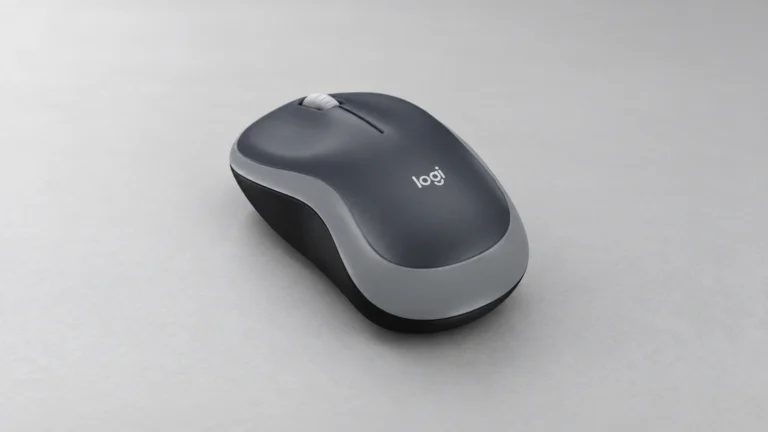
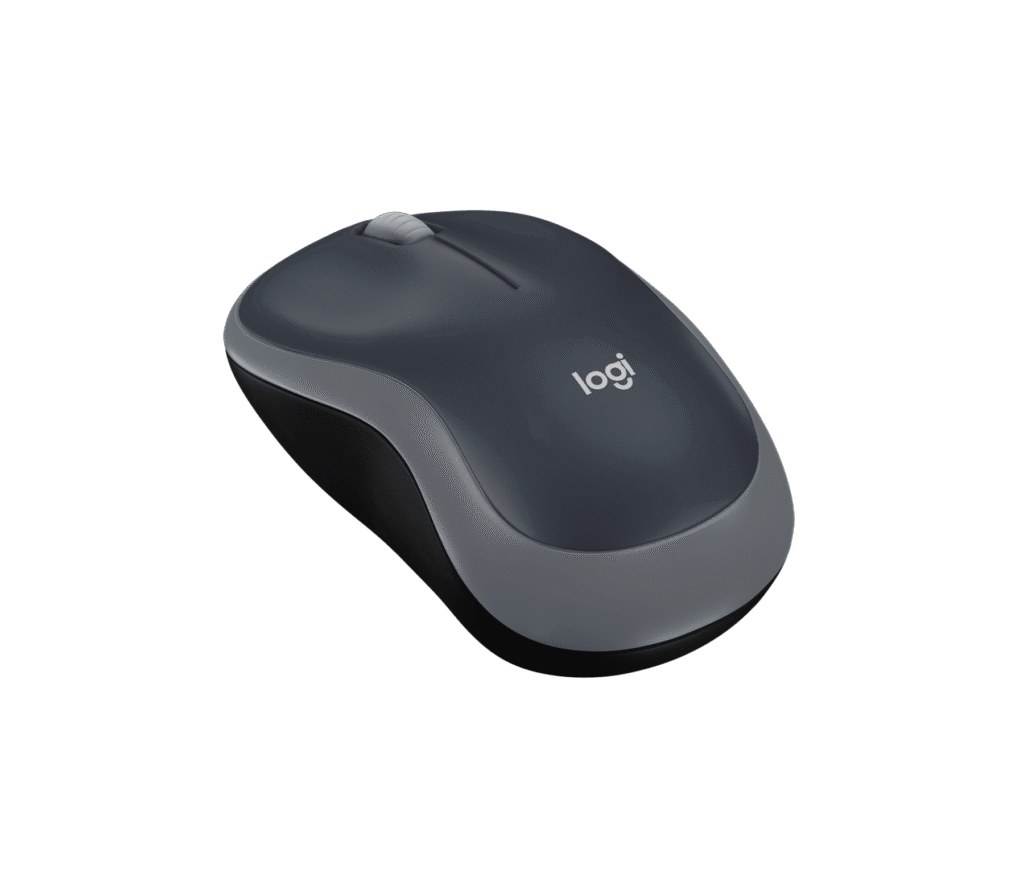
Logitech M185 seen from directly above on a desk surface, showing the symmetrical shell, two main buttons and a central scroll wheel with no side buttons
Product illustration based on manufacturer imagery: Logitech's top-down render of the Swift Grey M185 on a generated desk backdrop. The device pixels are unmodified. Product illustration based on manufacturer imagery (Logitech render)

Logitech publishes the M185 at 99 mm on its long axis, 60 mm across and 39 mm tall, weighing 75.2 g with the battery fitted. Those are small numbers. A full-size office mouse is usually 110 mm to 125 mm long and 40 mm to 45 mm tall, so the M185 sits a clear step below that.

What small means in practice depends on how you hold a mouse. A claw or fingertip grip works well at this size, and so does a palm grip for a smaller hand. A large hand using a palm grip will find the back of the shell stops short of the base of the palm, which leaves the wrist doing more of the work. Logitech does not publish a recommended hand size, and no independent fit study for this model was found, so the dimensions are the only guide to comfort.

The shell is symmetrical, and Logitech states the mouse is designed to be equally comfortable in the left or the right hand. That is a genuine point in its favor. Most mice in this price range are mildly right-handed in shape even when they are sold as ambidextrous, and a symmetrical shell is the safer choice if more than one person uses the machine.

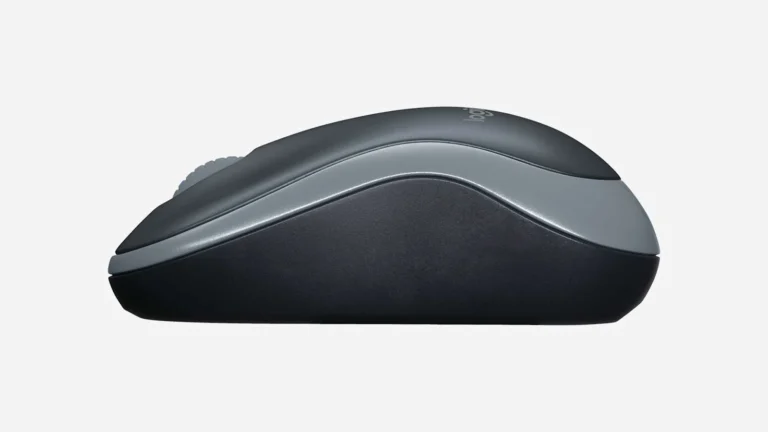
The weight is worth a thought too. With the AA fitted, the M185 is light for an office mouse, and the battery sits in the taller rear half of the shell, under your palm, so the weight rests toward the back. Logitech also notes the product is made with recycled plastic and publishes a carbon footprint of 3.97 kg CO2e on the packaging.

Three buttons, one wheel, and what is not here

6.0/10Fair
Close-up of the Logitech M185 front section showing the ribbed grey scroll wheel between two equal-sized main buttons, with no additional controls
Logitech's own close-up of the M185 control area. The wheel scrolls and clicks. It does not tilt. Logitech product imagery

Logitech's specification lists three buttons (left click, right click and middle click) and one scroll wheel, described as 2D and mechanical, with line-by-line scrolling.

Read that carefully, because a lot follows from it. Two dimensional here means the wheel scrolls up and down and clicks. It does not tilt, so there is no horizontal scrolling. There is no free-spin mode, so a long spreadsheet or a long web page takes as many wheel notches as it takes. There are no thumb buttons, so browser back and forward stay on the keyboard.

Logitech does list the M185 as supported by Logi Options+ on Windows and macOS, which means the three buttons it does have can be reassigned. Remapping middle click to browser back is a reasonable move for anyone who lives in a browser, at the cost of the middle click itself.

Whether any of this matters depends on your work. People who live in spreadsheets or edit wide documents will miss the tilt wheel within an hour. Someone whose day is email, a browser and a word processor will not notice it is gone.

The receiver, and the question to settle before you buy

5.5/10Mediocre
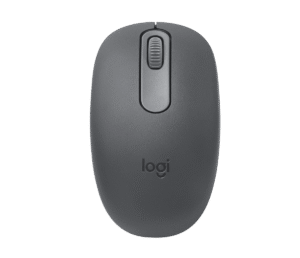
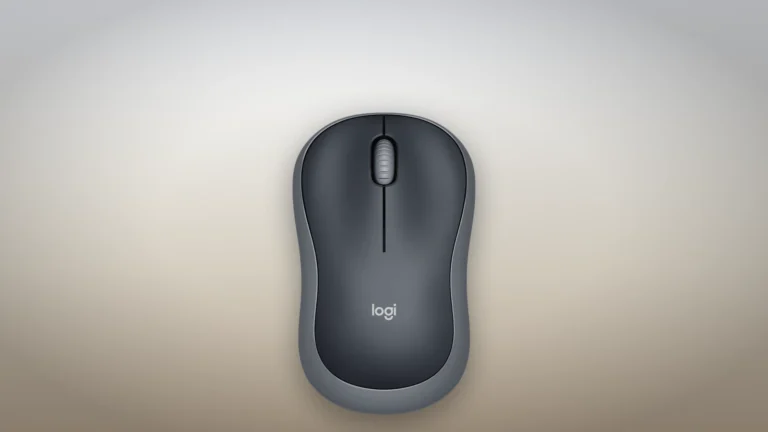
Logitech M185 the receiver, and the question to settle before you buy, manufacturer render on a generated backdrop

This is the part of the M185 that deserves more attention than it gets.

The mouse connects over 2.4 GHz through a small USB-A receiver, with a stated wireless range of 33 feet or 10 meters. There is no Bluetooth option at all. That has two consequences. A laptop with only USB-C ports needs an adapter, and one of your USB ports is permanently occupied.

The larger point is which receiver you get. Logitech's own support article states plainly that the receiver shipped with the M185 is not a Unifying receiver, while confirming that the mouse itself can connect to any Unifying receiver you already own. Logitech's product page describes the supplied part only as a nano receiver. Unifying receivers carry an orange logo and can hold up to six Logitech devices on one dongle. A nano receiver pairs with one device and is shipped already paired to it.

A published teardown on Hackaday takes this further. The writer identifies the supplied part as a CU0019 receiver built on a Telink TC32 chipset, where early Unifying dongles used a Nordic chip, and a commenter on that article reports successfully pairing a spare M185 to a Unifying receiver using a community tool. Community tooling is not a supported path, and it is recorded here only as a lead.

So the practical question is simple. Owners of a Logitech Unifying receiver with a spare slot can pair the M185 to it and keep one port free. Everyone else is committing a USB port to this mouse, and losing the supplied dongle leaves a mouse that has no other way to connect.

Battery, software support and how long it lasts

7.5/10Good
Logitech M185 photographed from the side at desk level, showing the low 39 mm profile and the curve of the shell from front to back
Logitech's side view of the M185. The taller rear section houses the single AA battery, which is why the mouse is nose-light and tail-heavy. Logitech product imagery

Logitech rates the M185 at 12 months on one AA battery, which ships pre-installed. That figure is Logitech's, and Logitech does not publish the usage pattern behind it, so treat it as a rough order of magnitude. What supports it is the design. There is a physical on and off switch on the underside and an auto-sleep mode, and a basic optical sensor with no lighting draws very little current.

The AA battery is a genuine advantage in a specific situation. A mouse that dies on a Tuesday afternoon is back in service in thirty seconds if there is a AA in the drawer, where a rechargeable mouse is tethered to a cable until it has taken enough charge. The trade is the opposite one on cost and waste over years of ownership. Our comparison of rechargeable and AA battery mice works through both sides of that.

On support, Logitech gives this mouse a 3-year limited hardware warranty, which is longer than most products at this end of the market. System requirements are wide: a free USB port, and Windows 10 or 11, macOS 10.5 or later, ChromeOS, or a Linux kernel of 2.6 or later. Logi Options+ is optional and needs an internet connection to download.

One caution on longevity. Logitech does not publish a switch rating for the M185, so the number of clicks the buttons are designed to survive is unknown. A mouse this cheap that has stayed on sale for more than a decade suggests the design holds up, but that is an inference from its commercial life, and nobody has measured it.

Tracking, and where the M185 sits against the alternatives

6.5/10Fair
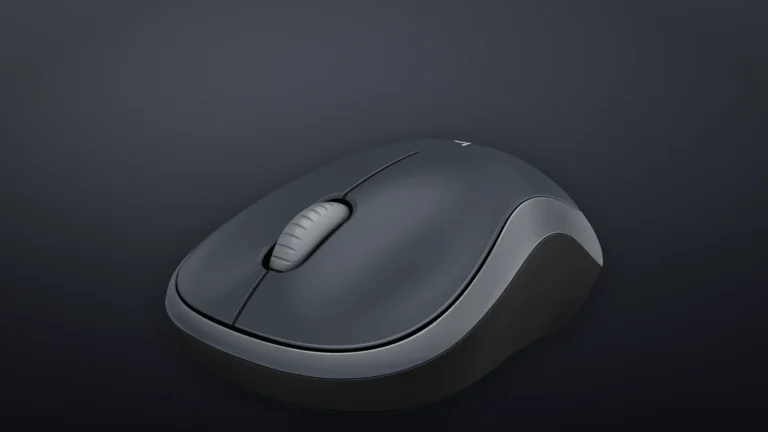
Logitech M185 in Swift Grey seen from a front three-quarter angle against a dark background, showing the two main buttons and the grey side panels
Product illustration based on manufacturer imagery: Logitech's front three-quarter render of the Swift Grey M185 on a generated dark backdrop. The device pixels are unmodified. Product illustration based on manufacturer imagery (Logitech render)

The sensor is described by Logitech only as smooth optical tracking at 1000 DPI, with no sensor model published and no adjustable sensitivity. At that sensitivity, a normal desk sweep crosses a 1080p display comfortably. On a 4K display or a dual-monitor setup, the same sweep covers less ground, and you will either raise pointer speed in the operating system, which trades precision for reach, or move the mouse more.

That is the honest ceiling on this product. It is an office pointer. Logitech does not market it as a gaming mouse and does not publish a polling rate, and no independent laboratory has measured its click latency or tracking accuracy. Those areas are left unrated in this review.

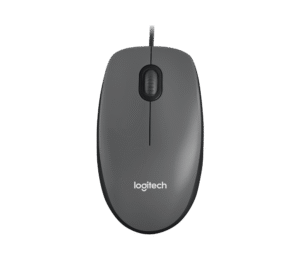
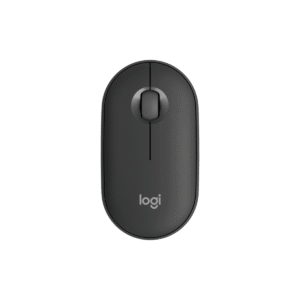
Against its own siblings the picture is clear. The Logitech M196 is the Bluetooth answer to the same question and frees the USB port, at the cost of pairing being slower to wake from cold. Quiet switches are what the Logitech M240 adds, which matters in a shared room. For anyone who never wants to think about batteries or receivers, the Logitech M100 is the wired version. The Logitech Pebble Mouse 2 M350s is the one to look at if the flat profile suits your grip better. All four are linked in the alternatives block below.

The M185 wins on none of those axes individually. It wins on being the cheapest way to get a Logitech shell, a year of battery and a three-year warranty onto a desk, which is a narrow claim and an accurate one.

Alternatives worth considering

Logitech M196

The Bluetooth answer to the same question. It frees the USB port entirely and keeps the same compact class of shell, which suits a USB-C laptop far better.

Logitech M240

Adds quiet switches, which is the upgrade that matters most in a shared office, a bedroom or a room with someone sleeping in it.

Logitech M100

The wired version of the same idea. No battery, no receiver, no pairing, and nothing to lose. Worth considering for a desktop that never moves.

Where to buy

In-stock offers for this exact model, sorted by item price in USD. Shipping is not included unless a retailer supplies it. Not every retailer is listed. Prices last checked 21 hours ago.

Retailer prices for the Logitech M185 (910-002225, Swift Grey)
RetailerItem priceShippingAvailabilityCheckedLink
Amazon.com$14.85 $17.99See retailerIn stockCheck price at Amazon.com

Prices and availability come from retailer feeds and change without notice; the retailer’s page is authoritative. We may earn a commission if you buy through these links.

Final verdict

Logitech M185 (910-002225, Swift Grey)
6.5/10Editorial ratingFair

Score breakdown

Scores run from 1.0 to 10.0: 9+ exceptional, 8–8.9 excellent, 7–7.9 good, 6–6.9 fair, 5–5.9 mediocre, below 5 poor. The overall score is the weighted average of the rated sections. Unrated sections do not count.

Pros

  • Small enough to live in a laptop bag at 99 mm long and 75.2 g with the battery
  • Symmetrical shell, stated by Logitech as suitable for either hand
  • About a year on one AA battery, with a physical on and off switch to help it get there
  • 3-year limited hardware warranty, which is long for this end of the market
  • Very wide operating system support including ChromeOS and Linux
  • The three buttons can be reassigned through Logi Options+ on Windows and macOS

Cons

  • No Bluetooth, and the nano receiver is not Unifying: it pairs with this mouse only, takes a USB-A port for good, and USB-C laptops need an adapter
  • Three buttons only, with no side buttons and no tilt wheel
  • Fixed sensitivity, restrictive on a 4K or multi-monitor desk
  • Too small for a large hand using a palm grip
  • No independent laboratory measurement of latency, range or tracking exists for this model

Conclusion

The M185 is at the top of Amazon's mice list because it answers one question well. It is the cheapest way to put a Logitech shell, a year of battery life and a three-year warranty on a desk, and it has been answering that question without changing for more than a decade.

What you give up is everything else. No Bluetooth, no side buttons, no tilt wheel, no adjustable sensitivity, and a receiver that serves this mouse and nothing else. None of that is hidden. Logitech's specification states all of it, and the support article on the receiver is unusually direct about a detail most manufacturers would leave vague.

Battery and warranty carry the score. The receiver and the missing controls hold it down. Owners of a Unifying receiver with a free slot can add roughly half a point to that, and a USB-C-only laptop takes a point off.

Andreea-Viviana Jitaru’s take

A product this basic holding the top spot in 2026 makes sense if you are replacing a broken mouse and want the decision over with, not optimizing a workflow. On that basis the M185 is a sound purchase and the review almost writes itself. The part that is harder to accept is the receiver. Committing a permanent USB port to one peripheral was a reasonable trade in 2011 and is a poor one now, and the fact that the mouse can pair to a Unifying receiver but does not ship with one is a cost decision that quietly lands on the buyer. A review without any wear time cannot speak to how the switches feel after a year, or how the coating holds up, and this assessment does not try to.

Buy it if
  • A second mouse for a laptop bag or a spare machine
  • Small and medium hands that use a claw or fingertip grip
  • Left-handers on a budget
  • Anyone who prefers swapping a AA battery to plugging in a cable
  • Shared or lightly used machines where a three-year warranty matters more than features
Consider an alternative if
  • Your laptop has only USB-C ports and you do not want to carry an adapter
  • You want Bluetooth, or you want one receiver to serve several Logitech devices
  • Sideways scrolling through spreadsheets or wide documents
  • A 4K or multi-monitor desk, where the fixed sensitivity feels slow
  • Large hands in a full palm grip

Questions readers ask

Does the Logitech M185 work with a Unifying receiver?

Yes. Logitech's support article states that the receiver shipped in the box is not Unifying, but that the mouse can connect to any Unifying USB receiver you already own. That frees the supplied dongle or a USB port.

Does the M185 have Bluetooth?

No. It connects over 2.4 GHz through the supplied USB-A receiver only. A laptop with only USB-C ports needs an adapter.

How long does the battery last?

Logitech states up to 12 months on the single AA battery that ships pre-installed. Logitech does not publish the usage assumptions behind that figure, so treat it as an estimate. A physical on and off switch and an auto-sleep mode both help.

Can you change the DPI on the M185?

No. Logitech lists a fixed 1000 DPI with no adjustment. Pointer speed can still be changed in Windows, macOS or ChromeOS settings, which is not the same thing as changing sensor resolution.

Is the M185 suitable for left-handed use?

Logitech states the shell is designed to be equally comfortable in the left or the right hand, and the shape is symmetrical. There are no side buttons to be on the wrong side.

What happens if I lose the receiver?

The mouse has no second radio, so without a receiver it will not connect. A Logitech Unifying receiver can be used instead, which is the supported fallback.

About the reviewer

Editor

Andreea edits the written side of the site: the editor's note on each product page, the category buying guides and the blog. Her brief is to say what a specification table cannot: where a product is good, where it quietly compromises, and who should walk past it. A note that reads like marketing copy, or that praises a product without naming a drawback, does not go live.

This is a research-based assessment: the reviewer compiled it from published specifications, documentation and independent measurements rather than from testing the unit.

Profile and other work →

Sources

  • Logitech, Wireless Mouse M185 product page and full specification (910-002225)logitech.com
  • Logitech Support, Using the M185 with a different USB receiver (edited 17 September 2026)support.logi.com
  • Hackaday, Uncovering Secrets Of Logitech M185's Dongle (15 June 2024)hackaday.com
  • Wikipedia, Logitech Unifying receiver (background on the Unifying protocol and its logo)en.wikipedia.org
  • Logitech, Wireless Mouse M185 quick-start guide (underside diagram: battery door and AA placement)logitech.com

← Back to the blog