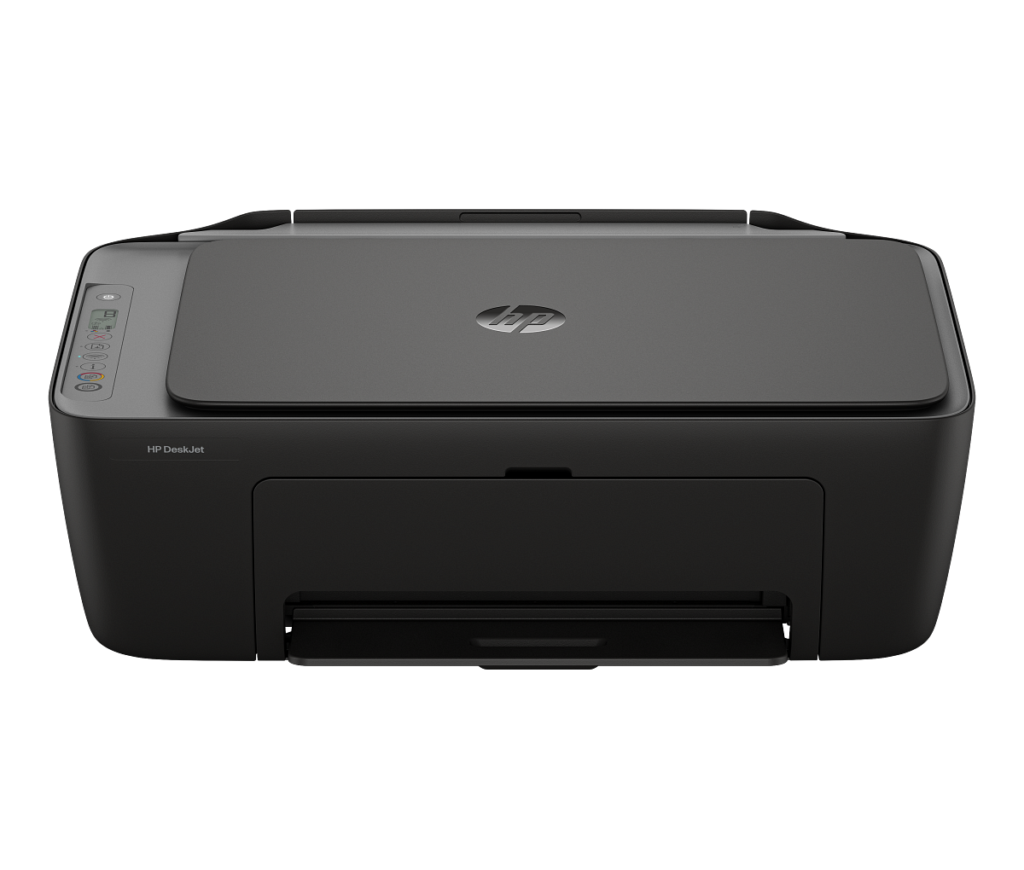
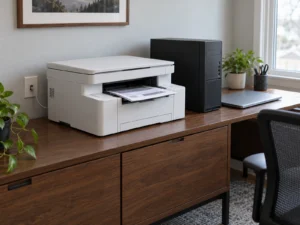
HP DeskJet 2955: Cartridges, Chips and Firmware Updates
HP’s DeskJet 2955 is a small print, scan and copy machine for light home use. HP recommends 50 to 100 pages a month on it. Its HP 68 cartridges are the main recurring supply to budget for.
The figures here come from HP’s store page and manual, and EPA’s ENERGY STAR listing supplies the power draw. The manual is also where HP spells out which refilled cartridges the printer accepts and what a firmware update can block.
Affiliate disclosure: the price links on this page may earn us a commission at no extra cost to you. Retailers cannot pay for placement or influence the score. How we stay independent
Quick verdict
RecommendationConsider if you print a few pages a week and can live with HP's cartridge rulesEvidence: partly measured by independent bodies, the rest maker figures
The DeskJet 2955 suits occasional home printing. Its small standard black cartridge is rated for about 160 ISO pages, so frequent use makes cartridge replacement a regular cost.
Strengths
HP circuitry policy permits refilled or remanufactured cartridges using HP chips
A 68e EvoMore black cartridge doubles the standard black yield
Dual-band Wi-Fi with AirPrint and Mopria printing
Weaknesses
Small standard black cartridge
Firmware updates can block third-party-chip cartridges that work today, and the printer checks for them by default
HP DeskJet 2955 All-in-One Printer, model A24HJA (US product A24HJA#B1H), UPC 198828789662
Functions
Print, copy, scan (flatbed), no fax, no document feeder
Cartridges
HP 68 Black (about 160 pages, 7FP21TN), HP 68 Tri-color (about 120 pages, 7FP20TN), HP 68e EvoMore Black (about 320 pages, 7FP22TN). Dynamic security enabled
Speed
Up to 7.5 ppm black and 5.5 ppm color (ISO), first black page in as little as 16 seconds
Paper
60-sheet input tray, 25-sheet output tray, manual two-sided printing, letter and legal, no borderless printing
Volume
Recommended 50 to 100 pages a month, duty cycle up to 1,000 pages
Connectivity
Dual-band Wi-Fi (2.4 and 5 GHz), Hi-Speed USB 2.0 (cable not included), HP app, AirPrint, Mopria
Power
ENERGY STAR certified: 1.2 W sleep, 0.1 W off
Size and weight
16.73 x 11.97 x 6.06 in, about 7.55 lb
Warranty
1-year limited
How we reviewed it
Basis
Research-based: assessed from the manufacturer’s published specifications, documentation and the independent sources listed at the end. We have not tested this unit ourselves; any measurement quoted belongs to the cited source.
Method
HP's US store page supplied the HP 68 cartridge yields, the ink types, the recommended monthly volume, the speeds, the tray sizes and the box contents used in the cartridge and paper sections. HP's manual for the DeskJet 2900 series explains the chip rule, the firmware update settings, the Instant Ink exception and the advice to switch the printer off, which the firmware and power sections rest on. EPA's ENERGY STAR listing for model A24HJA supplied the certified sleep and off power.
Evidence
The power figures are ENERGY STAR certifications. Every other figure is an HP rating, and our arithmetic turns the cartridge yields into weeks of printing.
Limitations
We have no independent measurement of print speed, print quality or real cartridge yield, so HP's ISO page counts stay its own ratings.
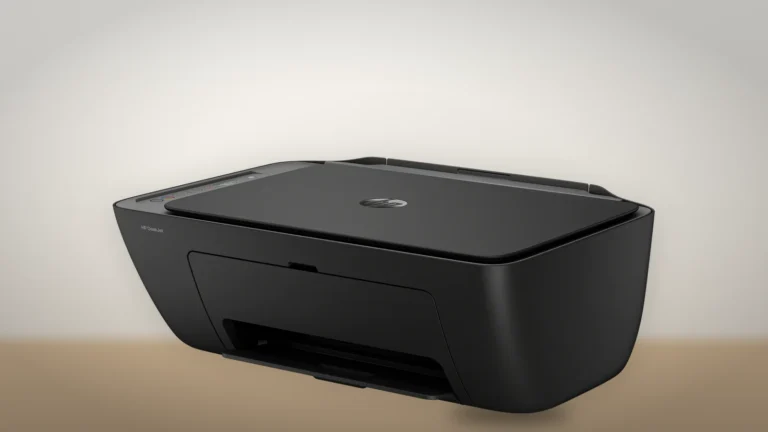
HP's three-quarter render of the DeskJet 2955, with the cartridge access door closed below the scanner lid. Image: HP. Generated background.
Two HP 68 cartridges go in, one black and one tri-color. HP rates the standard black at about 160 pages and the tri-color at about 120. Both ratings come from ISO/IEC 24711, the standard test that prints the same set of pages over and over until a cartridge runs dry. A 68e EvoMore black is rated at about 320 pages. The black ink is pigment-based and the color inks are dye-based.
At 100 pages a month, dividing the rated black yield by monthly use gives about seven weeks. At 50 pages, a little over three months. Those are illustrations using HP's test yield, not a promise: actual coverage, cleaning and use affect cartridge life.
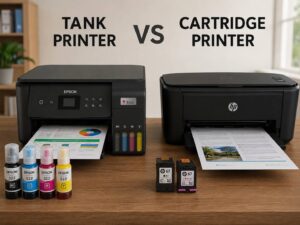
The 68e has twice the rated black yield, so compare its price per rated page with the standard cartridge before buying. Printing much more than that is a job for a supertank printer such as the Epson EcoTank ET-2903, which you fill from bottles of ink.
Refilled cartridges, HP chips and firmware updates
Not rated · Evidence: maker figures only
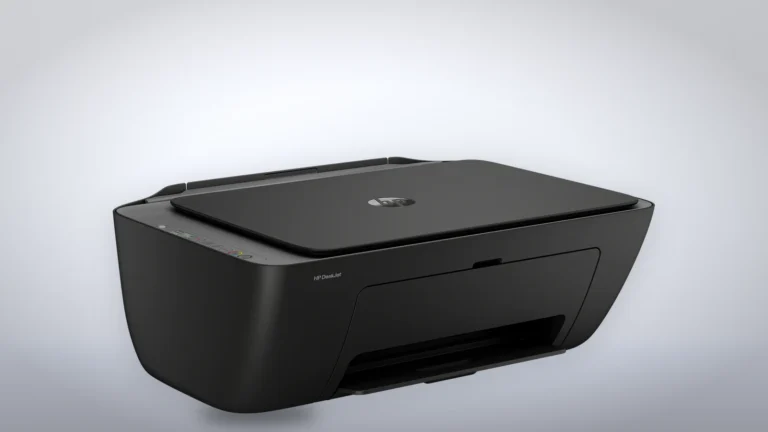
The DeskJet 2955 from the front right, in HP's render on a generated studio backdrop. Image: HP. Generated background.
HP calls the 2955 a dynamic security printer. Its chip rule permits new or reused HP electronic circuitry, including in refilled or remanufactured cartridges. Modified or non-HP circuitry can be blocked. That rule is not a guarantee of the quality or compatibility of every refill.
The DeskJet 2900 series manual warns that firmware updates can block cartridges that previously worked if they use modified or non-HP circuitry. By default, an internet-connected Wi-Fi printer or connected computer checks regularly for updates.
The manual says most HP printers offer automatic updates or an update notification unless a program such as Instant Ink requires automatic updates. It gives Tools > Printer Updates > Firmware Updates in the printer's built-in web page as the update route. Check the options your printer actually offers rather than assuming every installation has the same control.
HP advertises three months of Instant Ink with the 2955, subject to enrollment and the offer's terms. Factor the subscription conditions into that choice. Buying a refill with an unknown third-party chip carries a firmware-compatibility risk that its low price alone does not resolve.
Speed, paper and the features left out
Not rated · Evidence: maker figures only
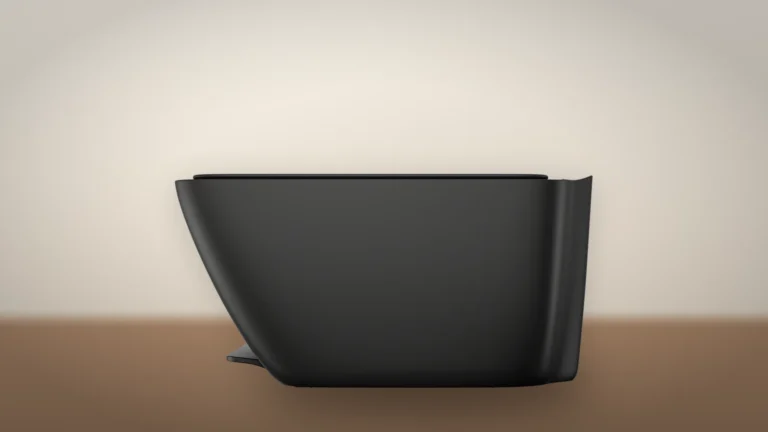
HP's overhead render of the DeskJet 2955 on a generated backdrop. Image: HP. Generated background.
HP rates it at up to 7.5 pages a minute in black and 5.5 in color. The first black page comes out in as little as 16 seconds. The input tray holds 60 sheets and the output tray 25.
Two-sided printing is manual, with help from HP's driver. The scanner is a flatbed only, so a ten-page document means ten trips to the lid, and copying stops at nine copies per job. The HP DeskJet 4355 adds a document feeder for anyone who scans multipage forms.
There is no USB cable in the box, so use the dual-band Wi-Fi or buy a suitable cable. Firmware updates can contain functional and security fixes as well as cartridge controls. Assess both when choosing whether to install one.
Power draw when it sits idle
Not rated
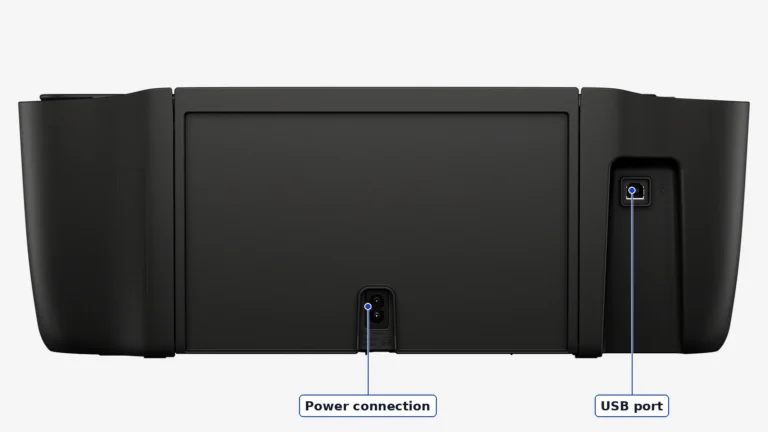
The back of the DeskJet 2955, with the power connection at the center and the USB port at the right. Image: HP (cropped).
ENERGY STAR certifies the printer at 1.2 W asleep and 0.1 W switched off. Left asleep around the clock, that's about 10 kWh a year by our arithmetic.
The manual asks you to turn the printer off with its power button anyway, to keep the cartridges from drying out. We'd follow that advice for the ink, since the electricity saved is tiny.
Where to buy
In-stock offers for this exact model, sorted by item price in USD. Shipping is not included unless a retailer supplies it. Not every retailer is listed. Prices last checked 2 hours ago.
Retailer prices for the HP DeskJet 2955 All-in-One Printer, model A24HJA (US product A24HJA#B1H)
Prices and availability come from retailer feeds and change without notice; the retailer’s page is authoritative. We may earn a commission if you buy through these links.
✓
Final verdict
HP DeskJet 2955 All-in-One Printer, model A24HJA (US product A24HJA#B1H)
RecommendationConsider if you print a few pages a week and can live with HP's cartridge rules
This review gives no score out of 10, because no section rests on a measurement by an independent body. The recommendation and the written verdict stand on their own.
Pros
HP circuitry policy permits refilled or remanufactured cartridges using HP chips
A 68e EvoMore black cartridge doubles the standard black yield
Dual-band Wi-Fi with AirPrint and Mopria printing
ENERGY STAR certified
Cons
Small standard black cartridge
Firmware updates can block third-party-chip cartridges that work today, and the printer checks for them by default
Manual two-sided printing and no document feeder
No USB cable in the box
Instant Ink enrollment makes firmware updates automatic
Conclusion
Compare the printer price with the cartridges you expect to buy. The 68e offers twice the standard black cartridge's rated yield, while HP's firmware and chip rules limit which refills are suitable.
Our take
The 2955 is worth considering for occasional print, scan and copy jobs. Frequent printing makes the small standard cartridges less convenient. Compare supply costs before choosing it over a refillable-tank model.
Best for
Households that print a few pages a week
Students who print homework from a phone
Consider an alternative if
You print every day
You scan documents that run to several pages
You'd rather buy third-party cartridges that carry their own chips in place of a reused HP one
Does the HP DeskJet 2955 work with refilled ink cartridges?
HP says its circuitry policy permits refilled and remanufactured cartridges using new or reused HP circuitry. This does not guarantee every refill. Modified or non-HP circuitry can be blocked, including by a later firmware update.
Does the DeskJet 2955 print on both sides automatically?
No. Two-sided printing is manual, with driver support, and the flatbed scanner has no document feeder.
Ciprian founded BetterBuyBase and takes editorial responsibility for it. He sets the rules its AI tools work to: specifications come from makers’ documentation, the VS Score follows a published weighting, and no commercial relationship touches a ranking. He checks each new product and comparison page before it goes live, decides which articles are published and handles corrections. Based in Bucharest.
This is a research-based assessment: the reviewer compiled it from published specifications, documentation and independent measurements rather than from testing the unit.
We keep cookies to a minimum. Without your consent, this site sets only the ones it needs to work: remembering your answer here and keeping the site secure. If you allow analytics cookies, Google Analytics counts visits and shows us which pages people read. If you allow functional cookies, embedded videos you choose to always show are remembered. The site is also set up for Google AdSense ads; the cookie policy explains how Google uses cookies once ads run. Cookie policy
Customise consent preferences
Each category below lists the exact cookies behind it, what they do and how long they last. Strictly necessary cookies cannot be switched off because the site would stop working without them. Anything else is yours to decline.
NecessaryAlways active
Strictly necessary cookies keep the site working and secure: they remember your choice here, help the security layer stop attacks and keep site accounts signed in to the admin area. The site cannot run without them.
Show the cookies in this category (7)
cmp_consent
BetterBuyBase · 1 year
Remembers your consent choice for each cookie category, so the banner does not ask again on every page.
wp-settings-(id), wp-settings-time-(id)
WordPress · 1 year
Remembers layout preferences inside the WordPress admin screens. Set only for accounts that sign in to run the site, never for ordinary visitors.
WordPress · Session, or 14 days if “Remember me” is ticked
Keeps a site account signed in to the WordPress admin, and checks that the browser accepts cookies at login. Set only for accounts that sign in to run the site, never for ordinary visitors.
wfwaf-authcookie-(hash)
Wordfence (Defiant, Inc.) · 12 hours
Lets the Wordfence firewall check a signed-in user’s access level before WordPress loads, so administrators are not blocked by firewall rules. Set only when you log in to the site.
wf_loginalerted_(hash)
Wordfence (Defiant, Inc.) · Persistent
Records that the administrator has already been alerted about a sign-in from this device. Only used if login alerts are enabled, and set only when you log in to the site.
wfCBLBypass
Wordfence (Defiant, Inc.) · Only if enabled
Allows a visitor who knows a hidden bypass address to pass country blocking. It is only used if country blocking is enabled, and we do not currently use it.
wfls-remembered-(hash)
Wordfence (Defiant, Inc.) · Up to 30 days
Remembers a trusted browser for two-factor login when a signed-in user chooses “remember this device”. Set only for site accounts that use two-factor authentication.
Functional
A functional cookie is set only when you tick “Always display content from …” on an embedded video or post. Decline and the rest of the site works exactly as before, and embedded videos still load one at a time when you click them.
Show the cookies in this category (1)
embed-privacy
BetterBuyBase · 1 year
Remembers the providers whose embedded content you chose to always display (for example YouTube), so their videos and posts load without a click. Set only when you tick “Always display content from …”, a box that appears only once functional cookies are allowed.
Analytics
Analytics cookies let Google Analytics count visits and show us which pages people read and how they found them, so we know what to improve. Google Analytics loads only after you switch this on. Google signals and ad personalization are turned off, and Google Analytics does not log or store IP addresses. Decline and the site works exactly the same.
Show the cookies in this category (2)
_ga
Google (Google Analytics) · 13 months
Gives your browser a random ID so Google Analytics can tell new visitors from returning ones. It holds no name, email address or account. Set only after you allow analytics cookies.
_ga_C026ZS2MGP
Google (Google Analytics) · 13 months
Keeps track of the current visit for this site’s Google Analytics property, such as when it started and how many pages it covered. Set only after you allow analytics cookies.
Advertising (Google AdSense)
This site is set up for Google AdSense. No ads are shown until Google approves the site. In the EEA, the UK and Switzerland, Google asks for your consent in its own message before it uses advertising cookies, and that message also decides Google Analytics there. Elsewhere, you can turn off personalized ads in Google’s ad settings.
Show the cookies in this category (2)
FCCDCF, FCNEC
Google (consent message) · Up to 13 months
Stores the choices you make in Google’s consent message, which visitors in the EEA, the UK and Switzerland see, so the message does not appear on every page.
__gads, __gpi, __eoi
Google (AdSense) · Up to 13 months
Used by Google AdSense to show ads, limit how often you see the same ad and detect fraud. Set only on pages that show an ad; no ads are shown until Google approves the site.
Set by other sites
These are set by another company, not by this site: a retailer, after you click through to its website, or a video or social-media provider, after you click to load its content here. That company’s own policy governs them, not this banner.
Show the cookies in this category (2)
Embedded video and social-media cookies
YouTube, Vimeo, TikTok, Instagram, Spotify, X, Reddit · Set by the provider
Articles can embed a video or post. Nothing loads from the provider until you click its placeholder; when you do, the provider may set or read its own cookies under its own policy. YouTube videos load in YouTube’s privacy-enhanced mode (youtube-nocookie.com).
Retailer / affiliate cookies
Amazon & affiliate networks · Set by the retailer
Set on the retailer’s own website after you click a “View deal” or “Check price” link, to attribute a purchase. We do not set or read these.