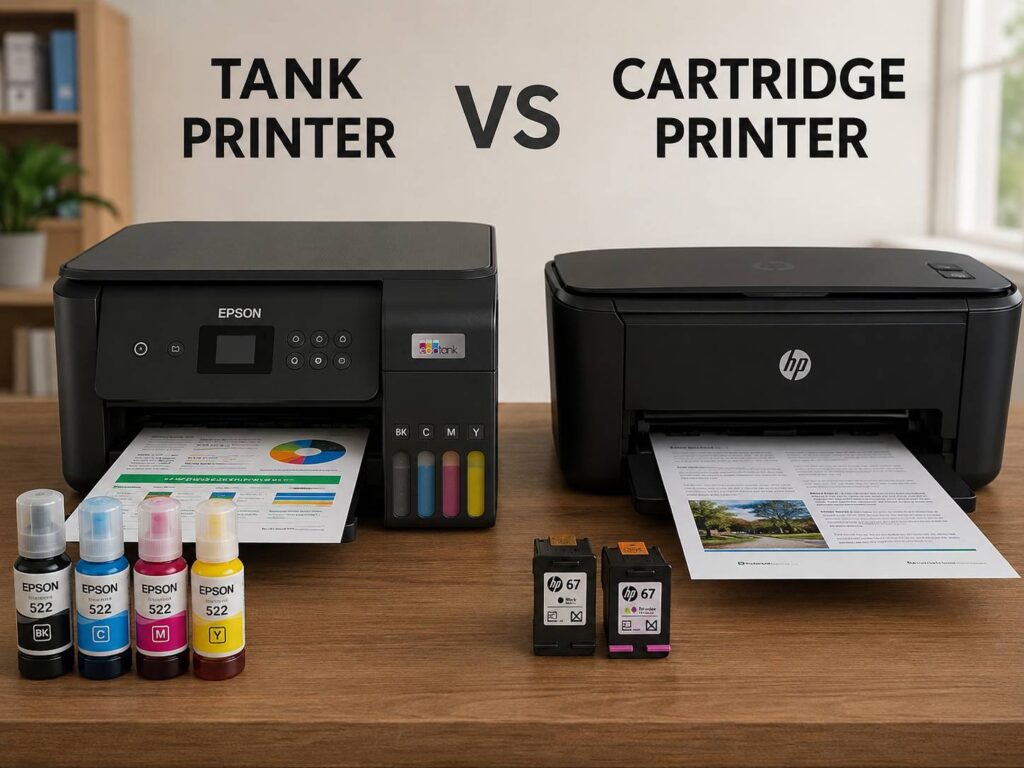
Buying a printer sounds easy until you start comparing ink prices. At first, a cheap printer can look like the smart deal. Then, a few weeks later, the replacement cartridges cost almost as much as the printer itself.
That is why the tank printer vs cartridge printer debate matters so much. The real cost of a printer is not only the price on the box. It is the cost of ink, the number of pages you print, the type of documents you need, and how often you use it.
A tank printer usually costs more upfront, but it can save money over time. A cartridge printer usually costs less at first, but the ink can become expensive if you print often. So, the better choice depends on your real printing habits.
This guide breaks it down in a simple way. You will see how tank printers and cartridge printers compare for home use, schoolwork, photos, office documents, maintenance, and long-term value.
What Is a Tank Printer?
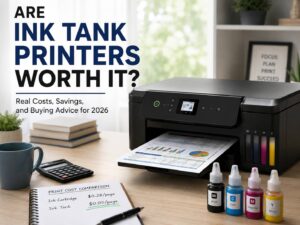
A tank printer is an inkjet printer with refillable ink tanks built into the printer body. Instead of replacing small cartridges, you refill the tanks with ink bottles.
Most tank printers use separate tanks for black, cyan, magenta, and yellow. Some photo-focused models use more colors, but the basic idea stays the same. You add ink from bottles, then the printer draws ink from the tanks during printing.
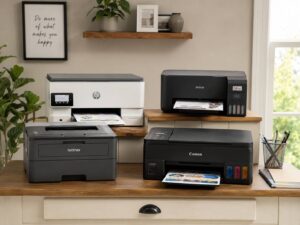
Popular tank printer names include Epson EcoTank, Canon MegaTank, HP Smart Tank, and Brother ink tank models. Each brand uses its own system, yet the goal is similar: lower ink cost and higher page yield.
You can print school pages, recipes, labels, forms, and color charts without worrying so much about ink running out after a short time.
Tank printers are best for people who print every week. They also make sense for families, students, teachers, home offices, and small businesses.
What Is a Cartridge Printer?
A cartridge printer is the traditional kind of inkjet printer. It uses replaceable ink cartridges instead of refillable tanks.
Some cartridge printers use two cartridges. One cartridge is black, and the other is tri-color. Other models use four or more separate cartridges, which can reduce waste a bit, since you replace only the empty color.
The biggest benefit is the lower upfront price. Cartridge printers are often cheaper to buy, smaller on a desk, and simple to set up. For occasional use, that can be enough.
Still, replacement ink is the catch. Small cartridges can run out quickly, especially if you print color documents or photos. Also, starter cartridges included in the box may not last as long as full replacement cartridges.
A cartridge printer is not a bad choice. It just works better for light printing. If you print only a few pages each month, it can still be the more practical option.
Tank Printer vs Cartridge Printer: The Main Difference
The main difference is running cost.
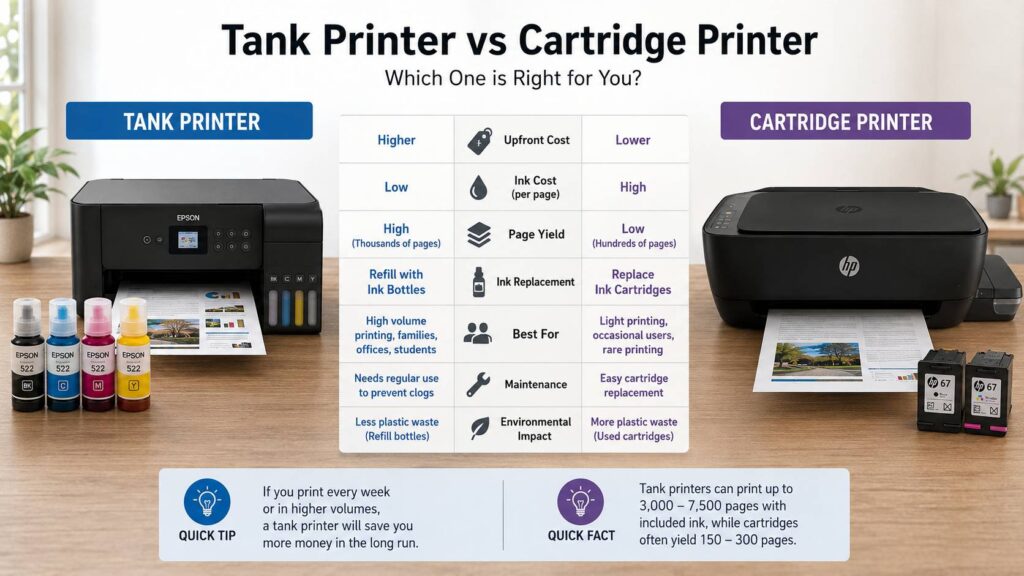
A tank printer asks for more money on day one. After that, the ink usually costs much less per page. A cartridge printer asks for less money on day one. After that, replacement ink can become expensive.
Here is the simple comparison:
- Tank printers cost more upfront
- Cartridge printers cost less upfront
- Tank printers use refill bottles
- Cartridge printers use replacement cartridges
- Tank printers usually offer a lower cost per page
- Cartridge printers are usually better for rare printing
- Tank printers suit regular home, school, and office use
- Cartridge printers suit occasional forms, labels, and simple documents
So, the question is not “Which printer is cheaper today?” The better question is: “How much will this printer cost after one or two years?”
That question can change the answer.
Which One Is Cheaper Over Time?
In most cases, a tank printer is cheaper over time if you print often.
The reason is simple. Tank printers usually come with enough ink for thousands of pages. Refill bottles are also cheaper per page than many ink cartridges. So, once you get past the higher purchase price, the savings can add up fast.
A cartridge printer can still be cheaper if you barely print. For example, if you print a return label once in a while, a boarding pass before a trip, or a form every few weeks, a cheap cartridge printer may do the job.
Yet, once you start printing schoolwork, work documents, recipes, color pages, or shipping labels every week, cartridges can feel painful. You may start avoiding color printing just to save ink. That is not a great experience.
My honest opinion: if you print weekly, buy a tank printer. If you print only once or twice a month, a cartridge printer can still make sense.
Print Quality: Is a Tank Printer Better?
A tank printer is not automatically better than a cartridge printer for print quality. Both are inkjet printers, so the result depends on the model, ink type, printhead, paper, and settings.
For normal documents, both types can print sharp text and clean color pages. For school projects, recipes, return labels, web pages, and basic office work, either type will do.
For photos, the answer is more mixed. Some cartridge photo printers use extra ink colors and produce better photo results than basic four-color tank printers. That matters if you print portraits, artwork, or high-quality photo projects.
A tank printer can still print nice family photos, especially on good photo paper. Yet, if photo quality is your main priority, check the ink system before buying. Look at the number of ink colors, borderless photo support, and paper size options.
For editing work and color-sensitive projects, printer choice is only one part of the setup. Your screen matters too. If you edit photos or design content, this guide on the best color gamut for editing work can help you understand why colors may look different on-screen and on paper.
Speed and Everyday Use
Ink cost matters, but daily comfort matters too.
Some budget tank printers are slower than users expect. They can save money on ink, but they may take more time with large documents or color pages. So, if you print long files often, check the print speed before buying.
A cartridge printer can sometimes feel faster for light jobs. Still, many cheap cartridge models have small paper trays and basic features. That can get annoying in a busy home.
Look for these features if you print often:
- Automatic double-sided printing
- Wireless printing
- Mobile app printing
- Scanner and copier
- Automatic document feeder
- Larger paper tray
- Clear ink-level display
- Good driver support
- Easy setup on Windows, macOS, iOS, and Android
A printer can have cheap ink and still feel frustrating. For that reason, do not judge only by ink cost. Check the features you will use every week.
Maintenance and Common Issues
Both tank printers and cartridge printers need regular use.
Inkjet printers can clog if they sit unused for too long. Then, the printer may produce streaks, faded colors, or missing lines. Cleaning cycles can fix the issue, but they use ink.
Tank printers can be more sensitive to long breaks, mainly because they hold more ink and use a continuous ink system. If you buy a tank printer and print once every two months, you may not get the best experience.
Here are common issues users report with tank printers:
- Printhead clogs after long idle periods
- Slow color printing on cheaper models
- Ink charging during first setup
- Messy refills if handled carelessly
- Wi-Fi setup frustration
- Streaks after weeks without use
- Paper jams with poor paper
Cartridge printers have their own problems too:
- Ink runs out quickly
- Replacement cartridges cost too much
- Starter cartridges do not last long
- Tri-color cartridges can waste ink
- Some printers stop printing if one color is empty
- Color pages become expensive fast
So, neither system is perfect. A tank printer saves money, but it needs regular use. A cartridge printer is simple, but ink costs can sting.
A good habit helps: print one small color page every week or two. This keeps ink moving and reduces the chance of clogs.
Ink Refills: Bottles vs Cartridges
Refill bottles are cheaper, but cartridges are cleaner and simpler.
With a tank printer, you refill the tanks from ink bottles. Newer bottle systems are much better than older ones. Many bottles fit only the correct tank, which helps prevent color mistakes.
Still, you need to pay attention. Refill on a flat surface. Keep tissue nearby. Check the color label twice. Do not squeeze the bottle unless the design asks for it.
With a cartridge printer, replacement is faster. Open the printer, remove the empty cartridge, snap in the new one, and continue printing. For people who dislike handling ink, this feels easier.
Here is the practical difference:
- Bottles cost less per page
- Cartridges are easier to replace
- Bottles can reduce plastic waste
- Cartridges feel cleaner
- Bottles are better for frequent printing
- Cartridges are better for rare printing
For a busy home, the bottle system usually wins. For a person who prints very little, cartridges may feel less stressful.
Best Choice for Home Users
A tank printer is usually the better choice for most families.
Home printing adds up fast. One week it is a school form. Next week it is homework. Then you print a return label, a recipe, a coloring page, and a travel document. Before long, a cheap cartridge printer needs new ink again.
A tank printer makes color printing feel less restricted. You do not feel the same pressure to print everything in black and white.
For home use, look for:
- Wi-Fi printing
- Easy phone printing
- Scanner and copier
- Automatic double-sided printing
- Clear ink windows
- Compact design
- Affordable refill bottles
- Simple app setup
A cartridge printer still works for a home that prints rarely. It takes less space, costs less upfront, and handles occasional paperwork well.
Best Choice for Home Office Use
For home office use, a tank printer is often the smarter buy.
Work documents can drain cartridges quickly. Invoices, shipping labels, drafts, forms, presentations, and reports all use ink. If you print several times per week, a tank printer can lower your running costs.
That said, do not buy the cheapest tank printer blindly. Some low-cost models lack office features. For work, you will likely want:
- Automatic document feeder
- Duplex printing
- Good black text quality
- Stable Wi-Fi
- Larger paper tray
- Fast enough print speed
- Reliable scanner
- Easy laptop and phone printing
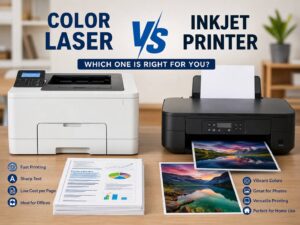
If you print mostly black text and need speed, a laser printer may be better than both. For a deeper comparison, read this guide on inkjet vs laser printer. It can help if you are not sure whether you need an inkjet printer at all.
For mixed home office use with color documents, a tank printer often gives the best balance.
Best Choice for Students
Students can benefit a lot from tank printers.
Study notes, handouts, charts, essays, forms, and project pages can use more ink than expected. A tank printer keeps the cost per page low, so printing feels less stressful across the school year.
For students, the best printer is not always the cheapest model. It is the one that keeps working without constant ink purchases.
Useful student printer features include:
- Low ink cost
- Compact size
- Wireless printing
- Scanner
- Good text quality
- Simple setup
- Low-cost refill bottles
- Mobile printing support
A cartridge printer still works for students who submit most work online and rarely print. Still, for regular study packs and notes, tank printers usually make more sense.
Best Choice for Photos
Cartridge printers can still be better for serious photo printing.
Many dedicated photo printers use cartridge systems with extra ink colors. These extra colors can create smoother gradients, richer shadows, and better skin tones. So, if your main goal is photo printing, do not judge only by ink cost.
Tank printers can print good casual photos. They work well for family pictures, school projects, craft pages, and basic photo albums. Use real photo paper, select the correct paper type, and choose high-quality print settings.
For professional photo work, check these details:
- Number of ink colors
- Borderless printing
- Supported paper sizes
- Dye ink vs pigment ink
- Photo paper compatibility
- Color accuracy
- Print resolution
- Cost of photo paper and ink
A basic tank printer can be good value, but a photo-focused printer may give better results.
Environmental Impact
Tank printers usually create less plastic waste than cartridge printers. One set of refill bottles can replace many small cartridges over the life of the printer.
This does not make tank printers perfect. They still use plastic, packaging, electronics, and ink. Still, for frequent printing, bottles often mean fewer discarded ink containers.
Cartridge printers can create more waste if cartridges run out often. Some brands offer recycling programs, so use those programs whenever possible.
For very rare printing, the most sensible choice may be to keep your current printer longer. Buying a new printer only makes sense if it solves a real problem.
Real Opinions After Using Both Types
Here is the honest part. A tank printer feels better once you stop thinking about every color page as a small expense. You can print more freely, and that is a big quality-of-life upgrade for families and students.
Still, tank printers are not magic. Some models are slow. Some apps feel clunky. If the printer sits unused, clogs can happen. Refilling is simple, but it still feels a bit nervous the first time.
Cartridge printers feel easier at first. Setup is simple, and ink replacement is clean. Then the cost starts to show. Nothing is more annoying than needing one urgent page and seeing a low-ink warning.
So, my real opinion is this: tank printers are better for people who actually print. Cartridge printers are better for people who only want a printer nearby for rare emergencies.
Which Printer Should You Buy?
Choose a tank printer if you print every week, print in color often, have kids in school, run a small office, or want lower long-term ink costs.
Choose a cartridge printer if you print rarely, want the lowest upfront price, need a small printer, or prefer simple cartridge swaps.
A tank printer is the better buy for most homes in 2026. The upfront price is higher, but the long-term savings are easier to justify.
A cartridge printer still has a place. If you print a few pages per month, there is no need to overbuy. Just check the cartridge prices before you choose the printer.
Final Verdict: Tank Printer vs Cartridge Printer
A tank printer wins for long-term savings, frequent color printing, and lower running costs. It is the best choice for families, students, home offices, teachers, and small businesses that print often.
A cartridge printer wins for low upfront cost, simple ink replacement, and occasional use. It is still a sensible choice for people who print only a few pages now and then.
Print volume decides the winner. If you print weekly, choose a tank printer. If your printer sits unused most of the month, choose a cartridge printer or look at a laser printer for black text.