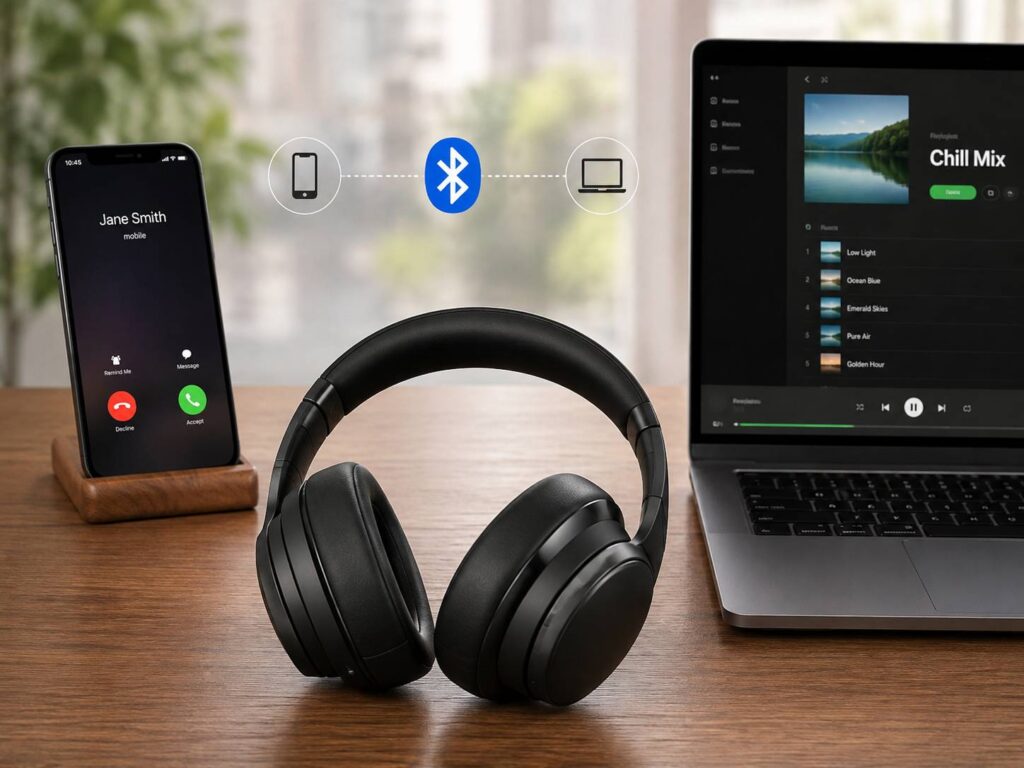
Bluetooth headphones can remember several phones, laptops, and tablets. Yet many models connect to only one source at a time. Bluetooth multipoint removes much of that hassle.
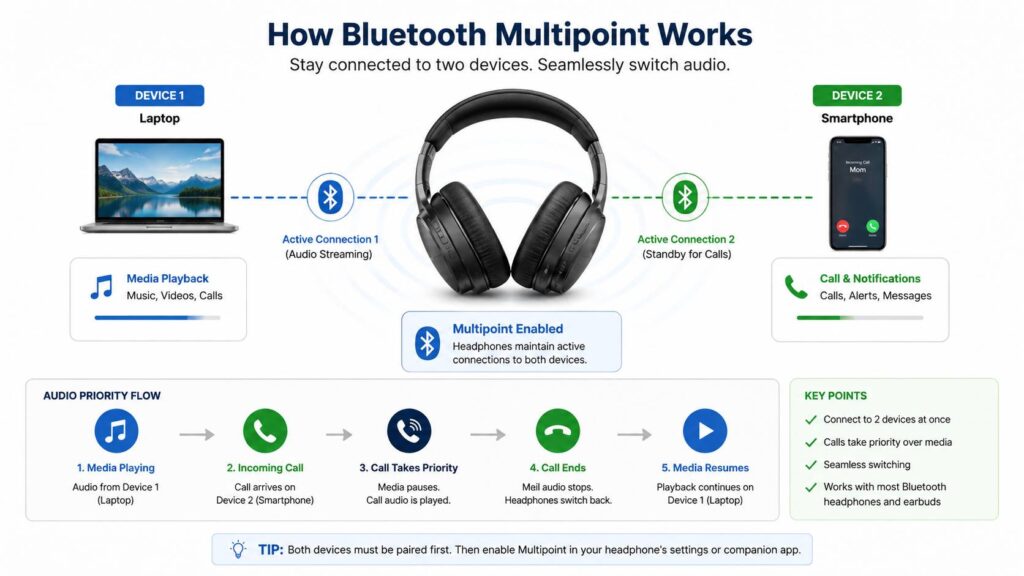
With multipoint active, one pair of headphones can stay connected to two devices at once. For example, you can listen to music from a laptop and still answer a call from your phone. Once the call ends, the headphones can return to the laptop audio.
This feature sounds simple, but the real experience can vary. Some headphones switch almost instantly. Others pause, hesitate, or refuse to return to the first device. App settings, firmware, audio codecs, and operating systems can all affect the result.
This guide explains what Bluetooth multipoint is, how it works, how to set it up, and how to fix common problems.
What Is Bluetooth Multipoint?
Bluetooth multipoint is a feature that lets headphones, earbuds, or headsets maintain active connections with more than one source device.
Most consumer headphones support two active devices. A typical setup pairs a phone with a laptop. Business headsets sometimes support more connections, but two-device multipoint remains the most common version.
The connected sources can include:
- A phone and a laptop
- Two smartphones
- A tablet and a phone
- A desktop computer and a laptop
- A phone and a compatible television
In practice, the headphones stay ready for audio from either device. They do not usually play both media streams at the same time. Instead, the headphones choose which device gets control.
Phone calls often receive the highest priority. Music, podcasts, and videos usually sit below calls in the priority order.
How Bluetooth Multipoint Works
Multipoint headphones create a separate Bluetooth link with each source device. The headphones then manage both connections through their internal software.
For example, you may start a podcast on your laptop. Your phone remains connected in the background. A call arrives, so the headphones pause the podcast and route the call to your ears.
After the conversation ends, the headphones may return to the laptop. Some models restart the podcast on their own. Others wait for you to press play.
Common priority rules include:
- Calls interrupt music or video
- Meeting apps can take priority over media players
- Media from one device blocks media from the other
- Notifications may trigger a brief audio switch
- The previous source can regain control after a call
The exact behavior differs from one product to another. Firmware plays a major role here. Two headphones can use the same Bluetooth version and still behave very differently.
For this reason, the Bluetooth version printed on the box does not tell the full story. A direct multipoint claim matters far more.
Bluetooth Multipoint vs Regular Bluetooth Pairing
Pairing and connecting are two separate things.
Pairing lets headphones remember a trusted device. Connecting creates a live audio link with that device.
A headset may remember eight previously paired products. Still, it may connect to only one or two of them at the same time.
Regular Bluetooth use often looks like this:
- Pair the headphones with a phone.
- Pair them with a laptop.
- Disconnect from the phone.
- Open the Bluetooth settings on the laptop.
- Select the headphones again.
- Repeat the process later.
Multipoint cuts out most of those steps. Both devices remain connected, so the headphones handle the handoff.
This distinction matters during shopping. A product description may say the headphones remember several devices. That wording does not confirm multipoint support.
Look for clear phrases such as “connect to two devices at once” or “simultaneous Bluetooth connections.”
Bluetooth Multipoint vs Automatic Switching
Bluetooth multipoint and automatic device switching can feel similar. Still, they are not always the same feature.
Classic multipoint keeps direct Bluetooth connections with two active source devices. This setup often works across different platforms. For example, you can pair an Android phone with a Windows laptop.
Automatic switching may rely on a shared account or a brand ecosystem. Headphones can then move between devices signed in to the same account.
The result can feel smooth inside one ecosystem. Cross-platform use may be less flexible.
For example, a set of earbuds may switch easily between a phone and tablet from the same brand. The same earbuds may not keep a live connection with a Windows computer.
So, check the exact product behavior before buying. Terms such as “automatic switching,” “audio switch,” and “multipoint” do not always describe the same feature.
Why Bluetooth Multipoint Is So Useful
Multipoint solves a small problem that can happen many times each day. That repeated convenience makes the feature valuable.
Using a phone and laptop
This is the most useful setup for many people.
You can listen to music, join meetings, watch videos, or play training material on your computer. At the same time, your phone stays ready for calls.
A call can reach the headphones without forcing you to open Bluetooth settings. Once you finish, the laptop can take control again.
Carrying two phones
Some people use a work phone and a personal phone. Multipoint lets one headset stay connected to both.
This setup can help sales staff, drivers, support workers, contractors, and freelancers. Calls from either phone can reach the same headset.
It also cuts down the need to carry two pairs of earbuds.
Switching between a tablet and phone
A tablet works well for films, reading, travel, and online courses. Your phone can remain ready for calls at the same time.
The setup feels especially useful during a flight or train trip. You can watch a film on the tablet and still hear an incoming phone call.
Moving between two computers
A work laptop and a personal desktop can share the same headset.
This setup works, but switching may feel less predictable. Computer apps often keep audio sessions open after playback stops.
Closing the active app can release the connection and let the second computer take control.
What Bluetooth Multipoint Cannot Do
Multipoint is useful, but it does not solve every audio problem.
It usually does not mix two audio streams
Most multipoint headphones play one media source at a time.
You cannot normally hear laptop music and phone video audio together. A call may interrupt music, but the two streams are not mixed.
Some gaming headsets can mix Bluetooth audio with a USB wireless connection. That setup is different from standard Bluetooth multipoint.
It does not mean unlimited device support
Headphones can remember many products, but only one or two may stay connected.
A third device can replace one of the two active connections. The exact behavior depends on the model.
It does not guarantee perfect switching
A browser tab can hold audio focus. A meeting app can keep the microphone active. A phone notification can steal control for a second.
These problems are common enough to notice. Better headphones handle them more gracefully, but no model works perfectly in every setup.
It can affect audio codec support
Some headphones limit premium Bluetooth codecs during multipoint use.
For example, a model may switch from LDAC to AAC or SBC after the second device connects. This trade-off gives you easier switching but can reduce the maximum audio quality.
For office use, the convenience often matters more. For focused music listening, turning multipoint off can make sense.
How to Check for Bluetooth Multipoint Support
Do not rely on the Bluetooth version alone.
A headset with Bluetooth 5.4 does not automatically support multipoint. A much older Bluetooth model may support it perfectly well.
Look for these phrases in the product details:
- Bluetooth multipoint
- Dual-device connection
- Two simultaneous Bluetooth connections
- Connect to two devices at once
- Multiuse connection
- Multipoint pairing
- Dual Bluetooth connection
Check the exact model number too. Two headphones from the same product family can have different features.
Next, look for any limits. Some models need a firmware update. Others require activation through a companion app.
Product pages can use vague language, so read carefully. “Pairs with multiple devices” may only mean that the headphones remember previous pairings.
A clear active-connection count is far more useful.
How to Set Up Bluetooth Multipoint
The menu names vary by brand, but the basic process stays similar.
- Pair the headphones with the first device.
- Put the headphones back into pairing mode.
- Pair them with the second device.
- Open the headphone companion app.
- Find the multipoint or dual-device setting.
- Turn the feature on.
- Reconnect the headphones from both devices.
- Test media switching.
- Make a test call.
Some headphones connect to the last two devices automatically after startup. Others need one manual connection during the first setup.
During setup, switch off Bluetooth on unused nearby devices. An old tablet or laptop can take one of the available connection slots.
After pairing, run a simple test:
- Play music from the first device.
- Pause the music.
- Start a video on the second device.
- Call the connected phone.
- End the call.
- Check whether the first device regains control.
This test shows how the headphones handle real daily use.
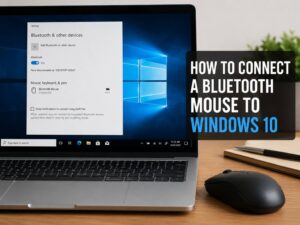
Windows users may run into pairing issues that look similar to multipoint problems. This guide on how to connect a Bluetooth mouse to Windows 10 covers several useful Bluetooth checks that can apply to headphones too.
Common Bluetooth Multipoint Problems
Multipoint can work well for weeks, then suddenly start acting strangely. The cause is often a stuck audio session or an old connection.
The headphones connect to only one device
Start with the companion app. Check whether multipoint is active.
Then update the headphone firmware. Restart the headphones, phone, and computer.
If the problem remains, remove the headphones from both Bluetooth menus. Pair the devices again from the beginning.
Old pairings can interfere too. Clear the headset pairing memory if the manufacturer provides that option.
Audio will not move to the second device
Pause the first audio stream. Do not only lower the volume.
Some apps continue sending a silent audio signal. The headphones still see that device as active, so the second source cannot take control.
Close music players, browser tabs, meeting tools, and social apps one by one. The connection often switches once the stubborn app closes.
Music does not return after a call
Press play on the original device.
Some headphones resume automatically. Others wait for manual input.
Meeting apps can keep the call profile active for several seconds after the meeting ends. Fully closing the app may fix the issue.
Notifications keep interrupting audio
Mute notification sounds on the secondary device.
Email, chat, and system alerts can briefly steal audio focus. This behavior becomes frustrating during music or video playback.
Turning off sound for less important notifications usually improves the experience.
One device keeps stealing the connection
Switch off Bluetooth on the unwanted device.
You can also remove the headphones from that device’s saved Bluetooth list. This step stops an old phone or laptop from taking an active slot.
The microphone sounds poor on a computer
Check both the computer sound settings and the meeting app settings.
Select the headset as the microphone and speaker. A laptop can sometimes use its built-in microphone and send audio through the headset.
Close other apps that may hold microphone access. Video tools, voice recorders, browser tabs, and gaming software can all cause conflicts.
Does Multipoint Reduce Sound Quality?
The answer depends on the headphones and codec support.
Some models keep the same codec during two-device use. Other models fall back to a lower-bandwidth codec.
You may notice little difference during calls, podcasts, or casual music. The change can stand out more with high-quality recordings and good headphones.
Latency can change too. Video lips may fall slightly out of sync after a device switch.
For daily work, stable switching often matters more than the highest codec. My own preference would be multipoint for work hours and single-device mode for focused listening.
This gives you convenience during the day and better codec options later.
Does Bluetooth Multipoint Use More Battery?
Keeping two active connections can use extra power, but the real difference varies from one product to another.
Volume, noise cancellation, microphone use, signal strength, and firmware can have a larger effect on battery life.
A weak connection often creates more trouble than the second device itself. Repeated reconnection attempts can increase drain and cause audio dropouts.
Use these tips for better battery life:
- Keep both devices close to the headphones.
- Turn off unused Bluetooth connections.
- Close audio apps you no longer need.
- Keep the headphone firmware current.
- Use moderate volume.
- Turn off multipoint during long single-device sessions.
In most daily setups, the battery trade-off feels minor. The time saved through easier switching often makes it worthwhile.
Is Bluetooth Multipoint Secure?
Multipoint uses normal Bluetooth pairing and trusted-device records.
The second connection does not create a new type of security risk, but it gives another device permission to send audio to your headphones.
Use simple habits:
- Pair in a private place.
- Reject unknown pairing requests.
- Remove old work computers from the pairing list.
- Clear pairing memory before selling the headphones.
- Install firmware updates through the official app.
- Keep phones and computers locked.
- Avoid leaving the headset in pairing mode in public.
Accidental connections are more common than targeted attacks. An old laptop may reconnect and start playing audio through your headphones.
Cleaning up the saved-device list prevents most of these annoyances.
What to Look for Before Buying Multipoint Headphones
Start with your daily devices. Then check how the headphones handle real switching.
Look for:
- Two active Bluetooth connections
- Clear call priority
- Reliable return to the previous audio source
- A companion app with connection controls
- Regular firmware support
- Clear codec rules during multipoint use
- Compatibility with your phone and computer
- A good microphone
- Easy pairing-list management
- Manual device selection
For office use, connection stability and microphone quality should sit near the top of the list.
For music use, check whether multipoint disables LDAC, aptX Adaptive, or another preferred codec.
Cross-platform users need extra care. A feature that works well between two Android devices may behave differently with an iPhone and Windows laptop.
Is Bluetooth Multipoint Worth It?
For people who use two source devices each day, multipoint is one of the most practical headphone features.
It saves time, reduces menu switching, and makes phone calls easier to manage. The benefit feels small during the first day. After a few weeks, returning to single-device headphones can feel clumsy.
Still, multipoint has flaws. Notifications can interrupt playback. Silent apps can block a switch. Premium codec support may disappear.
Even so, a well-made multipoint headset usually improves a phone-and-laptop setup.
My buying rule is simple. Headphones without multipoint need to offer something valuable in return, such as much better sound, lower cost, longer battery life, or a strong USB wireless mode.
Frequently Asked Questions
Can Bluetooth multipoint play audio from two devices at once?
Most multipoint headphones play one media source at a time. Calls can interrupt music, but the headphones do not normally mix both streams.
Can Bluetooth multipoint work with iPhone and Windows?
Yes. The headphones must support cross-platform multipoint. Pair them with the iPhone and Windows computer, then activate the two-device setting.
Can multipoint work with Android and Mac?
Yes. The feature can work across platforms. Check the exact model for app or codec restrictions.
Does Bluetooth 5.0 mean multipoint is included?
No. The Bluetooth version does not confirm multipoint support. Look for a direct statement from the manufacturer.
Can multipoint lower sound quality?
Yes, on some headphones. The second connection may disable a premium codec and force AAC or SBC.
How many devices can multipoint connect?
Two active source devices are most common. Some business headsets support more. Pairing memory can include many extra devices.
Why does an old laptop keep connecting?
The headphones still remember it, and Bluetooth remains active on that laptop. Remove the saved pairing or switch off Bluetooth there.
Does multipoint work without an app?
Some headphones activate it automatically. Others need an app for the first setup. The app does not always need to stay open afterward.
Is multipoint good for work calls?
Yes. A headset can stay connected to a computer and phone, so calls can reach you without manual reconnection.