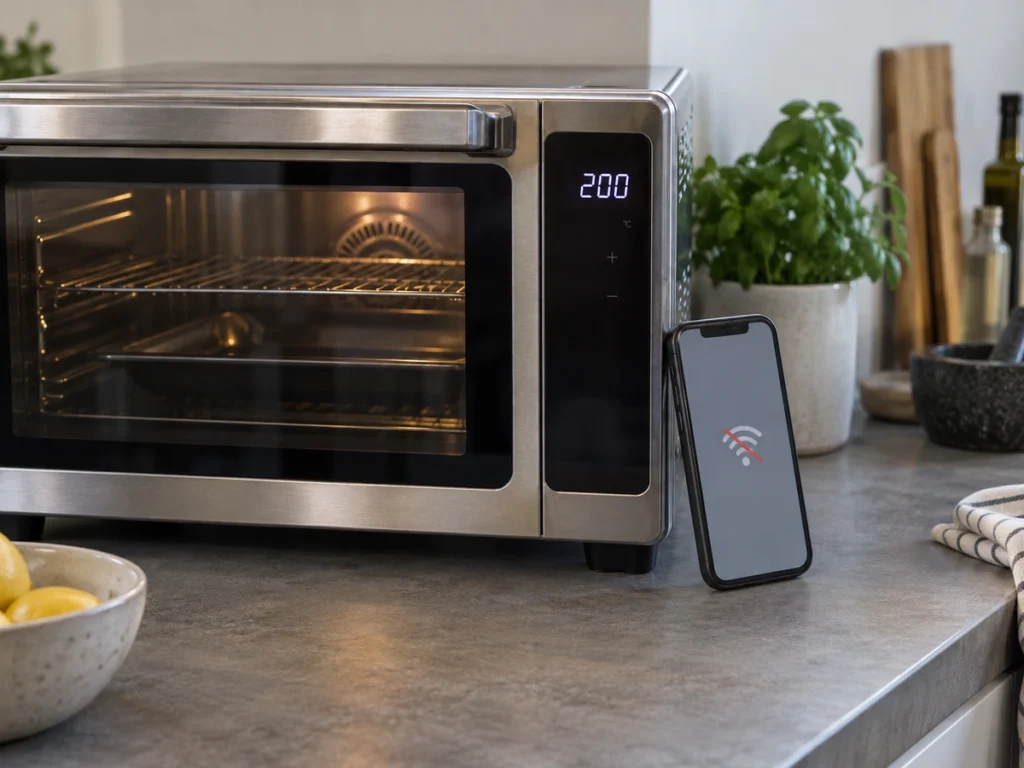
Weber switched off the June Oven’s connected services on September 22, 2026. The ovens still cook. What went with the servers is the app, the live camera view and every future software update, on a countertop oven that sold for as much as 1,500 dollars. Owners were told in July, about two months before the shutdown. If you own a connected purifier, a robot vacuum or a printer, the question worth answering is not whether your maker would do the same. It is which parts of your machine would still work if it did.
What Weber removed, in its own words
Weber’s support pages went up on July 23, 2026 and are unusually specific. The company lists what stops: remote monitoring or remote control from your phone, live video viewing through the app, app-only recipe access or premium recipe subscriptions, and notifications sent through the app. Its summary line covers the rest. “Any features that rely on the mobile app, cloud connectivity, or remote services will no longer be available.”
A deadline came attached. Weber told owners to keep the oven on Wi-Fi and let it accept a final software update before September 22, calling that “the most important step to ensure continued oven functionality after app support ends.” After that date no firmware or software updates exist. On repairs the company is equally direct about where owners stand: “To Weber’s knowledge, your June Oven’s written warranty has expired.”
So the pattern is worth naming. Cooking survived because cooking runs on the oven. Everything that needed to travel to a server and back did not.
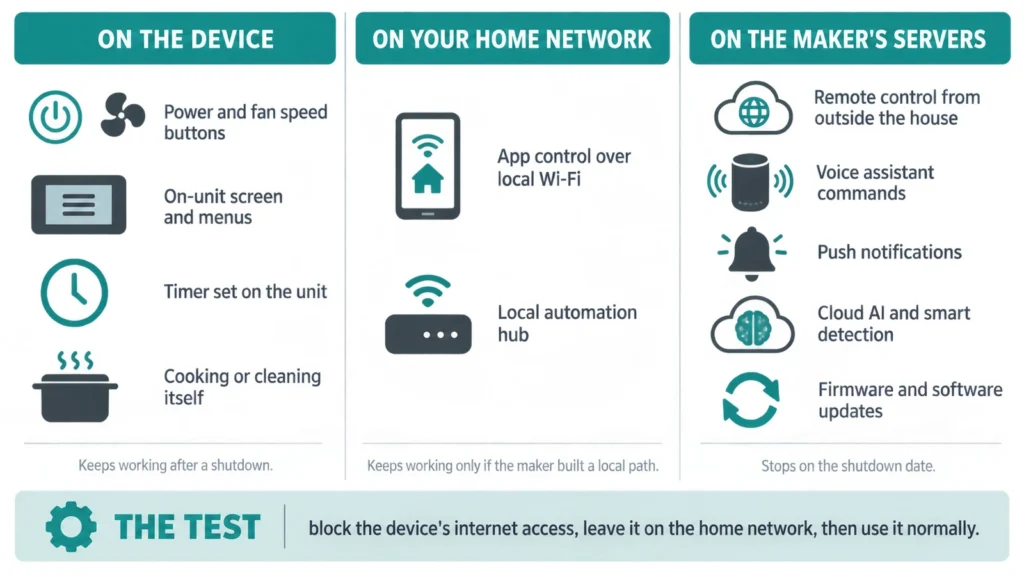
The test that tells you where your own features live
Block the device’s internet access and then use it normally. Most routers can pause internet for one client while leaving it on the home network, usually under parental controls or access control. Some let you do it per device from the phone app in about a minute.
Then work through what you do with the thing. Press the buttons on the unit. Open the app while you are standing in the same room on the same Wi-Fi. Ask the voice assistant. Leave a schedule set and see whether it fires.
Three results matter. Controls on the unit that keep working tell you the core job is local, and that a shutdown leaves you a machine you operate by hand. An app that still reaches the device on your own network means the maker built a local path, which is rarer than it ought to be. The bad result is an app that reports the device as offline while you are looking straight at it. Every app feature is then traveling through someone else’s computer, and it ends when that computer does.
Three features that almost always need a server
Remote access from outside the house is the clearest one. Your phone cannot find a device sitting behind a home router on its own, so the maker runs a relay in the middle. No relay, no remote control.
Voice assistants are the second. Asking a speaker to start a clean sends the request to the assistant’s service, which calls the maker’s service, which calls your device. That is two companies who each have to keep a door open.
Anything described as smart detection or AI is the third. Some of it runs on the device, and makers increasingly say so because it sells. Much of it does not, and a spec sheet rarely tells you which.
An air purifier is the easy case
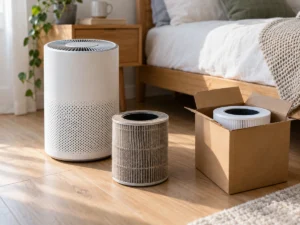
Take the Levoit Core 300S, a small purifier with app control and voice support and no air-quality sensor at all. Because it has no sensor it has no Auto mode, so what it does on its own is run at a fan speed you picked, or on a timer. That is also what would be left. The fan speeds sit on the unit. Scheduling, voice control and remote changes run through the maker’s account system, and they are what a shutdown takes.
For a purifier that trade is survivable. You lose the convenience of turning it up before you get home. You keep clean air, which was the point.
A robot vacuum is the harder case
Here the app is not a convenience layer, it is the interface. Maps, room names, no-go zones, suction per room, schedules and the cleaning history all live there. Most robots have one or two physical buttons, typically start a full clean and return to the dock. Strip the app and you keep a robot that cleans the whole floor in one mode, which is roughly a 2015 robot inside 2026 hardware.
Whether a given model keeps its stored map without the app is not something a spec sheet answers, and makers do not publish it. Test it on your own robot before you need the answer.
Questions to ask before you buy the next one
Ask whether the product works fully on the local network, and treat a vague answer as a no. Check that the maker publishes a support period, in writing, with an end date on it. A standard such as Matter is worth asking about too, because a standard gives you a second way in when the maker’s app goes. And look at who owns the brand now. Weber bought June in 2021 and discontinued the ovens soon after, which turned out to be the first half of this story rather than the end of it.
What a shutdown is and is not
It is not bricking. Weber left a working oven with a touchscreen, and said that the oven is not being disabled. Losing the app on a machine that cost four figures still stings, and the thing that made it worth four figures was largely the app.
The honest limit is that no maker publishes a clean list of which features are local and which are not. Until one does, the router test is the only way to get a real answer about hardware you already own. Run it this week on whatever connected device you would miss most, and note down what kept working.