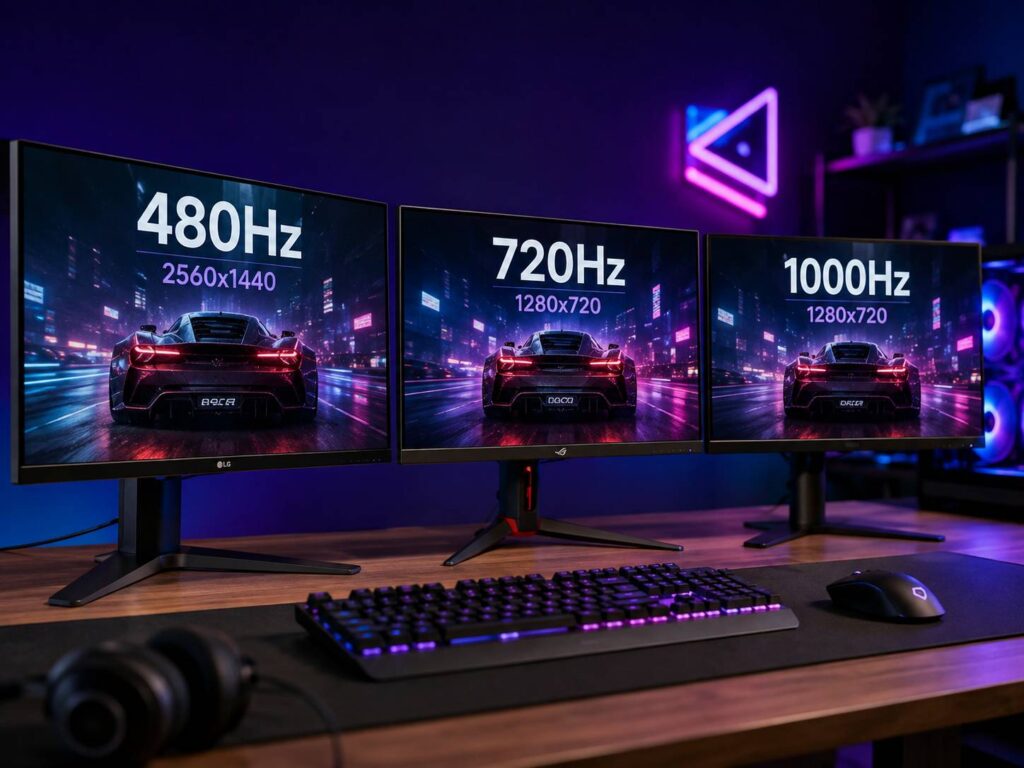
Gaming monitors have crossed a line that seemed almost ridiculous only a few years ago. We now have 480Hz displays, 720Hz models, and even monitors capable of reaching 1000Hz. Naturally, that raises a pretty reasonable question. Can you actually benefit from a 1000Hz monitor, or are the numbers getting ahead of what most PCs and players can use?
480Hz is already exceptionally fast. Moving to 720Hz can provide another small improvement in motion clarity and latency, but the difference is far less dramatic than moving from 60Hz to 144Hz or 144Hz to 240Hz. Meanwhile, 1000Hz pushes things even further. Some designs get there by dropping the resolution to 720p, while a newer group of native 1080p panels reaches four digits without a resolution switch.
The biggest mistake is comparing these displays using refresh rate alone. Resolution, pixel response time, game frame rate, CPU performance, GPU load, and overall input latency matter just as much. So, rather than simply asking which number is highest, it makes more sense to look at what you actually gain.
What 480Hz, 720Hz, and 1000Hz Really Mean
A monitor’s refresh rate tells you how many times the panel can update the displayed image each second.
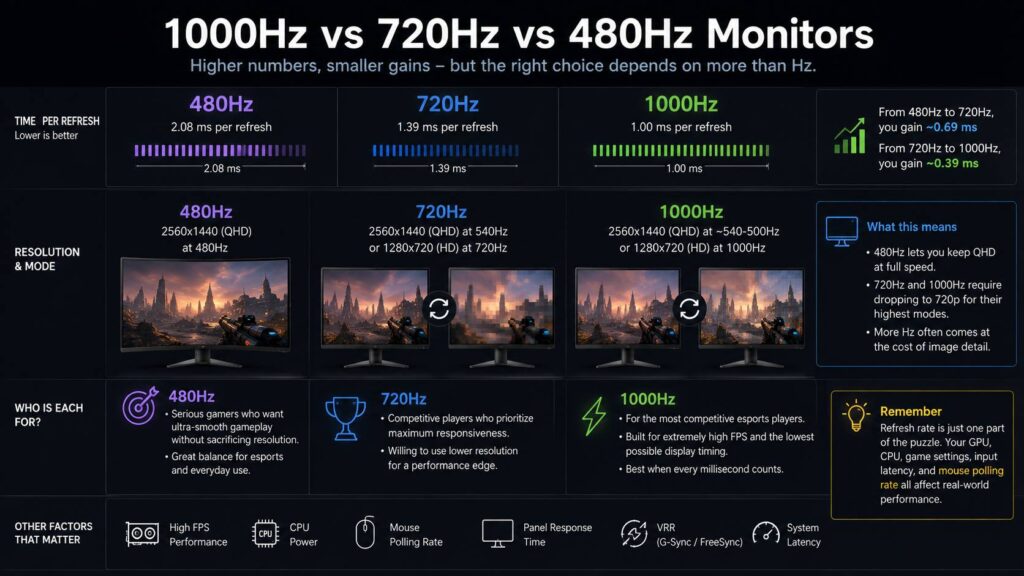
At 480Hz, a monitor can refresh up to 480 times every second. A 720Hz display increases that to 720 updates, while a 1000Hz monitor can start as many as 1,000 refresh cycles per second.
That sounds like a huge difference. Still, the timing numbers tell a more useful story.
| Refresh rate | Time per refresh |
|---|---|
| 240Hz | 4.17 ms |
| 360Hz | 2.78 ms |
| 480Hz | 2.08 ms |
| 540Hz | 1.85 ms |
| 720Hz | 1.39 ms |
| 1000Hz | 1.00 ms |
You can calculate the refresh interval using:
1000 ÷ refresh rate = milliseconds per refresh
For example:
1000 ÷ 480 = 2.08 ms
1000 ÷ 720 = 1.39 ms
1000 ÷ 1000 = 1.00 ms
As the table shows, the gains become smaller as refresh rates climb.
Going from 480Hz to 720Hz reduces the refresh interval by about 0.69 ms. After that, moving from 720Hz to 1000Hz saves roughly another 0.39 ms.
Those are measurable improvements. Yet they’re tiny compared with what you gain from upgrading a conventional 60Hz or 144Hz monitor.
480Hz, 720Hz, and 1000Hz Monitors Don’t Always Use the Same Resolution
This is one of the most important details to understand before comparing extreme-refresh gaming monitors.
A current 480Hz OLED monitor can operate at 2560 × 1440 while maintaining its full 480Hz refresh rate. That gives you QHD sharpness and extremely fast motion at the same time.
Faster 720Hz displays often work differently.
For example, current dual-mode OLED designs can operate at QHD resolution at a lower refresh rate, then switch to 1280 × 720 to unlock their maximum 720Hz mode.
Some 1000Hz monitors follow the same pattern. Certain fast IPS designs support QHD at roughly 500Hz to 540Hz, then reduce the resolution to 1280 × 720 for the four-digit refresh mode. Others skip the mode switch entirely. LG’s UltraGear 25G590B was the first monitor to run 1000Hz at its native 1920 × 1080, and on September 2, 2026 Acer announced the Predator XB253Q U1, a 24.5-inch IPS panel that does the same at native Full HD.
As a result, the comparison often looks more like this:
- 480Hz: QHD at 480Hz
- 720Hz: QHD at around 540Hz, or HD at 720Hz
- 1000Hz: QHD at around 500Hz to 540Hz with an HD mode at 1000Hz, or native 1080p at 1000Hz with no mode switch
That changes the buying decision quite a bit.
A QHD 480Hz display can look much sharper during normal gaming, desktop work, browsing, and video playback. By comparison, 1280 × 720 stretched across a 27-inch screen will look noticeably softer.
For competitive gaming, that loss of detail may be acceptable. For general PC use, though, it is a meaningful compromise.
Is 1000Hz Actually Faster Than 720Hz?
Yes, although the advantage is smaller than the numbers suggest.
A 720Hz monitor completes a refresh every 1.39 ms. By comparison, a 1000Hz monitor reduces that interval to exactly 1 ms.
So, the theoretical difference is around 0.39 ms.
That doesn’t mean your entire PC suddenly becomes 0.39 ms faster. Your total input delay comes from several different stages, including:
- Mouse or keyboard input
- USB polling
- Game engine processing
- CPU calculations
- GPU rendering
- Render queues
- Display transmission
- Monitor processing
- Panel scanout
- Pixel response
Because of this, monitor refresh rate only represents one part of the full latency chain.
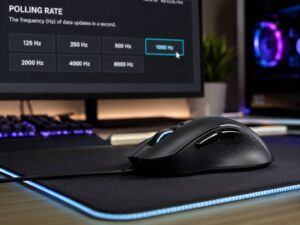
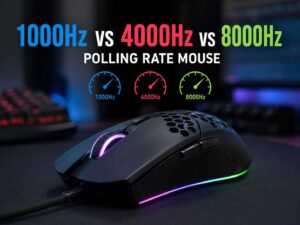
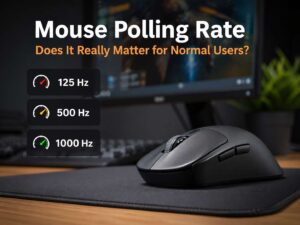
Even something as simple as mouse configuration can matter. If you’re optimizing a system for competitive play, understanding mouse polling rate and how it affects input responsiveness is worth doing before spending heavily to shave fractions of a millisecond from display refresh timing.
A poorly configured 1000Hz setup could still produce more total latency than a well-tuned 480Hz machine. For example, running the GPU at maximum utilization can introduce rendering delays that outweigh the timing difference between these monitors.
480Hz vs 720Hz Is a More Meaningful Jump
The move from 480Hz to 720Hz gives you a slightly larger timing improvement.
At 480Hz, each refresh takes roughly 2.08 ms. At 720Hz, that falls to about 1.39 ms.
The difference is approximately 0.69 ms.
Highly competitive players may appreciate the extra motion clarity, especially in fast shooters where targets constantly move across the screen. Still, don’t expect the improvement to feel remotely like switching from 60Hz to 144Hz.
The higher you go, the harder the differences become to notice.
There’s also another factor. A modern 480Hz OLED running at its native QHD resolution may provide a cleaner overall gaming experience than a 720Hz mode operating at 1280 × 720.
That makes 480Hz the more sensible balance.
Pixel Response Time Still Matters
Refresh rate doesn’t tell the whole story about motion clarity.
A monitor might be capable of starting a new refresh every 1.39 ms, but the pixels still need to change from one state to another quickly enough to keep up.
This is where OLED panels have a major advantage.
OLED pixels typically transition much faster than conventional LCD pixels. As a result, a 480Hz or 720Hz OLED can deliver very clean motion even without having the highest refresh-rate number on the market.
Fast IPS technology has improved dramatically as well. Manufacturers can now push IPS displays into extremely high refresh-rate territory, including 1000Hz modes.
Still, you shouldn’t compare manufacturer response-time figures too literally. Test methods vary, and real results can change depending on overdrive settings, pixel transitions, temperature, refresh rate, and other conditions.
The practical point is simple. A monitor with a higher refresh rate isn’t automatically the faster-looking display.
Why 1000Hz Requires an Extremely Fast Gaming PC
Running a monitor at 1000Hz is one thing. Producing enough frames to take advantage of it is another.
To deliver a completely new frame for every refresh cycle, your PC would need to generate around 1,000 frames per second.
That’s difficult even with top-end hardware.
Competitive games are the most realistic candidates because players can reduce graphical settings and resolution aggressively. Titles such as Counter-Strike 2 and Valorant are much better suited to extreme frame rates than graphically demanding single-player games.
You also have to consider CPU performance.
Once you reduce resolution and graphics settings far enough, the GPU may stop being the main limitation. At that point, the processor needs to prepare hundreds of frames every second.
A faster graphics card won’t necessarily turn 500 FPS into 1000 FPS if the game is already CPU limited.
For this reason, buying a 1000Hz monitor doesn’t mean you’ll suddenly play everything at 1000 FPS.
Do You Need 1000 FPS to Use a 1000Hz Monitor?
No. A 1000Hz monitor can still operate normally when your game produces fewer than 1,000 frames per second.
Suppose a game runs at 500 FPS. In that case, the PC generates a new frame approximately every 2 ms.
Meanwhile, a 1000Hz monitor has a 1 ms refresh interval. The panel can update more frequently, but it isn’t receiving 1,000 completely new game frames each second.
You can still gain some benefits from faster scanout and shorter display intervals. Even so, the value of 1000Hz becomes much harder to justify as game performance drops.
If your PC typically runs competitive games at 200 to 300 FPS, paying a major premium specifically for 1000Hz probably isn’t a good use of your budget.
The 720p Trade-Off Matters More Than It Sounds
Many four-digit refresh-rate monitors still rely on a 1280 × 720 mode.
That resolution contains:
1280 × 720 = 921,600 pixels
QHD contains:
2560 × 1440 = 3,686,400 pixels
So, QHD displays exactly four times as many pixels.
On a 27-inch screen, the difference is very easy to see. Text becomes less sharp, fine game details disappear, and desktop use feels noticeably rougher at 720p.
Competitive players may not care much. Some deliberately use lower resolutions anyway, especially when their priority is maximizing FPS and keeping moving targets easy to track.
For single-player gaming, productivity, web browsing, strategy games, and content creation, the loss of detail is much harder to accept.
Fortunately, dual-mode displays allow you to switch back to their higher-resolution mode when you don’t need maximum refresh rate.
Native 1080p at 1000Hz Changes the Trade-Off
The 720p compromise is no longer the only route to four digits. LG’s UltraGear 25G590B is a 25-inch IPS monitor that runs 1000Hz at its native 1920 × 1080, with an optional 1100Hz overclock. Acer followed on September 2, 2026 at IFA in Berlin with the Predator XB253Q U1, a 24.5-inch IPS panel rated for 1000Hz at native Full HD, a 0.3 ms response time measured with its VRB Pro blur-reduction mode, DisplayHDR 400 certification, and both FreeSync Premium and G-SYNC Compatible support. Acer lists availability for the first quarter of 2027.
That shifts the trade-off rather than removing it. Full HD on a 25-inch screen is still a long way below QHD in sharpness, but it carries more than twice the pixel count of the 1280 × 720 mode, and it is the resolution most competitive players run anyway.
The catch moves to the rest of the system. LG fits a DisplayPort 2.1 (UHBR20) input and says the 1000Hz mode requires the latest version of Windows 11, with the latest graphics driver and a DisplayPort connection recommended. Its internal testing verified that mode at native resolution with GeForce RTX 50 series cards and Radeon RX 7900, RX 9060 and RX 9070 series cards. Acer’s monitor also carries a DisplayPort 2.1 input alongside two HDMI 2.1 ports. A 1080p signal at 1000Hz needs far more bandwidth than older DisplayPort generations can carry, so an excellent graphics card with the wrong output still cannot drive the panel at full speed.
The LG overclock has a cost worth knowing as well. At 1100Hz, FreeSync Premium is not supported and the G-SYNC Compatible certification only covers operation up to 1000Hz, so you choose between the headline number and adaptive sync.
1000Hz vs 720Hz vs 480Hz for Competitive Gaming
Each refresh rate makes sense for a slightly different type of player.
480Hz Makes the Most Sense for High-End Gaming
A 480Hz display is already extremely fast. More importantly, current OLED models can deliver that speed at QHD resolution.
That makes 480Hz particularly attractive if you play competitive shooters but also use the same monitor for normal gaming and everyday PC tasks.
You still need very high frame rates to take full advantage of it. Even so, you don’t have to give up much image quality.
720Hz Is More Specialized
Moving to 720Hz reduces display timing further.
Competitive players who already push several hundred FPS may benefit from slightly clearer motion and lower scanout delays. Still, reaching the maximum mode normally means reducing the resolution.
For a dedicated esports PC, that may be a perfectly reasonable trade.
For a mixed-use system, it becomes harder to justify.
1000Hz Is Built for an Extremely Small Audience
A 1000Hz gaming monitor makes the most sense when all of these points apply:
- Competitive games dominate your play time.
- Your PC regularly produces extremely high frame rates.
- You’re comfortable gaming at 1080p, or at 1280 × 720 on a dual-mode design.
- You’ve already optimized other sources of system latency.
- Image quality takes second place to responsiveness.
- The extra cost doesn’t force you to compromise on your CPU or GPU.
If those conditions don’t describe your setup, you probably won’t get much practical value from 1000Hz.
What About PlayStation 5 and Xbox Series X?
Console gamers won’t benefit from these extreme refresh rates in the same way.
Modern consoles can output up to 120Hz in supported games and display modes. Connecting one to a 480Hz, 720Hz, or 1000Hz monitor doesn’t increase the console’s output to hundreds of frames per second.
You may still benefit from other monitor features, such as fast pixel response, VRR, low input lag, OLED contrast, and strong HDR performance.
Still, buying a 1000Hz monitor specifically for a PlayStation or Xbox makes little sense.
Console users are better served by focusing on 120Hz support, HDMI 2.1, VRR compatibility, resolution, HDR performance, and general picture quality.
How to Enable the Highest Refresh Rate in Windows 11
Buying a high-refresh monitor doesn’t always mean Windows will immediately use its fastest mode.
To check the refresh rate:
- Open Settings.
- Select System.
- Choose Display.
- Open Advanced display.
- Find Choose a refresh rate.
- Select the highest supported option you want to use.
On a dual-mode monitor, you may need to enable the faster mode through the monitor’s on-screen menu first.
For example, a 720Hz or 1000Hz mode may require switching the monitor to its lower-resolution operating mode. Afterward, Windows should expose the additional refresh-rate option.
If the expected setting doesn’t appear, check the following:
- Windows display resolution
- Monitor dual-mode or DFR setting
- DisplayPort or HDMI connection
- GPU driver
- Monitor firmware
- Cable specifications
- Graphics card output capabilities
Docks, adapters, KVM switches, and capture hardware can also prevent the highest modes from appearing.
Variable Refresh Rate and System Latency Still Matter
A huge refresh-rate number doesn’t make other latency settings irrelevant.
Variable refresh rate technology can synchronize display timing with GPU output. Depending on the monitor and graphics card, that may include NVIDIA G-SYNC Compatible, AMD FreeSync, or VESA Adaptive-Sync support.
Games can also offer technologies designed to reduce rendering latency. NVIDIA Reflex is one common example.
Meanwhile, graphics settings deserve attention too.
If your GPU stays completely saturated, render latency can rise. Reducing a few demanding settings may improve both frame rate and responsiveness.
You don’t necessarily need to put every setting on Low. Instead, aim for consistently high FPS while keeping the GPU from becoming a serious bottleneck.
Stable performance usually matters more than briefly seeing an enormous FPS number in a quiet part of the map.
OLED vs IPS for Extreme Refresh Rates
The refresh-rate race has also created an interesting divide between OLED and IPS.
OLED currently combines extremely fast pixel response with high refresh rates, deep blacks, and excellent contrast. Current gaming displays can reach 480Hz at QHD and even higher rates in reduced-resolution modes.
Fast IPS panels can push refresh rates further, including current 1000Hz designs.
Neither option is automatically better.
OLED is compelling because its fast pixel transitions complement the high refresh rate extremely well. It also provides excellent image quality for games outside esports.
IPS, meanwhile, avoids concerns around OLED burn-in and can reach even higher refresh-rate figures.
For a gaming PC that does a little bit of everything, a fast OLED often offers the better balance.
For a dedicated esports machine where every fraction of a millisecond matters, extreme-refresh IPS becomes more interesting.
Is 1000Hz Actually Worth It?
For most gamers, probably not.
A 1000Hz monitor is technically impressive, and the improvement over 480Hz is measurable. Still, the refresh interval only falls from about 2.08 ms at 480Hz to 1 ms at 1000Hz.
At the same time, 1000Hz still costs you resolution. Dual-mode designs drop from QHD to 720p, and the native 1000Hz panels from LG and Acer top out at 1080p on a 25-inch screen.
That’s a major reduction in image detail for around one millisecond of theoretical refresh-interval improvement.
For someone who plays a mix of competitive games, single-player titles, and everyday PC content, QHD at 480Hz is likely the stronger compromise.
A 720Hz display makes sense if you’re moving deeper into competitive gaming and don’t mind reducing resolution for faster motion.
Meanwhile, 1000Hz is aimed squarely at players trying to squeeze every possible advantage out of a dedicated esports setup.
Which Refresh Rate Should You Choose?
For most people considering 1000Hz vs 720Hz vs 480Hz monitors, the choice becomes easier once you stop focusing on the biggest number.
Choose 480Hz if you want exceptionally fast gaming while keeping QHD resolution and strong everyday image quality.
Choose 720Hz if competitive gaming matters more than resolution and your PC can regularly produce several hundred frames per second.
Choose 1000Hz if you’re building a specialized esports system, you’re comfortable with 1080p or 720p, and you’ve already optimized the rest of your latency chain.
If your games usually run below about 300 FPS, there is little reason to prioritize 720Hz or 1000Hz. Spending that money on a faster CPU, GPU, mouse, or a better-balanced display could make a larger practical difference.
Higher refresh rates still improve display timing. Yet once you reach 480Hz, every extra step brings increasingly small gains.
For most high-end PC gamers, 480Hz already provides more speed than they realistically need. Beyond that point, you’re entering specialist territory where small latency improvements matter more than resolution, versatility, or value.