Choosing between a 5K and 4K monitor can look pretty straightforward on paper. More pixels should mean a better picture. Technically, that is true, but resolution is only one part of what makes a monitor good.
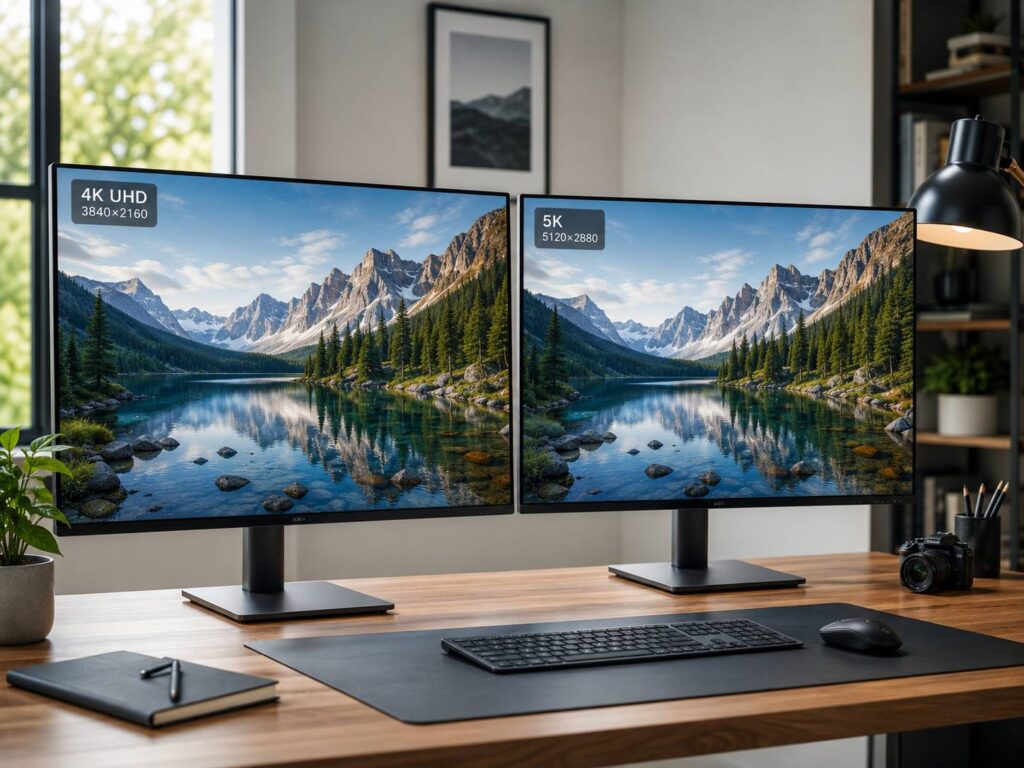
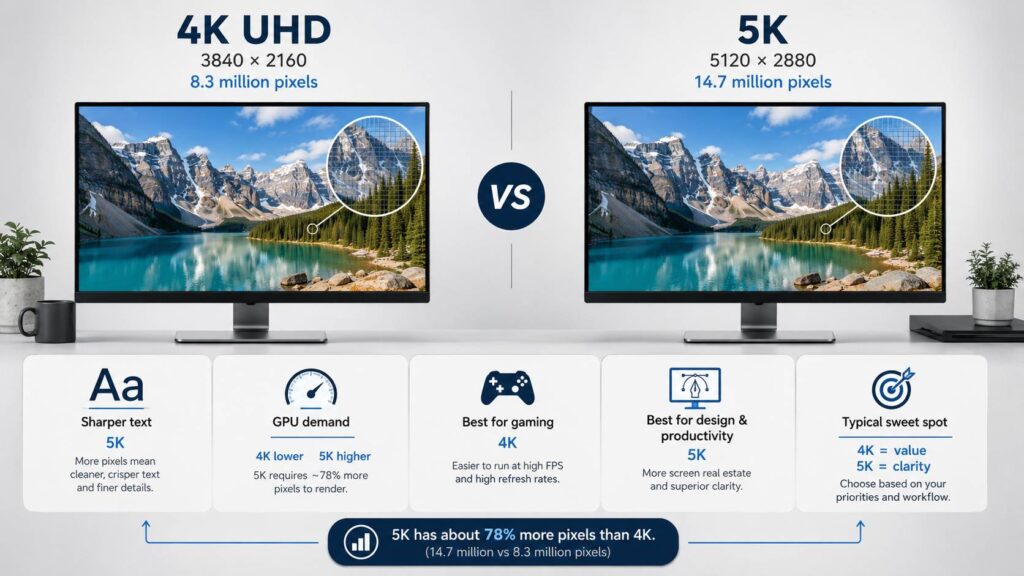
A standard 4K UHD monitor has a resolution of 3840 × 2160, while a typical 5K display increases that to 5120 × 2880. That gives 5K roughly 78% more pixels overall. The difference can make text look cleaner, improve fine details, and give photos and graphics a noticeably sharper appearance.
Still, 5K monitors usually cost more, place greater demands on your hardware, and offer fewer choices than 4K models. For gaming in particular, 4K often makes more sense.
So, is a 5K monitor actually worth paying extra for? It depends heavily on what you do at your desk.
5K vs 4K Resolution: What’s the Actual Difference?
The numbers make the difference easier to understand.
| Resolution | Pixel Dimensions | Total Pixels |
|---|---|---|
| 4K UHD | 3840 × 2160 | 8.29 million |
| 5K | 5120 × 2880 | 14.75 million |
Both resolutions commonly use a 16:9 aspect ratio. However, 5K adds around 33% more pixels horizontally and vertically.
Because resolution increases in both directions, the total pixel count jumps by approximately 78%. So, despite the names suggesting a fairly small step from 4K to 5K, the actual increase is substantial.
Screen size also matters.
A 27-inch 4K monitor has a pixel density of roughly 163 pixels per inch. Move to 5K at the same 27-inch size, and that figure rises to around 218 PPI.
At normal desktop distances, the higher density makes individual pixels much harder to see. Text edges become smoother, icons look cleaner, and detailed images can appear more refined.
Does 5K Really Look Better Than 4K?
At the same screen size, yes. A 5K display can look noticeably sharper than 4K.
You are most likely to see the difference with:
- Small text
- Programming and development tools
- Spreadsheets
- Vector graphics
- High-resolution photos
- Graphic design
- Desktop publishing
- UI and web design
The improvement is less dramatic for ordinary video playback, particularly if you sit farther away from the screen.
Viewing distance plays a big part here. Someone working close to a 27-inch monitor all day is more likely to appreciate 5K than someone watching video from across a room.
Monitor size changes things too. A 32-inch 4K monitor spreads its pixels over a larger surface than a 27-inch 5K monitor. The larger 4K display gives you more physical screen space, while the smaller 5K option concentrates on pixel density.
Neither approach is automatically better. They simply suit different priorities.
If you’re also considering wider displays rather than standard 16:9 panels, our comparison of 5K2K vs 4K monitors explains how ultrawide high-resolution displays compare with traditional 4K monitors.
Display Scaling Matters More Than You Might Expect
One thing that often gets overlooked in the 5K vs 4K comparison is operating system scaling.
Higher resolution does not automatically mean everything on the desktop becomes tiny. Windows and macOS use scaling to increase the size of text, icons, buttons, and other interface elements while still taking advantage of the physical pixels available.
At 200% scaling, for example:
- 3840 × 2160 provides an interface similar in size to 1920 × 1080
- 5120 × 2880 provides an interface similar in size to 2560 × 1440
The monitor still uses its full native resolution. The operating system simply renders interface elements at a more comfortable size.
This is one reason 27-inch 5K displays work so well for productivity. You can get workspace proportions similar to a traditional 1440p monitor while enjoying much sharper text and graphics.
A 27-inch 4K monitor also works well, of course. Many Windows users prefer scaling around 125% to 175%, depending on eyesight, viewing distance, and personal preference.
macOS offers several scaled modes as well. Its high-density rendering also makes 5K particularly attractive on 27-inch displays.
5K Makes a Strong Case for Text-Heavy Work
If you spend most of your day reading or writing, the extra pixel density can be easier to appreciate than you might expect.
Small characters appear cleaner. Curves and diagonal lines look smoother, and dense interfaces become easier on the eyes.
That can benefit people working with:
- Programming
- Writing and editing
- Large spreadsheets
- Research
- Web development
- CAD applications
- Financial software
- Publishing tools
- Timeline-heavy creative applications
You are not necessarily getting 78% more usable desktop space, though. Scaling often uses much of that additional resolution to improve clarity instead.
That distinction is important.
A 5K monitor is not simply about fitting more windows on the screen. Often, the real benefit is making the windows, text, and graphics you already use look much sharper.
5K vs 4K for Photo and Video Editing
Creative work is probably one of the strongest arguments for choosing 5K.
Photographers can view more detail before zooming into an image. Designers benefit from sharp typography and cleaner graphics. Video editors can also display high-resolution footage while keeping editing controls and other interface elements visible.
A 5120 × 2880 display has enough physical pixels to show a 3840 × 2160 image with resolution left around it. Exactly how much workspace remains available depends on application layout and operating system scaling.
Still, resolution should never be confused with image quality.
A monitor can have an impressive 5K resolution while performing poorly in areas that matter more for professional editing.
You should also consider:
- Color gamut
- Color accuracy
- Contrast
- Calibration
- Panel uniformity
- Brightness
- HDR performance
- Bit depth
- Panel technology
A properly calibrated 4K monitor can easily be a better choice for serious creative work than a mediocre 5K display.
So, if you’re buying for photography, design, or video production, treat resolution as one specification among several.
4K Usually Makes More Sense for Gaming
Gaming changes the equation quite a bit.
A 4K image contains around 8.3 million pixels. A 5K image contains almost 14.75 million.
That means your graphics card has far more pixels to render at native 5K.
You should not expect gaming performance to drop by exactly 78%, since frame rates depend on many other factors. CPU performance, game engine behavior, ray tracing, graphics settings, memory bandwidth, and technologies such as upscaling can all change the result.
Still, native 5K is clearly more demanding.
There is another issue too. The 4K gaming monitor market is much larger.
You can find 4K monitors with high refresh rates such as 144Hz, 165Hz, 240Hz, and beyond, depending on the product category and panel technology.
High-refresh 5K monitors do exist, including premium models capable of 120Hz. Even so, the selection remains considerably smaller and prices can climb quickly.
For most PC gamers, 4K offers the better balance.
You get excellent image detail without pushing the GPU quite as hard, and there are far more high-refresh monitors to choose from.
Do You Need a Powerful GPU for a 5K Monitor?
Not necessarily for everyday desktop use.
Displaying documents, websites, spreadsheets, and ordinary applications at 5K is very different from rendering a modern 3D game at native 5K.
A compatible modern computer can often handle normal desktop workloads on a 5K monitor without much trouble.
Gaming and GPU-heavy creative software are another story.
Rendering nearly 14.75 million pixels for every frame requires considerably more graphics processing than rendering 8.29 million at 4K. Increasing the refresh rate adds another layer of demand.
You also need to think about connection bandwidth.
Depending on the monitor and refresh rate, a 5K display may use:
- DisplayPort
- Thunderbolt
- USB-C with DisplayPort support
- HDMI
- Display Stream Compression
Always check the specifications of both the computer and monitor before buying.
A laptop having a USB-C port does not automatically mean that port supports 5K output at the monitor’s maximum refresh rate. Docks and adapters can introduce similar limitations.
5K Does Not Automatically Mean Better HDR or Color
This is an easy assumption to make.
A 5K monitor has more pixels than a 4K monitor. That’s all the resolution specification tells you.
It says nothing about contrast, black levels, color accuracy, brightness, response time, or HDR performance.
For example, a good 4K OLED monitor can provide dramatically deeper blacks than a conventional 5K IPS display. A professional 4K monitor may also offer better calibration and color accuracy than a cheaper 5K alternative.
Before focusing entirely on resolution, check features such as:
- Panel type
- Color coverage
- Color accuracy
- Contrast ratio
- HDR capability
- Local dimming
- Peak brightness
- Refresh rate
- Response time
- Screen coating
- Viewing angles
Depending on your priorities, improving one of these areas could make a bigger difference than moving from 4K to 5K.
When Is a 5K Monitor Worth the Extra Money?
A 5K monitor makes the most sense for people who spend hours looking at fine text or detailed visual content.
It can be particularly useful for:
- Software development
- Graphic design
- Photography
- Video editing
- Publishing
- Professional content creation
- High-density Mac setups
- Text-heavy office work
The combination of 27 inches and 5120 × 2880 is especially appealing because it produces very high pixel density without requiring a huge display.
There is also the question of longevity.
A good monitor can easily remain on your desk through several computer upgrades. If you work in front of the same screen every day, spending more for higher pixel density can make sense over the long term.
That said, you should only pay the premium if you’ll actually benefit from it.
When Is 4K the Better Choice?
For most people, 4K remains the safer and more flexible option.
A 4K monitor makes more sense if you prioritize:
- Better value
- More models to choose from
- Larger 32-inch screens
- High-refresh gaming
- Lower GPU requirements
- Affordable OLED options
- Broad compatibility with PCs and consoles
- Easier compatibility with laptops and docks
And 4K is hardly low resolution.
At 27 inches, 4K provides around 163 PPI, which already produces a very sharp desktop image. If you’re upgrading from 1080p or 1440p, the increase in clarity can be immediately noticeable.
For the same budget, choosing 4K may also allow you to buy a monitor with a better panel, higher refresh rate, stronger HDR performance, or superior ergonomics.
Sometimes those improvements matter more than another jump in pixel count.
Is 5K Better Than 4K at 27 Inches?
For pure sharpness, yes.
A 27-inch 5120 × 2880 monitor provides approximately 218 PPI. A 27-inch 3840 × 2160 display sits at roughly 163 PPI.
That is a substantial difference in pixel density.
Small text and fine graphics can look noticeably cleaner on the 5K display, particularly when you’re sitting close to the screen.
Still, 27-inch 4K is already very sharp. Paying considerably more for 5K is hard to justify unless you regularly work with detailed text, photography, or graphics.
What About 32-Inch Monitors?
At 32 inches, the decision changes slightly.
A 32-inch 4K monitor has roughly 138 PPI. That’s lower than a 27-inch 4K display, but it still looks sharp at a typical desktop viewing distance.
The advantage is physical space.
A larger screen can feel more comfortable for multitasking, editing timelines, working with large spreadsheets, or keeping several applications visible at once.
Higher-resolution 32-inch monitors can provide better pixel density, but scaling becomes an important part of the experience.
For many people, 32-inch 4K remains an excellent compromise between size, sharpness, cost, and compatibility.
Can You Watch 4K Content on a 5K Monitor?
Yes, absolutely.
A 5K monitor can display 4K video. The software or display simply scales the content as needed.
What it cannot do is magically add real detail that isn’t present in the source.
A 4K movie does not suddenly become genuine 5K content because you watch it on a higher-resolution monitor.
This is why the advantages of 5K are often easier to notice with desktop applications, text, photographs, graphics, and other content rendered directly at the monitor’s native resolution.
5K vs 4K Monitor: Which One Should You Buy?
5K is a genuine resolution upgrade over 4K, not just a slightly bigger number on the specifications sheet.
Moving from 3840 × 2160 to 5120 × 2880 increases the pixel count from about 8.3 million to nearly 14.75 million. On a 27-inch screen, that can produce exceptionally sharp text and detailed graphics.
For programmers, designers, photographers, video editors, writers, and other people who spend long hours working with detailed desktop content, 5K can be worth the premium.
For everyone else, 4K is probably the more sensible starting point.
It offers excellent sharpness, requires less graphics power, works with a wider range of hardware, and gives you far more choice across gaming, OLED, high-refresh, and large-screen monitors.
If gaming is your priority, 4K is usually the better option. If you’re building a productivity-focused workstation and care deeply about text clarity and pixel density, the extra resolution of 5K becomes much easier to justify.