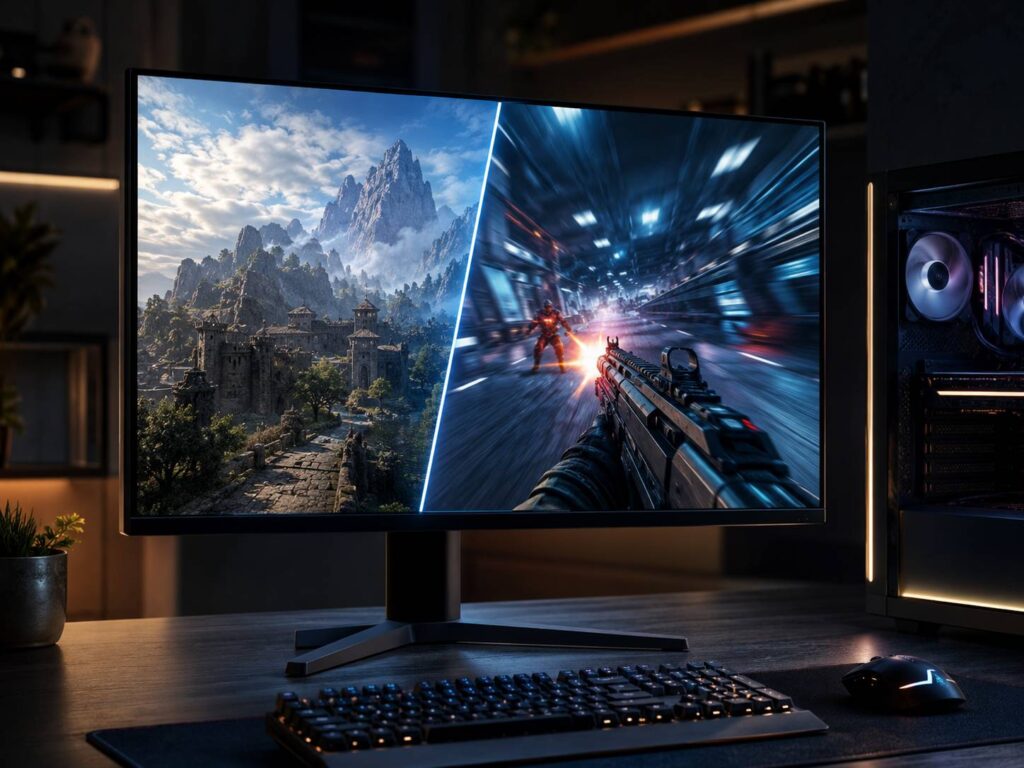
A dual-mode monitor is designed for people who do not always want the same thing from their display. Sometimes you want the sharpest possible image. Other times, especially in competitive games, refresh rate and responsiveness matter far more than pixel count.
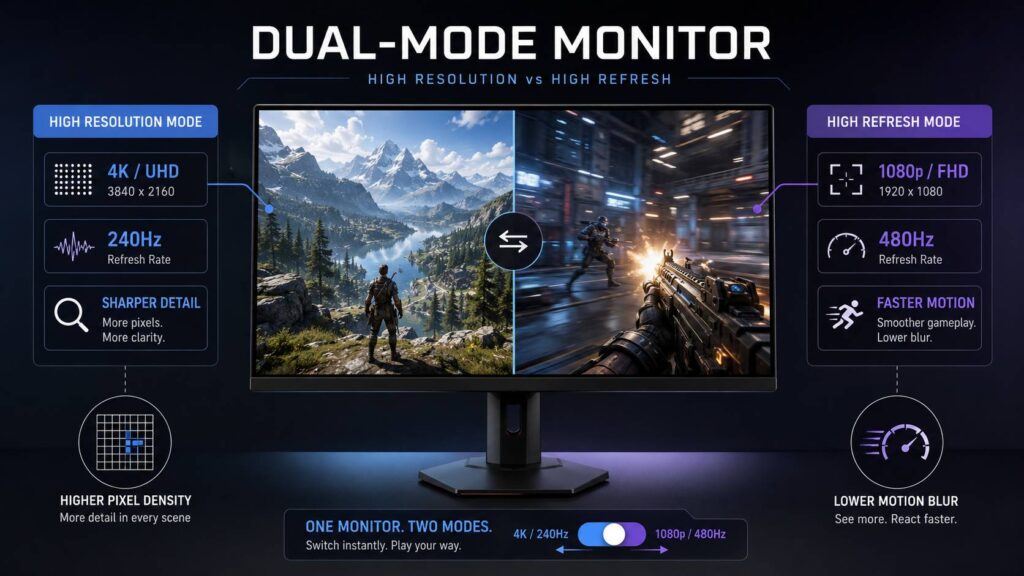
Instead of forcing you to choose one or the other, a dual-mode monitor can switch between two resolution and refresh-rate combinations. A typical example is a 4K monitor that runs at 240Hz, then switches to 1080p to reach 480Hz.
That makes one display suitable for both visually demanding games and fast competitive titles.
The concept has also moved beyond the original 4K 240Hz and 1080p 480Hz combination. Newer dual-mode monitors offer several different resolution and refresh-rate pairings, giving buyers more flexibility than before.
So, what actually changes when you switch modes, and when is the lower-resolution setting worth using?
What Is a Dual-Mode Monitor?
A dual-mode monitor can operate using two different combinations of resolution and maximum refresh rate.
One mode usually prioritizes image quality and resolution. The second lowers the resolution in exchange for a much higher refresh rate.
A simple comparison looks like this:
| Display mode | Main priority | Best suited for |
|---|---|---|
| Higher resolution, lower refresh rate | Image detail and clarity | AAA games, productivity, creative work |
| Lower resolution, higher refresh rate | Motion clarity and responsiveness | Competitive FPS and esports |
For example, several gaming monitors can run at 3840 × 2160 at 240Hz before switching to 1920 × 1080 at 480Hz.
There are plenty of other combinations now. Some displays offer 4K at around 160Hz and Full HD at 320Hz. Others pair 5K with QHD or use QHD as the main resolution before dropping lower to reach extremely high refresh rates.
So, “dual mode” does not refer to one specific specification. It simply means the monitor can switch between two predefined resolution and refresh-rate profiles.
How Does a Dual-Mode Monitor Work?
A dual-mode monitor still has one physical panel with a fixed number of pixels.
If a monitor has a native resolution of 3840 × 2160, those physical pixels remain there when you switch to 1080p. The panel itself does not transform into a different screen.
Instead, the monitor changes how it operates.
At a lower input resolution, there is much less image data to handle for every frame. That gives the display electronics enough headroom to refresh the panel more frequently.
The difference between 4K and Full HD is substantial:
- 3840 × 2160 contains 8,294,400 pixels.
- 1920 × 1080 contains 2,073,600 pixels.
- 4K therefore contains four times as many pixels per frame.
Dropping to Full HD dramatically reduces the amount of image data involved. As a result, the monitor can potentially operate at a much higher refresh rate.
Depending on the model, you may switch modes using a physical monitor button, the on-screen menu, dedicated software, or a keyboard shortcut. The screen may briefly go black while Windows and the graphics card detect the new resolution and refresh rate.
High Resolution vs High Refresh Rate
Resolution and refresh rate affect the image in very different ways.
Resolution determines how much detail can appear on the screen. Refresh rate tells you how many times the display can update every second.
Consider a 240Hz monitor.
Each refresh cycle takes approximately:
1,000 ÷ 240 = 4.17 milliseconds
At 480Hz, that drops to:
1,000 ÷ 480 = 2.08 milliseconds
In simple terms, the display has an opportunity to show a new frame roughly twice as often at 480Hz.
That can improve motion clarity and reduce part of the display’s latency. Still, improvements become less obvious as refresh rates rise. The jump from 60Hz to 120Hz is much easier to notice than the jump from 240Hz to 480Hz.
For competitive players, though, even smaller improvements can matter.
Refresh rates are also moving well beyond 480Hz. If you are curious how these extreme displays compare, our guide to 1000Hz vs 720Hz vs 480Hz monitors explains what those numbers actually mean in real use.
When High-Resolution Mode Makes More Sense
For everyday use, you will probably spend most of your time in the monitor’s higher-resolution mode.
4K gives you much sharper text and more usable desktop space than 1080p. Games can also show finer textures, cleaner edges, and more detail in distant objects.
High-resolution mode is usually the better choice for:
- Single-player AAA games
- Strategy games
- Simulation games
- Photo editing
- Video editing
- Office work
- Programming
- Web browsing
- Streaming high-resolution video
There is another reason you may not switch modes very often. High-resolution refresh rates are already extremely fast on modern gaming monitors.
A 4K 240Hz display, for example, is hardly slow. Unless your PC can hold very high frame rates at 4K, it already offers more refresh-rate performance than you can consistently use.
So unless you regularly play competitive games at several hundred frames per second, the 4K setting could remain your default most of the time.
When High-Refresh Mode Makes More Sense
The lower-resolution mode exists mainly for games where responsiveness takes priority over visual detail.
Competitive shooters are the obvious example.
Switching from 4K to 1080p can help in two separate ways. First, the monitor becomes capable of running at a higher refresh rate. Second, your graphics card has far fewer pixels to render.
That second part is easy to overlook.
Rendering hundreds of frames per second at 4K requires enormous GPU performance. Dropping to 1080p makes extremely high frame rates much easier to achieve.
However, the GPU is not the only limitation.
At 300, 400, or 500 FPS, games can become heavily dependent on CPU performance. Memory speed, game-engine limitations, background applications, and individual graphics settings can also affect the result.
A 480Hz monitor does not automatically mean your game will run at 480 FPS.
You can still benefit from a high-refresh display when your frame rate sits below its maximum refresh rate. Still, the monitor cannot show 480 completely new game frames every second if the computer is only producing 250.
Does 1080p Look Bad on a 4K Dual-Mode Monitor?
Not necessarily, but it will look noticeably softer.
4K has exactly twice the horizontal resolution and twice the vertical resolution of Full HD:
3840 ÷ 1920 = 2
2160 ÷ 1080 = 2
That creates a convenient scaling relationship. In theory, one 1080p pixel can map to a 2 × 2 block of pixels on the 4K panel.
Still, Full HD contains only one quarter of the image information found in 4K.
Screen size makes a big difference here. Full-screen 1080p on a 32-inch monitor will look noticeably less detailed than native 4K. That softness may be obvious on desktop text or detailed single-player games.
During a fast competitive match, it may matter much less.
Some gaming monitors also let you simulate smaller display sizes. Instead of stretching the 1080p image across an entire 32-inch panel, you might be able to display the game inside an area similar to a 24-inch or 27-inch esports monitor.
These features differ between models, so check the monitor’s settings before assuming they are included.
A Dual-Mode Monitor Does Not Have Two Native Resolutions
This is probably the biggest misconception surrounding dual-mode displays.
A 3840 × 2160 dual-mode monitor still has a native resolution of 3840 × 2160.
Switching to 1920 × 1080 does not physically turn it into a native Full HD monitor. The panel simply accepts a lower-resolution image while unlocking a different maximum refresh rate.
That distinction matters because image quality can differ from a dedicated native 1080p monitor.
For example, a 24-inch native 1080p esports display may look different from a 32-inch 4K display running in its Full HD mode, even if both operate at 480Hz.
Panel size, scaling behavior, pixel density, processing, and screen coating can all change how the final image looks.
Refresh Rate and Response Time Are Different
Refresh rate and pixel response time are often mixed together, but they describe different things.
A 480Hz monitor refreshes every 2.08 milliseconds. That does not automatically mean the pixels have a 2.08ms response time.
Refresh rate describes how often the monitor can update the displayed image.
Pixel response time measures how quickly an individual pixel can transition from one state to another.
Both affect motion quality.
OLED panels are particularly good at fast pixel transitions, which is one reason they work well at very high refresh rates. Modern fast IPS panels have improved considerably too, although LCD and OLED technologies behave differently.
Advertised response-time figures should also not be treated as the monitor’s total input latency.
Actual latency involves several stages, including input processing, game rendering, CPU and GPU processing, signal transmission, monitor processing, panel scanout, and pixel response.
What Hardware Do You Need for a Dual-Mode Monitor?
Buying the monitor is only half the equation.
Your graphics card and display connection also need to support the required resolution, refresh rate, color depth, and bandwidth.
Modern dual-mode monitors may use connections such as:
- DisplayPort 1.4 with Display Stream Compression
- DisplayPort 2.1
- HDMI 2.1
- USB-C with DisplayPort Alt Mode on selected models
The exact capabilities depend on the monitor.
Display Stream Compression, usually shortened to DSC, is especially common on high-refresh gaming displays. It compresses the display signal so that demanding resolution and refresh-rate combinations can fit within the available bandwidth.
DSC is designed to provide visually lossless compression.
The cable matters too. A graphics card and monitor may both support a particular connection standard, but an unsuitable cable can still prevent you from reaching the advertised refresh rate.
Before buying, check which input supports the monitor’s maximum refresh rate in both modes.
Do You Need a Powerful GPU?
If you want to make full use of both modes, yes.
The higher-resolution mode puts more pressure on your graphics card because it has to render millions of additional pixels per frame.
The ultra-high-refresh mode reduces the resolution, but it introduces a different challenge. Your computer now needs to produce hundreds of frames every second.
For graphically demanding games, 4K at 240 FPS remains difficult to achieve without lowering settings or using upscaling technologies.
Competitive games at 1080p can reach much higher frame rates, but CPU performance becomes increasingly important as FPS rises.
Technologies such as NVIDIA DLSS, AMD FSR, Intel XeSS, and frame generation can raise displayed frame rates in supported games. However, generated frames are not identical to traditionally rendered frames from an input-latency perspective.
So a displayed 480 FPS figure does not necessarily provide the same responsiveness as 480 fully rendered frames.
Does Variable Refresh Rate Work in Both Modes?
Many modern dual-mode monitors support variable refresh rate technology.
That can include:
- VESA Adaptive-Sync
- AMD FreeSync
- NVIDIA G-SYNC compatibility
Support varies by monitor, though.
The variable refresh range can also change between the high-resolution and high-refresh modes. In some cases, certain monitor features behave differently at the maximum refresh setting.
VESA introduced AdaptiveSync Dual Mode certification in 2024. Displays carrying this certification have to meet relevant Adaptive-Sync requirements across both tested resolution and refresh-rate configurations.
That makes proper certification more useful than simply seeing the words “dual mode” in a product description.
Are Dual-Mode Monitors Good for Consoles?
Dual-mode displays make much more sense for PC gaming than console gaming.
Current consoles can benefit from high-refresh 4K monitors, HDMI 2.1, HDR, and variable refresh rate support. They do not, however, target refresh rates such as 320Hz, 480Hz, or higher.
That means the extreme-refresh mode may spend most of its time unused if you only play on a console.
For console gaming, factors such as 4K image quality, HDMI features, HDR performance, input latency, and VRR support usually matter more.
Paying a large premium specifically for a 480Hz secondary mode makes little sense if no device connected to the monitor can take advantage of it.
Dual-Mode Monitors Are Moving Beyond 4K 240Hz and 1080p 480Hz
The 4K 240Hz and Full HD 480Hz combination helped bring dual-mode displays into the spotlight, but manufacturers are no longer sticking to that formula.
By 2026, dual-mode technology covers a much wider range of displays.
Available or announced configurations include combinations around:
- 4K 160Hz and Full HD 320Hz
- 4K 240Hz and Full HD 480Hz
- 5K 180Hz and QHD 300Hz
- QHD 540Hz with lower-resolution modes reaching around 720Hz
Both OLED and IPS panels can now use the concept.
This wider selection is useful because not everyone needs an expensive 4K 240Hz monitor. A gamer may prefer a slightly lower high-resolution refresh rate if the monitor still provides an extremely fast competitive mode.
Dual mode is starting to look less like one special specification and more like a broader category of gaming displays.
Is a Dual-Mode Monitor Worth Buying?
A dual-mode monitor makes the most sense if you genuinely use both sides of its personality.
You might spend one evening playing a cinematic RPG at 4K, then switch to a competitive shooter where motion clarity and low latency matter more than texture detail.
In that situation, one dual-mode screen can potentially replace two specialized monitors.
The value is harder to justify if you mainly play slower games. A good 4K monitor running at 144Hz, 165Hz, or 240Hz already provides excellent responsiveness for most gaming.
The same applies at the other extreme. If you only play competitive titles and never care about 4K, a dedicated QHD or Full HD esports monitor may be the simpler choice.
Do not judge a dual-mode monitor only by the two large refresh-rate numbers printed on the box.
Panel technology, actual response performance, HDR quality, brightness, VRR behavior, screen coating, connectivity, text clarity, scaling options, warranty, and price all matter too.
Final Thoughts
A dual-mode monitor offers a clever answer to one of the oldest gaming display compromises.
High resolution gives you sharper images and more detail. High refresh rates improve motion clarity and responsiveness. Traditionally, choosing one meant giving up some of the other.
Dual mode lets you decide based on what you are doing at that moment.
For desktop work and visually demanding games, the higher-resolution setting will usually be the better choice. For competitive games, switching to a lower resolution can unlock far higher refresh rates while also reducing the workload on your graphics card.
That flexibility is the real appeal.
The best dual-mode monitor is not automatically the one with the biggest refresh-rate number. It is the one where both operating modes are genuinely useful for the games, hardware, and applications you use.