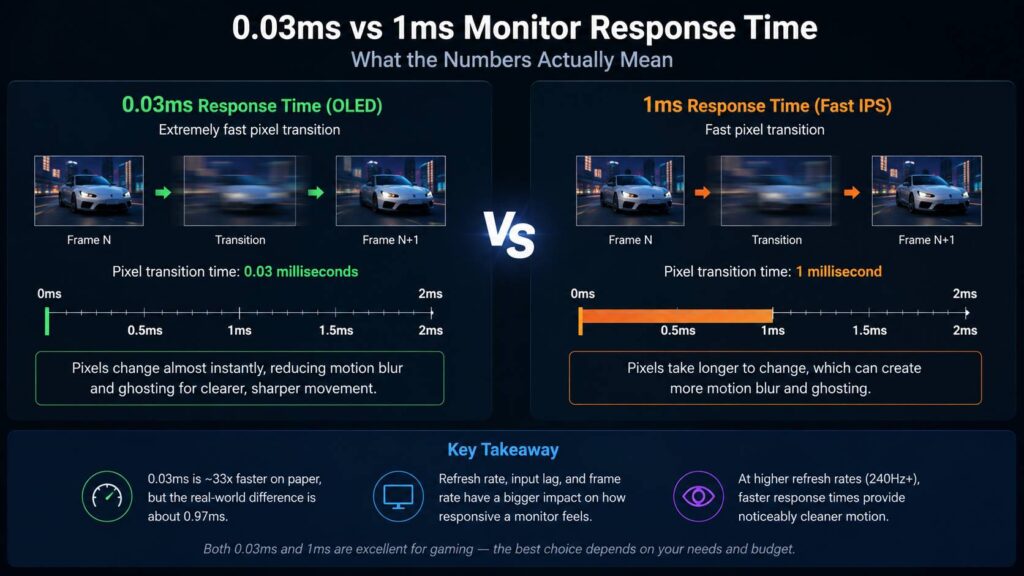
Seeing 0.03ms beside one gaming monitor and 1ms beside another makes the first option look dramatically faster. On paper, it is. A 0.03ms response time is about 33 times shorter than 1ms.
That sounds huge, but monitor performance isn’t quite that simple.
The actual difference is only 0.97 milliseconds, and response time is just one part of how responsive a display feels. Refresh rate, input latency, frame rate, panel technology, pixel transitions, and overdrive can all make a bigger difference than the number printed on the box.
A fast OLED with a 0.03ms response time can certainly produce cleaner motion than many 1ms LCD monitors. Still, replacing a good 1ms gaming monitor with a 0.03ms model does not automatically shave a full millisecond from the delay between clicking your mouse and seeing something happen on screen.
For most gamers, refresh rate and overall motion performance deserve more attention. Competitive players using 240Hz, 360Hz, 480Hz, or 500Hz monitors have more reason to care about extremely fast pixel response.
Here’s what these numbers actually mean and when the difference becomes noticeable.
What Monitor Response Time Really Measures
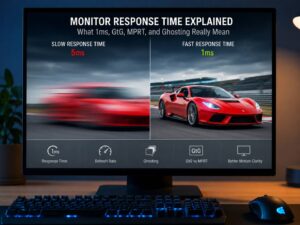
Monitor response time measures how quickly an individual pixel can change from one state to another.
For example, imagine a pixel displaying one shade of gray. The monitor then needs that pixel to display a different shade for the next frame. Response time describes how long that transition takes.
Manufacturers commonly report this as gray-to-gray, usually shortened to GtG or GTG.
So a monitor advertised as:
0.03ms GtG
has completed certain measured pixel transitions in roughly 0.03 milliseconds under the manufacturer’s test conditions.
A:
1ms GtG
rating means the measured transition took around one millisecond.
Response time isn’t the same thing as refresh rate, though.
Refresh rate tells you how often the monitor can show a new image. Response time tells you how quickly its pixels can change to create that image.
If you’d like a deeper breakdown of how manufacturers measure these figures and why advertised numbers don’t always tell the full story, our guide to monitor response time explained covers the terminology and measurements in more detail.
0.03ms vs 1ms: How Big Is the Difference?
The basic calculation is straightforward:
1ms – 0.03ms = 0.97ms
Based purely on those advertised specifications, the 0.03ms panel finishes the measured transition 0.97ms sooner.
You can also compare them as a ratio:
1 ÷ 0.03 = approximately 33.3
So yes, 0.03ms is roughly 33 times faster on paper.
That figure can be misleading without context, though. It doesn’t mean your entire gaming system suddenly responds 33 times faster.
Response time describes pixel behavior. It does not include every delay between moving your mouse and seeing the result.
That complete chain may include:
- Mouse polling
- Game-engine processing
- CPU processing
- GPU rendering
- Render queues
- Synchronization
- Display signal processing
- Screen scanout
- Pixel transitions
Response time sits near the end of that process.
Response Time and Input Lag Are Different
This is probably the most common misunderstanding surrounding gaming monitor specifications.
Pixel response time measures how quickly pixels change.
Input lag describes the delay between the monitor receiving updated information and displaying the result.
They’re related to display responsiveness, but they are not the same measurement.
A monitor can have very fast pixel transitions while still introducing some processing delay. Two monitors advertised as 1ms can also have noticeably different total latency.
That means this statement is incorrect:
0.03ms response time = 0.03ms input lag
It doesn’t.
Gaming monitors usually keep display processing fairly low, especially models aimed at competitive players. Even so, anyone choosing a monitor specifically for low latency should look beyond the manufacturer’s response-time figure.
Independent measurements of display latency and motion performance are far more useful.
Why Refresh Rate Matters So Much
Response time makes more sense once you compare it with the amount of time available for each refresh.
| Refresh Rate | Approximate Frame Time |
|---|---|
| 60Hz | 16.67ms |
| 120Hz | 8.33ms |
| 144Hz | 6.94ms |
| 165Hz | 6.06ms |
| 240Hz | 4.17ms |
| 360Hz | 2.78ms |
| 480Hz | 2.08ms |
| 500Hz | 2.00ms |
At 60Hz, the monitor refreshes about once every 16.67ms. A genuine 1ms pixel transition fits comfortably inside that period.
At 240Hz, things get tighter. A new refresh arrives every 4.17ms.
Move up to 500Hz and the monitor refreshes every 2ms.
Now pixel response becomes much more relevant.
If a pixel hasn’t finished changing before another refresh begins, some information from the previous image can remain visible. You may see ghosting, smearing, or less clearly defined moving objects.
That is one reason very fast OLED pixel transitions pair so well with extremely high refresh rates.
Why 0.03ms Is Common on OLED Gaming Monitors
You’ll often see 0.03ms GtG associated with OLED gaming displays.
Meanwhile, fast LCD gaming monitors, including many IPS models, commonly advertise figures around 1ms GtG. The exact claim varies from one model to another.
The underlying display technology explains much of the difference.
LCD panels use liquid crystals to control light produced by a separate backlight. Those crystals need to physically change orientation as the image changes.
OLED works differently. Each pixel produces its own light and can change output extremely quickly.
As a result, OLED pixels don’t rely on the same liquid-crystal movement found in LCD panels.
The practical benefit is very fast pixel transitions. Fast-moving objects can remain more clearly defined, particularly when OLED and LCD monitors run at similar refresh rates.
Can You Actually See the Difference?
Sometimes, yes.
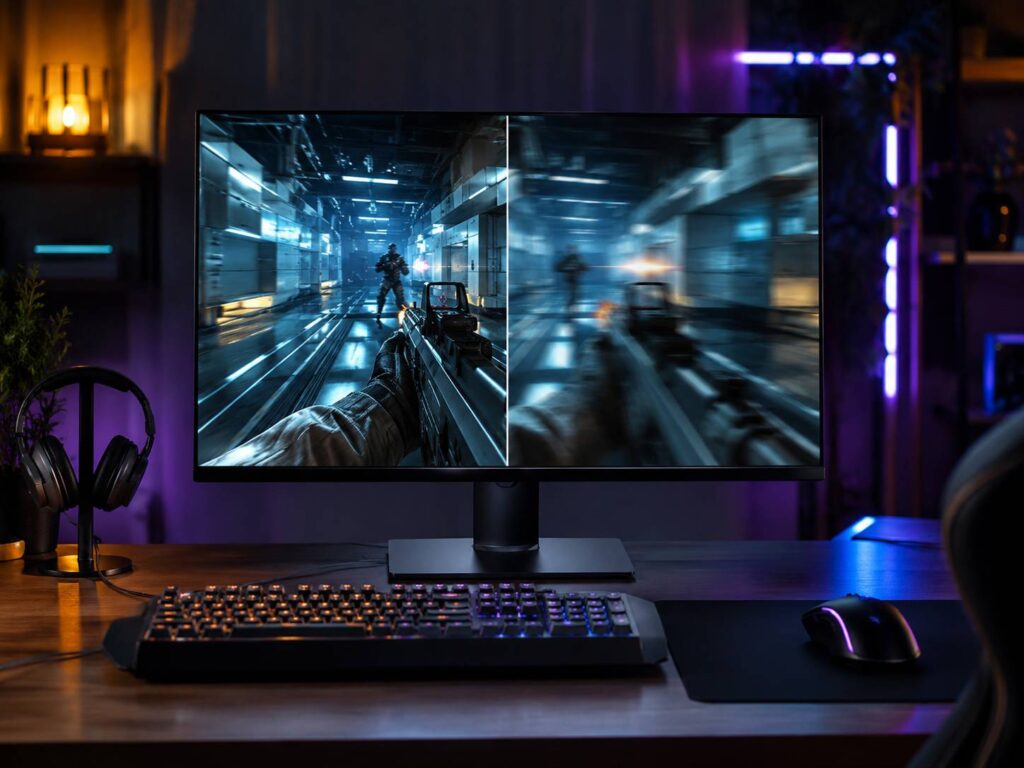
Imagine rapidly rotating the camera in a first-person shooter. Buildings, players, weapon models, text, and fine edges move across the screen very quickly.
The pixels must keep changing to show those objects in their new positions.
If transitions are too slow, traces of the previous image can remain behind moving objects. This creates visible ghosting or smearing.
An extremely fast OLED can reduce that effect.
The difference may be easiest to see during:
- Fast camera movement
- Tracking opponents
- Flick aiming
- Racing games
- Rapid side-to-side movement
- Scrolling backgrounds
- High-frame-rate gameplay
What you usually notice is cleaner motion, not some dramatic new level of control responsiveness.
That’s an important distinction.
Does 0.03ms Matter for Competitive Gaming?
Competitive gaming is where the difference starts making more sense.
Suppose you’re moving from a:
144Hz 1ms IPS monitor
to a:
360Hz 0.03ms OLED monitor
The new display will probably feel considerably smoother and clearer.
But response time isn’t doing all the work.
You’ve also changed:
- Refresh rate
- Frame duration
- Panel technology
- Motion clarity
- Pixel transition behavior
- Potential display latency
The improvement comes from the complete package.
If you compared two equally good monitors at the same refresh rate, with one producing genuine 1ms transitions and another operating near 0.03ms, the difference would be much smaller.
The OLED should still show cleaner transitions, but 0.97ms alone is unlikely to transform your performance.
For serious esports players, tiny improvements are still useful. For everyone else, stable frame rates, high refresh rates, low system latency, good peripherals, and network conditions can matter just as much, often more.
Be Careful With Advertised 1ms Specifications
A monitor labeled “1ms” does not necessarily complete every pixel transition in exactly one millisecond.
LCD pixel speed can change depending on several factors:
- Starting color
- Target color
- Refresh rate
- Overdrive mode
- Panel temperature
- Measurement method
- Measurement threshold
Manufacturers may also advertise a particularly fast transition rather than an average result across the full range of pixel changes.
That’s why two monitors with identical 1ms GtG labels can look quite different during motion.
One might have well-controlled transitions with very little trailing.
Another may only reach its headline response time by using an aggressive overdrive mode that creates obvious visual artifacts.
For this reason, treat response-time specifications as a useful starting point rather than a complete description of monitor performance.
Why Overdrive Matters on LCD Gaming Monitors
LCD monitors often use overdrive to speed up pixel transitions.
The display briefly applies more voltage to the liquid crystals so they reach their intended value sooner.
When tuned properly, this reduces ghosting and improves motion clarity.
Push it too far, though, and the pixels can overshoot their target.
That creates bright or dark trails behind moving objects. You’ll often hear this described as inverse ghosting or overshoot.
Interestingly, a monitor’s fastest advertised mode may not look the best.
For example, the “Extreme” setting could produce technically faster transitions while introducing distracting halos around moving objects. Switching down to “Fast” might increase transition times slightly but produce a much cleaner image.
So don’t automatically choose the most aggressive overdrive setting.
Cleaner motion is more useful than winning a specification contest.
GtG and MPRT Are Not the Same Thing
Another source of confusion is the difference between GtG and MPRT.
You might see monitors advertising figures such as:
- 1ms GtG
- 1ms MPRT
- 0.5ms MPRT
- 0.03ms GtG
GtG, or gray-to-gray, measures pixel transitions.
MPRT, or Moving Picture Response Time, relates to how long moving imagery remains visible to the eye.
Some LCD gaming monitors achieve very low MPRT figures by using backlight strobing or motion-blur-reduction technology.
These modes can improve motion clarity, but they often come with compromises. Brightness may drop, and some displays restrict variable refresh rate operation while motion blur reduction is active.
Because GtG and MPRT measure different things, comparing:
0.03ms GtG against 1ms MPRT
doesn’t tell you which monitor actually has faster pixel transitions.
Compare GtG with GtG whenever possible.
Why Motion Clarity Ratings Can Be More Helpful
A single response-time figure can’t describe everything happening during movement.
Overshoot, undershoot, pixel transition consistency, and refresh rate all affect what you actually see.
That’s why standardized motion clarity measurements can sometimes provide a better picture than a headline millisecond figure.
VESA’s ClearMR certification, for example, evaluates the ratio of clear pixels to blurry pixels during motion.
Higher ClearMR tiers indicate stronger motion clarity under the certification’s testing method.
This doesn’t make traditional response-time measurements useless. It simply provides another way to judge displays when two monitors claim similar response times but behave differently.
0.03ms vs 1ms at 144Hz
At 144Hz, each refresh lasts about 6.94ms.
A genuine 1ms transition is already much shorter than the available frame interval.
Moving to 0.03ms can still improve pixel clarity, particularly if the original monitor has slower transitions outside its best-case specification. Still, the improvement may not feel dramatic.
Compare that with upgrading refresh rate.
Moving from 60Hz to 144Hz reduces the refresh interval from:
16.67ms to 6.94ms
That’s a difference of approximately:
9.73ms
Meanwhile, the advertised difference between 1ms and 0.03ms is:
0.97ms
That makes the refresh-rate upgrade the bigger change.
0.03ms vs 1ms at 240Hz
At 240Hz, every refresh lasts around 4.17ms.
Pixel transitions now consume a larger percentage of the available time.
A good 240Hz IPS gaming monitor can still look excellent, but slower transitions become easier to notice at these speeds.
OLED’s response advantage also becomes more useful.
Because its pixels change extremely quickly, OLED doesn’t need the aggressive overdrive behavior that LCD displays often rely on.
For fast shooters, racing games, and other motion-heavy content, the result can look noticeably cleaner.
0.03ms vs 1ms at 360Hz, 480Hz, and 500Hz
Extremely high refresh rates put even more pressure on pixel performance.
At 360Hz, each refresh lasts about:
2.78ms
At 480Hz:
2.08ms
At 500Hz:
2ms
Now a 1ms transition represents a much larger portion of the refresh interval.
That doesn’t make fast LCD monitors bad. High-end esports LCDs can still perform extremely well.
Yet very fast OLED transitions make more sense at these refresh rates because pixels can settle quickly before the display needs to show another image.
This helps preserve the motion clarity that you bought the high-refresh monitor for in the first place.
Can You Feel a 0.97ms Difference?
Probably not as an isolated 0.97ms change.
Human perception doesn’t work according to a simple rule where everyone suddenly notices an extra millisecond.
Some competitive players are much more sensitive to display behavior than others. Even then, they’re usually noticing the combined effect of faster refreshes, lower latency, cleaner motion, higher frame rates, and better pixel transitions.
An OLED display may feel clearer because:
- Moving edges stay more defined
- Ghosting is minimal
- Pixel changes finish quickly
- High refresh rates look cleaner
- Fast camera movements are easier to follow
So there is a genuine benefit.
Still, saying someone can directly “feel 0.03ms instead of 1ms” makes the difference sound simpler than it really is.
What Matters More Than the Advertised Response Time?
If gaming performance is your priority, consider these factors together:
- Refresh rate
- Real-world motion clarity
- Input latency
- Pixel transition consistency
- Overdrive behavior
- Response-time specification
That final specification still matters, but it shouldn’t decide the purchase by itself.
A properly tuned 1ms gaming monitor can easily outperform a poorly configured display carrying a more impressive headline number.
Likewise, a 0.03ms OLED may have fantastic motion performance, but you still need to consider resolution, brightness, text rendering, ports, price, HDR performance, and OLED image-retention considerations.
When Is 0.03ms Worth Paying Extra For?
A 0.03ms response time makes the most sense when motion performance is already high on your priority list.
It’s particularly relevant for:
- Competitive FPS players
- Esports gaming
- 240Hz to 500Hz setups
- Players who strongly notice ghosting
- Racing games
- Fast action games
- PCs capable of very high frame rates
- Buyers who already want OLED image quality
The response-time advantage matters much less for:
- Office work
- Browsing
- Turn-based games
- Strategy games
- Casual gaming
- Video streaming
- Systems running most games near 60 fps
If your games usually run at 60 to 100 fps, buying a monitor solely because it says 0.03ms probably isn’t the smartest use of your budget.
Should You Upgrade From 1ms to 0.03ms?
Don’t upgrade for the response-time specification alone.
Instead, look at everything else you’re gaining.
Moving from:
1080p, 144Hz IPS, 1ms
to:
1440p, 240Hz or 360Hz OLED, 0.03ms
is a substantial upgrade.
You’re gaining higher resolution, faster refresh rates, better contrast, faster pixels, and potentially stronger HDR performance.
In that situation, the move can make plenty of sense.
The argument becomes less clear if you already own a strong 240Hz or 360Hz LCD monitor with excellent response times.
OLED may still improve motion clarity and image quality, but the upgrade becomes about the complete display rather than that 0.97ms specification difference.
What to Check Before Buying a Gaming Monitor
Don’t sort a shopping list by the lowest response time and call it done.
Check these areas instead.
Refresh Rate
Higher refresh rates reduce the time between updates and make movement appear smoother.
Your computer needs to generate enough frames to benefit, though.
A 500Hz monitor won’t magically display 500 unique game frames if your GPU is only producing 120 fps.
Actual Pixel Performance
Look beyond the manufacturer’s headline specification.
Good monitor testing measures many different pixel transitions rather than relying on a single best-case result.
Overshoot
Aggressive overdrive can make response times look impressive while creating ugly inverse ghosting.
A slower setting with controlled transitions often looks better.
Input Latency
Low display processing delay matters in competitive gaming.
Again, don’t confuse it with GtG response time.
Variable Refresh Rate
Adaptive Sync, FreeSync, and G-SYNC-compatible operation can reduce tearing and make fluctuating frame rates look smoother.
This often matters more during normal gaming than shaving a fraction of a millisecond from pixel transitions.
Panel Technology
OLED offers extremely fast pixel transitions and excellent black levels.
LCD monitors still come in a huge range of sizes, prices, brightness levels, resolutions, and refresh rates. They also avoid OLED’s image-retention concerns.
Resolution
Higher resolutions produce sharper images but demand more GPU performance.
For competitive gaming, balancing resolution, refresh rate, and achievable frame rate often makes more sense than simply buying the fastest panel available.
Common Mistakes When Comparing Response Times
Response-time marketing makes it surprisingly easy to compare monitors the wrong way.
Treating 0.03ms as total latency
It isn’t.
The figure refers to pixel response under a particular measurement method.
Comparing MPRT directly with GtG
These measurements describe different aspects of motion behavior.
Assuming every 1ms monitor performs the same
They don’t.
Actual pixel transition times and overshoot can vary considerably.
Automatically selecting maximum overdrive
The fastest setting can sometimes produce the worst-looking image because of overshoot.
Ignoring refresh rate
Fast pixels cannot compensate for a low refresh rate.
A 60Hz display still refreshes only once every 16.67ms.
Ignoring your PC’s performance
A very high refresh rate only becomes useful if your hardware can generate enough frames.
Is 1ms Still Good for Gaming?
Absolutely.
A genuinely fast 1ms monitor is still a strong choice for gaming.
At 120Hz, 144Hz, and 165Hz, a good fast IPS monitor can provide responsive gameplay and very good motion clarity.
Plenty of 240Hz LCD monitors also perform extremely well.
OLED’s 0.03ms response time gives it a clear technical advantage in pixel transition speed, but that doesn’t suddenly make 1ms monitors outdated.
If you’re working with a limited budget, buying a high-quality 1ms LCD with a good refresh rate can make far more sense than stretching your budget purely to get a 0.03ms label.
Frequently Asked Questions
Is 0.03ms better than 1ms?
Yes. In terms of pixel transition speed, 0.03ms is much faster than 1ms. The practical difference depends on refresh rate, frame rate, panel technology, and actual display behavior.
Is 0.03ms response time noticeable?
It can improve motion clarity, especially at 240Hz and above. What you’ll usually notice is cleaner movement rather than a directly perceptible 0.97ms reduction in latency.
Is 1ms good enough for competitive gaming?
Yes. Many excellent competitive gaming monitors fall into the 1ms class. OLED can still offer cleaner pixel transitions, particularly at very high refresh rates.
Does 0.03ms increase FPS?
No.
Your CPU and GPU determine your game’s frame rate. Monitor response time only affects how quickly pixels change between images.
Does 0.03ms mean zero input lag?
No. Pixel response time and input lag are separate measurements.
Is OLED always faster than IPS?
OLED usually has much faster pixel transitions than LCD technologies such as IPS. That doesn’t mean every OLED monitor automatically has lower total input latency or is better in every other area.
Is 0.5ms much better than 1ms?
The advertised difference is only half a millisecond. Actual motion clarity, refresh rate, overshoot, and transition consistency may matter more.
Should I choose 0.03ms 240Hz or 1ms 360Hz?
Don’t decide from those two specifications alone.
The 360Hz monitor refreshes more often, while the 0.03ms OLED may have cleaner pixel transitions. GPU performance, measured input latency, resolution, motion clarity, and panel behavior all need to be considered.
So, Does 0.03ms vs 1ms Actually Matter?
Yes, but the difference isn’t as dramatic as the numbers make it sound.
A 0.03ms OLED has a genuine advantage in pixel transition speed. That can reduce visible trailing and produce exceptionally clean movement, especially at 240Hz, 360Hz, 480Hz, and 500Hz.
Still, the raw advertised difference is only 0.97ms.
More importantly, response time represents just one piece of overall gaming latency.
For most people gaming at 144Hz or 165Hz, a good 1ms monitor remains an excellent choice. Even at 240Hz, a well-tuned LCD can perform very well.
The benefit of 0.03ms becomes more meaningful once you’re chasing extremely high refresh rates and the best motion clarity possible.
So don’t buy a gaming monitor based on the smallest millisecond figure you can find. Look at refresh rate, real response behavior, input latency, overshoot, resolution, panel technology, variable refresh rate support, and the frame rates your PC can actually produce.
Those details will tell you much more about how the monitor performs than a single number on the specification sheet.