What Is Debounce Time?
Debounce time is the short delay a keyboard, mouse, controller, or button circuit uses to confirm that a press is real.
That sounds more technical than it feels in daily use. You press a key once, and you expect one letter. You click once, and you expect one click. Debounce time helps make that happen.
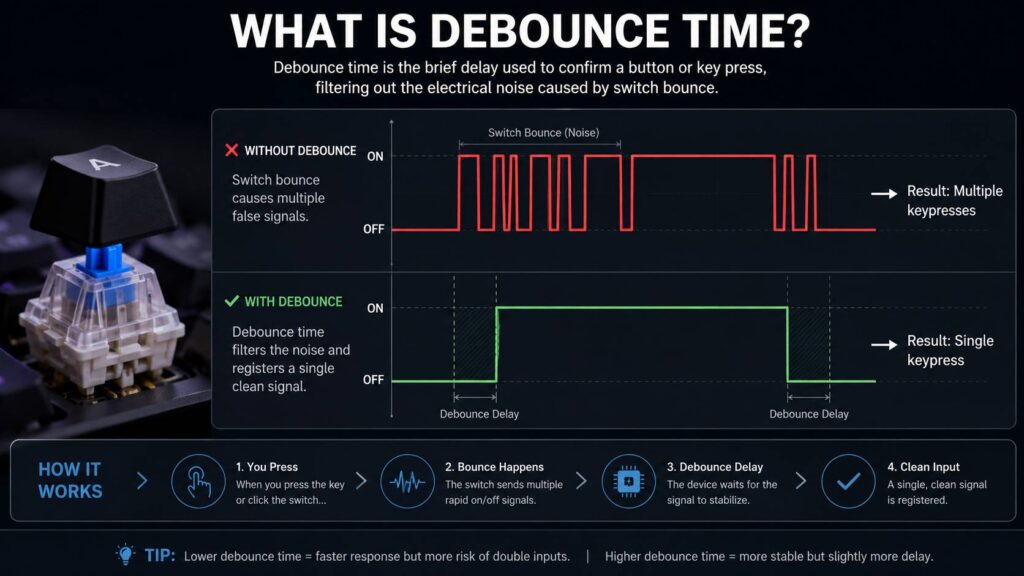
Inside a mechanical switch, the metal contacts do not always close in one clean motion. They can bounce for a few milliseconds. The device can read those tiny jumps as several fast presses. Debounce time filters that noise and turns it into one clean input.
So, debounce time is not only about speed. It is about clean input. A lower setting can feel faster, but a setting that is too low can cause double clicks, key chatter, and repeated letters.
Why Debounce Time Exists
A physical switch is not perfect. The moment you press it, small metal parts touch each other. They can vibrate, separate for a split second, then touch again.
Your finger feels one press. The keyboard or mouse can see several electrical changes.
For example, you press the “A” key once. The switch bounces. The keyboard reads the signal too quickly. Instead of one “A,” you may get “AA.” That problem is called key chatter.
The same thing can happen with a mouse. You click once, but the computer receives two clicks. This is one of the most common signs of poor debounce behavior or a worn mouse switch.
Debounce time gives the signal a small moment to settle. After that, the device accepts the input.
Debounce Time on Keyboards
Keyboard debounce time controls how long the keyboard firmware waits before it accepts a key press or key release.
Most users never need to touch this setting. A well-built keyboard with good firmware should already have a stable value. Many mechanical keyboards use a debounce value around 5 ms, which is fast enough for typing and gaming.
A lower debounce value can reduce input delay by a few milliseconds. That sounds nice, and sometimes it is. But the gain is small. If the value gets too low, the keyboard can start to behave badly.
Common signs include:
- Double letters
- Random repeated keys
- Spacebar chatter
- Movement keys repeating in games
- A key that feels unreliable
- Fast taps that do not always register cleanly
For most people, a stable keyboard matters more than chasing the lowest possible number.
Debounce Time on Gaming Mice
Mouse debounce time works in a similar way. It filters the signal from the click switch so one physical click becomes one digital click.
This setting matters more in gaming mice than in basic office mice. Fast clicks matter in shooters, MOBAs, RTS games, and rhythm games. Many gaming mouse brands try to keep click latency low, so debounce becomes part of the feel.
A low debounce setting can make clicks register faster. It can also increase the risk of accidental double-clicking, mainly with worn mechanical switches.
That is why some gaming mice let you change debounce time in the software. If your mouse double-clicks by accident, raising debounce time can help. It will not always fix the root problem, though. If the switch is physically worn, the real fix is a switch replacement or a new mouse.
Optical mouse switches reduce this issue. They do not depend on the same metal-contact behavior as older mechanical switches. Still, firmware and signal processing still play a role.
Low Debounce Time vs High Debounce Time
A low debounce time means the device accepts input faster. A high debounce time means the device waits longer before it accepts input.
Here is the practical difference:
- Low debounce time feels faster
- Low debounce time can cause chatter
- High debounce time feels more stable
- High debounce time can add delay
- Balanced debounce time gives clean input with little delay
The best setting is not always the lowest one. It is the lowest stable one.
That detail matters. A keyboard with 1 ms debounce sounds fast, but it is not useful if it repeats letters. A mouse with near-zero debounce sounds great, but it becomes annoying if one click turns into two.
A slightly higher setting can feel better in real life.
What Is a Good Debounce Time?
For many mechanical keyboards, 4 ms to 6 ms is a good range. A 5 ms setting often gives a clean balance between speed and stability.
For gaming mice, the right setting depends on the switch type, firmware, and wear level. Some mice run cleanly at 2 ms to 4 ms. Others need 6 ms to 10 ms to stop double-clicking.
A simple guide looks like this:
- 0 ms: fastest, but risky with mechanical switches
- 1 ms to 3 ms: very fast, best with clean switches
- 4 ms to 6 ms: good range for most keyboards
- 7 ms to 10 ms: useful for minor chatter
- 10 ms or more: better for worn switches, but less ideal for fast gaming
My honest view: most people should not change debounce time unless they have a real problem. Defaults exist for a reason. A keyboard that works cleanly at 5 ms is better than one that looks better on paper at 1 ms.
Does Debounce Time Affect Gaming?
Yes, debounce time can affect gaming input delay. Still, it is only one part of the full input chain.
Your total input delay includes:
- Switch actuation
- Debounce time
- Keyboard or mouse scan rate
- USB polling rate
- Game engine timing
- Display refresh rate
- Monitor response time
A lower debounce setting can shave off a few milliseconds. That can matter in competitive play, but only if the device remains stable.
For a deeper look at the full input chain, this guide on keyboard polling rate and latency explains how polling rate, scan rate, and response time affect keyboard feel.
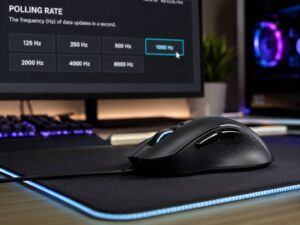
For mouse users, mouse polling rate is another setting worth understanding. A high polling rate can make movement and clicks feel smoother, but it does not replace proper debounce control.
Debounce Time vs Polling Rate
Debounce time and polling rate both affect input feel, but they do different jobs.
Debounce time filters switch noise. It decides if a press is real.
Polling rate controls how often the device reports data to the computer. A 1000 Hz polling rate means the device can report once every 1 ms.
A keyboard can have a fast polling rate and still use 5 ms debounce. A mouse can report at 4000 Hz and still have click debounce in the firmware.
This is why specs can be confusing. A high polling rate does not remove switch bounce. It only controls how often the device sends data.
For clean input, you need both good signal handling and fast reporting.
Common Problems Linked to Debounce Time
Bad debounce settings can make a device feel broken.
You may notice:
- One key press types two letters
- One mouse click opens two windows
- A game action fires twice
- A movement key repeats after one tap
- A DIY button counts many presses instead of one
- A keyboard feels fine, then starts chattering later
Low debounce settings often cause repeated inputs. High debounce settings can make fast taps feel less sharp.
Hardware problems can create the same symptoms. Dirty switches, worn click plates, loose hot-swap sockets, and weak solder joints can all cause strange behavior. Debounce can hide some of it, but it cannot repair bad hardware.
Software can filter noise, but it cannot make a worn switch new again.
How to Test Debounce Time
Start with the default setting. Test the device before changing anything.
For a keyboard, open a text editor and type fast. Then test common problem keys like spacebar, E, A, S, D, and backspace. Press each key once and watch for double letters.
For a mouse, click slowly at first. Then click faster. Watch for double-clicks, missed clicks, or menu items opening twice.
A simple test plan:
- Use the device at its default setting
- Lower debounce one step
- Test typing or clicking again
- Watch for repeated inputs
- Raise the value if chatter appears
- Stop once the device feels fast and stable
Do not change five settings at once. Small changes make testing easier.
Debounce Time in Custom Keyboards
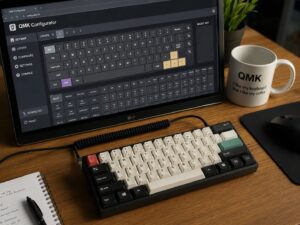
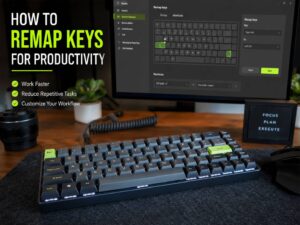
Custom keyboard firmware often gives users more control over debounce behavior. This is common with QMK, ZMK, VIA-supported boards, and enthusiast keyboards.
That control is useful, but it can create confusion too.
Lower debounce time too far and the keyboard can chatter. Raise it too much and a fast keyboard feels slightly dull.
Switch type matters here. New linear switches may work well at lower values. Older tactile switches may need more filtering. Cheap switches can vary from one key to another.
Hot-swap boards add another layer. A switch that is not seated well can act like it has debounce trouble. Reseating the switch may fix the problem faster than changing firmware settings.
Debounce Time in DIY Electronics
Debounce time is not only a keyboard and mouse topic. It appears in Arduino projects, Raspberry Pi buttons, macro pads, arcade controls, and simple circuits.
A microcontroller reads button signals very fast. That speed is useful, but it can catch every tiny bounce. One button press can become several input events.
Software debounce is the common fix. The code waits briefly after a change, then checks the button again. If the signal still matches the new state, the press counts.
Hardware debounce uses components like resistors and capacitors to smooth the signal before the code reads it.
For simple DIY buttons, 10 ms to 50 ms is common. For games or fast controls, lower values feel better. For menu buttons or basic switches, higher values are fine.
Mechanical, Optical, and Hall Effect Switches
Mechanical switches need debounce because they use physical contacts. Contact bounce is part of the design.
Optical switches work differently. They use light to detect movement, so they avoid the usual metal-contact bounce. This can help with fast response and long-term click consistency.
Hall effect switches use magnets and sensors. They can detect position without classic metal contacts. This makes features like adjustable actuation and rapid trigger possible.
These switch types can reduce bounce-related problems, but they still need good firmware. The device must still decide how to read the signal, when to report input, and how to handle noise.
So, “zero debounce” is not always the full story. The switch type matters, but the firmware matters too.
Should You Lower Debounce Time?
Lower debounce time only if your device stays stable.
A lower setting makes sense if:
- You play competitive games
- Your keyboard firmware supports safe tuning
- Your switches are clean and stable
- You test each change
- You want to reduce input delay slightly
A lower setting is a bad idea if:
- Your keyboard already chatters
- Your mouse double-clicks by accident
- You use older mechanical switches
- You do not plan to test the result
- You expect a huge performance boost
Small gains are real, but they are still small. You will notice bad debounce faster than you notice a 2 ms gain.
How to Fix Key Chatter or Double-Clicking
If your keyboard chatters, try these steps:
- Clean the keyboard
- Reseat the switch if it is hot-swappable
- Test the same key in a text editor
- Raise debounce time slightly
- Swap the switch with another key
- Replace the switch if the problem follows it
If your mouse double-clicks, try this:
- Check mouse software for debounce settings
- Raise debounce time if the option exists
- Test clicks at slow and medium speed
- Clean around the button area
- Update the mouse firmware if the brand offers it
- Replace the switch or mouse if the issue stays
Debounce tuning can help, but it is not a permanent fix for worn parts.
Final Thoughts
Debounce time is a small delay that keeps keyboard, mouse, and button inputs clean. It filters the messy signal that happens inside many physical switches.
Lower debounce can feel faster. Higher debounce can feel safer. The best value sits in the middle: fast enough to feel responsive, stable enough to avoid false inputs.
For most keyboards, around 5 ms works well. For gaming mice, the best value depends on the switch and firmware. For DIY projects, the right value depends on the button and how fast the input needs to feel.
The best advice is simple. Use the lowest debounce time that gives clean, repeatable input. If you see chatter or double-clicking, raise it. If everything works, stop tweaking and enjoy the device.