Discover smart buying decisions with Better Buy Base. We provide clear comparisons, pros and cons, and tailored recommendations for every budget and need.
Review
HP OfficeJet Pro 8125: The 8125e Without the HP+ Offer
HP packs the OfficeJet Pro 8125 with setup cartridges rated for about 255 black pages and 270 pages per color, roughly half of what a standard HP 923 cartridge holds, so the first ink order arrives early. The printer around them is the one HP has sold since early 2024 as the 8125e, the replacement for the 8025e, now listed without the HP+ program.
RTINGS bought and tested the 8135e, which it lists as the same mechanism with a fax modem added, and its findings are the independent evidence for how this printer behaves. They describe crisp documents and a low cost per page, a clunky touchscreen and slow printing over Wi-Fi. Epson's WorkForce Pro WF-4830 is the rival the lab prefers.
Without the HP+ offer, the 8125 can never be tied to Original HP ink for life, though HP's chip checks still decide which cartridges it accepts.
Affiliate disclosure: the price links on this page may earn us a commission at no extra cost to you. Retailers cannot pay for placement or influence the score. How we stay independent
Quick verdict
6.5/10
Editorial ratingFairWeighted average of 5 rated sections.
For a home office that prints letters and forms from a laptop or phone, the 8125 is a sound cartridge printer, because RTINGS found sharp text and a low cost per page on its identical fax twin. Printing over Wi-Fi is slow and photos come out flat.
Strengths
Accepts remanufactured and refilled cartridges that carry a reused HP chip, with no HP+ commitment
Low cost per page for a cartridge printer in the lab test of the identical 8135e
Black and color documents printed cleanly in the same test
Weaknesses
Setup cartridges hold about half the ink of standard 923s
Clone cartridges with non-HP chips are blocked, and updates can block cartridges that worked before
HP OfficeJet Pro 8125, C2VJ4A#B1H (US). Same printing hardware as the HP+ 8125e (405T6A) and, per RTINGS, the fax-equipped 8135e
Functions
Print, copy, scan. No fax
Print speed
Up to 20 ppm black, 10 ppm color (ISO), first page out about 15 s black and 18 s color (HP)
Cartridges
HP 923 (about 500 black, 400 color pages) or 923e EvoMore (about 1,000 black, 800 color pages), pigment ink. Setup cartridges about 255 black, 270 color pages
Paper handling
One 225-sheet input tray, 60-sheet output tray, up to 10 envelopes, automatic two-sided printing, borderless on photo and brochure paper
Scanner
Flatbed up to 8.5 x 11.7 in, 35-sheet one-sided feeder up to legal size, 1200 dpi
Connectivity
Dual-band Wi-Fi 802.11ac, Ethernet, Hi-Speed USB 2.0 (device), Wi-Fi Direct, AirPrint, Mopria, HP app
Display
2.7-inch color touchscreen
Monthly volume
Recommended up to 800 pages, duty cycle up to 20,000 pages (HP)
Power
4.07 W ready, 1.02 W sleep, 0.11 W manual off (HP). ENERGY STAR
Size and weight
18.11 x 13.29 x 9.17 in (20.28 in deep with trays out), 17.6 lb
Warranty
One-year limited hardware warranty (HP+ on the 8125e adds a second year)
How we reviewed it
Basis
Research-based: assessed from the manufacturer’s published specifications, documentation and the independent sources listed at the end. We have not tested this unit ourselves; any measurement quoted belongs to the cited source.
Method
The cartridge section is built from HP's listings for the 8125 (C2VJ4A) and the 8125e, which give the yields, the setup-cartridge contents, the warranty and HP's wording on dynamic security and HP+. Print quality, speed over Wi-Fi, scanning and the interface come from RTINGS' review of the 8135e, which the lab lists as mechanically identical to the 8125e apart from fax, so its findings are attributed to the twin. HP's support guide for the 8120 and 8130 series describes the setup routine, and the rear-panel description was checked against HP's rear render and its connectivity list. Comments on build and menus come from owners on Best Buy's page for this SKU.
Evidence
RTINGS bought the 8135e and published its findings on documents, photos, scanning, speed and clogging. Speeds, yields, power draw and capacities are HP's ratings.
Limitations
No lab has tested the 8125 itself, and RTINGS keeps the numbers from its 8135e test for members, so this review uses the findings the lab publishes openly. HP says firmware updates can block cartridges that worked before, so which remanufactured cartridges a given printer accepts can change over its life. Most owner reviews on Best Buy were written in the first weeks of ownership and many are marked as incentivized, so they say little about durability.
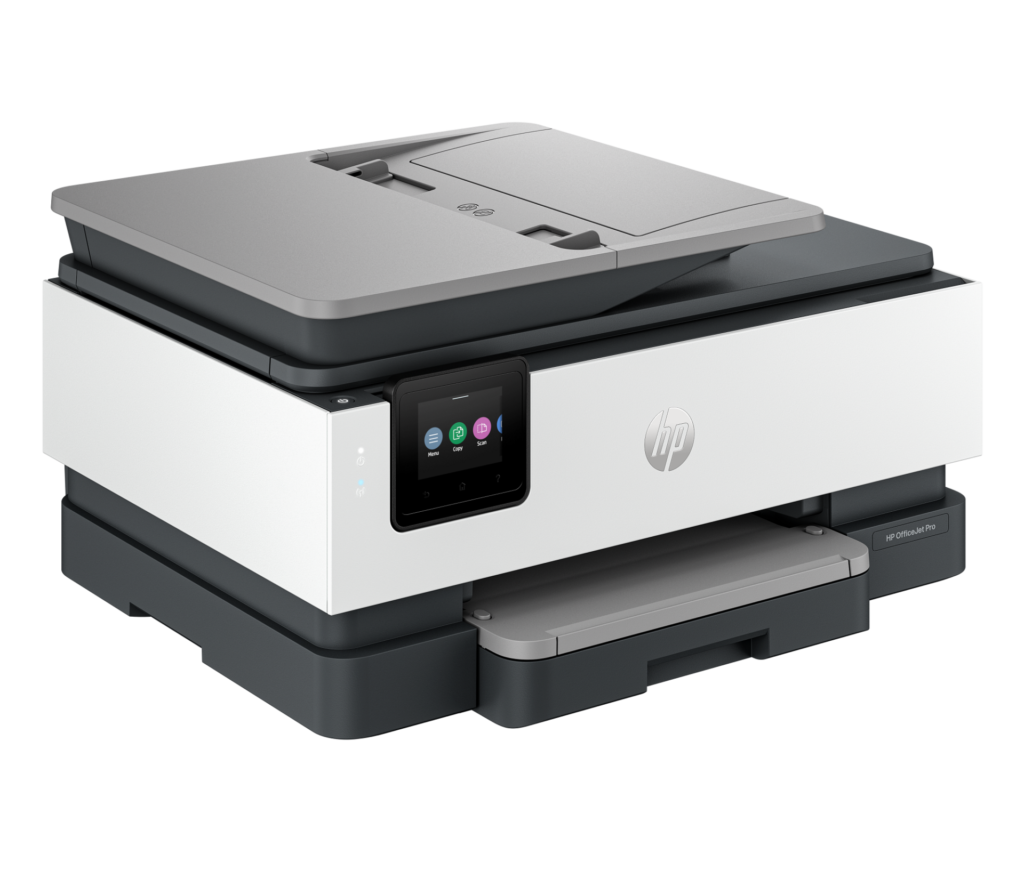
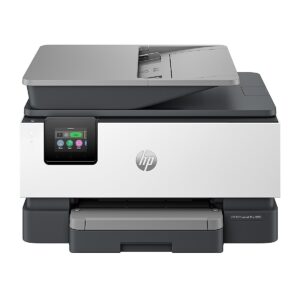
Product illustration based on manufacturer imagery: HP's front-left render of the OfficeJet Pro 8125 on a generated studio backdrop. Product illustration based on manufacturer imagery (HP render)
Every OfficeJet Pro in this family uses HP's dynamic security. HP's product page says the printer works only with cartridges that carry a new or reused HP chip, blocks cartridges with any other chip, and receives firmware updates that can block cartridges that worked before. A reused HP chip is the route for remanufactured and refilled cartridges. A refilled HP 923 that kept its original chip should print, and a clone cartridge with its own chip should be refused.
On the 8125e, HP+ is a choice made during setup. Accepting it commits that printer to an HP account, a constant internet connection and Original HP ink for its whole life, and HP adds a second warranty year in return, according to HP's 8125e listing. The 8125's page carries no HP+ offer and a one-year warranty. Its owner stands where an 8125e owner stands after declining HP+, with the refill route open and without the free second year.
RTINGS rates the cost per page on the 8135e as low for a cartridge printer, helped by the yields HP gives for the 923 family: about 500 black pages and 400 per color for the standard cartridges, and about 1,000 and 800 for the 923e EvoMore versions. The setup set in the box covers about half of a standard load.
Signing up for Instant Ink is optional, and the lab notes that the subscription needs the printer online at all times. HP bills it by pages printed, whatever the color. A household that prints a lot of color pages can set that against a tank printer, where bottles of ink replace cartridges and their chips altogether.
Sharp letters, flat photos and slow Wi-Fi
6.6/10Fair
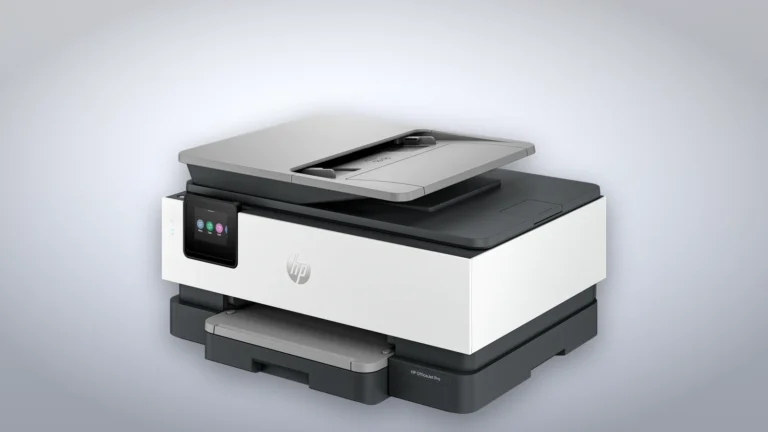
Product illustration based on manufacturer imagery: HP's side render of the OfficeJet Pro 8125 on a generated desk-toned backdrop. Product illustration based on manufacturer imagery (HP render)
HP rates the engine at 20 pages per minute in black and 10 in color to the ISO standard, with the first black page out in about 15 seconds. In RTINGS' test, black and color documents from the 8135e came out sharp, but printing over Wi-Fi was slow, and the lab counts slower output among the ways this generation fell behind the 8025e.
Photos come out slightly flat and muted, which the lab traces to a limited color gamut. Borderless printing works on photo and brochure paper up to letter size. All four inks are pigment-based, which HP says makes prints resistant to water, smears and fading, and the lab warns that the heads can clog if the printer sits unused for long stretches.
One paper tray and a one-sided feeder
5.8/10Mediocre
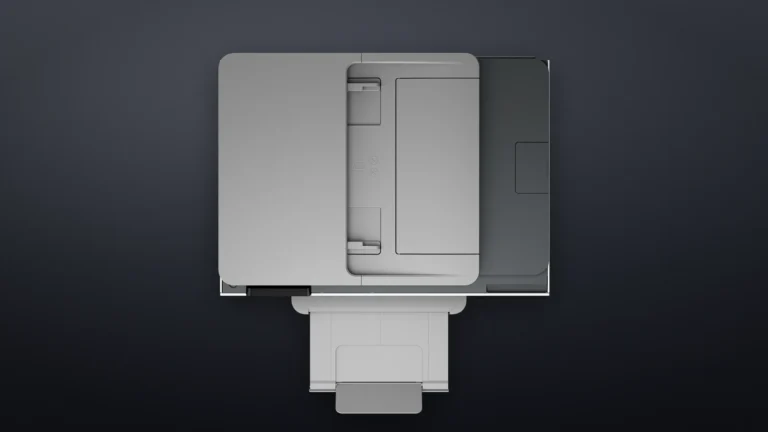
Product illustration based on manufacturer imagery: HP's top-down render of the OfficeJet Pro 8125 on a generated dark backdrop. Product illustration based on manufacturer imagery (HP render)
Paper loads into a single 225-sheet tray and lands on a 60-sheet output tray, with no second drawer for letterhead or photo paper. The document feeder holds 35 sheets and scans one side at a time, so a two-sided contract goes through twice. The flatbed takes letter-size pages, and the feeder accepts legal.
RTINGS found scan quality decent on the 8135e, but the default processing smooths away fine detail and the lid hinges do not rise for thick books. The lab also reports that this generation dropped the built-in text recognition of the 8025e, while HP's spec sheet for the 8125 lists TXT and RTF among its scan formats, so try a searchable scan in the HP app within the return window if you depend on one.
A couple of Best Buy owners who came from older OfficeJets describe the tray, the paper guides and the output extender as flimsier than before.
Setup, the touchscreen and the back panel
6.4/10Fair
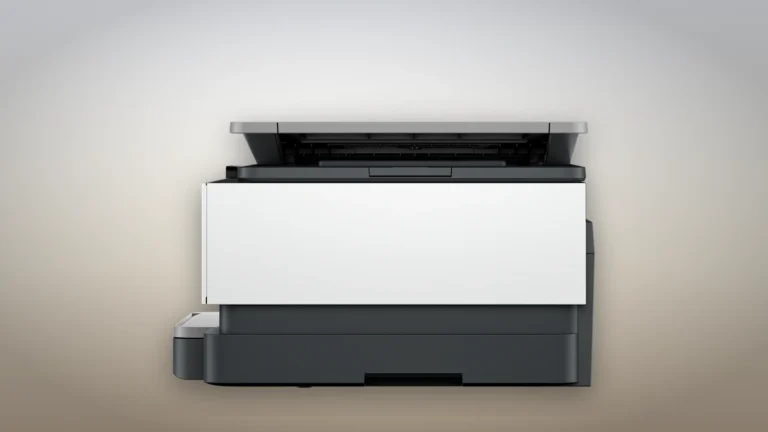
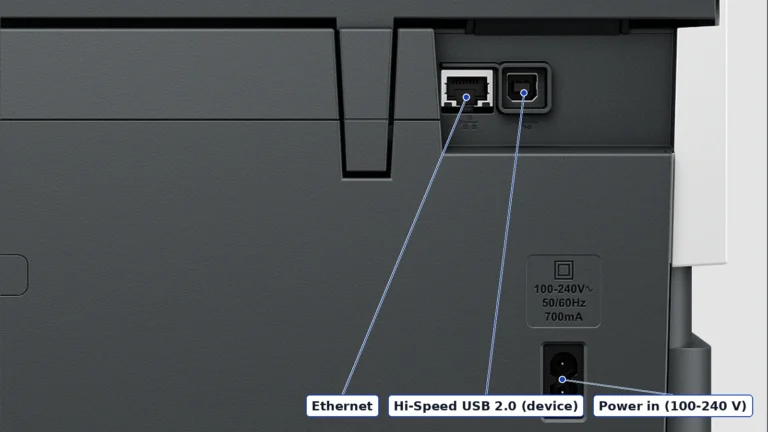
Crop of HP's rear render of the OfficeJet Pro 8125, labeled from HP's connectivity specifications. There are no phone-line jacks. Product image: HP rear render, authentic crop
During setup the printer prints an alignment page, you scan it on the glass, and the software comes from 123.hp.com, as HP's setup guide for the 8120 and 8130 series lays out. The 2.7-inch color touchscreen is where RTINGS found the interface clunky, and a long-time HP owner on Best Buy calls the new menu harder to read than the old one.
The back panel has an Ethernet port, a USB 2.0 port for a computer and the power inlet. There are no phone-line jacks, because the 8125 has no fax, and HP points occasional faxers to a mobile fax service in its app. Wireless is dual-band 802.11ac with Wi-Fi Direct, AirPrint and Mopria, and HP rates the sleep draw at about 1 W.
Against the 8135e and the Epson WF-4830
6.8/10Fair
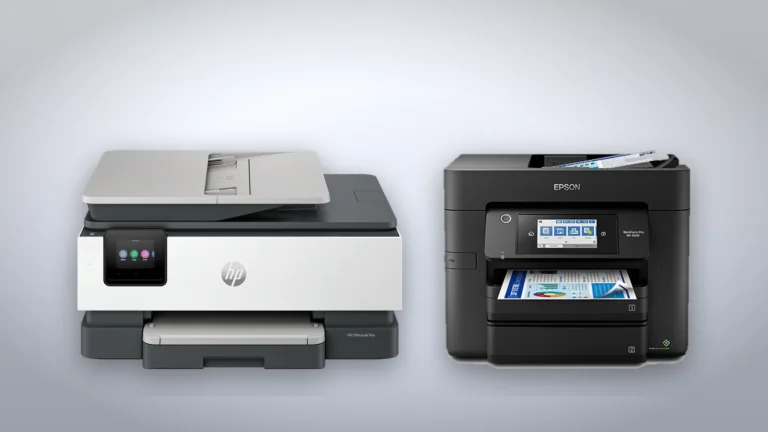
Product illustration based on manufacturer imagery: HP's render of the OfficeJet Pro 8125 beside Epson's render of the WF-4830 on a generated backdrop, not to scale. Product illustration based on manufacturer imagery (HP and Epson renders)
The HP OfficeJet Pro 8135e is the same printer with a fax modem, and RTINGS lists the two as mechanically the same apart from the fax. A home office that still faxes from a landline has a reason to pay for it.
The stronger rival is Epson's WorkForce Pro WF-4830, which the lab rates better in practically every way: sturdier, easier to maintain, with a friendlier interface and a feeder that scans both sides of a page. It is also a much bulkier machine. HP's 9125e is the step up inside HP's range, with higher-yield cartridges and two-sided feeder scanning, though the lab found its feeder scans came out crooked.
The 8125 answers both with a lower list price than HP's fax and 9-series models and the same open door to refilled HP cartridges.
HP's step up, with higher-yield cartridges and two-sided feeder scanning for an office that scans every day, though its feeder scans came out crooked in the same lab test.
In-stock offers for this exact model, sorted by item price in USD. Shipping is not included unless a retailer supplies it. Not every retailer is listed. Prices last checked 8 hours ago.
Retailer prices for the HP OfficeJet Pro 8125 All-in-One Printer, product number C2VJ4A#B1H (US, no HP+ offer)
Prices and availability come from retailer feeds and change without notice; the retailer’s page is authoritative. We may earn a commission if you buy through these links.
✓
Final verdict
HP OfficeJet Pro 8125 All-in-One Printer, product number C2VJ4A#B1H (US, no HP+ offer)
Scores run from 1.0 to 10.0: 9+ exceptional, 8–8.9 excellent, 7–7.9 good, 6–6.9 fair, 5–5.9 mediocre, below 5 poor. The overall score is the weighted average of the rated sections. Unrated sections do not count.
Pros
Accepts remanufactured and refilled cartridges that carry a reused HP chip, with no HP+ commitment
Low cost per page for a cartridge printer in the lab test of the identical 8135e
Black and color documents printed cleanly in the same test
Wired Ethernet and USB alongside dual-band Wi-Fi
Cons
Setup cartridges hold about half the ink of standard 923s
Clone cartridges with non-HP chips are blocked, and updates can block cartridges that worked before
Slow printing over Wi-Fi
The feeder scans one side at a time
Flat, muted photos from a limited color gamut
A single paper tray
Conclusion
Take away the HP+ terms and what remains is a compact, well-connected document printer that RTINGS found sharp on text and modest on ink, held back by a one-sided feeder, a single tray and a sluggish wireless link. The fax twin charges more for one function, and Epson's WF-4830 is better built and better at scanning for anyone with room for it.
For letters, forms and reports at a single desk, the 8125 does the work without tying its owner to HP's subscription terms.
Andreea-Viviana Jitaru’s take
The 8125 is the 8125e with the HP+ offer taken out, which leaves a buyer exactly where an 8125e owner stands after declining HP+ at setup. I'd rather start there, because a second warranty year was never worth signing every future cartridge over to HP.
Buy it if
A one-person home office printing letters, forms and reports from a laptop or phone
Buyers who want the option of refilled or remanufactured HP cartridges later on
Consider an alternative if
Two-sided originals get scanned every week
Photos for framing are part of the job
Faxing still matters, which the 8135e handles
The printer will sit idle for weeks at a time, since the lab test warns the heads can clog
Is the OfficeJet Pro 8125 different from the 8125e?
HP lists the same speeds, trays, cartridges and dimensions for both. The 8125e offers HP+ at setup, which ties it to Original HP ink in exchange for a second warranty year. The 8125 has no HP+ offer and a one-year warranty.
Can it use refilled or third-party cartridges?
Only cartridges with a new or reused HP chip. HP's dynamic security blocks other chips, and HP says firmware updates can block cartridges that worked before.
Does the OfficeJet Pro 8125 fax?
No. It has no fax modem or phone-line jacks. HP points to a mobile fax service in its app, and the 8135e is the version with a fax.
Does it scan both sides of a page automatically?
No. The 35-sheet feeder scans one side at a time, so two-sided originals go through twice.
Andreea edits the written side of the site: the editor's note on each product page, the category buying guides and the blog. Her brief is to say what a specification table cannot: where a product is good, where it quietly compromises, and who should walk past it. A note that reads like marketing copy, or that praises a product without naming a drawback, does not go live.
This is a research-based assessment: the reviewer compiled it from published specifications, documentation and independent measurements rather than from testing the unit.
6.5/10HP OfficeJet Pro 8125 All-in-One Printer, product number C2VJ4A#B1H (US, no HP+ offer)Compare prices
Cookies on BetterBuyBase
We keep cookies to a minimum. The only ones this site sets are the ones it needs to work: remembering your answer here, keeping the site secure, and signing you in if you choose to post a review. We run no advertising cookies, and we measure traffic without cookies at all.Cookie policy
Customise consent preferences
Each category below lists the exact cookies behind it, what they do and how long they last. Strictly necessary cookies cannot be switched off because the site would stop working without them. Anything else is yours to decline.
NecessaryAlways active
Strictly necessary cookies keep the site working and secure: they remember your choice here, protect forms from abuse and keep you signed in to the admin area. The site cannot run without them.
Show the cookies in this category (7)
cmp_consent
BetterBuyBase · 1 year
Remembers your consent choice for each cookie category, so the banner does not ask again on every page.
cmp_visitor
BetterBuyBase · Session (until you close the browser)
Marks your browser as a real visitor, so a comparison page is built when someone actually opens one rather than when a crawler passes through. It holds the value 1 and nothing else: no identifier, no history.
wp-settings-(id), wp-settings-time-(id)
WordPress · 1 year
Remembers layout preferences inside the WordPress admin screens. Set only for accounts that sign in to run the site, never for ordinary visitors.
wfwaf-authcookie-(hash)
Wordfence (Defiant, Inc.) · 12 hours
Lets the Wordfence firewall check a signed-in user’s access level before WordPress loads, so administrators are not blocked by firewall rules. Set only when you log in to the site.
wf_loginalerted_(hash)
Wordfence (Defiant, Inc.) · Persistent
Records that the administrator has already been alerted about a sign-in from this device. Only used if login alerts are enabled, and set only when you log in to the site.
wfCBLBypass
Wordfence (Defiant, Inc.) · Only if enabled
Allows a visitor who knows a hidden bypass address to pass country blocking. It is only used if country blocking is enabled, and we do not currently use it.
wfls-remembered-(hash)
Wordfence (Defiant, Inc.) · Up to 30 days
Remembers a trusted browser for two-factor login when a signed-in user chooses “remember this device”. Set only for site accounts that use two-factor authentication.
Functional
Functional cookies are set only when you choose a feature that needs them, such as signing in with Google to post a review. Decline and the rest of the site works exactly as before. Only that button stops working.
Show the cookies in this category (1)
g_state (and Google’s own sign-in cookies)
Google · Set by Google
Set only if you use the Google sign-in button to post a review. It remembers the state of that prompt so it is not shown again. Governed by Google’s own policy.
Set by other sites
These are set on a retailer’s own website after you click through to it, so they are governed by that site rather than by this banner.
Show the cookies in this category (1)
Retailer / affiliate cookies
Amazon & affiliate networks · Set by the retailer
Set on the retailer’s own website after you click a “View deal” link, to attribute a purchase. We do not set or read these.