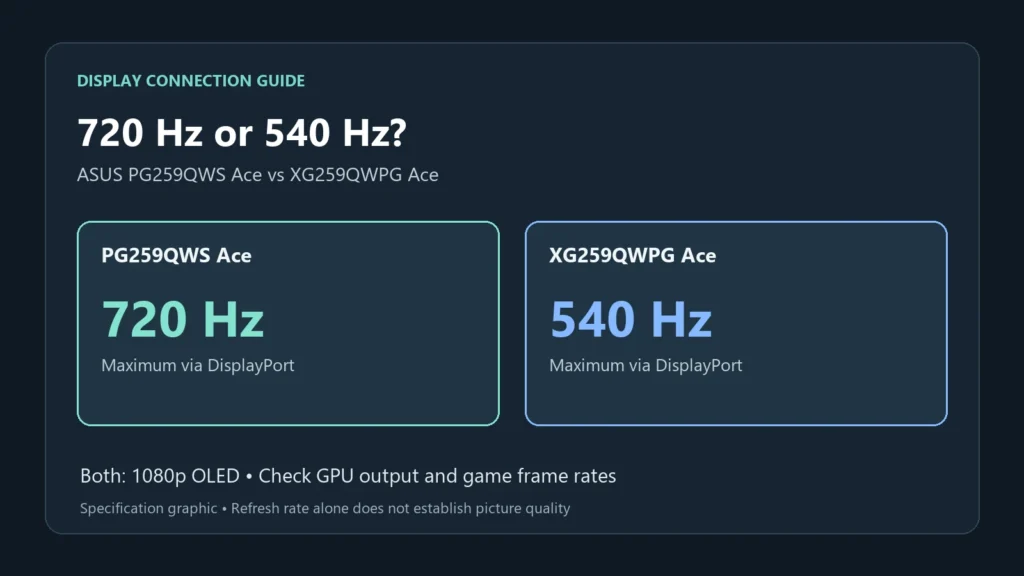
At ASUS’s announced US MSRPs, the 540 Hz ROG Strix OLED XG259QWPG Ace costs $699 and the 720 Hz ROG Swift OLED PG259QWS Ace costs $1,099. That is a $400 premium for the faster model. Before paying it, check how often your PC runs your main game above 540 fps and whether you need the Swift’s extra connection and setup features.
ASUS announced their availability on October 28, following its earlier US MSRP announcement. Beyond 720 Hz, the extra money buys an on-screen position sensor. It also buys a DisplayPort input that only some graphics cards can fill at full speed.
One panel in both monitors
Both use a 24.5-inch 1080p tandem WOLED panel with a glossy finish. Tandem means two light-emitting layers are stacked in each pixel, which ASUS credits with more brightness and a longer life than a conventional WOLED.
ASUS rates both at 0.02 ms gray-to-gray. Both peak at 1,700 nits in HDR, and both carry a three-year warranty that covers burn-in.
The stands are the same too, with printed measurement scales and 155 mm of height adjustment. Each monitor also has two HDMI 2.1 ports.
ASUS publishes the same key panel ratings for both models. That does not establish identical picture quality or input lag; this comparison has no independent measurements of either.
What the extra $400 buys
| ROG Swift OLED PG259QWS Ace | ROG Strix OLED XG259QWPG Ace | |
|---|---|---|
| Announced US MSRP (ASUS) | $1,099 | $699 |
| Top refresh rate | 720 Hz | 540 Hz |
| DisplayPort input | 2.1 (UHBR20) | 1.4 (compressed with DSC) |
| HDMI 2.1 inputs | Two, listed up to 720 Hz | Two, listed up to 540 Hz |
| Position Sensor | Yes | No |
| USB-A hub ports | 3 | 2 |
| DisplayPort cable on ASUS's US accessory list | No | Yes |
At 720 Hz the screen can show a new frame every 1.4 ms. At 540 Hz the gap is 1.9 ms, so the faster model cuts the wait between frames by about half a millisecond.
To supply more than 540 distinct frames each second, your game has to render faster than 540 fps. Check a frame counter through a busy round. If it rarely stays above that level, you will not use the full 720 Hz ceiling. A frame counter alone does not establish whether the monitors have identical input latency at lower frame rates.
The Position Sensor shows the screen's tilt, height and distance from you on the display, so you can rebuild a setup exactly at another desk. It's worth having if you carry your monitor to LAN events. At home, the printed scales on both stands do most of the same job.
A 1440p alternative
Also compare the ROG Swift OLED PG27AQWP-W if you want more detail than 1080p. Its published specification is a 26.5-inch 1440p tandem WOLED panel, up to 540 Hz, with a UHBR20 DisplayPort input. Check current retail prices rather than assuming the launch-price gap will hold.
We'd put the money there unless you play only esports shooters at 1080p, because the extra pixels help in every other game and on every page of text. It does ask more of your graphics card, since 540 frames a second at 1440p is harder to reach than at 1080p.
Which graphics cards fill the UHBR20 port
ASUS's announcement ties full 720 Hz performance to the PG259QWS Ace's DisplayPort 2.1 input. That input runs at UHBR20, the fastest DisplayPort rate, and your graphics card has to support it too.
NVIDIA lists DisplayPort 2.1b with UHBR20 for its GeForce RTX 50 cards. Its RTX 40 cards stop at DisplayPort 1.4a. AMD's launch release gives DisplayPort 2.1a for the Radeon RX 9000 cards but doesn't name the link rate. Look for UHBR20 on your own card's spec sheet.
By our arithmetic, the PG259QWS Ace's full resolution at 720 Hz works out to about 1.5 billion pixels a second. With 10-bit color, that's about 45 Gbps of picture data before any timing overhead.
VESA certifies DP40 cables for up to 40 Gbps. Certified DP80 cables carry up to 80 Gbps, so of the two, only a DP80 cable has room for that signal uncompressed. ASUS's US accessory list for the PG259QWS Ace has no DisplayPort cable on it, while the XG259QWPG Ace's list includes one. Buy a certified DP80 cable rather than reuse an older one, and keep the run short.
HDMI is listed at 720 Hz too
ASUS's US spec page lists both HDMI ports at up to 720 Hz, the same ceiling as the DisplayPort input. On paper, that gives a card without UHBR20, such as an RTX 40 card, a way to reach 720 Hz.
The listed maximum refresh rate does not by itself confirm every combination of color depth, chroma format and compression on your graphics card. Confirm the supported timing and color mode in the monitor’s manual and GPU settings. Raw HDMI link bandwidth cannot be treated entirely as available picture data.
Whichever input you use, check it once the monitor is connected. Open Start > Settings > System > Display > Advanced display, and look for 720 Hz next to Choose a refresh rate.