Two of the brightest OLED monitors on sale in October 2026 quote different peaks. Gigabyte rates the LG Display panel in its MO27Q28G at 1,500 nits, Dell's Alienware AW3426DW uses Samsung Display's newest QD-OLED, rated at 1,300, and both panel generations pass the same VESA DisplayHDR True Black 500 test. They can share a tier because tandem OLED is not a third panel family competing with QD-OLED and WOLED. It counts how many light-emitting layers are stacked inside each pixel, both rival families now use it, and it shapes brightness and wear while the family name still decides color and text.
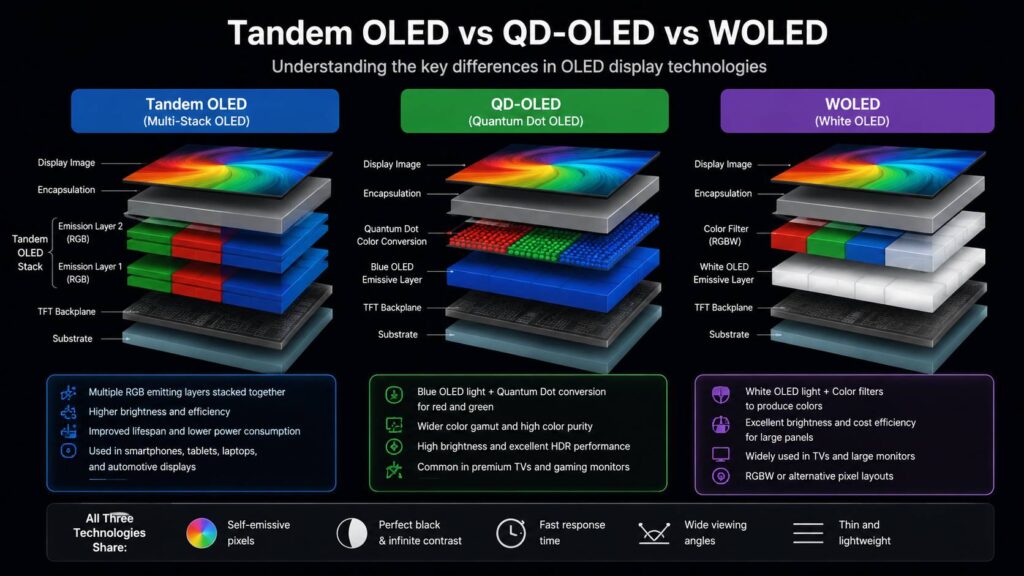
What a tandem stack does inside a pixel
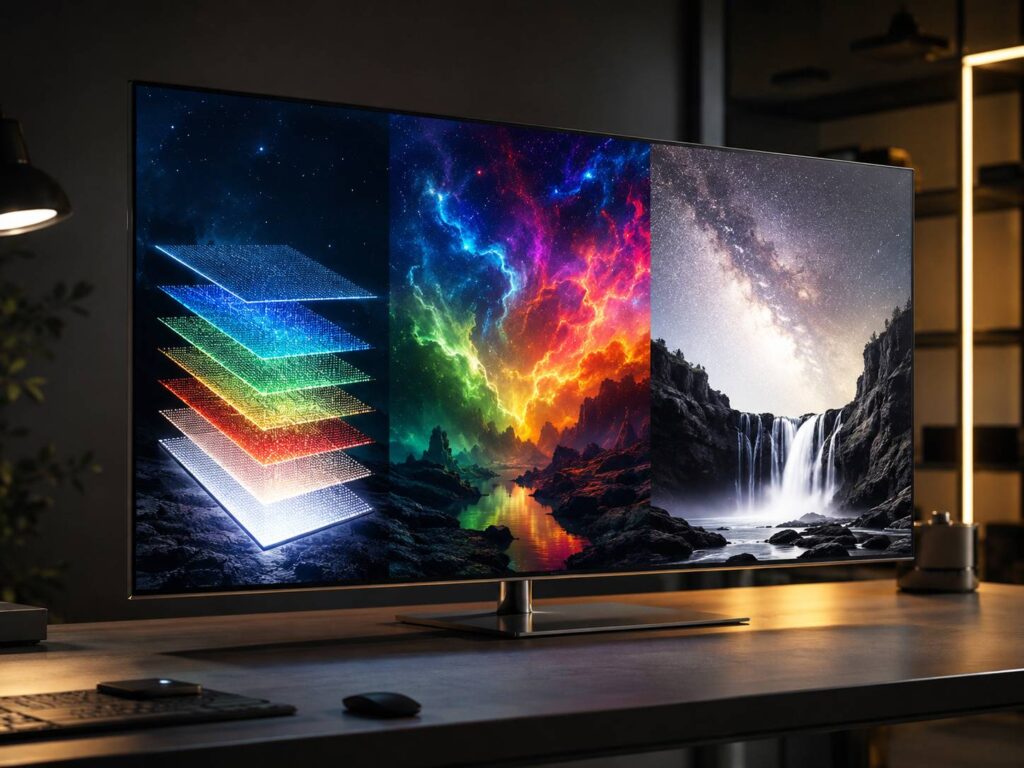
An OLED pixel makes its own light in thin organic layers, and those layers age as current runs through them. A tandem panel stacks two or more light-emitting units on top of each other, so each unit carries part of the load. The maker can spend that headroom on brighter highlights, on lower power at the same brightness, or on slower aging, and usually takes some of each.
The two big monitor panel makers stack differently. LG Display's Primary RGB Tandem, its fourth-generation WOLED, stacks separate red, green and blue light sources in four layers. Samsung Display's Penta Tandem, launched as a brand in February 2026, uses five organic light-emitting layers where the previous QD-OLED generation used four.
Where tandem sits in QD-OLED and WOLED
QD-OLED and WOLED name the way a panel turns light into color. In Samsung Display's QD-OLED, the OLED layers emit blue, and red and green quantum dots convert part of that blue light into the other two primaries. LG Display's WOLED adds a white subpixel to red, green and blue, and ASUS lists that RGWB layout for the fourth-generation tandem WOLED panel in the ROG Swift OLED PG27AQWP-W.
A spec sheet can therefore name a stack and a family at once. Dell's Alienware AW3426DW runs a fifth-generation Penta Tandem QD-OLED panel, while Gigabyte's MO27Q28G and the ASUS above use LG Display's tandem WOLED. Asking which of the three is better mixes a layer count with a color method. The useful QD-OLED vs WOLED comparison is still between the two families, and tandem now improves both of them.
The 1,500 and 1,300 nit claims, side by side
The two headline numbers come from different tests. Gigabyte's sheet for the MO27Q28G gives 1,500 nits as a typical figure at 1.5% APL, a highlight covering 1.5% of the screen. Samsung Display gives 1,300 nits for its Penta Tandem monitor panels at 3% OPR, a patch twice that size. OLED monitors limit their power as the bright area grows, so a figure measured on the smaller patch is expected to read higher, and the gap between the two claims says nothing about which panel is brighter.
VESA runs one test the same way for every monitor. DisplayHDR True Black 500 requires at least 500 nits on an 8% center patch, at least 300 nits on a full white screen in both the flash and the sustained test, and black no brighter than 0.0005 nits. ASUS lists it for the PG27AQWP-W, which uses the same LG Display tandem generation as the Gigabyte, LG lists it for its UltraGear 39GX950B-B, and Dell's AW3426DW carries it with the Samsung panel.
Measured the same way, a 1,500-nit claim and a 1,300-nit claim land in the same tier.
Everyday brightness sits far below either peak, and a desk spends most of its day on white pages. Gigabyte's manual rates the MO27Q28G at 335 nits typical in SDR. TFTCentral measured 327 nits on a full white screen in SDR on the AW3426DW. One is a rating and one a lab reading, so they are not a ranking, but both sit at a fifth to a quarter of their panel's headline figure, which is the gap between peak and full-screen brightness in one pair of numbers.
What the lifetime claims cover
Samsung Display says Penta Tandem is 1.3 times as efficient as the previous generation and lasts twice as long as its four-layer QD-OLED. LG Display's monitor page credits Primary RGB Tandem with brightness 50% higher than its previous version. All three are comparisons with the maker's own earlier panel, and none of the announcements gives a number of hours to a stated loss of brightness, so they cannot be set against each other or against a burn-in warranty.
A stack spreads wear but does not stop it. Organic layers under a taskbar or a game's health bar still age faster than the rest of the screen, and the pixel-refresh routines OLED monitors run can only even that out. The warranty is the buyer's best measure of how far a maker trusts its panel. Dell's three-year warranty on the AW3426DW covers burn-in, according to TFTCentral's review. ASUS lists a three-year warranty for the PG27AQWP-W, and the product page does not say whether burn-in is included.
Text and color still come from the panel family
Stacking layers does not move the subpixels. Samsung's fifth generation moves QD-OLED from the triangular layout of earlier monitors to an RGB stripe, and TFTCentral found text on the AW3426DW looks like text on an LCD of the same pixel density. The fourth-generation tandem WOLED in the PG27AQWP-W keeps the white subpixel. LG Display began mass production in May 2026 of a 27-inch 4K panel that drops it for a pure RGB stripe, with the ASUS PG27UCWM the only monitor confirmed to use it at the time. A third route to an RGB stripe, inkjet-printed IJP OLED, prints separate red, green and blue emitters side by side.
Samsung's 2027 Odyssey OLED G9 and G8, announced at Gamescom on August 27, 2026, both use the fifth-generation Penta Tandem panel with an RGB stripe. The 32-inch G8 runs 4K at 360 Hz, 1440p at 520 Hz or 1080p at 680 Hz. Samsung has not given launch dates or prices for either.
Which tandem monitor suits which desk
The AW3426DW is the safest tandem pick for long days of text, because it pairs the RGB stripe with a burn-in warranty on a 34-inch 1440p ultrawide at 280 Hz. The 39GX950B-B is the sharper ultrawide, 5K2K on 39 inches at 165 Hz, about 143 pixels per inch against the Dell's 110. For fast shooters, the PG27AQWP-W runs 1440p at 540 Hz. Gigabyte's MO27Q28G puts the same LG Display tandem generation on a 27-inch 1440p screen at 280 Hz, for a desk where 540 Hz would go unused. In every case, read the VESA tier and the warranty before the nit figure.