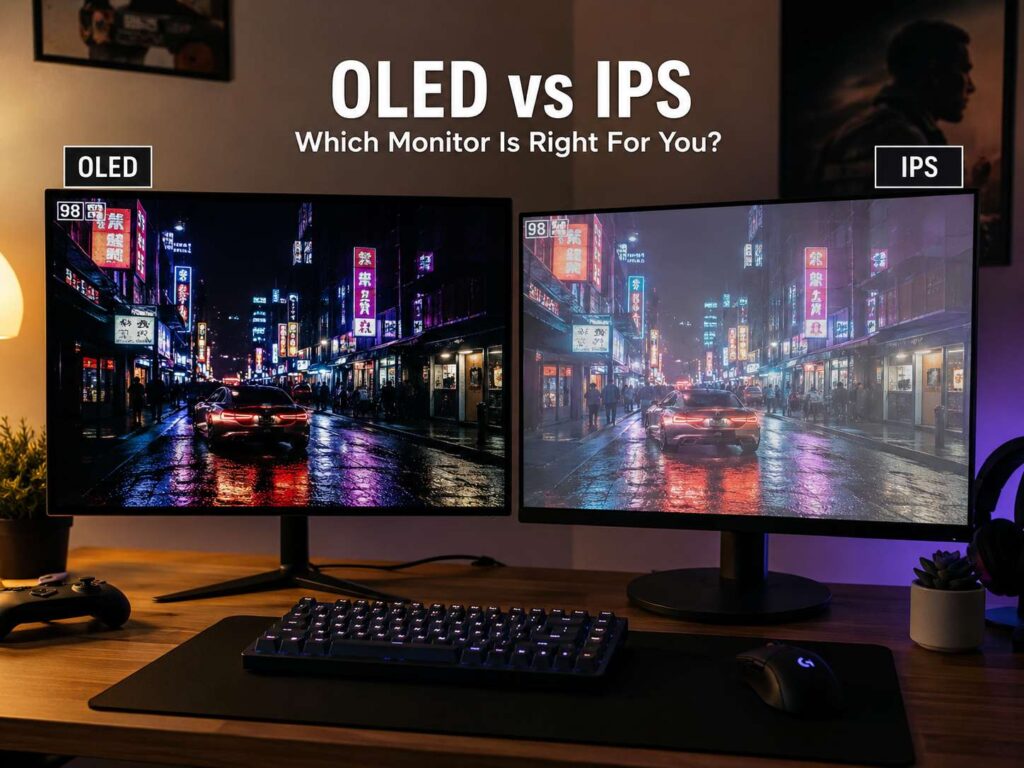
OLED vs IPS monitor: the quick answer
OLED and IPS monitors can both look great, but they serve different needs.
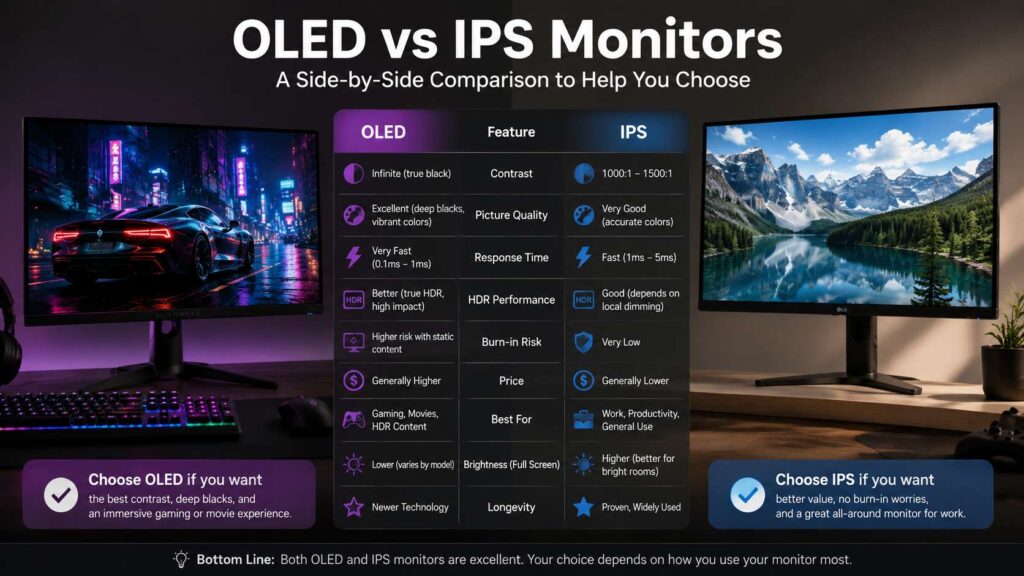
An OLED monitor gives you deeper blacks, stronger contrast, faster pixel response, and better HDR impact. So, it works best for gaming, movies, console play, and dark-room use. Each pixel makes its own light, then turns off fully for black scenes. That is why dark areas look clean instead of gray.
An IPS monitor uses an LCD panel with a backlight. It gives you sharp text, steady color, wide viewing angles, lower burn-in risk, and better value. For that reason, it works best for office work, school, coding, browsing, spreadsheets, and daily use.
So, which one should you buy? Choose OLED for picture quality and gaming. Choose IPS for work, static screens, and lower long-term risk.
What is an OLED monitor?
OLED stands for organic light-emitting diode. Each pixel lights itself, so the monitor does not need a backlight. That one detail changes the full image.
Black looks black. Bright objects stand out more. Dark movie scenes keep more depth. For example, games with night scenes, neon lights, space backgrounds, and high-contrast graphics look richer on OLED.
OLED panels react very fast too. Many OLED gaming monitors have extremely low pixel response times. That helps reduce blur in fast games. So, shooters, racing games, sports games, and action titles can feel cleaner and more direct.
Still, OLED has one clear concern: burn-in. Static items can leave faint marks after long, repeated use. Taskbars, browser tabs, health bars, maps, news tickers, and bright logos create more risk. New OLED monitors include panel care tools, pixel shifting, refresh cycles, and brightness controls. Even so, the risk still matters.
What is an IPS monitor?
IPS stands for in-plane switching. It is a type of LCD panel. Unlike OLED, an IPS monitor needs a backlight to show an image.
IPS monitors became popular for color, sharpness, and wide viewing angles. The image stays fairly steady from the side, which helps during work, editing, and shared viewing. Plus, IPS screens come in many prices and sizes.
An IPS monitor does not show true black. The backlight still shines behind the panel, so dark scenes often look dark gray in a dim room. Some IPS screens show IPS glow near the corners. You will notice it most on black backgrounds.
Still, IPS remains one of the safest choices for most desks. Text looks crisp. Prices start low. Refresh rates now reach very high levels. For example, you can find 24-inch 1080p IPS monitors, 27-inch 1440p IPS monitors, 32-inch 4K IPS monitors, and fast gaming models.
Picture quality: OLED wins on contrast
OLED wins the picture quality fight for movies, games, and entertainment. The main reason is contrast.
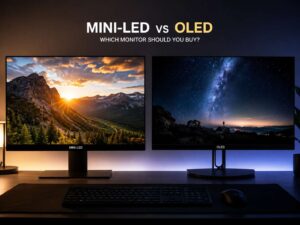
Contrast describes the gap between black and white. OLED can turn pixels off, so black areas look much darker than on IPS. Then bright parts feel stronger. A lamp in a dark game scene, stars in space, or subtitles on a black screen look cleaner on OLED.
IPS can still look bright and colorful. Yet the backlight limits black depth. In a bright room, this difference feels smaller. In a dark room, it becomes clear fast.
For movies, HDR games, and cinematic single-player titles, OLED looks more dramatic. For office work, documents, dashboards, and email, IPS feels more practical.
HDR performance: OLED looks more natural
HDR stands for high dynamic range. It aims to show brighter highlights, deeper shadows, and wider color. OLED handles HDR very well since it controls light at the pixel level.
An OLED monitor can show a bright object beside a black area with less glow around it. That helps fire, lamps, sunlight, stars, and reflections look more real.
IPS monitors need strong local dimming to compete here. Basic IPS monitors often support HDR only on paper. They can accept an HDR signal, but the image does not always look like true HDR. The screen needs strong contrast, high brightness, and good dimming control to make HDR feel convincing.
So, for HDR movies and games, OLED is the better pick. For standard office work, IPS still makes more sense.
Gaming: OLED feels faster, IPS feels safer
OLED gaming monitors feel fast. Motion looks clean, and input response feels sharp on good models. Many OLED displays now target serious players with high refresh rates, such as 240Hz, 360Hz, and 480Hz.
Fast IPS gaming monitors still perform well. A good 144Hz, 165Hz, 240Hz, or 360Hz IPS panel gives smooth motion at a lower price. Plus, it handles static game menus and HUDs with less worry.
That matters for games with fixed interface items. MMO skill bars, shooter minimaps, racing HUDs, and strategy game panels can stay on screen for hours. OLED can handle gaming, but mixed content keeps it safer. Hide the taskbar, vary your games, use full-screen content, and let panel care features run.
For competitive gaming, OLED wins on motion clarity. For long sessions with static UI, IPS gives more peace of mind.
Work, text, and daily use: IPS is easier to recommend
For office work, IPS is the safer pick. Text often looks sharper, especially on 27-inch 1440p and 32-inch 4K models. You can keep the same windows open all day with less concern.
OLED text clarity has improved, but it still varies by panel layout, scaling, and font rendering. Colored edges around text can be easy to spot on one setup and barely visible on another. For writing, coding, spreadsheets, research, and browser-heavy work, IPS remains the better default.
Brightness matters too. Many IPS monitors handle bright rooms well. OLED monitors can look amazing, but full-screen white pages often look less bright than small highlights. That matters for documents, websites, and spreadsheets.
For long workdays, IPS is the safer choice. For mixed work and play, OLED can make sense once you accept the burn-in tradeoff.
Resolution and size: pick the right match
Panel type matters, but size and resolution matter too. A good screen can still feel wrong if the size does not fit your desk.
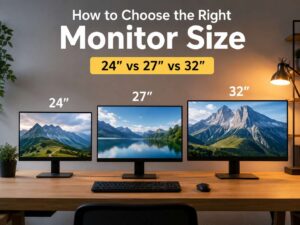
For most people, a 27-inch 1440p monitor hits the best balance. It gives you clear text, enough workspace, and strong gaming performance without the heavy GPU load of 4K. If you are comparing sharpness and performance, this 1440p vs 4K monitor guide explains the tradeoff in a practical way.
A 32-inch 4K monitor works better for productivity, media, and console gaming. Text looks very sharp, and you get more room for windows. This size works well for IPS. It also works well for OLED, but the price rises fast.
Desk depth matters too. A 32-inch screen can feel too large on a shallow desk. A 24-inch screen can feel cramped for multitasking. For a clearer fit, use this best monitor size for your desk guide before you buy.
OLED vs IPS for photo and video editing
Both OLED and IPS can work for creative tasks. Still, the better choice depends on the content you edit.
A good IPS monitor with accurate color works well for photo editing, web design, layout work, and product images. It gives stable text, low burn-in concern, and strong value. Many creators still prefer IPS for long editing sessions.
OLED gives deeper blacks and stronger contrast. So, it works very well for HDR video, dark scenes, movie work, and content made for premium screens. Shadows look deeper, and bright highlights stand out more.
Still, panel type is only one part of the decision. Check color gamut, color accuracy, resolution, brightness, uniformity, and calibration options. Look for terms such as sRGB, DCI-P3, Adobe RGB, Delta E, 10-bit color, and hardware calibration.
For steady photo work, IPS is still a smart pick. For HDR video and contrast-heavy content, OLED has the stronger image.
Burn-in risk: the biggest OLED drawback
Burn-in happens after uneven pixel wear. Static objects age some pixels faster than others. After long use, faint shapes can remain visible.
Modern OLED monitors include tools that reduce this risk. Pixel refresh, logo dimming, screen shifting, sleep timers, and panel care cycles all help. Still, they do not remove the risk fully.
Use OLED with better habits:
Hide the taskbar.
Use dark mode.
Set a short screen timeout.
Move windows around during long work sessions.
Avoid leaving bright static images on screen.
Run the built-in panel care tools.
IPS does not carry the same burn-in concern. For that reason, IPS fits offices, shops, reception desks, coding stations, trading setups, and shared family PCs better.
Price and long-term value
IPS monitors cost less across most sizes. You can buy a solid IPS monitor for work or gaming without paying premium prices. Replacement risk is lower too, since static use does not create the same long-term worry.
OLED monitors cost more. That higher price buys deeper contrast, better HDR, faster response, and a more premium viewing feel. For people who play games or watch movies often, the upgrade feels clear.
Your screen time should guide the choice. If most of your day goes into documents, browsers, email, and spreadsheets, IPS gives better value. If most of your screen time goes into games, movies, and visual content, OLED feels worth the extra cost.
OLED vs IPS for different users
Gamers should choose OLED for the best motion and image depth. Fast IPS still works well on a tighter budget.
Office users should choose IPS. It handles static content, sharp text, and long sessions better.
Students should choose IPS. It costs less, lasts well, and suits notes, browsers, documents, and video calls.
Creative users should choose based on the work. IPS suits photo editing and design work. OLED suits HDR video and dark-scene editing.
Console players should choose OLED if the budget allows it. A 4K OLED monitor can make PS5 and Xbox Series X games look excellent.
Programmers should choose IPS in most cases. Sharp text and static window safety matter more than perfect blacks.
Buying checklist before you choose
Start with your main use. Gaming and movies point to OLED. Work, school, coding, and browsing point to IPS.
Then match the resolution to the size. Use 1440p for 27 inches. Use 4K for 32 inches.
Next, check the refresh rate. Office users can live with 60Hz or 75Hz. Most gamers should aim for at least 144Hz. Competitive players should look at 240Hz or higher.
After that, check ports. HDMI 2.1 helps with modern consoles. DisplayPort helps with PC gaming. USB-C helps laptop users who want one-cable setups.
Then check HDR claims. A monitor needs strong contrast, brightness, and dimming control to make HDR look good. OLED has a clear advantage here.
Finally, read the warranty terms. This matters more for OLED. Burn-in coverage can differ by brand and model.
Final verdict: OLED vs IPS monitor
OLED is the better screen for pure image quality. It gives you deep blacks, rich contrast, fast response, and stronger HDR. It is the best pick for gaming, movies, and premium entertainment.
IPS is the better everyday monitor for most people. It costs less, shows sharp text, handles static content better, and works well for long workdays. It is the safer buy for offices, students, programmers, and general home desks.
So, buy OLED for visual impact. Buy IPS for work, value, and peace of mind.