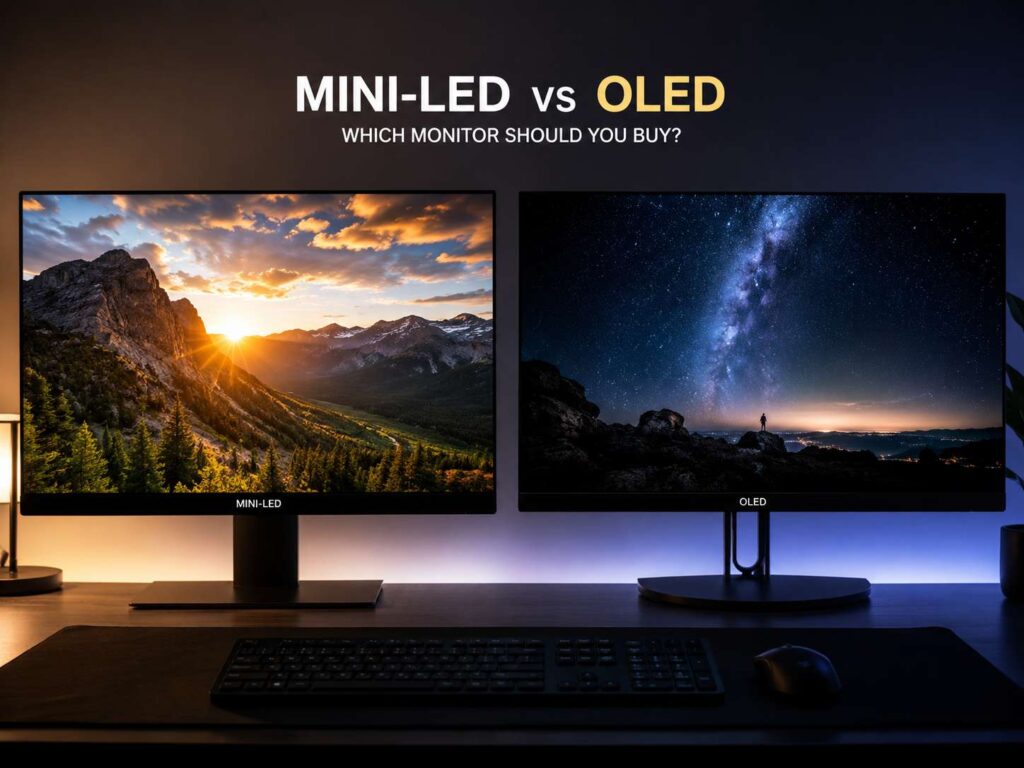
Mini-LED vs OLED monitor: the simple answer
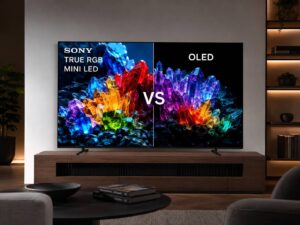
Mini-LED and OLED monitors both sit above basic LED monitors. They target users who want richer contrast, better HDR, sharper motion, and a more premium screen experience. Still, they reach that goal in different ways.
A Mini-LED monitor uses an LCD panel with many tiny backlight zones behind it. The screen dims and brightens those zones across different parts of the image. So, bright parts can glow strongly, and dark parts can stay darker than they would on a normal LED monitor.
An OLED monitor works in a different way. Each pixel lights itself. Each pixel can turn off fully, too. That gives OLED its biggest strength: perfect black levels and very clean contrast.
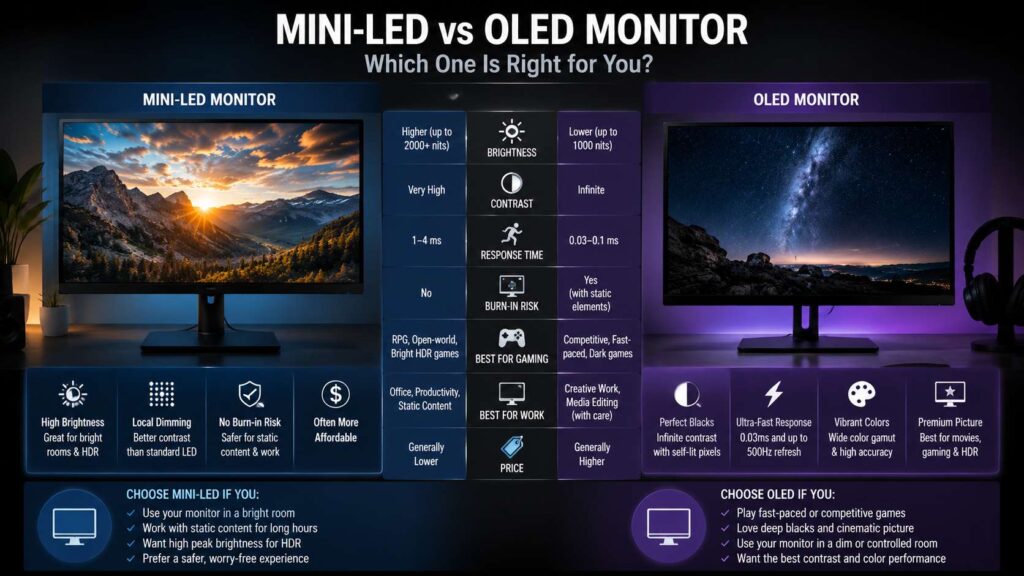
For most people, the choice is not only about image quality. It is about daily use. OLED looks better in dark rooms, fast games, and movies. Mini-LED works better in bright rooms, long work sessions, and setups with static windows open for hours.
What is a Mini-LED monitor?
A Mini-LED monitor is still an LCD monitor. The main upgrade sits behind the screen. Instead of using a basic backlight, it uses thousands of small LEDs grouped into local dimming zones.
Those zones help the monitor control light more carefully. For example, a bright moon can stay bright, and the dark sky around it can stay darker. A normal LED monitor often lifts the whole backlight, so black areas look gray.
Better Mini-LED monitors use more dimming zones. More zones mean finer light control. Still, each zone covers more than one pixel. For that reason, Mini-LED cannot match OLED’s pixel-level control.
The big advantage is brightness. Mini-LED monitors can get very bright, so HDR highlights can look bold and clear. That helps in daylight scenes, bright offices, and rooms with sunlight.
Mini-LED screens suit users who want strong HDR but do not want to think about burn-in. They also make sense for people who use spreadsheets, browsers, coding tools, and editing apps all day.
What is an OLED monitor?
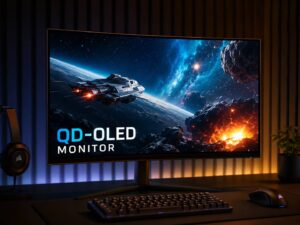
An OLED monitor uses self-lit pixels. It does not need a backlight. Each pixel creates its own light, and each pixel can switch off for true black.
That design gives OLED a major contrast advantage. Dark scenes look deeper. Bright objects stand out without the same glow that can appear on Mini-LED screens.
OLED also has very fast response times. Motion looks clean, and fast camera movement feels sharper. That matters in shooters, racing games, fighting games, and esports titles.
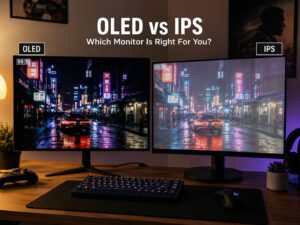
For a broader panel comparison, the OLED vs IPS monitor guide gives more context on how OLED compares with a common LCD panel type.
The main OLED concern is long-term image retention. Static taskbars, browser tabs, game HUDs, and app menus can wear pixels unevenly over time. Modern OLED monitors include panel care tools, but users still need better habits.
Picture quality: OLED has the cleaner contrast
OLED wins black levels. A black pixel turns off fully, so dark scenes look deep and clean. This gives movies, story games, and dark scenes a rich look that Mini-LED struggles to match.
Mini-LED can still look excellent. It can create strong contrast through local dimming. Yet the backlight zones are not as precise as OLED pixels. So, bright objects on dark backgrounds can create blooming.
Blooming looks like a soft glow around bright areas. You might notice it around subtitles, stars, white mouse cursors, or bright HUD elements. High-end Mini-LED monitors reduce this effect, but they do not remove it fully.
In bright scenes, Mini-LED fights back. Snowy maps, daylight city scenes, white web pages, and bright HDR content can look punchier. The screen can hold higher brightness across larger parts of the image.
So, OLED wins dark-room picture quality. Mini-LED wins bright-room impact.
HDR performance: brightness versus black depth
HDR needs two things: bright highlights and deep blacks. Mini-LED often wins the brightness side. OLED usually wins the black-level side.
That difference changes how content feels. A Mini-LED monitor can make sunlight, fire, reflections, and explosions look intense. An OLED monitor makes candles, night skies, shadows, and dark rooms look more natural.
HDR labels can help, but they do not tell the full story. Peak brightness matters. Full-screen brightness matters, too. For Mini-LED, check the number of local dimming zones. For OLED, check HDR brightness, panel type, and burn-in coverage.
In real use, HDR looks best on OLED in a darker room. Mini-LED looks stronger in a bright room. So, your room lighting matters almost as much as the monitor specs.
Gaming: OLED feels faster and cleaner
OLED is usually the better gaming screen. Its pixel response is extremely fast, so motion blur stays low. Fast games feel more direct, and camera movement looks cleaner.
This helps in games where every frame matters. Shooters, racing games, sports games, and fighting games benefit the most. High-refresh OLED monitors now target serious gamers with 240Hz, 360Hz, 480Hz, and even higher refresh options.
Mini-LED gaming monitors can still perform well. Many models offer high refresh rates, low input lag, and strong HDR brightness. They work very well for open-world games, console gaming, and bright HDR scenes.
For competitive gaming, OLED has the edge. For mixed gaming, desktop work, and long sessions with static content, Mini-LED feels safer.
Work and productivity: Mini-LED is easier to live with
Mini-LED is the safer choice for daily productivity. It handles static content without the same burn-in concern. That matters for people who keep taskbars, browser tabs, email apps, code editors, spreadsheets, and dashboards open all day.
OLED can work for productivity, too, including writing, editing, and multitasking. Still, it needs better habits. You should hide the taskbar, use dark mode, lower brightness, move windows around, and let panel care tools run.
Text clarity matters here. Some OLED panels use subpixel layouts that can make small text look slightly less crisp. Newer OLED panels have improved this, but a good Mini-LED IPS monitor can still feel more comfortable for long reading sessions.
For an 8-hour workday, Mini-LED is the practical pick. For mixed work and evening gaming, OLED works well for users who accept panel care.
Burn-in and image retention
Burn-in is the main OLED risk. It happens when static screen elements age pixels unevenly. A taskbar, logo, game HUD, or bright app panel can leave a faint mark over time.
Modern OLED monitors reduce this risk with pixel shift, logo dimming, screen refresh cycles, and automatic panel care. These tools help a lot. Still, they do not make OLED immune.
Mini-LED does not have the same burn-in issue. That gives it a clear advantage for static desktop use. Users who work with fixed layouts every day should take this point seriously.
For gamers who play varied content, OLED risk stays lower. For users who leave the same apps open for many hours, Mini-LED gives more peace of mind.
Bright rooms and glare
Room lighting can make or break the screen choice. Mini-LED often works better in bright rooms. It can push higher brightness, so white pages, games, and HDR videos stay clear under daylight.
OLED looks best in darker spaces. Its black levels shine most at night or in a controlled room. In a sunny office, reflections can reduce its contrast advantage.
Screen coating matters, too. Glossy OLED screens can look rich and sharp in dim rooms. Matte screens handle glare better during the day. Many Mini-LED monitors use matte coatings, so they fit desks near windows.
For a bright home office, Mini-LED is usually better. For a dark gaming room, OLED gives a more dramatic image.
1440p or 4K: resolution still matters
Panel type is only one part of the buying decision. Resolution changes the whole experience. A 27-inch 1440p monitor can look sharp and run games at high frame rates. A 32-inch 4K monitor gives more detail, more desktop space, and a cleaner image for text.
For gamers, 1440p often gives better value. It is easier to drive at high refresh rates. For creators and heavy multitaskers, 4K offers more room and sharper detail.
Need help with that choice? This 1440p vs 4K monitor guide explains the trade-offs for desk setups, gaming, and daily use.
Mini-LED and OLED both come in 1440p and 4K models. So, pick the resolution first, then choose the panel type that fits your room and habits.
Mini-LED vs OLED for console gaming
For PS5 and Xbox Series X, both screen types can work well. The key specs are HDMI 2.1, 4K support, VRR, low input lag, and at least 120Hz refresh.
OLED gives console games a more cinematic look. Dark scenes look cleaner, and motion feels sharp. Story games, racing games, and action games can look fantastic on OLED.
Mini-LED gives brighter HDR impact. Daylight scenes, explosions, and large bright areas can look stronger. It also handles paused screens and dashboard use with less worry.
For a living-room-style console setup, OLED feels more premium. For a shared desk setup with work use, Mini-LED is the safer pick.
Mini-LED vs OLED for PC gaming
PC gamers need to think about more than games. Windows has a taskbar. Browsers have tabs. Games have fixed HUDs. Streaming tools, chat windows, and launchers can stay in the same place for hours.
That is why OLED needs more care on a PC. It can still be a brilliant gaming display, but it rewards users who vary content and manage static elements.
Mini-LED gives PC gamers fewer worries. It offers strong HDR, high brightness, and good long-term comfort. It is a strong match for users who work during the day and play games at night.
For esports, choose OLED. For mixed PC use, Mini-LED often makes more sense.
Mini-LED vs OLED for creative work
Both display types can work for photo editing, video editing, and design. The panel quality matters more than the label alone.
OLED gives deep black levels and strong contrast. That helps with video review, dark scenes, and color-rich content. It also makes images look rich and clean.
Mini-LED gives higher brightness and less static-image stress. That helps editors who keep timelines, toolbars, and panels open for long sessions.
For print design, check calibration first. For HDR video work, check peak brightness, color coverage, and HDR mode. For long editing days, Mini-LED can feel easier to manage.
Price and value
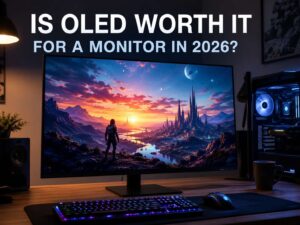
OLED monitors have become more common, but they still cost more than basic LCD monitors. Mini-LED monitors vary a lot. Some offer strong value, and some high-end models cost as much as OLED.
The best value comes from the way you use your screen. A night gamer will get more joy from OLED. A work-first user will get more long-term comfort from Mini-LED.
Size and resolution affect price too. A 27-inch 1440p OLED often costs less than a 32-inch 4K OLED. A 32-inch 4K Mini-LED can cost more than some OLED models, but it gives stronger brightness and less burn-in concern.
Do not buy from the panel name alone. Check resolution, refresh rate, HDR rating, brightness, dimming zones, ports, warranty, stand quality, and text clarity.
Which one should you buy?
Choose OLED if you want the best contrast, the deepest blacks, the fastest pixel response, and the most dramatic image for games and movies. It is the better pick for dark rooms, fast gaming, and media use.
Choose Mini-LED if you want high brightness, safer long-term desktop use, and strong HDR in bright rooms. It is the better pick for work, mixed use, and static apps.
A simple rule helps: more games and movies point to OLED. More work and static desktop use point to Mini-LED.
For most gamers, OLED feels more exciting. For most work-first buyers, Mini-LED feels more practical. For mixed use, count your hours. Six or more hours of desktop work each day points toward Mini-LED. Mostly gaming and video points toward OLED.
Final verdict
OLED is the better screen for contrast, motion, and dark-room gaming. Mini-LED is the better screen for brightness, all-day work, and lower long-term worry.
Both can look excellent. The right choice comes from your room, your content, and your habits. Pick OLED for the wow factor. Pick Mini-LED for daily comfort.