Review

Dell’s S2725QC Keeps Its USB Ports for the USB-C Cable

The Dell S2725QC can connect a compatible laptop to a 27-inch 4K, 120 Hz screen, USB peripherals and up to 65 W of charging over one USB-C cable. Its three downstream USB ports need that USB-C connection to the computer, even when HDMI carries the picture.

That makes the connection the first thing to check. HDMI alone gives you video and sound, but not the USB hub. The assessment below uses Dell’s manual and ENERGY STAR’s certified power record. It does not include hands-on display tests.

By Published Research-based assessment

Affiliate disclosure: the price links on this page may earn us a commission at no extra cost to you. Retailers cannot pay for placement or influence the score. How we stay independent

Quick verdict

Dell S 27 4K USB-C Monitor S2725QC (sold earlier as the Dell 27 Plus 4K USB-C Monitor), regulatory model S2725QCb. The bound Amazon offer is ASIN B0F1GFD44G.

A useful one-cable office option for a compatible USB-C laptop, provided the 65 W charging limit fits its needs.

Strengths

  • 4K at 120 Hz over USB-C as well as over either HDMI 2.1 input
  • Charges a laptop at up to 65 W over the same cable
  • Height, tilt, swivel and pivot on the included stand

Weaknesses

  • Every USB port needs the USB-C cable connected to a computer
  • No DisplayPort input
  • Laptop charging stops at 65 W

Key specifications

Model
Dell S 27 4K USB-C Monitor S2725QC (formerly Dell 27 Plus 4K USB-C Monitor), regulatory model S2725QCb
Panel
27-inch IPS, 3840 x 2160, 163 PPI, anti-glare 3H coating, LED edgelight backlight
Refresh and response (Dell)
Up to 120 Hz (vertical scan 48 to 120 Hz), AMD FreeSync Premium. 8 ms Normal, 5 ms Fast, 4 ms Extreme, gray to gray
Brightness, contrast, color (Dell)
350 cd/m2 typical, 1500:1, 99% sRGB, 1.07 billion colors
Video inputs
2 x HDMI 2.1 (4K at 120 Hz, FRL, VRR), 1 x USB-C upstream with DisplayPort 1.4 Alt Mode (up to 4K at 120 Hz)
Charging
USB-C upstream up to 65 W (20 V/3.25 A), USB-C downstream up to 15 W
USB hub
1 x USB-A in the side pocket, 1 x USB-A with BC 1.2 and 1 x USB-C quick-access ports, all 5Gbps, working only with the USB-C upstream cable connected
Stand
Height 130 mm, tilt -5 to 21 degrees, swivel -30 to 30 degrees, pivot -90 to 90 degrees, VESA 100 x 100 mm
Speakers
2 x 5 W, no headphone jack
Power
ENERGY STAR certified: 21.0 W on mode, 0.2 W sleep, 65.5 kWh a year. Dell: 180 W maximum
In the box
Stand riser and base, power cable, USB-C to USB-C 5Gbps 100 W cable (1.8 m on units made from June 2026), side I/O cover, VESA cover. No HDMI cable
Weight
6.71 kg with stand and cables, 4.85 kg without the stand
Operating systems (Dell)
Windows 10 and later, macOS 12 and 13
How we reviewed it

Basis
Research-based: assessed from the manufacturer’s published specifications, documentation and the independent sources listed at the end. We have not tested this unit ourselves; any measurement quoted belongs to the cited source.
Method

Dell’s May 2026 S2725QC manual supplies the port, panel, response-time and stand specifications. ENERGY STAR’s certification record for regulatory model S2725QCb supplies the power measurements and annual duty-cycle calculation. Ratings assess documented office-laptop suitability using the existing section weights, not measured image quality, charging reliability or hands-on performance.

Evidence

Dell rates the panel, the ports and the charging. ENERGY STAR certified the on-mode power and the yearly energy estimate.

Limitations

We have no independent measurement of the S2725QC's brightness, contrast, response time or speaker output, so those figures are Dell's. Dell's guide calls the HDMI inputs HDMI 2.1 in its connectivity table and lists HDMI 2.0 signals in its electrical table. The review goes by the connectivity table, which names 4K at 120 Hz. Section scores are editorial judgments of documented suitability, not laboratory measurements or the separate TÜV star result.

One USB-C cable for the picture, the hub and 65 W

Not rated · Evidence: maker figures only
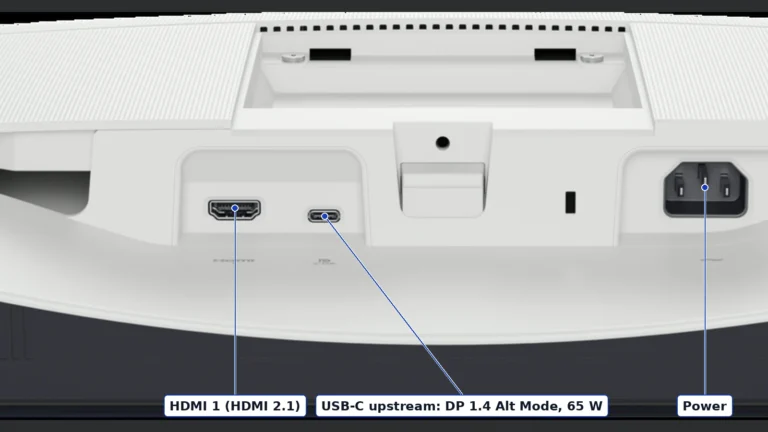
Underside of the white Dell S2725QC with labels on an HDMI port, the USB-C upstream port and the power inlet
The port row under the S2725QC, with HDMI 1, the USB-C upstream port and the power inlet labeled from Dell's guide. Product illustration based on manufacturer imagery: Dell render, authentic crop with labels

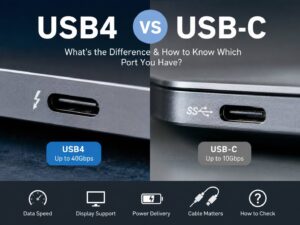
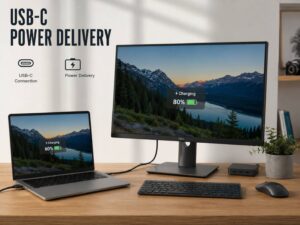
The USB-C port under the panel takes DisplayPort Alt Mode video at 4K and 120 Hz, so one cable replaces a video cable, a USB cable and the laptop's charger. It charges at up to 65 W. Your laptop needs a USB-C port that carries video, not only data and charging. One sold with a bigger charger still gets no more than 65 W here. Check the laptop’s USB Power Delivery requirements and charging compatibility. A 65 W ceiling does not guarantee the same charging behavior as its original adapter.

The hub has three USB ports, all at 5Gbps. A USB-A port sits in the side pocket. Two quick-access ports at the front add a USB-C port that supplies up to 15 W and a USB-A port with Battery Charging 1.2. Dell's guide prints the same note beside each of them: it works only when the supplied USB-C cable connects the monitor to your computer. If a wireless mouse lags with its receiver in a port on the back, the guide's fix is to move the receiver to a quick-access port.

A menu setting called USB-C Prioritization picks between high resolution and high data speed. On a laptop whose port runs DisplayPort 1.4 (HBR3), Dell recommends High Data Speed and says you keep both the full picture and fast USB. DisplayPort 1.2 (HBR2) or older calls for High Resolution, which keeps the picture and slows the USB ports. The same setting is Dell's fix if the screen falls back to 30 Hz or 18-bit color.

There is no full-size DisplayPort input. Two HDMI 2.1 inputs accept 4K at 120 Hz with VRR according to Dell, and no HDMI cable is supplied. HDMI video does not prevent hub use if the same computer also has the required USB-C upstream connection. For a desktop that needs DisplayPort instead, compare the S2725QS and its own port list before buying.

Dell's guide promises a 1.8 m USB-C cable only on monitors made from June 2026, and Dell won't guarantee the picture over a cable it didn't ship. The guide's compatibility list names Windows 10 and later, and macOS only up to version 13.

A 4K panel for text and sRGB work

Not rated · Evidence: maker figures only
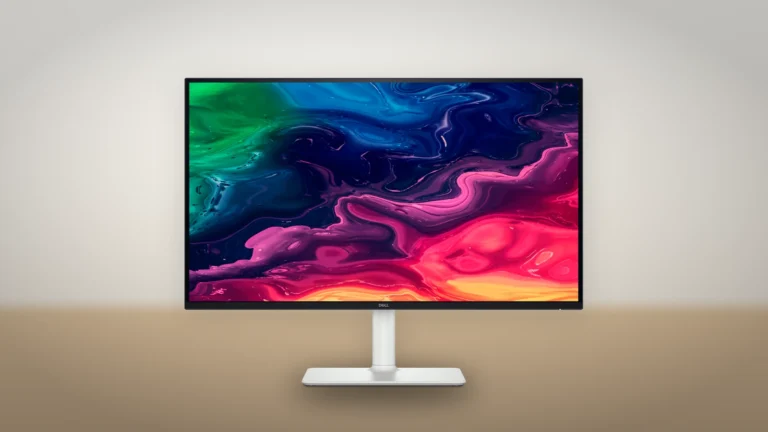
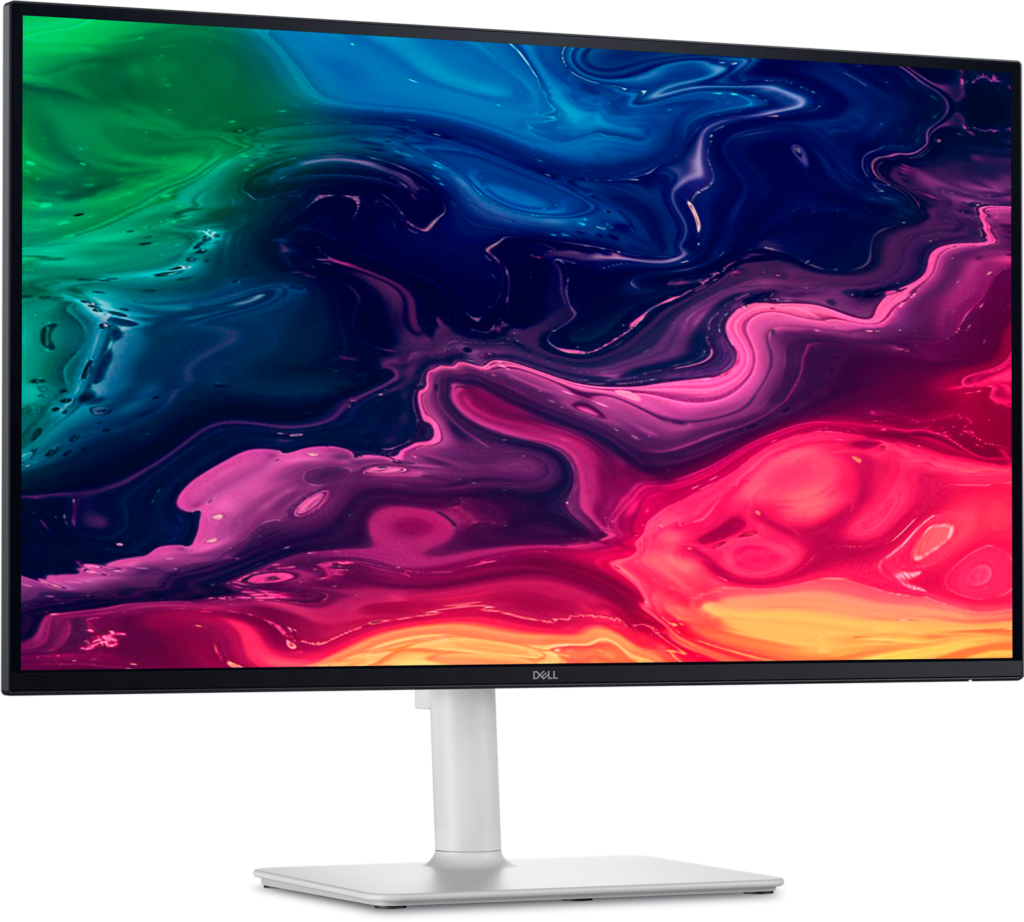
Front view of the white and silver Dell S2725QC on its stand, showing a colorful abstract wallpaper
The S2725QC from the front, with thin borders on three sides and the Dell logo on the lower edge. Product illustration based on manufacturer imagery: Dell render on a generated backdrop

Packing 4K into 27 inches gives 163 pixels per inch. A 1440p screen of the same size has about two-thirds of that density. Dell rates the IPS panel at 350 nits. Its contrast ratio is 1500:1, and the color covers nearly the full sRGB range, the standard color space of the web.

Dell lists an edge-lit LED backlight and announces no dimming zones. The Smart HDR menu has Movie HDR and Game HDR modes, and the guide notes that the monitor doesn't support HLG. The published specifications do not establish strong HDR performance. Check what local dimming adds before choosing a screen for HDR films. This monitor’s documented strengths are better aligned with text and ordinary sRGB work.

In Fast mode, Dell rates gray-to-gray response at 5 ms. Extreme mode cuts that to 4 ms, and Dell warns it may add visible artifacts, so Fast is the setting we'd pick. The monitor accepts 48 to 120 Hz and supports AMD FreeSync Premium. Dell also reports a four-star TÜV Rheinland Eye Comfort 3.0 rating, and its ComfortView Plus blue-light mode is on by default.

Stand, speakers and power draw

Not rated · Evidence: maker figures only
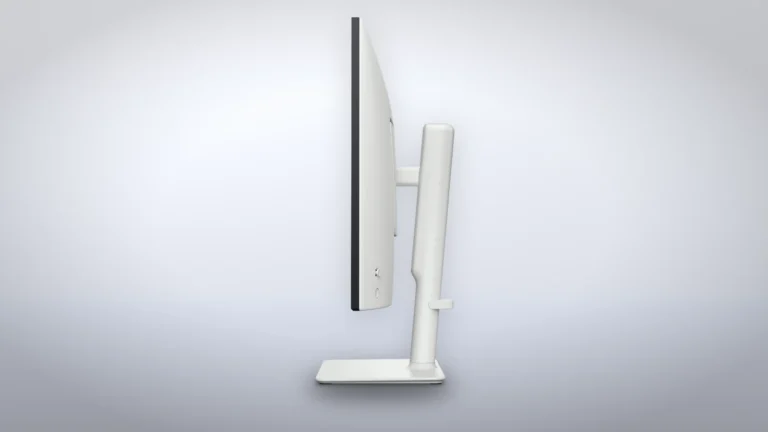
Side profile of the Dell S2725QC on its height-adjustable stand, with a cable guide on the riser
The S2725QC in profile, with the joystick and power button on the back of the panel and a cable guide on the stand riser. Product illustration based on manufacturer imagery: Dell render on a generated backdrop

The stand raises the panel by up to 130 mm and adds tilt, swivel and a pivot to portrait. Dell lists 6.71 kg with the stand. Behind a cover are 100 mm VESA holes for an arm. There are two 5 W speakers, and Dell's port list has no headphone jack.

ENERGY STAR’s record for S2725QCb lists 21.0 W in on mode, 0.2 W in sleep and a calculated annual consumption of 65.5 kWh. Its annual figure assumes 35% on time and 65% sleep time. It is not a forecast for your desk. Dell’s separate 180 W maximum includes full brightness and USB loading, including laptop charging. It describes a different operating condition.

Where to buy

In-stock offers for this exact model, sorted by item price in USD. Shipping is not included unless a retailer supplies it. Not every retailer is listed. Prices last checked 16 hours ago.

Retailer prices for the Dell S 27 4K USB-C Monitor S2725QC (sold earlier as the Dell 27 Plus 4K USB-C Monitor), regulatory model S2725QCb. The bound Amazon offer is ASIN B0F1GFD44G.
RetailerItem priceShippingAvailabilityCheckedLink
Amazon.com$349.99See retailerIn stockCheck price at Amazon.com

Prices and availability come from retailer feeds and change without notice; the retailer’s page is authoritative. We may earn a commission if you buy through these links.

Final verdict

Dell S 27 4K USB-C Monitor S2725QC (sold earlier as the Dell 27 Plus 4K USB-C Monitor), regulatory model S2725QCb. The bound Amazon offer is ASIN B0F1GFD44G.
RecommendationRecommended for documented 4K connectivity and an adjustable stand for a compatible office laptop. Check USB-C video and charging requirements

This review gives no score out of 10, because no section rests on a measurement by an independent body. The recommendation and the written verdict stand on their own.

Pros

  • 4K at 120 Hz over USB-C as well as over either HDMI 2.1 input
  • Charges a laptop at up to 65 W over the same cable
  • Height, tilt, swivel and pivot on the included stand
  • USB-C cable in the box

Cons

  • Every USB port needs the USB-C cable connected to a computer
  • No DisplayPort input
  • Laptop charging stops at 65 W
  • Edge-lit backlight with no dimming zones announced
  • No HDMI cable or headphone jack

Conclusion

The S2725QC earns its place through a compatible laptop connection, its USB hub and an adjustable 4K screen. A desktop on HDMI alone will not use the hub, while a laptop that needs more than 65 W may still need its original charger.

Our take

For an office laptop, the USB-C connection is a practical reason to choose this model if the video and charging requirements match. On a desktop, choose by the inputs and USB connection you can actually use. The maker’s brightness and response-time figures do not establish HDR quality or gaming performance. Editorial rating: 7.6/10 for documented office-laptop suitability. The weighted assessment uses connectivity (50%), panel specifications and limits (30%), and stand, speakers and power (20%). It is research-based, with no hands-on testing.

Best for
  • Home offices with one laptop
  • Laptop owners whose USB-C port carries DisplayPort video
  • Anyone who wants a height-adjustable 4K screen for documents, spreadsheets and video calls
Consider an alternative if
  • Your computer needs a full-size DisplayPort input or you need the USB hub without a USB-C upstream connection
  • Your laptop came with a charger above 65 W
  • You're buying for HDR films
  • You need a headphone jack

Questions readers ask

Does the Dell S2725QC have a DisplayPort input?

No. Dell's guide lists two HDMI 2.1 inputs and a USB-C port that accepts DisplayPort 1.4 Alt Mode from a laptop. The S2725QS is the version with a DisplayPort input.

Do the S2725QC's USB ports work with a PC on HDMI?

Only if the same PC is also connected over the supplied USB-C cable. Dell's guide ties each USB port to that connection.

Which USB-C Prioritization setting should I use?

Dell recommends High Data Speed for a laptop that sends DisplayPort 1.4 (HBR3) over USB-C, and High Resolution for DisplayPort 1.2 (HBR2) or older.

About the reviewer

Editor

Andreea reads BetterBuyBase’s articles, guides and reviews before they are published. When she has also checked a piece against its sources, the note at the end of it says so, with her name and the date.

This is a research-based assessment: the reviewer compiled it from published specifications, documentation and independent measurements rather than from testing the unit.

Profile and other work →

Sources

  • Dell, Dell S 27 4K USB-C Monitor S2725QC User's Guide (Rev. A01, May 2026)dl.dell.com
  • ENERGY STAR, certified displays: Dell S2725QC (model number S2725QCb)energystar.gov

This review was created with the help of AI. How we work

← Back to the blog