Discover smart buying decisions with Better Buy Base. We provide clear comparisons, pros and cons, and tailored recommendations for every budget and need.
Review · Monitors
Dell SE2726HG Review: A 27-Inch 240 Hz Monitor Built Around One Number
The Dell SE2726HG is a 27-inch gaming monitor with one headline figure: a native 240 Hz refresh rate on a 1920 x 1080 IPS panel. Dell sells it as the entry point of its 240 Hz range, below the SE2726HGS that adds an adjustable stand and well below the Alienware line.
Nobody on our team has used this unit. Every specification below comes from Dell's product page and manual, and every judgment says what those facts mean for a buyer. Where an independent measurement would settle a question, we say so.
Affiliate disclosure: the price links on this page may earn us a commission at no extra cost to you. Retailers cannot pay for placement or influence the score. How we stay independent
Editorial ratingGoodWeighted average of 5 rated sections.
A 240 Hz IPS panel from a first-tier brand with a three-year warranty and a full set of video inputs, held back by 1080p on a 27-inch diagonal and a stand that only tilts.
Strengths
240 Hz native with a 48-240 Hz variable refresh window on every input, plus AMD FreeSync Premium and HDMI VRR for consoles at 1080p 120 Hz
Three-year Advanced Exchange warranty from Dell
VESA 100 x 100 mount and a light 3.15 kg panel for desk arms
Weaknesses
1080p on a 27-inch diagonal gives about 82 pixels per inch, so text looks soft
Tilt-only stand
No USB hub, no speakers, and no DisplayPort cable in the box
Research-based: assessed from the manufacturer’s published specifications, documentation and the independent sources listed at the end. We have not tested this unit ourselves; any measurement quoted belongs to the cited source.
Research period
September 9, 2026
Method
We compiled the specification sheet from Dell's US product page and the SE2726HG user's guide, and cross-checked the port list, stand range and power figures between the two. We looked for independent measurements of this exact model (response time, input lag, color accuracy) in the publications that test monitors with instruments and did not find any as of September 2026. Judgments therefore rest on verified specifications, on what those specifications imply for typical use, and on the sibling models Dell documents in the same guide.
No independent lab measurement of the SE2726HG was found, so response-time overshoot, real input lag, actual brightness and color accuracy rest on Dell's typical figures alone. Prices come from the retailer feed on this page and change without notice.
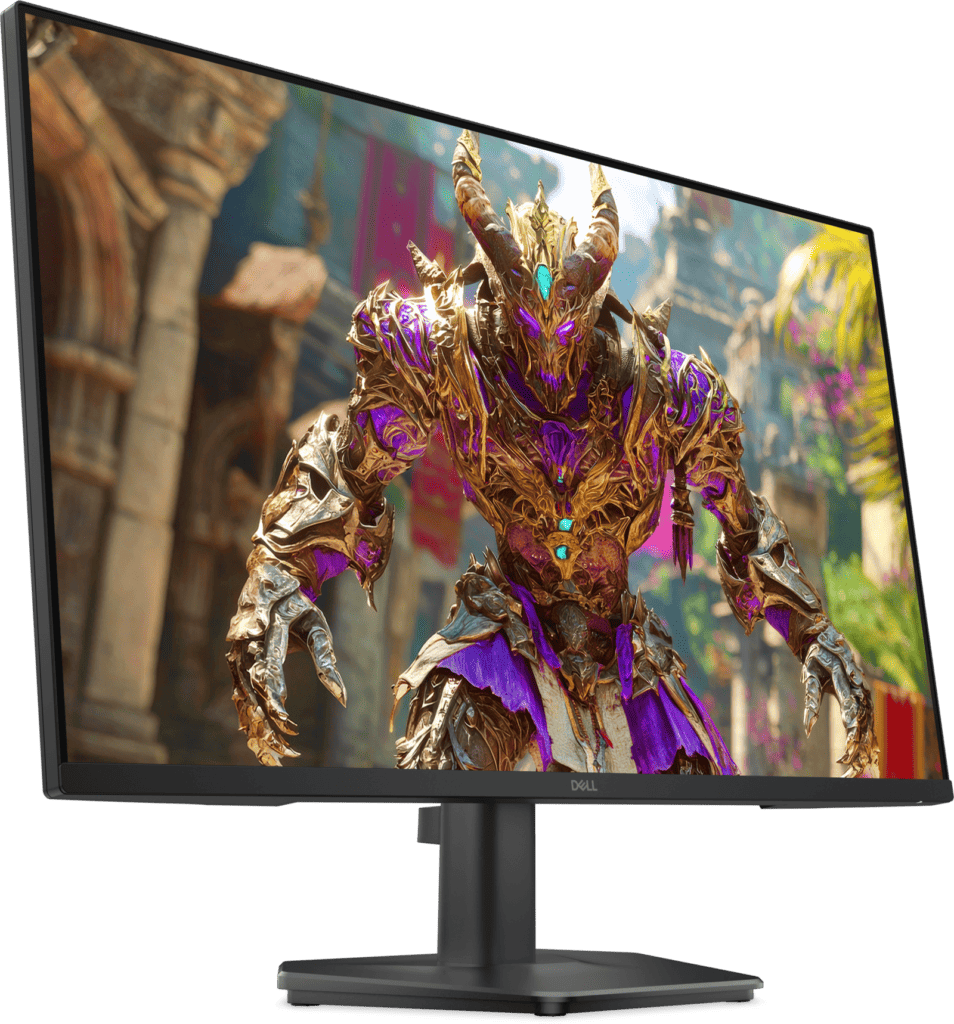
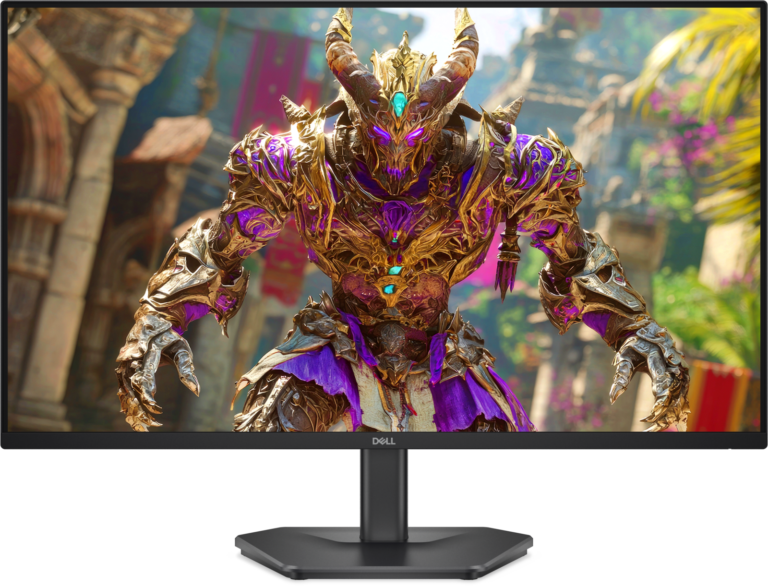
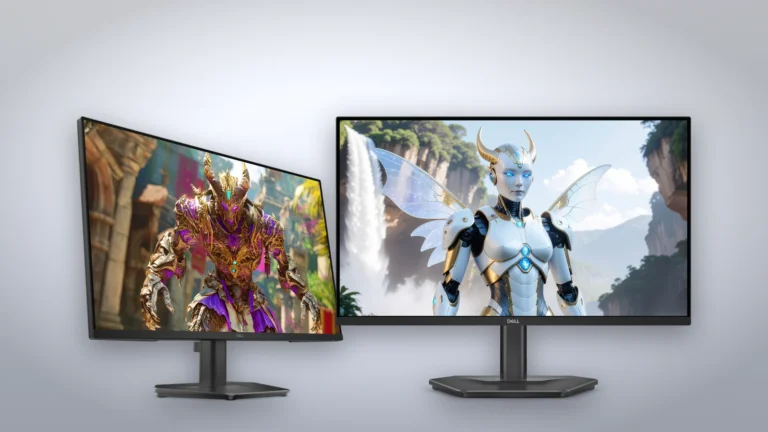
The 27-inch 1920 x 1080 panel runs at 240 Hz over DisplayPort and HDMI. Manufacturer render: Dell
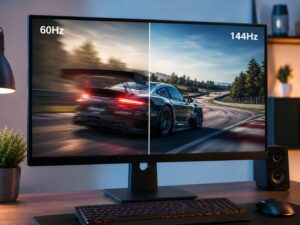
The panel refreshes at 240 Hz natively over both DisplayPort 1.4 and HDMI, and the variable refresh window runs from 48 Hz to 240 Hz on either input, according to the manual. That window matters more than the peak number. A PC that drops to 70 frames per second in a busy scene stays inside the sync range, so you get no tearing and no stutter from a fixed cadence.
Dell certifies the monitor for AMD FreeSync Premium and lists HDMI variable refresh rate as a supported feature, which is what console owners need. The guide is careful about the HDMI ports: they carry 1920 x 1080 at 240 Hz, VRR and HDR as specified in HDMI 2.1 with TMDS signaling, and they do not support the optional features such as eARC, 4K or Quick Media Switching. In practice a PlayStation 5 or Xbox Series X can run 1080p at 120 Hz with VRR here, and only a PC will reach 240 Hz.
Response time is quoted as 0.5 ms gray-to-gray in Extreme mode, with 1, 3 and 5 ms in the slower overdrive modes. Dell's own footnote calls that figure the minimum, not the typical one. Aggressive overdrive settings on IPS panels usually trade speed for visible overshoot, and without an independent measurement we cannot say how the Extreme mode behaves. The safe assumption is that Super Fast or Fast will be the usable setting, which is still quick for a 240 Hz panel.
Panel and image quality
6.5/10Fair
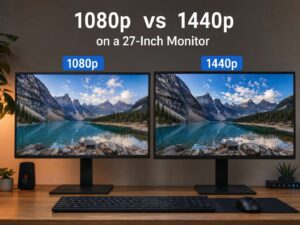
This is a 1920 x 1080 panel stretched across 27 inches, which works out to about 82 pixels per inch (the diagonal pixel count of 2,203 divided by 27). At a normal desk distance that shows: text edges are softer than on a 24-inch 1080p or a 27-inch 1440p screen, and small interface elements in games look coarser. Buyers who mostly play fast shooters at high frame rates tend to accept this trade. Buyers who also work in spreadsheets and documents all day tend not to.
The IPS panel is rated at 300 cd/m² typical brightness, a 1,000:1 typical contrast ratio and 99 percent sRGB coverage, per the manual. Those are ordinary numbers for a budget IPS: enough for a lit room, too dim for a bright window behind you, and black levels that look gray in a dark room. Dell lists an anti-glare coating with a 3H hardness rating and 178-degree viewing angles.
Dell does not list any VESA DisplayHDR tier. The HDMI inputs accept an HDR signal, but with 300 nits and no local dimming the effect will be limited to tone mapping without real highlights, so treat HDR as a compatibility box. The guide also states that the factory default picture mode uses a low blue light panel that meets TÜV Rheinland requirements, which is a real benefit for long sessions and does not require a color-shifting software mode.
Ports and connectivity
7.0/10Good
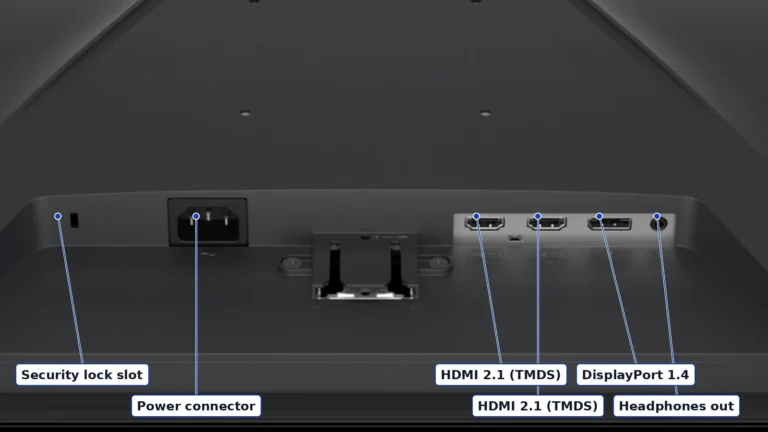
Underside connectors, enlarged from Dell's render and labeled from the manual: security lock slot, power, two HDMI 2.1 (TMDS), DisplayPort 1.4 and a headphone output. Authentic crop of Dell's render, labels from the SE2726HG user's guide
The rear panel carries the power input, two HDMI ports, one DisplayPort 1.4 input and a 3.5 mm headphone output, in that order from left to right in Dell's bottom-view diagram in the manual. All three video inputs are HDCP 2.3, and the HDMI ports use HDMI 2.1 signaling in TMDS mode, which means the higher bandwidth modes of the 2.1 specification are not available. That is not a limitation at 1080p, where TMDS has ample headroom for 240 Hz.
There is no USB hub, no USB-C input and no built-in speaker, which is normal at this level. The headphone jack passes audio from the active HDMI or DisplayPort source, so a console can drive a headset through the monitor. Dell ships one 1.8 meter HDMI 2.0 cable in the box. Anyone planning to use 240 Hz on a PC should budget for a DisplayPort cable, because Dell does not include one.
Stand, build and ergonomics
5.5/10Mediocre
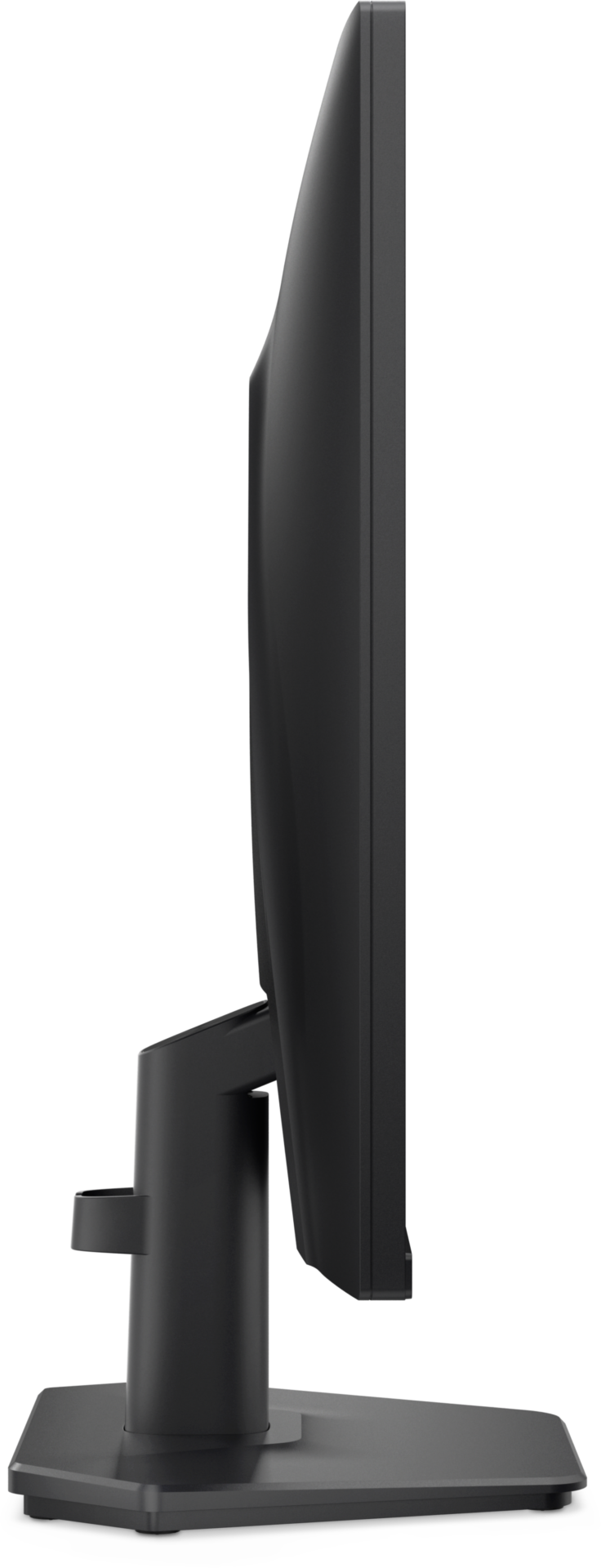
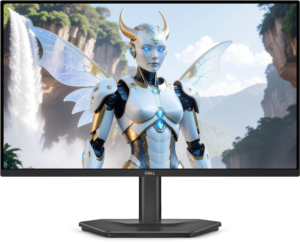
The stand tilts from minus 5 to plus 21 degrees and has no height adjustment. Manufacturer render: Dell
The stand tilts from minus 5 to plus 21 degrees and does nothing else. Dell's specification table lists height adjustment as not applicable, and there is no swivel or pivot. On a 27-inch screen that means the top edge sits where the base puts it, so if that leaves the panel too low for you, the fix is a riser or a monitor arm.
The good news is the VESA 100 x 100 mount behind a removable cover, documented in the manual, and a modest 3.15 kg panel weight without the stand, so almost any desk arm will hold it. With the stand the monitor is 452.8 mm tall, 610.9 mm wide and 188 mm deep, and it weighs 3.72 kg with stand and cables. Dell rates On Mode power at 19.7 W and 40 W at maximum brightness and contrast.
Dell's US page lists a three-year limited hardware warranty with Advanced Exchange service, where a replacement ships after remote diagnosis. That is a longer warranty than most budget gaming monitors carry, and for a panel that will be pushed at 240 Hz for years it is a meaningful part of the price. If height adjustment matters to you, Dell's own SE2726HGS is the same panel with an adjustable stand, and the 24-inch SE2426HGS takes the same approach at 1080p on a smaller diagonal where the pixel density is higher.
Value
7.5/10Good
The SE2726HG (left) beside the 24-inch SE2426HGS, the alternative discussed below (sizes not to scale). Dell renders on a generated studio backdrop. Product illustration based on manufacturer imagery: Dell renders of the SE2726HG and SE2426HGS on a generated backdrop
The live retailer table below shows the current price and its check time. Judged against the class, the SE2726HG sits in the lowest tier of 27-inch 240 Hz IPS monitors from a major brand.
What you pay for is the refresh rate, the VRR range and the warranty. What you give up is pixel density and stand adjustment. If the desk budget stretches a little, a 1440p 165 Hz or 180 Hz panel gives sharper text and better all-round use at some cost in peak frame rate, and the alternatives below show two of those options.
In-stock offers for this exact model, sorted by item price in USD. Shipping is not included unless a retailer supplies it. Not every retailer is listed. Prices last checked 13 hours ago.
Retailer prices for the Dell SE2726HG (27-inch, 1920 x 1080, 240 Hz, tilt-only stand)
Prices and availability come from retailer feeds and change without notice; the retailer’s page is authoritative. We may earn a commission if you buy through these links.
✓
Final verdict
Dell SE2726HG (27-inch, 1920 x 1080, 240 Hz, tilt-only stand)
Scores run from 1.0 to 10.0: 9+ exceptional, 8–8.9 excellent, 7–7.9 good, 6–6.9 fair, 5–5.9 mediocre, below 5 poor. The overall score is the weighted average of the rated sections. Unrated sections do not count.
Pros
240 Hz native with a 48-240 Hz variable refresh window on every input, plus AMD FreeSync Premium and HDMI VRR for consoles at 1080p 120 Hz
Three-year Advanced Exchange warranty from Dell
VESA 100 x 100 mount and a light 3.15 kg panel for desk arms
Cons
1080p on a 27-inch diagonal gives about 82 pixels per inch, so text looks soft
Tilt-only stand
No USB hub, no speakers, and no DisplayPort cable in the box
Nominal HDR, with 300 nits, no local dimming and no DisplayHDR tier
Conclusion
The SE2726HG does one job very well on paper. It delivers a native 240 Hz panel with the full 48 to 240 Hz variable refresh window, FreeSync Premium and HDMI VRR, and Dell backs it with a three-year Advanced Exchange warranty. For a player who sits close, runs high frame rates and lives in fast shooters, that is the whole brief.
The compromises are equally clear and equally documented. Twenty-seven inches at 1080p makes text and interface elements soft for everyday work, and the stand only tilts. Independent measurements of this exact model were not available to us, so the response-time and input-lag claims remain Dell's figures. Buy it for the refresh rate and the warranty, mount it on an arm, and pick a 1440p panel instead if the same screen has to double as a work monitor.
Andreea-Viviana Jitaru’s take
Editorial assessment from the sources above, written without using the monitor: the spec sheet reads like a monitor designed backwards from a price and a refresh rate, and everything Dell kept (VRR window, three inputs, headphone jack, VESA mount, long warranty) is more useful than what it cut (stand adjustment, USB, a DisplayPort cable). The one decision we would not make on specifications alone is the Extreme overdrive mode. Until someone measures it, assume the middle setting is the one you will use.
Buy it if
Competitive 1080p PC gaming where frame rate matters more than sharpness
Console plus PC desks
Anyone who will mount the monitor on an arm and wants a long warranty
Consider an alternative if
You read documents or code on the same screen for hours
You want height adjustment without buying a monitor arm
Andreea edits the written side of the site: the editor's note on each product page, the category buying guides and the blog. Her brief is to say what a specification table cannot: where a product is good, where it quietly compromises, and who should walk past it. A note that reads like marketing copy, or that praises a product without naming a drawback, does not go live.
This is a research-based assessment: the reviewer compiled it from published specifications, documentation and independent measurements rather than from testing the unit.
We keep cookies to a minimum. The only ones this site sets are the ones it needs to work: remembering your answer here, keeping the site secure, and signing you in if you choose to post a review. We run no advertising cookies, and we measure traffic without cookies at all.Cookie policy
Customise consent preferences
Each category below lists the exact cookies behind it, what they do and how long they last. Strictly necessary cookies cannot be switched off because the site would stop working without them. Anything else is yours to decline.
NecessaryAlways active
Strictly necessary cookies keep the site working and secure: they remember your choice here, protect forms from abuse and keep you signed in to the admin area. The site cannot run without them.
Show the cookies in this category (7)
cmp_consent
BetterBuyBase · 1 year
Remembers your consent choice for each cookie category, so the banner does not ask again on every page.
cmp_visitor
BetterBuyBase · Session (until you close the browser)
Marks your browser as a real visitor, so a comparison page is built when someone actually opens one rather than when a crawler passes through. It holds the value 1 and nothing else: no identifier, no history.
wp-settings-(id), wp-settings-time-(id)
WordPress · 1 year
Remembers layout preferences inside the WordPress admin screens. Set only for accounts that sign in to run the site, never for ordinary visitors.
wfwaf-authcookie-(hash)
Wordfence (Defiant, Inc.) · 12 hours
Lets the Wordfence firewall check a signed-in user’s access level before WordPress loads, so administrators are not blocked by firewall rules. Set only when you log in to the site.
wf_loginalerted_(hash)
Wordfence (Defiant, Inc.) · Persistent
Records that the administrator has already been alerted about a sign-in from this device. Only used if login alerts are enabled, and set only when you log in to the site.
wfCBLBypass
Wordfence (Defiant, Inc.) · Only if enabled
Allows a visitor who knows a hidden bypass address to pass country blocking. It is only used if country blocking is enabled, and we do not currently use it.
wfls-remembered-(hash)
Wordfence (Defiant, Inc.) · Up to 30 days
Remembers a trusted browser for two-factor login when a signed-in user chooses “remember this device”. Set only for site accounts that use two-factor authentication.
Functional
Functional cookies are set only when you choose a feature that needs them, such as signing in with Google to post a review. Decline and the rest of the site works exactly as before. Only that button stops working.
Show the cookies in this category (1)
g_state (and Google’s own sign-in cookies)
Google · Set by Google
Set only if you use the Google sign-in button to post a review. It remembers the state of that prompt so it is not shown again. Governed by Google’s own policy.
Set by other sites
These are set on a retailer’s own website after you click through to it, so they are governed by that site rather than by this banner.
Show the cookies in this category (1)
Retailer / affiliate cookies
Amazon & affiliate networks · Set by the retailer
Set on the retailer’s own website after you click a “View deal” link, to attribute a purchase. We do not set or read these.