
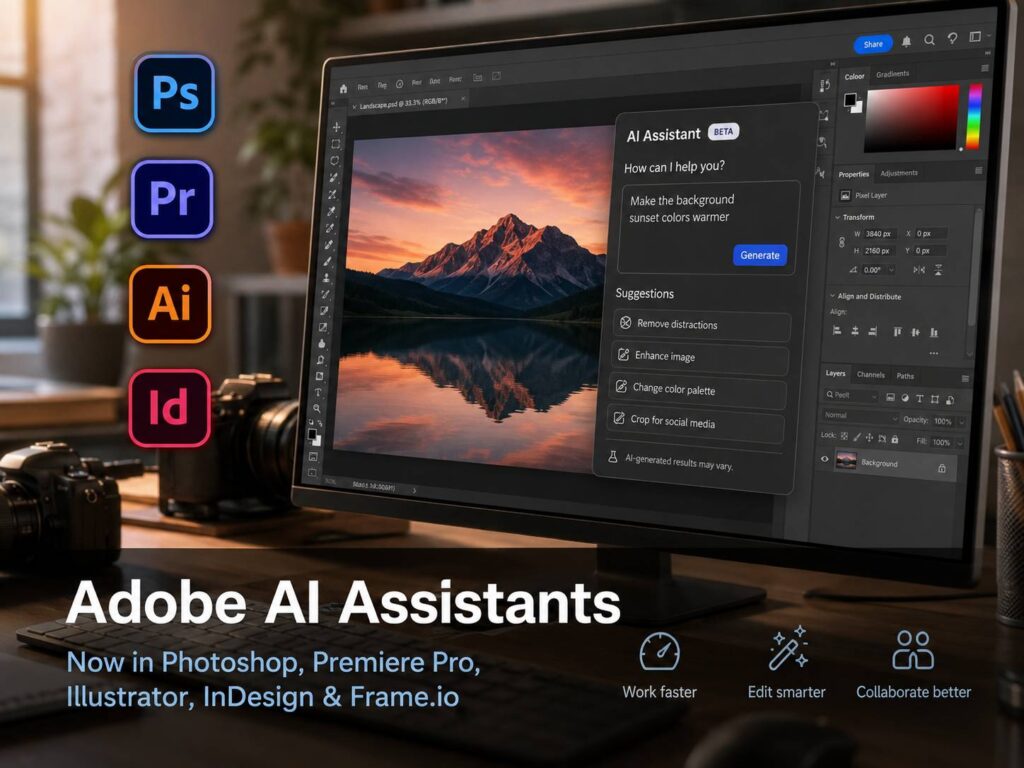
Adobe AI Assistants are now one of the biggest Creative Cloud updates of 2026. Adobe has added AI Assistant tools to Photoshop, Premiere, Illustrator, InDesign, and Frame.io in public beta. After Effects has entered private beta too.
For many creators, this update feels different from a normal feature drop. It does not only add another button inside an app. Instead, it brings plain-language help closer to the actual file, timeline, layout, and design system.
So, what changes for everyday users? The short answer is workflow speed. Designers, video editors, marketers, agencies, and solo creators can now ask Creative Cloud apps to help with repeated tasks that usually slow down production.
Still, this does not remove creative skill from the process. A designer still needs taste. An editor still needs timing. A brand team still needs direction. The AI Assistant can help with setup, cleanup, versioning, and review work. Then the human user makes the final call.
Adobe AI Assistants bring plain-language editing into major Creative Cloud apps
The main idea is simple. Users can type what they want, and the app can help carry out the task.
For example, a Photoshop user can ask for changes to an image. A Premiere Pro editor can ask for help organizing footage. An Illustrator user can ask for file checks or versioned artwork. An InDesign user can ask for layout updates across a document.
That sounds small at first. In practice, it can save real time. Many creative jobs include the same boring steps repeated across files. Rename layers. Resize assets. Check fonts. Export versions. Review notes. Clean up files. Then repeat.
AI Assistant aims to reduce that drag. As a result, creators can spend more time on the part of the work that needs judgment.
This shift fits a wider pattern across creative software and production tools. Smaller teams now want pro-level output without huge production rooms or long setup times. The same idea appears in hardware too, including newer tools like HP MJF 1200 brings industrial 3D printing to smaller workspaces, which shows how advanced creation tools keep moving closer to smaller studios and local teams.
Photoshop AI Assistant helps with cleanup, resizing, and image edits
Photoshop gets one of the clearest use cases. Many Photoshop jobs involve small edits that take more time than they should.
For example, an ecommerce team may need the same product image in several sizes. A social media manager may need a background swap, a square crop, and a vertical crop. A designer may need to clean up layers before sending the file to another person.
The Photoshop AI Assistant can help with that type of work. It can support background changes, asset resizing, layer cleanup, and image edits based on text prompts.
Still, the best use is not blind automation. The assistant can create a strong first pass. Then the editor should check edges, shadows, color, lighting, and file structure.
That review matters. A tool can speed up the work, but a trained eye still catches the details that make an image feel finished.
Premiere Pro AI Assistant can speed up video prep
Premiere Pro users often lose time before the real edit starts. They import footage, sort clips, rename files, scan interviews, find good moments, and prepare the timeline.
The AI Assistant can help with project setup and rough organization. For video teams, that can be useful right away.
For example, a YouTube editor can use it to find clips faster. A podcast team can speed up the first cut. A course creator can organize long recordings. A social video editor can prepare multiple short clips from a longer video.
Then the human editor still handles pacing. Music, silence, timing, emotion, and story need a person. AI can help prepare the material, but it cannot replace good editing judgment.
For that reason, Premiere’s AI Assistant looks most useful as a production helper. It can reduce the time spent on file handling and prep work. Then editors can spend more energy on the final cut.
Illustrator AI Assistant supports real design production
Illustrator’s AI Assistant may become very useful for teams that create repeated design assets. That includes ads, packaging files, product labels, campaign graphics, icons, and brand files.
One strong use case is versioning. Designers often need many versions of the same file. One design may need different names, regions, prices, sizes, colors, or languages. Manual versioning takes time, and it can lead to mistakes.
The AI Assistant can help create versions from structured data. It can also help organize layers and run file checks before handoff.
For print and packaging work, that matters. A file can look good on screen but still fail in production. Missing fonts, wrong color settings, messy layers, or unclear naming can slow down approval.
So, Illustrator’s AI Assistant feels practical rather than flashy. It helps with the work that sits between the idea and the final delivery.
InDesign AI Assistant helps with layouts, reports, and brand updates
InDesign remains a core app for brochures, catalogs, reports, magazines, pitch decks, and print-ready documents. Many of these files need updates across several pages.
For example, a company may need to update brand colors in a large brochure. A marketing team may need to refresh a product catalog. An agency may need to prepare a client report with new copy and fresh visuals.
The InDesign AI Assistant can help with layout updates, copy changes, style checks, and print-readiness tasks. That can save time on long documents.
At the same time, InDesign still needs careful human review. Page flow, spacing, hierarchy, image balance, and text breaks need a designer’s eye. The assistant can help move the file forward, but it should not make the final design decision alone.
This is where the update feels useful. It can take care of repeated document work, then leave the designer with a cleaner file to refine.
Frame.io AI Assistant points to better team review
Adobe added AI Assistant support to Frame.io too. That matters for teams that handle video review, client comments, and file feedback.
Creative review can get messy fast. One person leaves a note on timing. Another person asks for a brand change. A client asks for a new version. Then the editor has to track every request and make sense of it.
Frame.io already helps with review and approval. With AI Assistant support, it can help teams find feedback, understand revision requests, and organize next steps.
This could become one of the most useful parts of the update for agencies. Solo creators can save time, but teams can save time and reduce mistakes.
Public beta means teams should test before using it on client work
Adobe has released these AI Assistants in public beta for Photoshop, Premiere, Illustrator, InDesign, and Frame.io. That means users can test them, but they should use care with serious work.
A smart test starts with copies of real projects. That gives teams a clear view of what works and what still needs review.
Use a simple checklist:
- Keep original files untouched.
- Review every AI-made change.
- Check layers, fonts, colors, captions, and export settings.
- Use approved brand assets.
- Test on internal files before client files.
- Track the time saved on repeated tasks.
- Check final files before handoff.
This kind of testing gives a fair result. It avoids hype, and it shows where the assistant saves real time.
What this means for Creative Cloud users in 2026
Adobe is making Creative Cloud feel more guided. Users still work inside the same apps, but now they can ask for help in plain language.
That changes the role of AI inside creative work. It no longer sits only in image generation or text prompts. It now supports the full work process, from setup to cleanup to file delivery.
Search interest will likely grow around terms like Adobe AI Assistant, Photoshop AI Assistant, Premiere AI editing, Illustrator AI tools, InDesign AI layout tools, Firefly AI Assistant, and Creative Cloud AI tools.
For professionals, the key question is trust. Can the assistant save time without damaging file quality? Can it keep layers editable? Can it follow brand rules? Can it help without taking control away from the user?
The answer will come from daily use. If the assistant saves time and keeps files clean, many teams will keep it in their workflow.
Final thoughts
Adobe AI Assistants look useful for the work creatives often dislike most. File setup, versioning, rough organization, layout checks, asset cleanup, and review handling all take time. They matter, but they rarely define the creative idea.
That is why this update feels practical. It does not need to replace creative judgment to matter. It only needs to remove enough repeated work to give creators more time for design, editing, writing, and review.
For Photoshop, Premiere, Illustrator, and InDesign users, this is a serious Creative Cloud update. The best users will not treat it like magic. They will test it, set review rules, and keep control over the final file.
If Adobe keeps the tools editable, clear, and useful inside real projects, AI Assistant could become one of the most helpful Creative Cloud changes in years.