A good keyboard can change the way your desk feels. It sounds like a small thing, but it matters once you type every day. Emails, reports, product descriptions, school work, coding, browsing, and long chat replies all feel better with a keyboard that gives your fingers clear feedback.
That is where mechanical keyboards stand out. They feel more precise than most basic office keyboards. Each key has its own switch, so every press feels more controlled. That can make typing more pleasant and less tiring.
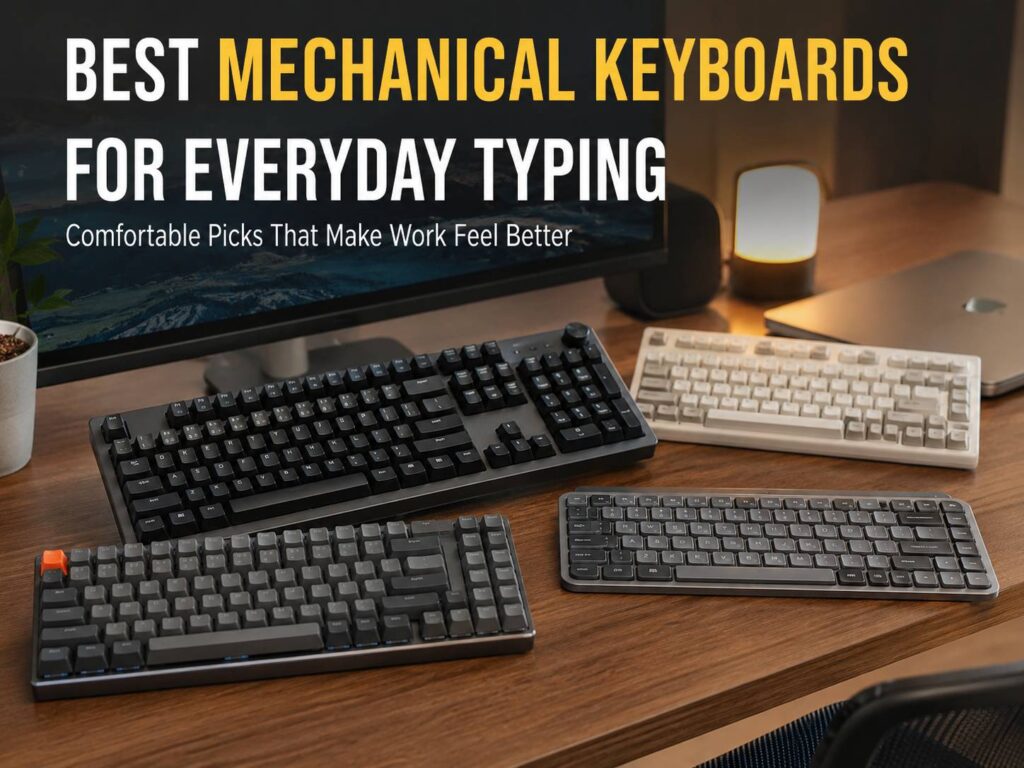
Still, the best mechanical keyboards for everyday typing are not always the loudest or most expensive ones. A great daily keyboard should feel comfortable, sound pleasant, fit your desk, and match the way you work. It should help you type faster without making your hands feel tense after a few hours.
This guide covers the best options for daily typing, office work, home desks, writing, and general use. It also explains what to check before buying, from switches and layout to noise and comfort.
Why Mechanical Keyboards Are So Good for Everyday Typing
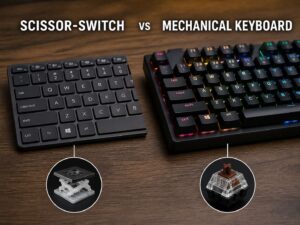
Mechanical keyboards feel different from regular membrane keyboards. The keys have more travel, better feedback, and a more solid feel. That makes each press easier to notice.
For everyday typing, that feedback is the real benefit. You do not need to press each key hard. Once your fingers learn the switch feel, typing can feel smoother and more natural. This is useful for writers, students, office workers, programmers, and anyone who spends hours at a desk.
Many mechanical keyboards also feel more stable. The keys wobble less, the case feels stronger, and the typing sound feels more satisfying. A cheap keyboard can feel hollow or mushy. A good mechanical keyboard feels firm and controlled.
There is one catch. Some mechanical keyboards are loud. Clicky switches can sound fun at first, but they can annoy people nearby. If you work in a shared room, join many video calls, or type late at night, quiet tactile or smooth linear switches are usually safer.
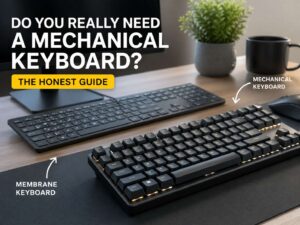
If you are still asking yourself whether the upgrade is really necessary, this guide on whether you really need a mechanical keyboard can help you decide before spending money.
What to Look for Before You Buy
A mechanical keyboard can look amazing and still feel wrong after one week. Comfort comes first.
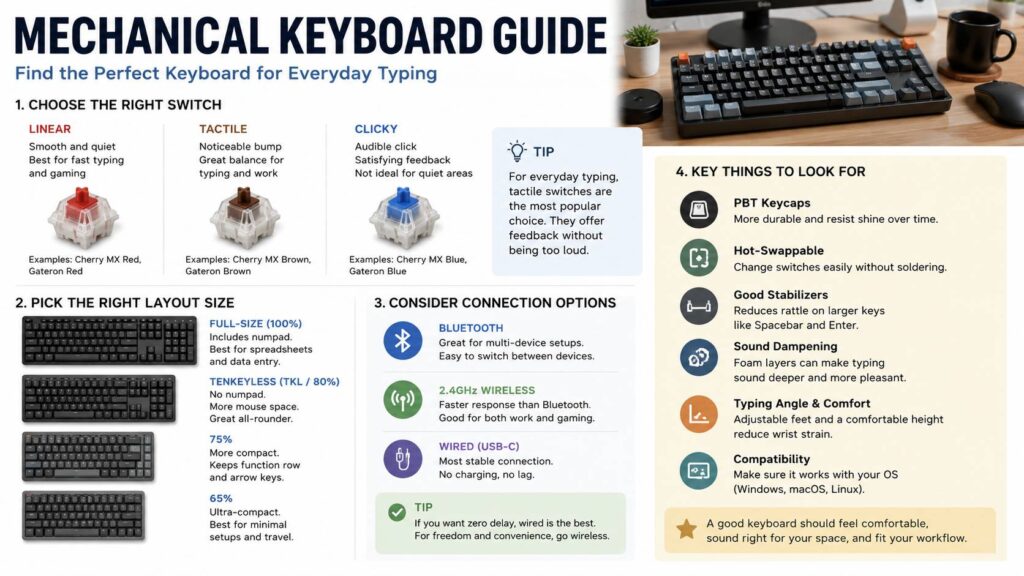
The switch type matters most. Tactile switches give a small bump during each press. Linear switches feel smooth from top to bottom. Clicky switches add a sharp sound and stronger feedback. For everyday typing, tactile switches are often the safest choice.
The layout matters too. A full-size keyboard gives you every key, including the number pad. A tenkeyless keyboard removes the number pad but keeps the function row and arrow keys. A 75% keyboard saves even more space but keeps most important keys close.
Low-profile keyboards are worth considering too. They feel closer to laptop keyboards, so they are easier to adjust to if you dislike tall keys. Standard-profile keyboards feel deeper and more traditional, but you may need a wrist rest to stay comfortable.
Before buying, check for these features:
- Comfortable tactile or quiet linear switches
- A layout that fits your desk and work style
- PBT keycaps for better long-term texture
- Hot-swappable switches if you want future upgrades
- Stable spacebar, Shift, Backspace, and Enter keys
- Wired, Bluetooth, or 2.4GHz wireless connection
- Mac and Windows support
- Adjustable feet or a comfortable typing angle
- A sound profile that suits your room
A keyboard does not need every feature to be good. It only needs the right features for your daily use.
Best Overall: Keychron V3 Max
The Keychron V3 Max is one of the easiest mechanical keyboards to recommend for everyday typing. It uses a tenkeyless layout, so it removes the number pad and keeps the rest. That gives your mouse more room and makes your desk feel cleaner.
It supports wired USB-C, Bluetooth, and 2.4GHz wireless. That is useful if you switch between a desktop, laptop, and tablet. The typing feel is solid, and the gasket-mounted design gives the keyboard a softer feel than many basic mechanical boards.
The double-shot PBT keycaps are another strong point. They feel better than many cheaper keycaps and should resist shine for longer. You also get hot-swappable switches, so you can change the typing feel later without replacing the whole keyboard.
Real opinion: the Keychron V3 Max feels like the best middle ground for most people. It is not tiny, but it saves more space than a full-size keyboard. It feels premium without looking too flashy. The only issue is height. A wrist rest helps a lot if your desk is not set up well.
Best for: writers, students, home office users, programmers, and anyone who wants a balanced mechanical keyboard for daily typing.
Best Full-Size Pick: Keychron V6 Max
The Keychron V6 Max is the better choice if you need a number pad. It has a full-size layout, so it works well for spreadsheets, finance tasks, admin work, and data entry.
It gives you the same kind of practical feature set that makes Keychron popular. You get wireless support, wired USB-C, hot-swappable switches, PBT keycaps, and a comfortable typing feel. It also works well for people who do not want to learn a compact layout.
The main downside is desk space. A full-size keyboard pushes your mouse farther away. Over time, that can make your shoulder feel less relaxed. If you use the number pad every day, the tradeoff makes sense. If not, a tenkeyless keyboard will feel better for most desks.
Real opinion: the V6 Max is great for traditional office work, but it is not the cleanest setup for small desks. Buy it for the number pad, not just for the larger size.
Best for: spreadsheets, accounting, admin work, data entry, and users who want every key in the usual place.
Best Office Pick: Logitech MX Mechanical
The Logitech MX Mechanical is a strong option if you want a clean keyboard for work. It feels more refined than many hobby-style mechanical keyboards. It also has a slimmer profile, so it feels easier to use if you are coming from a laptop keyboard.
The tactile quiet switch option is the best match for everyday typing. It gives feedback without the sharp sound of clicky switches. That makes it a good choice for shared rooms, video calls, and office desks.
Logitech also gets the small daily details right. The keyboard pairs with multiple devices, and the backlighting turns on when your hands approach. It feels polished, simple, and ready for work.
Real opinion: the Logitech MX Mechanical is not the best choice if you want deep customization. You will get more freedom from Keychron or NuPhy. Still, for a clean daily office keyboard, it is one of the easiest models to live with.
If you are comparing these two brands directly, this Keychron vs Logitech keyboards comparison can help you choose the better fit for your desk.
Best for: office users, laptop users, shared workspaces, and people who want a slim wireless keyboard that feels professional.
Best Portable Pick: NuPhy Air75 V2
The NuPhy Air75 V2 is a compact low-profile mechanical keyboard that feels light, stylish, and easy to move around. It uses a 75% layout, so it keeps the function row and arrow keys but cuts down the overall size.
This makes it a great choice for small desks, travel setups, and laptop users. It supports wired USB-C, Bluetooth, and 2.4GHz wireless. It also supports hot-swappable low-profile switches, which is useful if you want to fine-tune the typing feel later.
The typing feel is fast and light. It does not feel as tall as a standard mechanical keyboard, so it is easy to adjust to. The compact layout may take a few days to feel natural, though. Some keys sit closer together, and that can lead to a few mistakes at first.
Real opinion: the Air75 V2 is one of the nicest everyday keyboards for people who hate bulky setups. It feels modern without being too strange. Just give yourself a short adjustment period.
Best for: compact desks, travel, laptop setups, students, and people who want a low-profile mechanical keyboard.
Best Wired Premium Pick: Das Keyboard 6 Professional
The Das Keyboard 6 Professional is made for people who want a serious wired keyboard. It has a full-size layout, a strong build, and a classic desk setup feel. It is not trying to be tiny or playful. It is built for work.
The Cherry MX Brown version is the better pick for most daily typists. It gives tactile feedback without the sharp click of Blue switches. The Blue version can feel satisfying, but it is loud. That can be a problem in shared spaces.
The dedicated media controls and volume knob are useful during daily work. The keyboard feels stable and direct, which is exactly what some users want from a full-size mechanical board.
Real opinion: this is not the keyboard to buy if you want wireless freedom or a compact desk. It is better for people who want a solid wired keyboard that feels ready for years of typing.
Best for: desktop workstations, writers, developers, office users, and people who prefer wired keyboards.
Best Switches for Everyday Typing
Switch choice can make or break the experience. It affects comfort, sound, typing speed, and mistakes.
Tactile switches are the best starting point for most people. They give a small bump during each press, so your fingers get clear feedback. Brown-style switches are popular for this reason. They work well for typing, editing, coding, and general office tasks.
Linear switches feel smooth. They can be quiet and fast, but you may make more typing mistakes at first. Since there is no tactile bump, your fingers get less feedback.
Clicky switches feel fun, but they are not ideal for every room. They make a sharp sound that can bother coworkers, family members, or anyone listening during calls.
For everyday typing, quiet tactile switches are the safest choice. Pick linear switches if you want a smooth feel. Choose clicky switches only if noise is not a problem.
Full-Size, TKL, or 75%: Which Layout Is Best?
A full-size keyboard is best if you use the number pad often. It feels familiar and gives you every key. The downside is width. It takes more desk space and can push your mouse too far to the side.
A tenkeyless keyboard is the best layout for many everyday users. It removes the number pad but keeps the function row, arrow keys, and navigation keys. It gives you a better desk position without feeling too compact.
A 75% keyboard saves more room. It keeps most important keys but places them closer together. This layout works well for small desks and laptop-style setups.
A 65% keyboard can be nice for casual use, but it removes more keys. It is not always the best pick for office work unless you already like compact keyboards.
TKL is the safest choice. It gives you comfort, space, and familiar key placement.
Common Issues People Notice After Buying
The first issue is keyboard height. Many mechanical keyboards sit higher than basic office keyboards. Your wrists can bend upward if your desk is too high. A wrist rest can fix this quickly.
The second issue is sound. Even non-clicky keyboards can sound loud if the case is hollow or the stabilizers rattle. Better-built keyboards usually sound cleaner and less annoying.
The third issue is layout adjustment. Compact keyboards save space, but they can slow you down for a few days. This is normal. Your fingers need time to learn the new key positions.
The fourth issue is switch regret. A switch can sound perfect in a video and feel wrong at your desk. Hot-swappable keyboards reduce that risk, since you can change switches later.
The fifth issue is wireless delay or pairing trouble. Most good modern keyboards work well, but wired mode is still the safest choice for zero fuss. For typing, this rarely matters much. For gaming, it matters more.
Our Suggestion
For the best everyday typing choice, search for the Keychron V3 Max with tactile switches. It gives you a strong mix of comfort, wireless support, PBT keycaps, hot-swappable switches, and good value.

If you want a slimmer keyboard for office work, search for the Logitech MX Mechanical with tactile quiet switches. It looks clean, feels familiar, and works well in shared spaces.

If you want something compact and stylish, search for the NuPhy Air75 V2. It is a great pick for laptop users and smaller desks.

A good keyboard can sell out fast during deals, so check the current price, compare switch options, and grab the model that fits your desk before the best offer is gone.
Final Verdict: Which Mechanical Keyboard Should You Choose?
The best mechanical keyboard for everyday typing should feel good first. Extra features are nice, but comfort matters more during long workdays.
Choose the Keychron V3 Max if you want the best overall balance. Pick the Keychron V6 Max if you need a number pad. Go with the Logitech MX Mechanical if you want a slim and polished office keyboard. Choose the NuPhy Air75 V2 if you want a compact low-profile board. Pick the Das Keyboard 6 Professional if you prefer a premium wired keyboard.
Tactile switches are the best choice. They feel clear, controlled, and easy to trust. A tenkeyless layout is also the safest size for daily typing, since it saves space without removing too many useful keys.
A mechanical keyboard will not write your emails for you, sadly. It can make every message, article, spreadsheet, and work session feel better, though. If you type every day, this is one desk upgrade you will feel right away.