A mechanical keyboard can make a desk setup look serious. It can sound deeper, feel firmer, and give each key press a more solid feel. Many people see one in a gaming setup or office desk tour and start thinking about an upgrade.
Still, the real question is simple: do you really need a mechanical keyboard?
For many people, the answer is no. A basic keyboard can handle emails, browsing, school work, and light office tasks without trouble. But for people who type often, play PC games, or care about how a keyboard feels, a mechanical keyboard can be worth the money.
The best choice comes down to your work, your desk space, your noise limits, and your budget. A mechanical keyboard can feel better, last longer, and give you more control. But it can cost more, sound louder, and take time to get used to.
This guide keeps things practical. You will see who needs a mechanical keyboard, who can skip one, and what to check before buying.
What Is a Mechanical Keyboard?
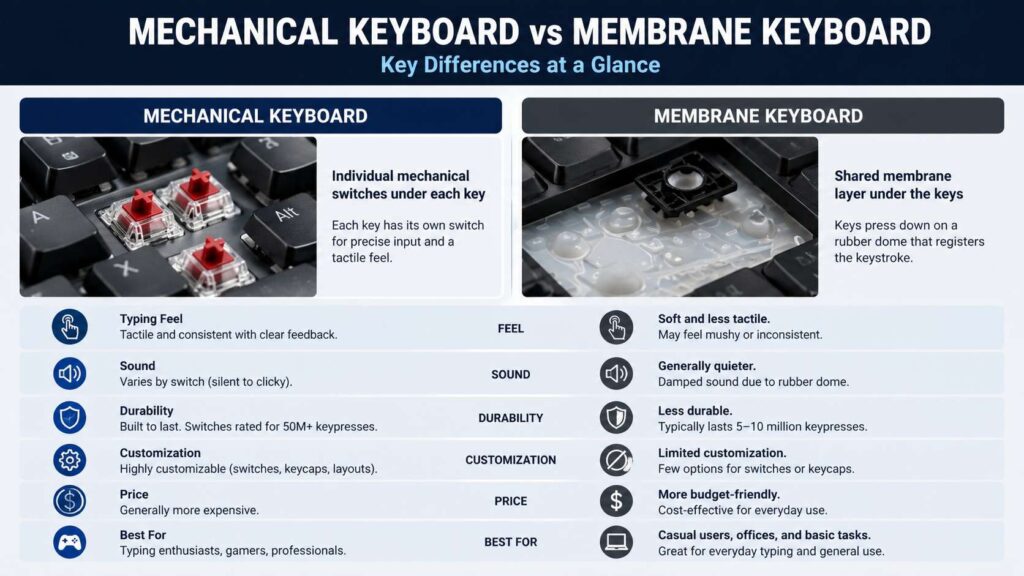
A mechanical keyboard uses individual switches under each key. Each switch has its own moving parts, usually a stem, spring, and housing. Press a key, and that switch sends the input to the computer.
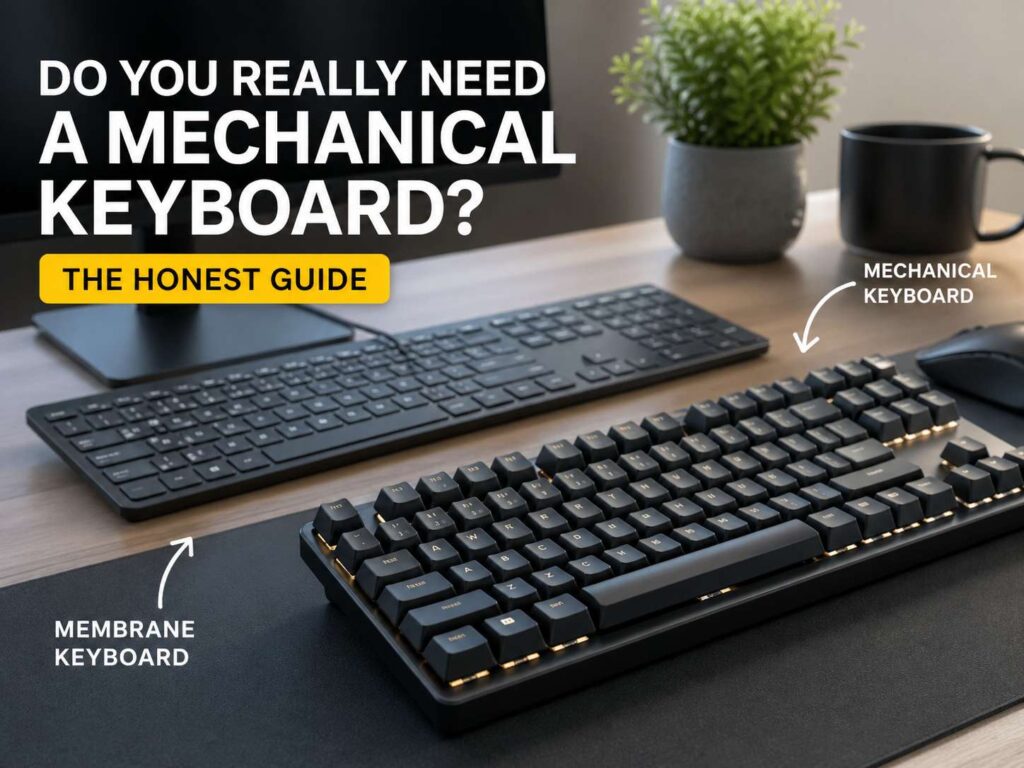
A regular membrane keyboard works in a different way. It usually uses a rubber layer under the keys. Press a key, and the rubber dome collapses to register the input.
That difference changes the typing feel. A membrane keyboard often feels soft or flat. A mechanical keyboard feels more defined. You feel the key move, and depending on the switch, you may feel a small bump or hear a click.
This is why many people prefer mechanical keyboards for typing. Each press feels clearer. The keys often feel more stable too.
Still, better feel does not mean every person needs one. Some people prefer laptop-style keyboards. Others dislike taller keys. So the right choice depends on what feels good under your fingers.
Mechanical Keyboard vs Membrane Keyboard
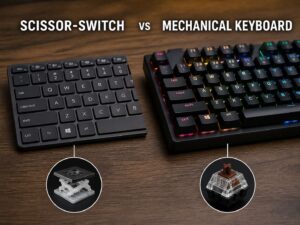
The biggest difference sits under the keycaps. A membrane keyboard uses one shared rubber sheet. A mechanical keyboard uses separate switches.
That small hardware change affects feel, sound, repair options, and price.
A membrane keyboard usually costs less. It stays quiet, works fine for normal use, and keeps things simple. You plug it in and start typing.
A mechanical keyboard gives you more choice. You can choose switch type, layout size, keycaps, case style, and sound profile. Many models let you change switches too, especially hot-swappable boards.
For a deeper comparison, this guide on mechanical vs membrane keyboard explains the main differences in a simple way.
Mechanical keyboards win on feel and choice. Membrane keyboards win on price and low noise. Neither option fits every person.
Who Should Buy a Mechanical Keyboard?
A mechanical keyboard makes sense if you spend many hours at a desk. Writers, developers, editors, students, office workers, and gamers often notice the upgrade quickly.
Typing can feel cleaner. Key presses feel more certain. The board often feels heavier and more stable than a cheap office keyboard.
Gamers may like mechanical keyboards for another reason. Many gaming models include fast response settings, macro support, RGB lighting, and software profiles. The switch feel can also help during long gaming sessions.
Desk setup fans enjoy them too. You can pick a compact layout, different keycaps, silent switches, or a case that matches your setup.
A mechanical keyboard can also suit people who dislike throwing away cheap keyboards every year or two. Many boards can be cleaned, repaired, or refreshed with new parts.
Who Can Skip One?
You can skip a mechanical keyboard if you only type short messages, browse the web, or use a computer for light tasks. A regular keyboard will handle that work well.
Budget matters too. A good mechanical keyboard usually costs more than a basic office keyboard. Entry-level models can be affordable, but better switches, better keycaps, and stronger cases raise the price.
Noise can create another problem. Clicky switches sound fun at home, but they can annoy people nearby. Shared rooms, open offices, and late-night setups need quieter switches.
Some users also prefer low-profile keys. If you type well on a laptop keyboard, a tall mechanical keyboard can feel odd at first.
So, do not buy one only for the trend. Buy one if it solves a real problem or makes daily typing more comfortable.
Switch Types Matter More Than Most People Think
Switches shape the whole keyboard experience. Three main types appear often: linear, tactile, and clicky.
Linear switches feel smooth from top to bottom. They do not have a bump or click. Gamers often like them since they feel fast and simple.
Tactile switches add a small bump during the press. That bump tells your finger the key has activated. Many typists like tactile switches since they give feedback without a loud click.
Clicky switches add both a bump and a click sound. They feel crisp and fun, but they are the loudest choice. They work best in private rooms.
For a first mechanical keyboard, quiet tactile switches or light linear switches are the safest picks. They work well for typing, gaming, school, and office use.
Switch weight matters too. Light switches need less pressure. Heavy switches need more force and can reduce accidental presses for some users. Try not to chase specs alone. The best switch is the one that feels natural after a few days.
Keyboard Size Can Change Your Whole Setup
Size matters more than many buyers expect.
A full-size keyboard has letters, function keys, arrows, navigation keys, and a number pad. It works well for spreadsheets, finance work, and data entry.
A TKL keyboard removes the number pad but keeps the arrows and function row. It saves desk space and still feels familiar.
A 75 percent keyboard keeps many useful keys in a smaller frame. It usually includes arrows and the function row, but it trims empty space. Many people see it as a smart middle ground.
A 65 percent keyboard removes the function row but keeps arrows. It suits compact desks and clean setups.
A 60 percent keyboard removes more keys and uses shortcuts for missing functions. It looks neat, but it takes more time to learn.
For most people, 75 percent and TKL layouts make the most sense. They save space without removing too many daily keys. This 75 keyboard guide explains that layout in more detail.
Mechanical Keyboards for Work
A good work keyboard should feel comfortable, stay reliable, and keep noise under control.
Start with the layout. If you work with numbers all day, choose full-size. If you write, code, or handle general office tasks, a TKL or 75 percent board can feel better. Your mouse sits closer, so your arm does not reach as far.
Next, think about switches. Shared offices need quiet switches. Silent linear switches or soft tactile switches work better than clicky ones.
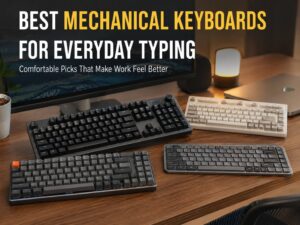
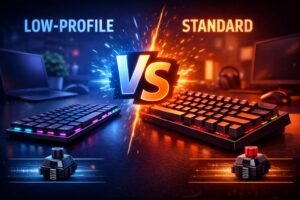
Keycap height matters too. Tall keycaps can feel great, but they can tire some hands at first. Low-profile mechanical keyboards feel closer to laptop keyboards and may suit people who want less key travel.
A wrist rest can help some users, but it does not fix poor desk posture. Keep your wrists relaxed. Keep your mouse close. Set the keyboard at a comfortable angle.
Mechanical Keyboards for Gaming
Gamers often like mechanical keyboards for their feel, speed, and layout choice. A smooth linear switch can feel quick for movement keys. A tactile switch can help players feel each press more clearly.
Gaming keyboards often add extras such as RGB lighting, macro keys, game mode, onboard memory, and custom profiles. Some players use these features daily. Others never touch them.
A casual gamer does not need an expensive board. A simple mechanical keyboard with a stable case and good switches can work well.
Size matters here too. A smaller keyboard gives the mouse more room. That helps players who use low mouse sensitivity in shooters.
For most gamers, a TKL, 75 percent, or 65 percent keyboard offers the best mix of comfort and desk space.
Will a Mechanical Keyboard Make You Type Faster?
A mechanical keyboard can help typing feel better, but it will not magically make you faster.
Typing speed comes from practice, accuracy, and comfort. A good keyboard can support those things, but it cannot replace them.
Some people type faster with tactile switches. The bump helps them feel each key press. Other people prefer linear switches since they feel smoother. Some users still type fastest on thin laptop keyboards.
Accuracy matters more than raw speed. If a keyboard helps you make fewer mistakes, it can save time during a full workday.
Give yourself time to adjust. A new layout, taller keys, or different switch feel can slow you down for a few days. After that, you can judge it fairly.
Noise Is the Big Dealbreaker
Noise is the part many buyers overlook.
Clicky switches can sound sharp. Tactile switches can still make noise. Linear switches are smoother, but they can make sound when the key hits the board.
The spacebar, Enter, Backspace, and Shift keys can rattle on cheaper boards. That sound comes from the stabilizers, not just the switches.
A quieter mechanical keyboard needs the right parts. Look for silent switches, solid stabilizers, foam dampening, and a sturdy case. A desk mat can soften the sound too.
For home offices, shared bedrooms, and workspaces, avoid clicky switches. Quiet tactile or silent linear switches are safer.
Wired or Wireless Mechanical Keyboard?
A wired keyboard keeps things simple. You do not charge it. You do not pair it. It works well for gaming, work, and setup screens.
A wireless keyboard makes the desk look cleaner. Bluetooth helps with laptops, tablets, and multi-device setups. A 2.4 GHz dongle often gives a stronger gaming feel than Bluetooth.
Battery life depends on the model, connection type, and lighting. RGB lighting drains power faster. Turning lighting off often gives much longer use between charges.
For office use, Bluetooth works well for most people. For gaming, wired or 2.4 GHz usually feels better. For travel, compact wireless boards can help, but check the weight before buying.
Hot-Swap, Keycaps, and Build Quality
Hot-swap support lets you change switches without soldering. This is useful for beginners. You can start with tactile switches, then try linear switches later.
Keycaps affect feel and sound. ABS keycaps often feel smooth and can get shiny over time. PBT keycaps usually feel more textured and resist shine better.
Case quality matters too. A thin, hollow case can make good switches sound cheap. A stronger case makes the board feel more solid.
Aluminum cases feel premium, but they cost more and weigh more. Plastic cases can still feel good if the board has solid design and stable parts.
Software support can matter for power users. Some keyboards let you remap keys, set layers, and create macros. Simple users can ignore most of that and still enjoy the keyboard.
How Much Should You Spend?
You do not need to spend a huge amount on your first mechanical keyboard.
Under $50, you can find basic models. Expect more noise, weaker stabilizers, and fewer features.
From $60 to $120, most people find the best value. Boards in this range often include hot-swap sockets, decent switches, better keycaps, and useful layouts.
From $130 to $250, you pay for better materials, smoother sound, wireless features, and stronger build quality.
Above $250, you enter enthusiast territory. These boards can feel excellent, but most normal users do not need that level.
For a first board, choose value over hype. Pick a layout you understand, quiet switches if you share your space, and hot-swap support if you want room to experiment.
Quick Buying Checklist
Use this checklist before you buy:
- Pick full-size if you use the number pad daily.
- Pick TKL or 75 percent for the safest desk setup.
- Pick 65 percent if you want a compact board with arrows.
- Avoid 60 percent if you do not like shortcuts.
- Choose quiet tactile switches for typing and office use.
- Choose light linear switches for gaming and smooth typing.
- Skip clicky switches in shared spaces.
- Look for hot-swap support for easier switch changes.
- Check reviews for spacebar rattle.
- Choose PBT keycaps if you dislike shiny keys.
- Pick wired for simple use.
- Pick wireless for a cleaner desk.
Final Verdict: Do You Really Need a Mechanical Keyboard?
You do not need a mechanical keyboard for basic computer use. A regular keyboard can handle browsing, emails, documents, school work, and casual tasks.
Still, a mechanical keyboard can be a smart upgrade if you type often, play PC games, or want a better desk feel. The right board can make typing feel cleaner and more enjoyable. It can give you more layout choices too.
The best first pick for most people is a TKL or 75 percent hot-swappable keyboard with quiet tactile or light linear switches. That setup works well for work, gaming, studying, and home office use.
Avoid buying only for looks. Focus on comfort, noise, layout, and price. A good mechanical keyboard should fit your hands and your daily routine.
If your current keyboard feels fine, keep it. If typing feels dull, cramped, loud, or uncomfortable, a mechanical keyboard is worth trying.