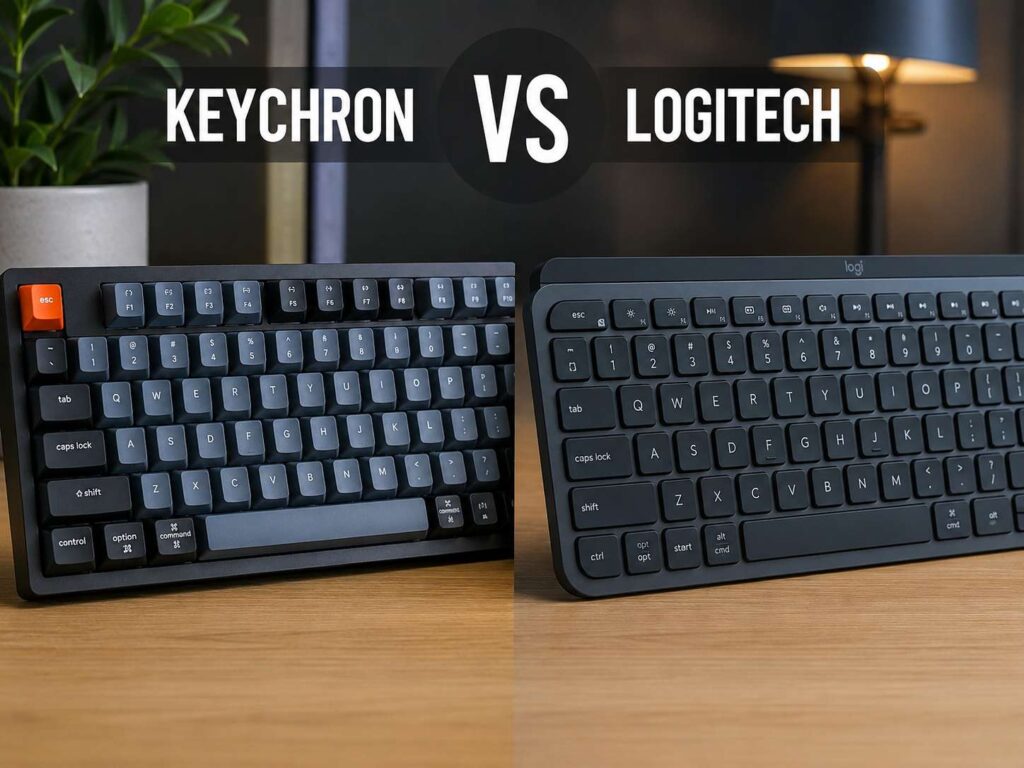
Keychron vs Logitech keyboards is a smart comparison for anyone buying a better keyboard for work, gaming, writing, or daily typing. Both brands have strong options, but they target different users.
Keychron focuses on mechanical keyboards, custom layouts, switch choice, metal cases, and deeper key control. Logitech focuses on clean wireless setups, quiet typing, office comfort, gaming support, and simple software.
That difference matters. A keyboard can change how your desk feels every day. It can make typing more pleasant, gaming faster, and long work sessions less tiring.
Quick answer: Keychron or Logitech?
Choose Keychron if you want a keyboard that feels more personal. It suits people who care about switches, keycaps, sound, layout, and typing feel. Writers, coders, gamers, and mechanical keyboard fans often prefer Keychron for that reason.
Choose Logitech if you want a keyboard that works well right away. It suits office workers, remote workers, students, and people who switch between a laptop, tablet, and desktop often.
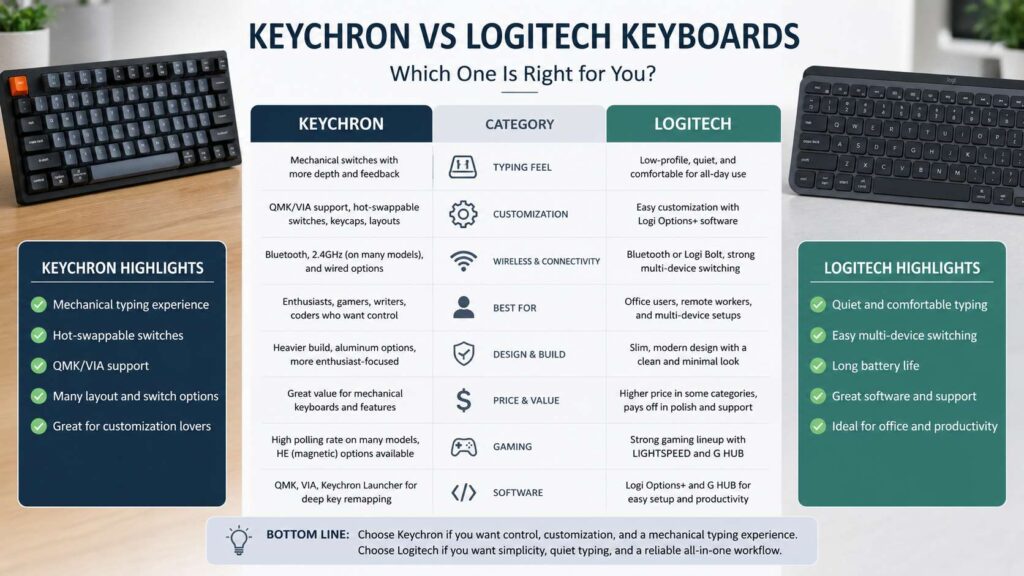
For typing feel, Keychron usually wins. For quiet office use, Logitech often feels easier. For deep customization, Keychron gives you more control. For a clean multi-device setup, Logitech feels smoother.
Not everyone needs a mechanical keyboard. Still, a mechanical board can feel much better if you type a lot, and this guide to whether you really need a mechanical keyboard explains that choice in more detail.
Keychron keyboards: better for mechanical feel and control
Keychron built its name around mechanical keyboards that work well with both Mac and Windows. Many models include Mac and Windows keycaps, which helps users move between systems without extra parts.
The brand offers many lines. The K series targets buyers who want wireless mechanical keyboards at fair prices. The V series gives you many custom keyboard features without a premium metal case. The Q series feels more premium, with heavier cases and a more solid typing sound. The Max models add stronger wireless options on many boards.
This wide range helps Keychron cover many users. A student can buy a smaller K series board. A writer can pick a quiet tactile model. A developer can choose a compact layout with layers and macros. A keyboard fan can buy a Q series board and tune it over time.
Keychron also gives buyers more switch choice. Many models support hot-swappable switches. That means you can change the feel later without soldering. You can start with red switches, then move to brown, banana, silent, or another switch type later.
That makes Keychron feel less like a fixed product and more like a keyboard platform. You can keep the same board and change how it feels.
Logitech keyboards: better for simple wireless work setups
Logitech makes keyboards for a much wider audience. Its range includes office keyboards, ergonomic keyboards, tablet keyboards, compact wireless keyboards, and gaming keyboards.
The MX Keys line remains popular for office work. It has a slim shape, quiet keys, backlighting, and easy device switching. It feels clean on a desk and does not ask much from the user.
Many Logitech keyboards pair well with Logitech mice too. That matters for people who already use an MX Master, Lift, or gaming mouse. The keyboard and mouse can share software, shortcuts, and device-switching tools.
Logitech also makes strong ergonomic options. The ERGO K860 uses a split and curved shape, which can help users keep their wrists in a more relaxed position. This type of design makes sense for people who type for many hours each day.
For simple work use, Logitech often feels safer. You charge it, pair it, and type. There is little setup, and there are no switches, keycaps, or firmware to change.
Typing feel: deep mechanical keys or quiet low-profile keys?
Typing feel is the biggest difference between Keychron and Logitech.
Keychron keyboards usually feel deeper and more physical. You press a key and feel the switch move. Some boards sound soft and muted. Others sound sharper and more clicky. The exact feel changes with the switch, keycap, case, and foam setup.
Logitech keyboards usually feel flatter and quieter. MX Keys, for example, does not feel like a classic mechanical keyboard. It feels controlled, low, and easy to use. That makes it great for calls, shared offices, and late-night work.
For long writing sessions, Keychron can feel more satisfying. The extra key travel gives your fingers more feedback. For office typing, Logitech can feel cleaner. The lower noise helps in shared spaces.
A person who writes thousands of words per day may enjoy Keychron more. A person who handles emails, meetings, spreadsheets, and messages may prefer Logitech.
For deeper buying help, this guide to the best keyboard for typing all day covers comfort, layout, switch feel, and daily use.
Gaming: which brand feels faster?
Logitech has a long gaming history through Logitech G. Its gaming keyboards often focus on fast wireless, low-profile switches, RGB lighting, and simple software. Models like the G915 family target gamers who want a slim board with strong wireless performance.
Keychron has become much stronger for gaming in recent years. Many newer models offer 2.4 GHz wireless, high polling rates, and better latency than older Bluetooth-only boards. Some Keychron HE models use magnetic switches, which can support features like adjustable actuation and rapid trigger.
That makes the gaming choice less one-sided than it used to be. Logitech still feels like the safer mainstream gaming pick. Keychron feels better for users who want both gaming performance and a richer typing feel.
Pick Logitech for a clean gaming board that works with little setup. Pick Keychron for gaming if you also care about switch feel, keycaps, layout, and custom key layers.
Software and remapping
Keychron and Logitech take different paths with software.
Keychron supports tools like QMK, VIA, and Keychron Launcher on many models. These tools let you remap keys, create layers, build macros, and change how the board works. This is useful for developers, video editors, writers, and gamers.
For example, you can set one layer for writing, one for coding, and one for media controls. You can move keys around and build shortcuts that match your habits.
Logitech uses Logi Options+ for many work keyboards and G HUB for gaming keyboards. These apps feel easier for most users. You can change function keys, set shortcuts, manage devices, check battery status, and adjust supported features.
Keychron wins for deep key control. Logitech wins for easy setup and clean daily use.
Design and build quality
Keychron boards often feel heavier and more keyboard-focused. The Q series, for example, is known for its solid build and premium desk feel. The weight, sound, and feel of a thicker mechanical keyboard are a big part of the appeal.
The V series gives you much of the same keyboard logic at a lower price. It uses a more budget-friendly case, but it still gives users plenty of layout and switch choice.
Logitech takes a different route. Its work keyboards often look slim, clean, and simple. They fit well on modern desks and pair nicely with wireless mice, monitors, laptops, and docking stations.
A Keychron keyboard can become the main object on your desk. A Logitech keyboard blends into the setup more easily.
Neither design is wrong. Keychron feels more personal. Logitech feels more polished for office spaces.
Mac and Windows support
Keychron has a strong reputation among Mac users. Many models include Mac keycaps and Windows keycaps in the box. They often include a physical system switch too, so you can move between Mac and Windows layouts.
This matters for users who work on a MacBook but game on a Windows PC. It also helps people who use one keyboard across different systems.
Logitech supports many operating systems across its main work keyboards. Many models can switch between three paired devices. That works well for a Windows desktop, MacBook, iPad, or phone.
Keychron feels better for Mac users who want a mechanical keyboard. Logitech feels better for people who switch between many devices all day.
Comfort for long work sessions
Comfort depends on desk height, wrist angle, layout, key height, and switch weight.
Logitech has an advantage for people who want quiet, low-profile, ergonomic typing. MX Keys feels easy to use for long office days. ERGO K860 gives users a split layout and a padded wrist rest.
Keychron can be very comfortable too, but taller boards often need a wrist rest. A high mechanical case can raise your hands too much if your desk is not set up well.
Switch weight matters too. Heavy switches can tire your fingers over time. Light switches can feel easier, but they can cause accidental presses for some users.
For long typing days, try to match the keyboard to your hands. A quiet low-profile Logitech works well for many office users. A well-chosen Keychron with a wrist rest can feel better for writers and coders who enjoy mechanical feedback.
Layout choices
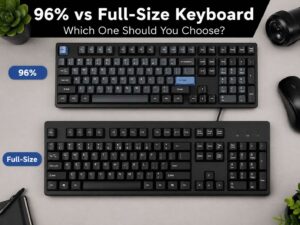
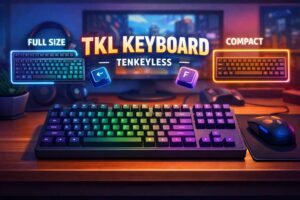
Keychron gives buyers many layout options. You can choose compact 60 percent boards, 65 percent boards, 75 percent boards, tenkeyless boards, full-size boards, Alice-style boards, and low-profile models.
That range helps users pick a layout that fits their desk. A 75 percent Keychron keeps arrow keys and function keys but saves space. A full-size board keeps the number pad. A compact board leaves more room for mouse movement.
Logitech covers common layouts too, but it offers fewer enthusiast-style choices. It focuses more on practical designs for work, business, and gaming.
For layout variety, Keychron wins. For simple mainstream choices, Logitech feels easier to shop.
Price and value
Keychron often gives better value for mechanical keyboard buyers. You can get hot-swap switches, good keycaps, strong layouts, and custom software support at fair prices.
Logitech costs more in some categories, but the value sits in its polish. You get smooth wireless use, strong software, wide retail access, and simple support. Business buyers may also prefer Logitech for company setups.
A Keychron board gives you more keyboard for the money if typing feel matters most. A Logitech board gives you more convenience if you want a reliable work tool with little adjustment.
Keychron vs Logitech for office work
Logitech usually wins for office work. Its keyboards stay quiet, slim, and easy to pair. The MX line suits meetings, spreadsheets, emails, reports, and hybrid work.
Keychron still makes sense for office use if you love mechanical typing. Pick a quiet switch option, avoid loud clicky switches, and use a wrist rest if the board sits high.
For shared offices, Logitech is the safer pick. For a home office, Keychron gives you more comfort if you enjoy mechanical keys.
Keychron vs Logitech for writing
Keychron often wins for writing. The deeper key travel can make long writing sessions feel more engaging. Many writers enjoy tactile switches, which give a small bump with each press.
Logitech still works well for writing, mainly for users who prefer quiet, low-profile keys. MX Keys feels smooth and familiar, but it lacks the deeper feedback of a mechanical board.
For writers who type every day, Keychron offers more room to tune the feel. For casual writing and office notes, Logitech keeps things simple.
Keychron vs Logitech for programming
Programmers often like Keychron for its layout control and remapping. Layers, macros, and QMK/VIA support can speed up repeated tasks. Compact layouts also help keep the mouse closer, which can reduce arm movement.
Logitech still works well for programming if you prefer a quiet board and device switching. It suits developers who move between a laptop, desktop, and tablet during the day.
For coding-focused setups, Keychron has the stronger keyboard tools. For corporate laptop work, Logitech may fit the environment better.
Which brand should you buy?
Buy Keychron if you want better mechanical feel, more layout choice, hot-swappable switches, deeper remapping, and a keyboard you can tune over time. It fits writers, coders, keyboard fans, gamers, and Mac users who want more control.
Buy Logitech if you want a quieter keyboard, simple wireless use, ergonomic choices, strong office software, and easy multi-device switching. It fits office workers, remote workers, students, and users who want a clean setup.
Keychron is the better pick for typing feel and customization. Logitech is the better pick for quiet work and simple daily use. Both brands make good keyboards, but they serve different habits.
Final verdict
Keychron vs Logitech keyboards is not a close fight in one single category. It is a choice between control and convenience.
Keychron gives you a richer typing feel and more ways to shape the keyboard around your habits. Logitech gives you a polished tool that fits into a work setup with less effort.
For most mechanical keyboard fans, Keychron is the better buy. For most office users, Logitech is the smarter choice. For gamers, Logitech suits plug-and-play setups, and Keychron suits players who want more control over feel and layout.