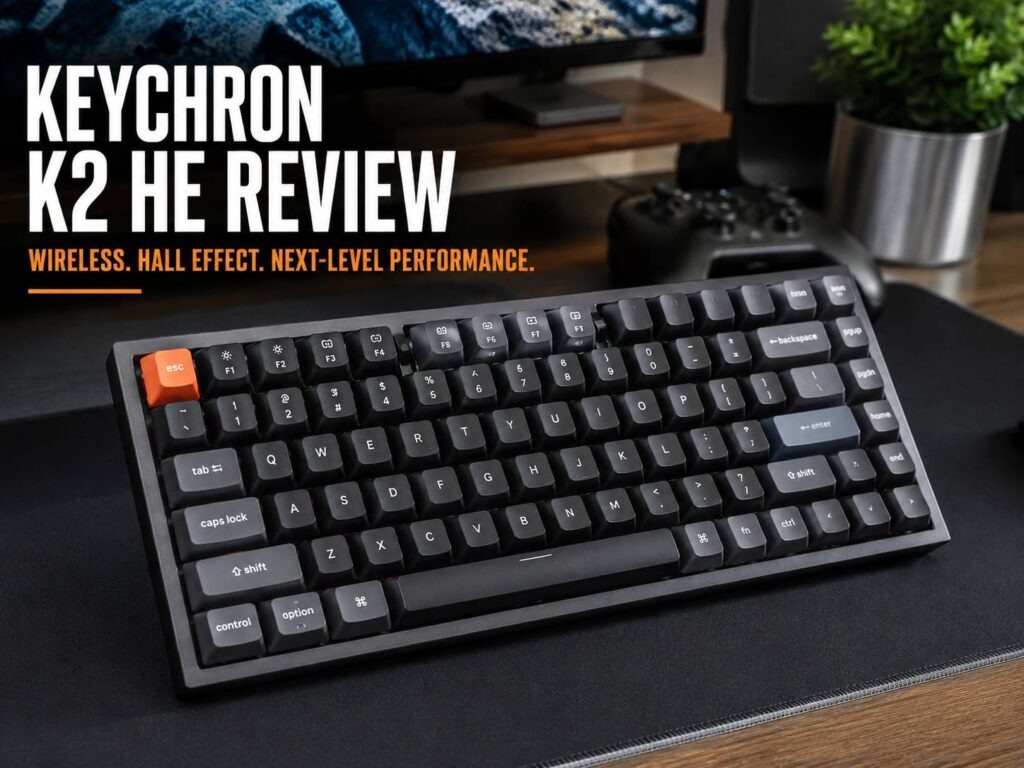
The Keychron K2 HE is a compact wireless keyboard built for people who want a clean desk, fast gaming response, and a nicer typing feel than a typical gaming board. It uses Hall Effect magnetic switches, so you can adjust how far each key needs to travel before it registers. That single feature changes the whole feel of the keyboard.
This is not a regular Keychron K2 with a new color. It is a more advanced version made for gamers, writers, coders, and desk setup fans who want one keyboard for everything. You get a 75% layout, wireless 2.4 GHz mode, Bluetooth, USB-C, Rapid Trigger, RGB lighting, PBT keycaps, and a design that looks more mature than most gaming keyboards.
The biggest reason to care is simple: the K2 HE gives you serious gaming features without looking like a loud esports keyboard. It feels smooth, sounds controlled, and still gives you fast actuation for games like Valorant, Counter-Strike 2, Fortnite, Apex Legends, and osu!.
If you are comparing keyboard brands before buying, this model fits nicely into a wider discussion about Keychron vs Logitech keyboards, since Keychron focuses more on enthusiast-style typing feel and deeper switch control.
Quick Verdict
The Keychron K2 HE is one of the most balanced wireless Hall Effect keyboards available right now. It is fast enough for competitive gaming, comfortable enough for long typing sessions, and stylish enough for a clean home office setup.
The keyboard feels smooth from the first few minutes. The magnetic switches have a soft linear press, and the sound is more muted than many gaming keyboards. The 75% layout also helps a lot. You still get arrow keys, function keys, and navigation keys, but the keyboard does not take over your desk.
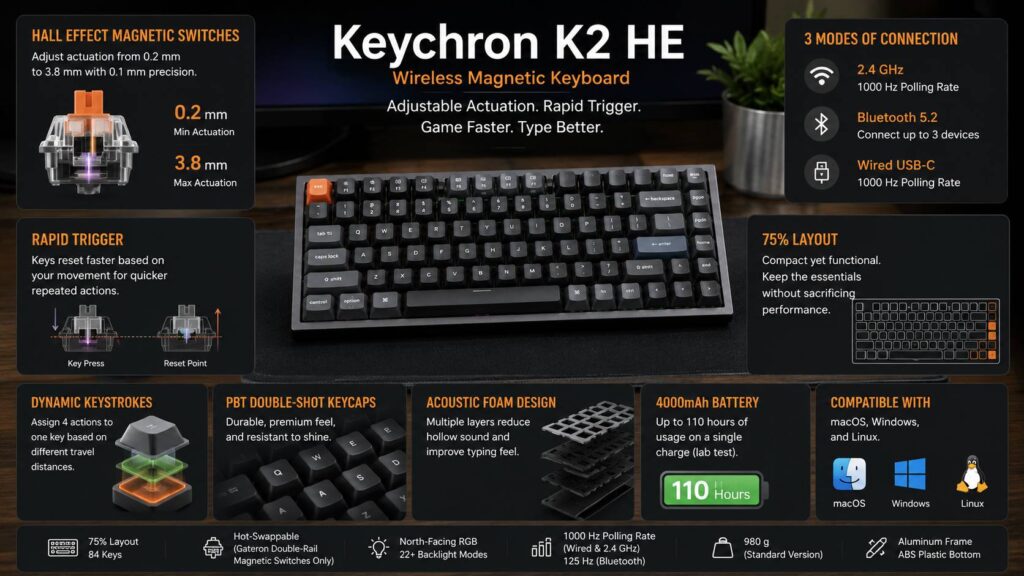
For gaming, the main advantage is Rapid Trigger. It helps keys reset faster as soon as you lift pressure. That makes movement feel sharper in competitive games. You can also set actuation from 0.2 mm to 3.8 mm, so the keyboard can feel very light for gaming or safer and deeper for typing.
It is not perfect. The K2 HE only supports compatible Gateron double-rail magnetic switches, so switch choice is limited. The bottom case uses plastic, not full aluminum. The Special Edition keycaps do not shine through. Keychron Launcher also needs a wired connection for deeper edits.
Still, the full package is strong. The Keychron K2 HE is a smart buy for anyone who wants a wireless magnetic keyboard that works well for both gaming and daily use.
Keychron K2 HE Specs
Here are the main confirmed specs:
- Layout: 75%
- Switches: Gateron Double-Rail Magnetic Nebula switches
- Switch type: Hall Effect magnetic
- Actuation range: 0.2 mm to 3.8 mm
- Sensitivity: 0.1 mm
- Rapid Trigger: Yes
- Dynamic Keystrokes: Yes
- Hot-swappable: Yes, with compatible Gateron double-rail magnetic switches
- Connection: 2.4 GHz wireless, Bluetooth, USB-C wired
- Polling rate: 1000 Hz wired and 2.4 GHz
- Bluetooth polling rate: 125 Hz
- Battery: 4000 mAh rechargeable lithium-polymer
- Claimed battery life: Up to 110 hours in lab testing
- Backlight: North-facing RGB
- Keycaps: Double-shot PBT
- Frame: Aluminum
- Bottom case: ABS plastic
- Compatibility: macOS, Windows, and Linux
- Standard Version weight: About 980 g
- Special Edition weight: About 965 g
These specs make the K2 HE much more gaming-focused than the normal Keychron K2. The Hall Effect switches are the key difference. They let you tune each key with more control than a normal mechanical switch can offer.
Design and Build Quality
The Keychron K2 HE looks clean, calm, and premium. That is a big part of its appeal. Many fast gaming keyboards look too aggressive for a work desk. This one does not.
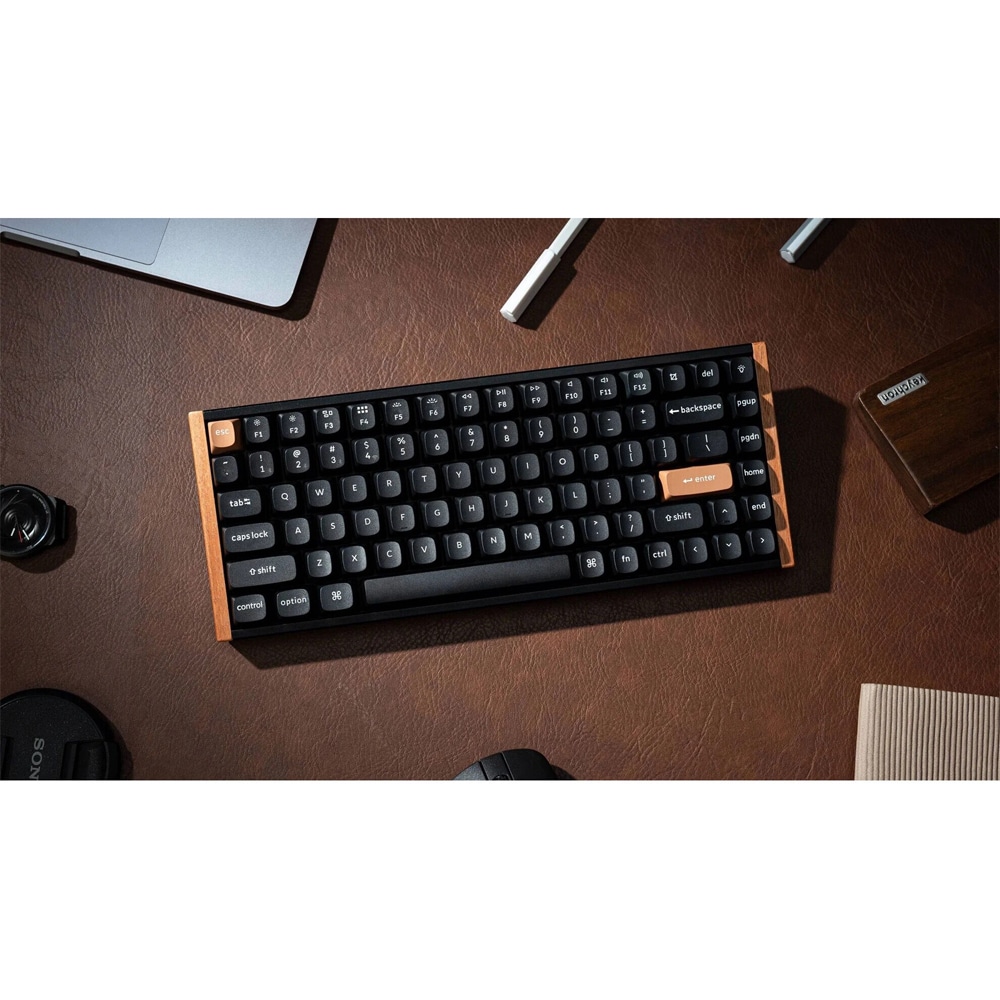
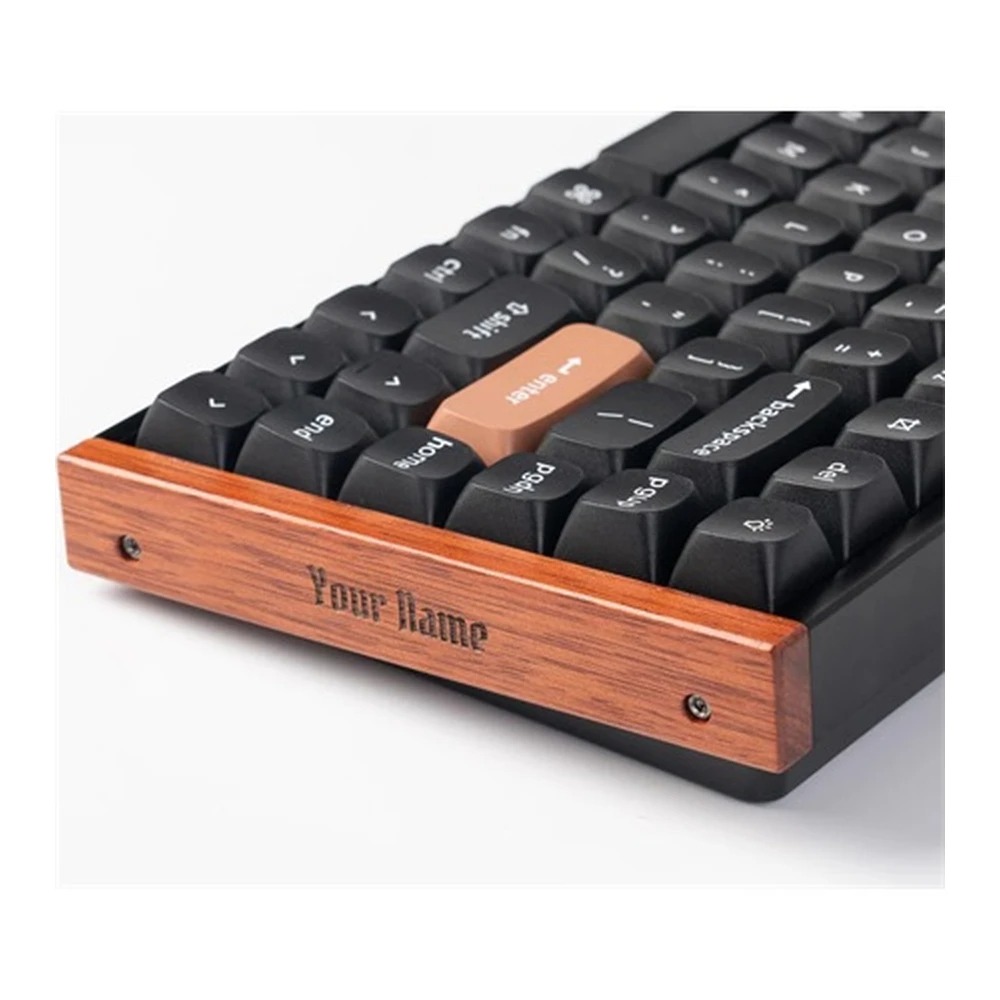
The Standard Version has a black aluminum frame and shine-through Cherry profile PBT keycaps. The Special Edition adds wood side accents and uses OSA profile PBT keycaps. The Special Edition looks warmer and more custom, but its key legends do not shine through. So, the Standard Version makes more sense for people who type in darker rooms.
The keyboard feels sturdy on the desk. At close to 1 kg, it has enough weight to stay in place during fast gaming. It does not slide around, and it does not feel flimsy. The aluminum frame helps the top feel firm, though the plastic bottom case keeps it from feeling like a full metal custom board.
That plastic bottom is not a deal-breaker. It helps keep the price more reasonable. Still, buyers who want a dense metal case with a softer custom feel should look at the Keychron Q1 HE instead.
The 75% layout is one of the best things about this keyboard. It gives you the function row, arrows, and a few navigation keys. At the same time, it saves desk space for mouse movement. For gaming, that extra mouse room matters. For work, the layout still feels practical.
Typing Feel
The Keychron K2 HE feels smooth and soft. The Gateron magnetic switches are linear, so there is no tactile bump or click. Each press goes straight down with a clean glide.
That feel works well for fast typing. After a short adjustment period, the keys feel easy to control. The sound is quieter and deeper than many stock gaming keyboards, mainly thanks to the internal foam and silicone layers. The board does not sound thin or rattly.
The typing feel is not the same as a classic mechanical keyboard with tactile Brown switches or clicky Blue switches. People who love a clear bump under each finger may find the K2 HE too smooth. Still, the softer feel suits long sessions.
For a normal workday, the keyboard feels comfortable. The keys do not feel heavy, and the 75% layout keeps common keys close. A wrist rest helps during long typing sessions, since the case has a taller profile than a low-profile keyboard.
The stabilizers are solid. Large keys like Space, Enter, and Shift feel controlled. They do not have the cheap rattle found on many gaming boards. That makes the K2 HE feel more refined than its specs alone suggest.
Gaming Performance
Gaming is the strongest reason to buy the Keychron K2 HE. The Hall Effect switches give this keyboard a level of control that normal mechanical switches cannot match.
You can set a shallow actuation point for movement keys. For example, WASD can trigger near the top of the press. That makes movement feel quicker. Then you can set other keys deeper to avoid accidental inputs. This mixed setup works very well for gaming and typing on the same board.
Rapid Trigger is the headline feature. It resets a key based on movement, not a fixed reset point. So, the key can activate again as soon as you change direction. This helps in games where movement precision matters.
In Valorant and Counter-Strike 2, Rapid Trigger can make counter-strafing feel cleaner. In Fortnite, it can help with fast movement and building inputs. In osu!, it can help with repeated key taps. It will not turn a casual player into a pro, but it does make the keyboard feel more responsive.
The 1000 Hz polling rate over wired and 2.4 GHz wireless is another strong point. For most players, 1000 Hz is plenty. Some esports keyboards go higher, but the real-world difference is small.
The K2 HE also feels more desk-friendly than many gaming keyboards. You can play for hours, then switch back to writing or work without feeling like you need a second keyboard.
Hall Effect Switches Explained
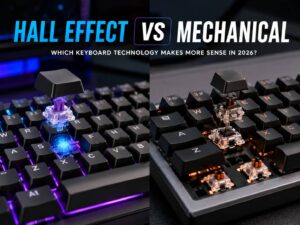
Hall Effect switches use magnets and sensors to detect key travel. A normal mechanical switch has a fixed contact point. A magnetic switch can read how far the key has moved.
That gives you three useful benefits.
First, you can adjust actuation. A short actuation point feels fast. A deeper point feels safer for typing.
Second, Rapid Trigger can reset keys faster. This helps in games that need quick movement changes.
Third, Dynamic Keystrokes let one key perform different actions at different press depths. For example, a light press can trigger one command, and a deeper press can trigger another.
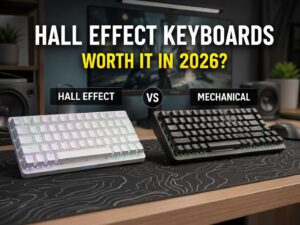
These features raise an obvious question: are Hall Effect keyboards worth buying in 2026. The answer depends on your use, but the K2 HE makes a strong case for them. It gives you speed without forcing you into a loud, wired-only, gamer-style board.
Keychron Launcher and Customization
The K2 HE uses Keychron Launcher, a web-based tool for changing keyboard settings. You can remap keys, set macros, adjust lighting, tune Hall Effect behavior, and change actuation points.
The best part is that you do not need bulky software running all the time. Open the launcher in a supported browser, plug in the keyboard, make changes, save them, and close it.
The less pleasant part is the wired requirement for deeper edits. That feels a bit old-fashioned on a wireless keyboard. It is not a major problem, but it adds friction.
Keychron Launcher gives you a lot of control, though. For gaming, you can tune WASD to feel light and fast. For typing, you can set letters deeper to reduce accidental presses. For macros, you can set shortcuts for work apps, video editing, or browser tasks.
The tool is not as polished as some premium gaming software, but it is clean and useful.
Wireless Performance and Battery Life
The Keychron K2 HE supports three connection modes: 2.4 GHz wireless, Bluetooth, and USB-C wired.
For gaming, use 2.4 GHz or wired mode. Both support 1000 Hz polling. Bluetooth is better for tablets, laptops, and casual use, but its 125 Hz polling rate is not ideal for fast gaming.
Bluetooth supports up to three devices, which makes the K2 HE handy for people who switch between a desktop PC, work laptop, and tablet. The side switches also make device and system changes simple.
Battery life is rated at up to 110 hours in lab testing. Real use will depend on RGB brightness, lighting effects, connection mode, and daily use. Bright RGB will drain the battery faster. Lower lighting or no RGB will stretch runtime.
Wake from sleep is worth checking. Like most wireless keyboards, it sleeps when idle to save battery, so use the return window to confirm that yours wakes with a normal keypress and reconnects without toggling the side switch.
Real-World Use
The K2 HE works best as a hybrid keyboard. It feels like a gaming keyboard when you need speed, then feels like a clean productivity keyboard during the day.
For writing, the smooth switches make long sessions comfortable. The sound is controlled enough for a shared room. The compact layout keeps your mouse closer, which can reduce shoulder strain during long desk sessions.
For coding, the function row and arrow keys help. A smaller 60% keyboard can feel cramped for code work. The K2 HE avoids that problem without taking up too much space.
For gaming, the fast actuation and Rapid Trigger make the keyboard feel responsive. The difference feels most noticeable in movement-heavy games. Fast strafing, peeking, and repeated taps feel sharper than on a standard mechanical keyboard.
For casual users, some features may feel like overkill. Not everyone needs per-key actuation or Dynamic Keystrokes. Still, the typing feel and wireless setup make the keyboard easy to enjoy even without deep tuning.
Issues and Small Annoyances
The Keychron K2 HE has a few clear drawbacks.
The first one is switch compatibility. The keyboard is hot-swappable, but only with compatible Gateron double-rail magnetic switches. You cannot use normal MX mechanical switches. You also cannot treat it like a regular hot-swappable Keychron board with endless switch choices.
The second issue is the bottom case. It uses ABS plastic. The keyboard still feels sturdy, but it does not feel as premium as a full aluminum model.
The third issue is the Special Edition keycap choice. The wood accents look great, and the OSA keycaps feel nice. Still, the legends are not shine-through. People who use RGB for visibility should pick the Standard Version instead.
The fourth issue is software access. Keychron Launcher is useful, but plugging in the cable for deeper changes can feel annoying.
The fifth issue is the high-profile case. Some users will need a wrist rest for long typing sessions.
None of these problems ruin the keyboard. They just matter for the right buyer.
Keychron K2 HE vs Keychron K2 Version 2
The Keychron K2 Version 2 is a more basic wireless mechanical keyboard. It is a good choice for typing, office use, and simple setups. It costs less and supports normal mechanical switch options.
The K2 HE is the better choice for gaming. It has Hall Effect switches, Rapid Trigger, adjustable actuation, stronger wireless performance, and deeper control.
Pick the regular K2 if you want a simple mechanical keyboard. Pick the K2 HE if you want faster inputs and a more modern gaming feature set.
For most mixed-use buyers, the K2 HE feels like the more future-ready product.
Keychron K2 HE vs Wooting 80HE
The Wooting 80HE is built more directly for competitive gaming. It has higher polling rate support and a strong reputation among serious players. It is also wired, which matters for desk setup preference.
The K2 HE wins on flexibility. It gives you 2.4 GHz wireless, Bluetooth, a cleaner everyday design, and better multi-device use. It feels easier to recommend to someone who works and games at the same desk.
Choose the Wooting 80HE for pure esports performance. Choose the Keychron K2 HE for a better balance of gaming, typing, wireless use, and style.
Keychron K2 HE vs Keychron Q1 HE
The Keychron Q1 HE is the more premium keyboard. It has a heavier aluminum case and a softer typing feel from its gasket-mounted design.
The K2 HE is lighter, more affordable, and easier to place in a mixed work and gaming setup. It still gives you Hall Effect switches, Rapid Trigger, and wireless performance.
The Q1 HE is better for keyboard enthusiasts who care about case feel and sound. The K2 HE is better for people who want strong performance without paying for a heavier custom-style board.
Pros and Cons
Pros
- Smooth Hall Effect magnetic switches
- Adjustable actuation from 0.2 mm to 3.8 mm
- Rapid Trigger for faster gaming inputs
- 2.4 GHz wireless with 1000 Hz polling
- Bluetooth support for three devices
- Useful 75% layout with arrow keys and function row
- Clean design that fits work and gaming setups
- PBT keycaps feel better than basic ABS caps
- Web-based Keychron Launcher avoids heavy software
- Strong value for a wireless magnetic keyboard
Cons
- Limited switch compatibility
- Plastic bottom case
- Special Edition keycaps are not shine-through
- Wired mode needed for deeper Launcher changes
- Some users may need a wrist rest
- No number pad
- Idle wake behavior has been reported in testing
Price

Who Should Buy the Keychron K2 HE?
Buy the Keychron K2 HE if you want one keyboard for gaming, work, and daily typing. It is a great fit for people who want speed without a loud gaming look.
It suits:
- Competitive gamers who want Rapid Trigger
- Writers who want a smooth linear typing feel
- Programmers who need arrows and function keys
- Mac and Windows users
- Desk setup fans who care about looks
- Buyers who want wireless performance
- Users curious about Hall Effect keyboards
The K2 HE makes the most sense for people who play fast games but still spend hours typing. It gives you a clean work keyboard and a fast gaming board in one package.
Who Should Not Buy the Keychron K2 HE?
Skip the Keychron K2 HE if you want a traditional mechanical keyboard with broad switch support. This board uses magnetic switches, so normal mechanical switches will not work.
It is also not the best choice for:
- Spreadsheet users who need a number pad
- Buyers who want a full aluminum case
- People who prefer tactile or clicky switches
- Users who need shine-through legends on the Special Edition
- Players who want the absolute lowest latency above all else
- Keyboard hobbyists who swap many MX-style switches
A standard mechanical keyboard will suit basic typing needs. A Wooting 80HE will suit pure esports needs. A Keychron Q1 HE will suit buyers who want a heavier, more premium case.
Final Verdict
The Keychron K2 HE is a strong wireless Hall Effect keyboard with a rare mix of speed, comfort, and style. It feels better than many gaming keyboards, looks cleaner than most esports boards, and gives you real control over actuation and reset behavior.
The smooth magnetic switches make typing pleasant. Rapid Trigger makes gaming feel sharper. The 75% layout keeps the keyboard practical without wasting desk space. Wireless 2.4 GHz mode gives it a real gaming edge, and Bluetooth makes it easy to use across multiple devices.
The drawbacks are real, but manageable. Switch choice is limited. The bottom case is plastic. The Special Edition keycaps do not shine through. Keychron Launcher needs a cable for deeper changes.
Even with those flaws, the K2 HE is easy to recommend. It is a polished, fast, and flexible keyboard for people who want more than a basic mechanical board. If you want a compact wireless keyboard that can handle work by day and fast games by night, the Keychron K2 HE is one of the best options to consider.