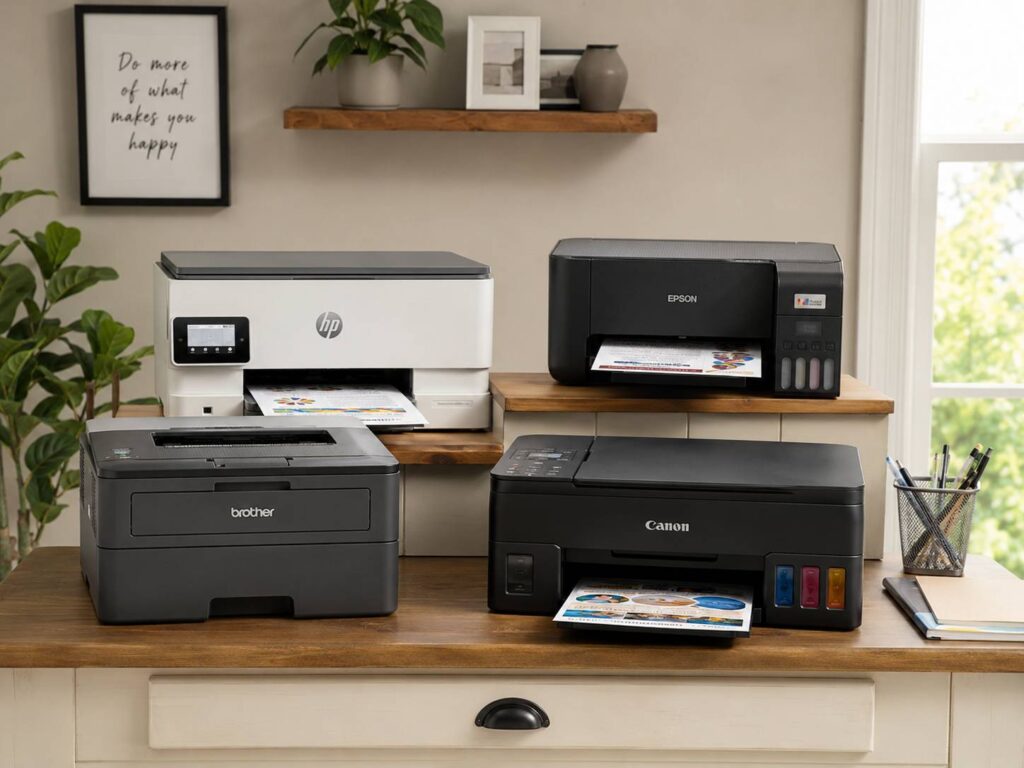
A good home printer should make life easier, not create another small problem on your desk. It should print school papers, return labels, recipes, forms, work documents, and the occasional photo without constant setup issues or painful ink costs.
Still, the best printers for home use are not the same for everyone. Some homes need cheap color printing. Others only print black text once in a while. A remote worker needs scanning, duplex printing, and better paper handling. A parent may care more about homework pages, crafts, and quick mobile printing.
So, before buying, think about what you print most often. That one detail matters more than brand, price, or the size of the box. A printer that fits your real habits will feel simple. A printer that does not fit them will feel annoying every week.
This guide breaks down the best home printer types, what to look for, and which models make the most sense for common home needs.
Best Overall Home Printer: Epson EcoTank ET-2850
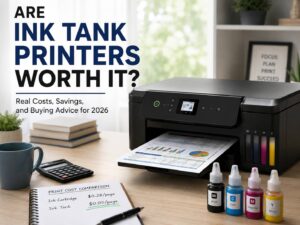
The Epson EcoTank ET-2850 is one of the easiest printers to recommend for most homes. It uses refillable ink tanks instead of small cartridges, so it costs less to run over time. That makes a real difference for families that print homework, forms, coloring pages, recipes, and color documents often.
Print quality is strong for normal home use. Text looks clean. Color pages look bright. Casual photos look good enough for family albums, school projects, and fridge prints. Since it prints, scans, and copies, it covers the basic jobs of a home printer.
The main reason to buy it is long-term value. You pay more at the start, but you do not have to keep replacing tiny cartridges. That trade pays off if you print often.
That said, it is not perfect. Setup can take a little patience, especially if your Wi-Fi signal is weak. The screen is basic, and print speed is not made for a busy office. Still, for regular home use, it hits a very good balance.
Choose this printer if you want one machine for daily family printing, low ink costs, and simple scan and copy tasks.
Best Printer for Black-and-White Documents: Brother HL-L2460DW
The Brother HL-L2460DW is a great pick for people who mostly print plain documents. It is a monochrome laser printer, so it does not print in color. At first, that sounds like a drawback. For the right home, it is actually a strength.
Laser printers produce sharp text. They print quickly, handle forms well, and work nicely for shipping labels, invoices, school papers, tax documents, and return slips. Better yet, toner does not dry out like ink. That makes this model a smart choice for people who print only now and then.
Wireless printing and automatic two-sided printing make it more practical for daily use. The design is simple too, which is a good thing. Fewer extra features often mean fewer headaches.
The main issue is obvious. You do not get color printing, photo printing, or a scanner. So, this is not the right pick for crafts, images, or family photo jobs. For crisp black text, though, it is hard to beat at home.
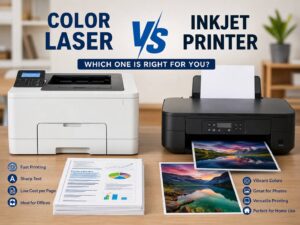
For a deeper comparison, read this guide on inkjet vs laser printer before choosing between the two types.
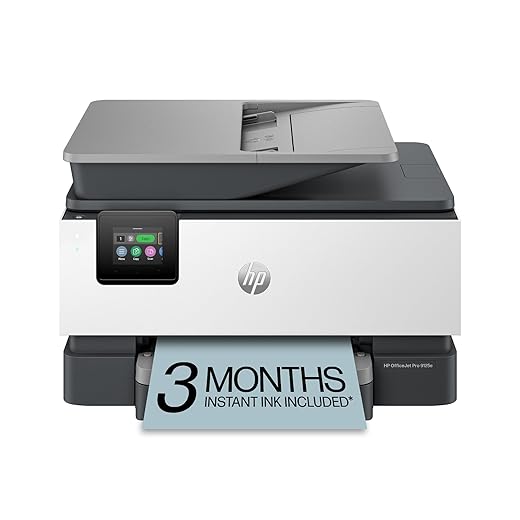
Best Printer for Home Office Use: HP OfficeJet Pro 9125e
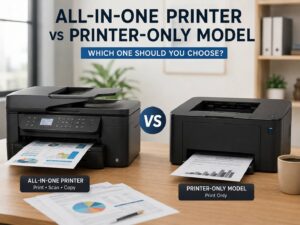
The HP OfficeJet Pro 9125e suits homes where the printer has to do more serious work. It prints, scans, copies, and faxes. It also supports automatic two-sided printing and has stronger paper handling than many basic home printers.
This model makes sense for remote workers, freelancers, small business owners, and households that scan documents often. It handles work files, signed papers, color charts, invoices, and everyday family printing without feeling too limited.
Speed is one of its stronger points. It prints faster than many entry-level inkjet printers, which helps when you need several pages before a meeting or school run. The paper tray is more practical too, so you refill it less often.
Still, there are a few things to watch. Ink costs can rise if you print lots of color pages. App-based setup, account prompts, and ink subscription offers can get in the way. So, check the setup details before buying.
This printer is a strong choice if your home printer needs to act like a small office machine.
Best Home Printer for Photos: Canon PIXMA G620
The Canon PIXMA G620 is a better fit for people who care about photo quality. It uses a refillable ink tank system and a six-color ink setup, so photo prints look richer than prints from many basic home printers.
This model works well for family photos, scrapbooks, creative projects, school crafts, and hobby photography. It can print normal documents too, but that is not its main job. Its real strength is color.
The G620 is not the fastest printer. It is not the best pick for large document stacks either. If you need a printer for office work, choose something else. But if you want better-looking pictures at home, this model makes much more sense than a cheap all-in-one inkjet.
Photo paper matters here. Poor paper can make even a good photo printer look average. Use better glossy or matte paper, and the results will look much cleaner.
Choose this printer if photos, crafts, and color projects matter more than speed.
Best Budget Ink Tank Printer: HP Smart Tank 5101
The HP Smart Tank 5101 is a solid option for families that want refillable ink tanks without spending too much upfront. It prints, scans, and copies, so it handles the main home tasks. Many listings include a generous amount of ink in the box, which adds to the value.
It works well for homework, basic color pages, recipes, forms, and light office documents. It is not the fastest printer, and it does not feel as premium as some higher-priced models. Still, it can be a practical choice for normal home printing.
The biggest appeal is lower ink cost. Cartridge printers often look cheaper at checkout, but replacement cartridges can hurt later. A tank printer reduces that pain, especially if your household prints every week.
Before buying, compare it with Epson EcoTank and Canon MegaTank models. Some shoppers prefer Epson for tank printers, while others like HP’s app and design. The right choice comes down to price, features, and how often you print.
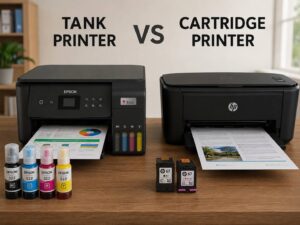
For a full breakdown, this tank printer vs cartridge printer guide helps explain the real cost difference.
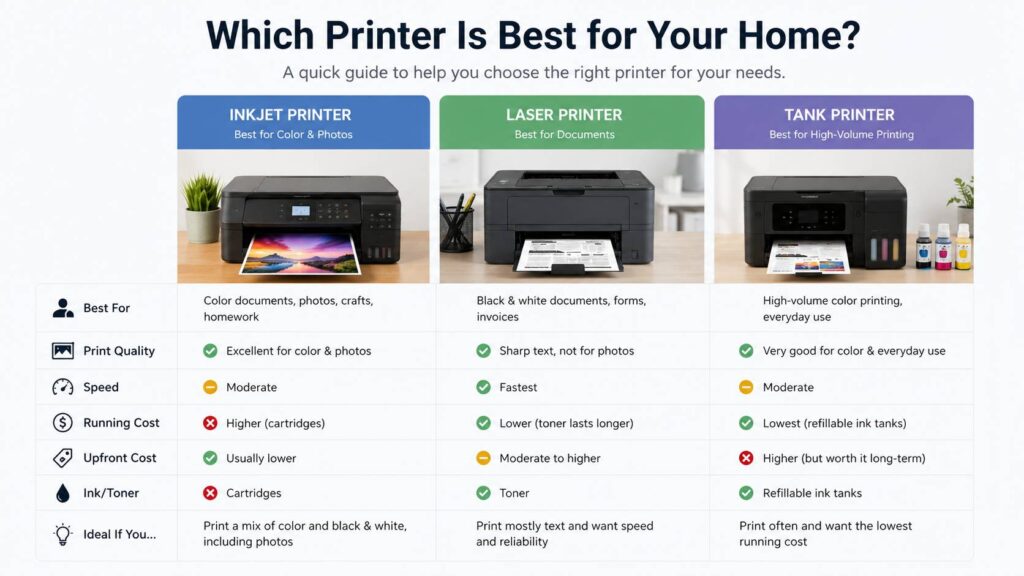
Inkjet, Laser, or Ink Tank: Which Type Is Best for Home Use?
Buying the cheapest printer you see can work, but it often leads to higher costs later. The type of printer matters more than the discount.
An inkjet printer is best if you print color pages, photos, school projects, and mixed documents. It usually costs less upfront and often includes scanning and copying. The downside is ink cost and the risk of clogged printheads if the printer sits unused for too long.
A laser printer is best if you print mostly black text. It gives you sharp pages, fast output, and less worry about dried ink. It is not ideal for photos, and color laser models cost more.
An ink tank printer is best if you print often. It costs more at the start, but the refill bottles usually last much longer than cartridges. This type is great for families, students, and homes that print color pages regularly.
So, the best home printer type depends on your habits:
- Print mostly text: choose a laser printer.
- Print color documents and photos: choose an inkjet.
- Print often and want lower ink costs: choose an ink tank printer.
- Print rarely and only in black: choose a monochrome laser printer.
- Print family photos often: choose a photo-focused ink tank model.
Features That Actually Matter in a Home Printer
Printer boxes love big feature lists. In real use, only a few features make a big difference.
Wireless printing should be near the top of your list. It lets you print from laptops, phones, and tablets without moving files around. Still, Wi-Fi can be one of the most common printer problems. A model with USB support gives you a useful backup.
Automatic two-sided printing is worth having. It saves paper and makes longer documents look cleaner. Once you get used to it, manual duplex printing feels old and slow.
A scanner is useful in almost every home. You will use it for school forms, IDs, receipts, medical papers, signed documents, and old paperwork. If you scan many pages, choose a printer with an automatic document feeder. A flatbed scanner works fine for one page, but it gets tiring fast.
Paper tray size matters too. A tiny tray sounds harmless until you keep refilling it. A stronger tray also helps reduce paper feeding issues.
Mobile app printing can be helpful, but it can annoy some users. Some apps push accounts, subscriptions, or extra setup steps. Read recent buyer reviews before buying, especially on Amazon.com.
Common Home Printer Problems to Expect
Every printer has trade-offs. The goal is to pick the problems you can live with.
Ink cost is the biggest complaint. Cheap cartridge printers can become expensive after a few refills. Always check the replacement ink price before buying the printer.
Dried ink is another common issue. Inkjet printers need regular use. If you print once every few months, a laser printer is usually safer.
Weak Wi-Fi can cause random failures. Printers often sit in corners, under desks, or far from routers. That placement can hurt the signal. If possible, place the printer closer to the router or choose one with Ethernet.
Slow color printing can become annoying too. Budget inkjets often take their time with full-color pages. That may not matter for one recipe, but it matters when a child needs a full school project printed at night.
Missing features create regret as well. Some cheaper printers skip duplex printing, ADF scanning, borderless photos, Ethernet, or larger trays. Check the feature list carefully before you buy.
Best Printer by Home Need
Best for most homes: Epson EcoTank ET-2850
It offers a strong mix of low ink costs, print quality, scanning, copying, and easy daily use.
Best for black-and-white documents: Brother HL-L2460DW
It prints sharp text, works fast, and avoids dried ink problems.
Best for home office work: HP OfficeJet Pro 9125e
It gives you better paper handling, useful scan features, and stronger office-style performance.
Best for photos: Canon PIXMA G620
It creates richer color prints and works well for family photos, crafts, and creative projects.
Best for low running costs: Epson EcoTank or Canon MegaTank models
Both use refillable ink systems, which help reduce long-term printing costs.
Best for rare printing: Brother monochrome laser models
Toner handles long breaks better than liquid ink.
How Much Should You Spend on a Home Printer?
A very cheap printer can be tempting. Still, low purchase price does not always mean low ownership cost. Ink and toner matter more over time.
For light use, a basic printer can work fine. Just check cartridge prices first. Some budget printers use small cartridges that run out quickly.
For regular family use, an ink tank printer is often the better buy. You pay more upfront, but refills cost less over time.
For home office use, spend more for better scanning, automatic two-sided printing, stronger paper trays, and faster output. A weak printer wastes time and causes small frustrations again and again.
For photo printing, budget for good paper too. The printer matters, but paper quality has a big effect on the final result.
A smart budget looks like this:
- Basic document printer: lower upfront cost
- All-in-one inkjet: good for mixed light use
- Ink tank printer: higher upfront cost, lower ink cost
- Photo printer: better color, slower document speed
- Home office printer: more features, larger size, higher running needs
Buy for your monthly use, not for a one-day discount.
Printer Suggestion
If you want one safe starting point, search for the Epson EcoTank ET-2850. It is a strong all-around choice, especially if you print weekly and want to avoid cartridge costs.
Before you click buy, compare the current price with similar EcoTank, MegaTank, Brother, and HP models. Check recent reviews too. Pay attention to setup complaints, Wi-Fi problems, ink refill feedback, and paper feed issues.
A printer can look perfect on paper but feel frustrating at home. Recent buyer reviews often reveal the small problems that product pages do not highlight.
Final Verdict: The Best Printer for Home Use
The best printer for home use is the one that matches your real printing habits. For most families, the Epson EcoTank ET-2850 is the easiest pick. It keeps ink costs low, handles daily printing well, and covers scan and copy tasks.
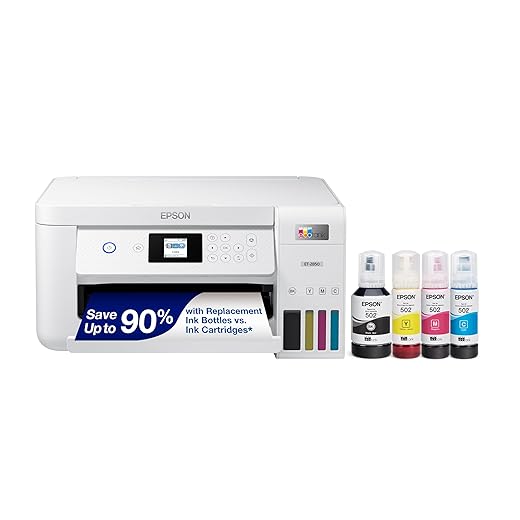
For black-and-white documents, the Brother HL-L2460DW makes more sense. It prints sharp text, runs on toner, and avoids many common inkjet problems. For home office use, the HP OfficeJet Pro 9125e gives you a stronger feature set. For photos, the Canon PIXMA G620 is the more satisfying choice.

![Canon PIXMA G620 Wireless MegaTank Photo All-in-One Printer [Print, Copy, Scan], Black,Works with Alexa](https://m.media-amazon.com/images/I/61+cYWmW0QL._SS520_.jpg)
Do not buy only by price. Look at ink cost, toner yield, Wi-Fi setup, duplex printing, scanning, paper handling, and real user complaints. The right printer should save time, lower stress, and make home printing feel simple again.