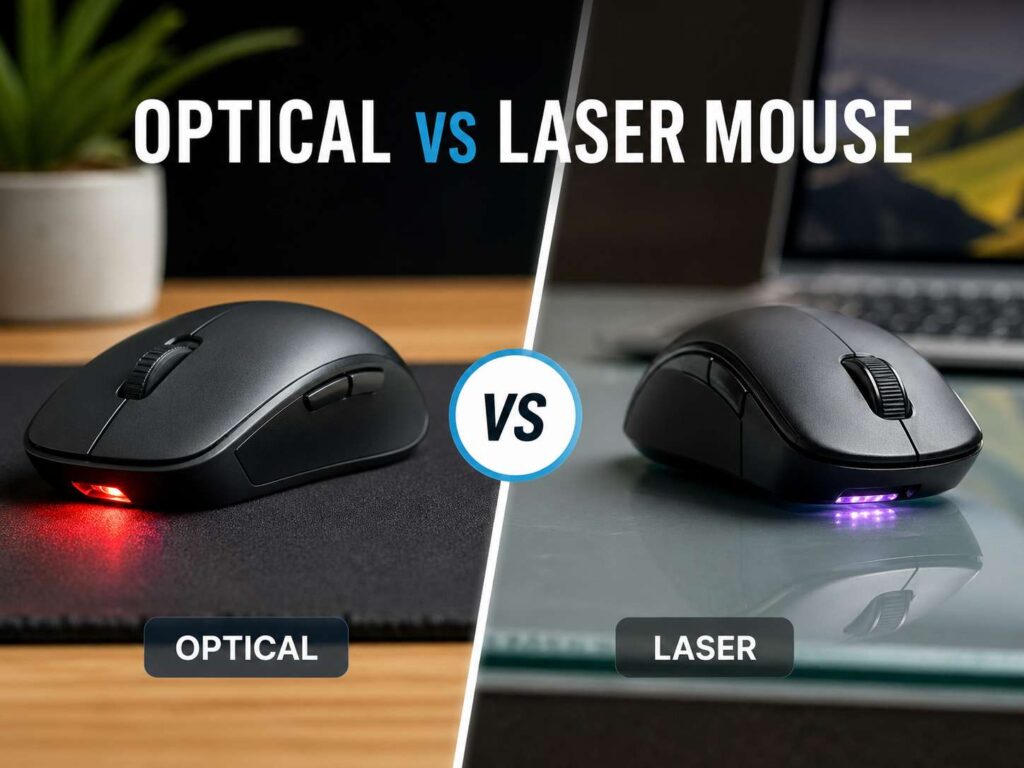
A mouse looks simple, but the sensor under it changes how it feels every day. Some mice glide cleanly across a desk. Others skip, shake, or feel too fast. So, the optical vs laser mouse question still matters, even now.
For most people, an optical mouse is the better pick. It feels more predictable, works well on a normal desk, and gives strong control on a mouse pad. A laser mouse still has a place, though. It can work better on glossy desks, glass surfaces, and travel setups.
The right choice comes down to your desk, your hand, and the way you use your computer.
What Is an Optical Mouse?
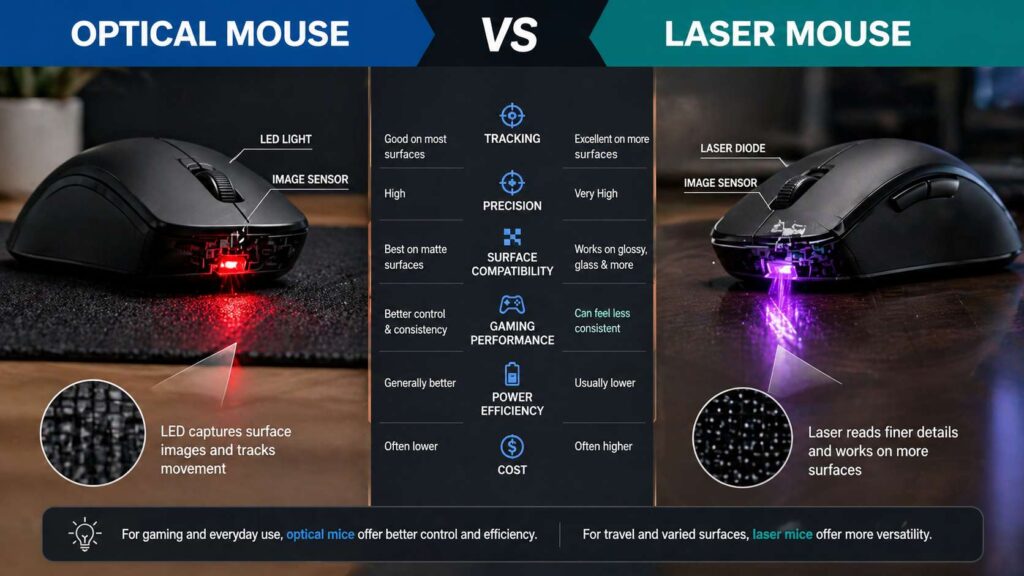
An optical mouse uses light and a small sensor to read the surface under it. Most optical mice use LED light. The sensor takes tiny surface images, then it compares them as you move the mouse.
That sounds technical, but the result is simple. The mouse follows your hand and moves the cursor on screen.
Optical mice work best on matte surfaces. A cloth mouse pad, wooden desk, desk mat, or plain office table gives the sensor enough detail to track cleanly. For that reason, optical sensors appear in many modern gaming mice and office mice.
This type of mouse usually feels steady. It does not try to read every tiny surface mark. So the cursor often feels more direct, mainly on a mouse pad.
Many optical mice now offer very high DPI settings. Still, a high number on the box does not mean better control. Most office users feel comfortable at 800 to 2400 DPI. Many gamers use 400 to 1600 DPI, then adjust sensitivity in each game.
So, sensor quality matters more than the highest DPI claim.
What Is a Laser Mouse?
A laser mouse uses laser light to read the surface below it. It works in a similar way to an optical mouse, but the light source reads finer surface detail.
That gives laser mice one clear advantage. They often work on more surface types. Glossy desks, polished tables, and some tricky workspaces can feel better with a laser mouse.
This can help laptop users. For example, a laser mouse can be handy in hotels, offices, meeting rooms, and shared desks. You do not always need to carry a mouse pad.
But this extra surface reading can create a problem. A laser mouse can read too much detail. Then the cursor can feel jumpy or slightly unnatural. Some users notice this more during gaming or detailed design work.
For basic browsing, email, and spreadsheets, many people will not notice the difference. For fast aim in games, it becomes easier to feel.
Optical vs Laser Mouse: The Main Difference
The main difference sits in tracking style.
An optical mouse reads the surface in a clean and controlled way. It works best on a simple, non-glossy surface. So it feels natural on a cloth pad or desk mat.
A laser mouse reads finer detail and can work on more desk types. It can help when your desk surface causes problems for normal optical mice.
Here is the simple version:
Optical mice feel more controlled.
Laser mice work on more surfaces.
Optical mice are better for most gamers.
Laser mice are better for tricky desks and travel.
Optical mice pair well with mouse pads.
Laser mice can feel too sensitive on some surfaces.
Both types can be good. Still, the safer pick for most users is optical.
Which Mouse Is Better for Gaming?
Choose an optical mouse for gaming.
Modern gaming mice use optical sensors for good reasons. They track fast movement well. They feel direct. They work cleanly on large mouse pads. That helps in shooters, MOBAs, battle royale games, and any game that needs steady aim.
A good gaming mouse should not spin out during a fast swipe. It should not add strange cursor movement. It should feel the same during slow tracking and quick flicks.
Optical sensors usually handle this better than laser sensors. So competitive players often avoid laser mice.
Laser mice can still work for casual games. Strategy games, RPGs, and slower titles do not need the same sensor control. But for aiming, an optical gaming mouse is the smarter buy.
Shape matters too. A mouse can have a great sensor and still feel wrong in your hand. So grip style, weight, buttons, and feet matter a lot. For a deeper comparison of shape, comfort, and use case, see this guide on ergonomic mouse vs gaming mouse.
Which Mouse Is Better for Office Work?
Both optical and laser mice work well for office use.
An optical mouse fits most home office desks. It handles web browsing, typing, spreadsheets, email, and light photo work without trouble. Add a simple mouse pad, and tracking gets even more stable.
A laser mouse makes more sense for people who move between desks. It can handle more surfaces, so it suits laptop bags and travel work. If you work from coffee shops, meeting rooms, or shared spaces, that extra surface support can help.
Still, comfort should come first. Your hand touches the mouse for hours. So the wrong shape can cause strain faster than the wrong sensor.
Look for a shape that supports your grip. Check the button placement too. Side buttons help with browser back and forward commands. A smooth scroll wheel helps with long pages and spreadsheets.
DPI matters less than comfort for office work. Still, the setting affects speed and control. For more detail, read this guide on does DPI matter on office mice.
Which Mouse Works Better on Glass?
Glass is one of the hardest surfaces for a mouse.
Many basic optical mice struggle on clear glass. The sensor needs texture, and clear glass gives it very little. Gloss and reflections can cause skipping too.
Laser mice often handle glossy surfaces better, but not every laser mouse works well on glass. Some models need a special tracking system for that surface.
So check the product details before buying. Look for clear glass tracking support. If the brand does not mention glass support, do not assume it works.
A desk mat solves the problem fast. It gives the sensor texture, protects the desk, and makes the mouse feel smoother. It also gives your wrist a more stable area during long work sessions.
DPI, CPI, IPS, and Polling Rate Explained
Mouse specs can look confusing, but only a few numbers matter.
DPI means dots per inch. CPI means counts per inch. In shopping terms, people often use both terms for mouse sensitivity. A higher number moves the cursor farther with less hand movement.
That does not always mean better accuracy. A very high DPI setting can feel shaky. For daily work, a medium DPI setting often feels better.
IPS means inches per second. It tells you how fast the mouse can move before tracking breaks. This matters for gamers who use low sensitivity and large arm movements.
Polling rate tells you how often the mouse reports movement to the computer. A 1000 Hz mouse reports 1000 times per second. Higher rates, such as 4000 Hz or 8000 Hz, can feel faster on high-refresh gaming setups.
For office use, 1000 Hz is more than enough. For gaming, 1000 Hz still works very well. Higher polling rates can drain wireless batteries faster, so they are not always the best choice.
Surface Types: Desk, Pad, Wood, Gloss, and Fabric
Your surface changes how the mouse feels.
A cloth mouse pad gives the best all-around control. It works well with optical mice and keeps movement steady. It also gives your mouse feet a smooth glide.
A hard pad feels faster. Some gamers like that quick movement. Still, hard pads can wear down mouse feet faster.
Wood desks usually work well if the finish is not too shiny. Matte laminate desks work well too. Glossy desks can confuse some sensors, so a laser mouse or desk mat helps.
Fabric surfaces, blankets, and couches can cause poor tracking. The mouse needs flat contact and a readable pattern. Soft surfaces make that harder.
So, if your cursor skips, try a mouse pad first. That small change often fixes the issue without buying a new mouse.
Wired, Bluetooth, and 2.4 GHz Wireless
Sensor type does not tell the full story. Connection type matters too.
A wired mouse gives stable performance and never needs charging. Many gamers still like wired mice for that reason. The cable can get in the way, though.
Bluetooth keeps your setup clean. It works well for laptops and office use. It can save battery life too. But Bluetooth can feel less responsive than a 2.4 GHz receiver.
A 2.4 GHz wireless mouse uses a small USB receiver. It usually gives lower delay than Bluetooth. That makes it better for gaming and fast work.
Battery life varies by model. RGB lighting, high polling rate, and low-latency mode use more power. A basic office mouse can run for months on one battery. A gaming mouse can need charging much sooner.
Common Myths About Optical and Laser Mice
Myth: Laser is always more accurate.
Laser reads more surface detail, but that can hurt control. More detail does not always mean smoother movement.
Myth: Higher DPI means better aim.
Most users aim better with moderate DPI and steady settings. Very high DPI can feel twitchy.
Myth: Optical mice need a mouse pad.
Many optical mice work well on matte desks. A mouse pad just gives cleaner tracking and better glide.
Myth: Laser mice are outdated.
Laser mice still help on glossy desks, glass-ready setups, and travel work.
Myth: Expensive mice always track better.
Fit matters. A cheaper mouse with a good shape can feel better than a premium mouse that does not match your hand.
Best Mouse Type by User
Gamers should choose optical. It gives cleaner control and better aim on a good mouse pad.
Office users should choose optical for a fixed desk. It feels stable, costs less in many cases, and works well for daily tasks.
Travel users should look at laser or advanced surface tracking. They often work better across mixed desks.
Designers should choose a mouse that feels precise at low and medium DPI. A stable optical mouse on a good pad works well for most design tasks.
Glass desk users should buy a mouse that clearly supports glass tracking. A desk mat remains the easiest fix.
Laptop users should pick based on where they work. Optical is fine with a small pad. Laser helps when the surface changes often.
Buying Checklist
Pick optical for gaming and steady control.
Pick laser for glossy desks, travel, and mixed surfaces.
Use a mouse pad for the cleanest tracking.
Do not buy only for high DPI numbers.
Choose 1000 Hz polling rate or higher for gaming.
Choose Bluetooth for simple laptop use.
Choose 2.4 GHz wireless for lower delay.
Check hand size before buying.
Check mouse weight if you play fast games.
Check scroll wheel quality for office work.
Check click noise if you share a room.
Look for glass tracking support if you use a glass desk.
Final Verdict: Optical Wins for Most People
An optical mouse is the best choice for most buyers. It feels clean, predictable, and easy to control. It also works well on normal desks and mouse pads.
A laser mouse still makes sense for certain people. It can help on glossy desks, mixed work surfaces, and travel setups. It can also solve tracking problems that basic optical mice struggle with.
So, start with your surface. If you use a mouse pad or matte desk, buy an optical mouse. If your desk is glossy or glass, check for laser tracking or a model made for glass.
After that, focus on comfort. Shape, weight, buttons, scroll wheel feel, and wireless quality affect your day more than the sensor label. A mouse that fits your hand will always feel better than one that only looks better on paper.