A robot vacuum can look great on paper and still struggle on carpet. Strong suction helps, but carpet cleaning needs more than a big power number. The robot must loosen dirt, pull hair from the fibers, climb rug edges, and clean in a steady pattern without getting trapped.
That is why carpet performance feels so different from hard floor performance. On tile or wood, crumbs sit on top. On carpet, dust, sand, pet hair, and small debris sink between the fibers. Then the robot has to work harder to pull them out.
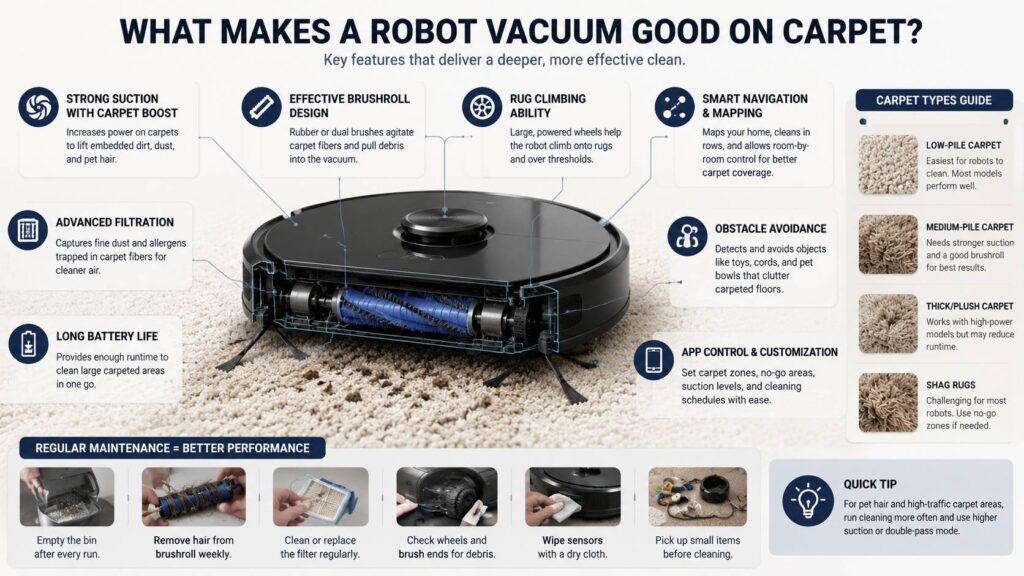
A good robot vacuum for carpet should have strong suction, a real brushroll, carpet boost, smart mapping, and enough battery life for high-power cleaning. It should also handle rug edges, pet hair, and daily dust without constant babysitting.
This guide explains what to look for, what features matter, and what problems tend to show up after a few weeks of use.
Why Carpet Is Harder For Robot Vacuums
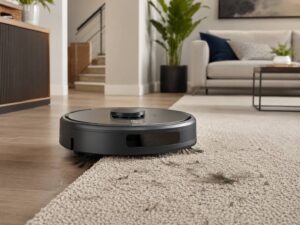
Carpet traps dirt in a way hard floors do not. Fine dust settles near the base of the fibers. Pet hair sticks to the surface. Sand and crumbs can fall deeper into the pile. After that, a light cleaning pass often removes only the visible mess.
For this reason, the best robot vacuum for carpet needs two kinds of cleaning power. First, it needs physical agitation from the main brush. Then it needs suction strong enough to pull loosened debris into the bin.
Low-pile carpet is easier. Most decent robot vacuums can handle it. Medium-pile carpet needs better suction and stronger brush contact. Thick rugs, plush carpet, and shag rugs are much harder. Some robots climb them well, but many slow down, leave debris behind, or get stuck.
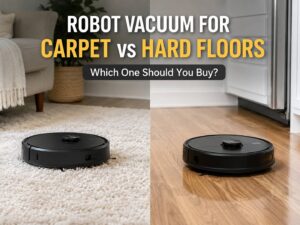
If your home has mixed floors, carpet behavior matters even more. A robot may glide across hard floors, then lose power on rugs. For a deeper comparison, see this guide on robot vacuum for carpet vs hard floors.
Suction Power Matters, But It Does Not Tell The Full Story
Most brands promote suction power in pascals, or Pa. Higher suction can help on carpet, especially with fine dust and heavier grit. Still, the number alone does not prove a robot will clean well.
Here is the catch. Suction only works well if the cleaning head stays close to the carpet. If the intake sits too high, airflow drops at the surface. If the robot bounces on thick carpet, the brush loses contact. Then debris stays behind, even with a strong motor.
A good carpet robot should offer:
- Strong suction for dust, crumbs, and grit
- Automatic carpet boost
- A brushroll that reaches the carpet fibers
- A sealed dust path with good airflow
- Enough battery life for high-power runs
Carpet boost is one of the most useful features. The robot detects carpet and raises suction on its own. Then it lowers power on hard floors to save battery. This works well in homes with rugs in the living room, carpeted bedrooms, and hard floors in the kitchen.
Still, do not buy a robot vacuum only by the Pa number. A model with smarter brush design can beat a higher-suction model that does not grip the carpet well.
The Main Brush Does The Real Work
The brushroll makes a big difference on carpet. It shakes loose dust, lifts pet hair, and helps guide debris toward the intake. Without a strong brush, suction mostly skims the surface.
Most robot vacuums use one of these brush designs:
- Rubber rollers
- Bristle rollers
- Hybrid rollers
- Dual roller systems
Rubber rollers often work well for pet hair. They resist tangles better than soft bristles, and they are easier to clean. Bristle brushes can dig into carpet, but long hair often wraps around them. Hybrid rollers try to balance grip and tangle control.
Dual roller systems can work very well on carpet. One roller loosens debris, and the other helps pull it inside. This design helps with crumbs, pet hair, and fine dirt.
For carpet, avoid suction-only robots. They can sweep hard floors, but they rarely do enough on rugs or bedroom carpet. Look for an active brushroll, anti-tangle brush, or multi-surface roller.
One real issue shows up after a few weeks. Hair wraps around the brush ends. Once that happens, the roller slows down. Cleaning performance drops, and the robot may sound louder than usual. For that reason, check how easy the brush is to remove.
Carpet Boost Should Work Automatically
A carpet boost mode should not feel like extra work. The robot should detect carpet, raise suction, and keep cleaning without help from you. If you need to change the suction level in the app every time, the feature is not doing enough.
Good carpet boost should:
- Detect rugs quickly
- Raise suction without delay
- Work during scheduled cleaning
- Save battery on hard floors
- Avoid dragging wet mop pads over carpet
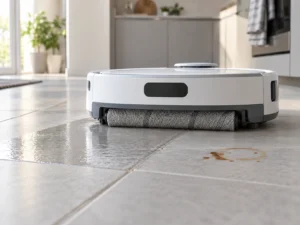
Vacuum and mop robots need extra attention here. Some models lift the mop pad when they detect carpet. This helps on low-pile rugs. Yet thick carpet can still touch the mop pad if the lift height is too low.
So, if your home has many rugs, choose a robot with no-mop zones and carpet detection. If your home has mostly carpet, a vacuum-only model often makes more sense. It has fewer parts to manage and no wet pad risk.
There is one common problem. Some robots struggle with black rugs or dark patterns. Their sensors may read the surface as a drop. Then the robot avoids the rug or moves strangely. This issue has improved in newer models, but it still appears in some homes.
Good Wheels And Rug Climbing Make A Big Difference
A robot vacuum cannot clean a rug it cannot climb. This sounds simple, yet it causes many user complaints. Thick rug edges, rubber-backed mats, doorway strips, and floor transitions can stop weaker robots.
For carpet homes, check climbing ability. Larger wheels help the robot pull itself onto rugs. Stronger wheel motors help on soft carpet too. A low-cost robot may clean flat floors well, then fail at the edge of a living room rug.
A good carpet robot should handle:
- Low-pile rugs
- Medium-pile carpet
- Bedroom carpet
- Rug edges
- Door thresholds
- Floor transitions
Shag rugs remain difficult. Long fibers can block the brush, wrap around the wheels, or trigger an error. In many cases, the best fix is to mark the shag rug as a no-go zone.
Tassels can cause trouble too. A robot may suck them into the brush or drag the rug out of place. Tuck tassels under the rug or block that strip in the app.
Smart Navigation Helps The Robot Clean More Carpet
Random movement can leave missed spots. That matters on carpet, since one fast pass often is not enough. A robot with smart mapping cleans in rows and covers the room in a more planned way.
Good navigation features include:
- LiDAR mapping
- Camera-based mapping
- Room-by-room cleaning
- No-go zones
- Carpet zones
- Multi-floor maps
- Repeat cleaning passes
LiDAR robots often map rooms quickly and clean in straight lines. Camera-based robots can help with object detection, though they need decent light. Both systems can work well if the app builds a stable map.
Room control helps a lot. You can send the robot to the living room rug after dinner. You can clean bedroom carpets in the morning. You can set double passes in high-traffic areas where dust builds up faster.
A robot that cleans the same carpet on a schedule often keeps the home fresher than a standard vacuum used once per week. Regular light cleaning stops dirt from building up deep in the pile.
Pet Hair Needs A Better Brush And A Bigger Plan
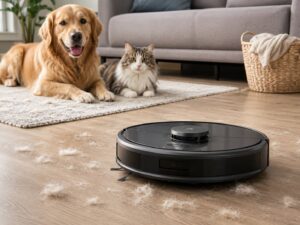
Pet hair makes carpet cleaning harder. It sticks to fibers, fills small bins, and wraps around rollers. A robot vacuum for pet hair on carpet needs more than raw suction.
Look for these features if you have cats or dogs:
- Anti-tangle main brush
- Rubber or hybrid rollers
- Strong carpet boost
- Self-empty dock
- Easy brush removal
- Washable dustbin
- Replaceable filter
- Object avoidance for toys and pet bowls
A self-empty dock helps a lot in homes with pets. Carpet runs fill the bin fast. Once the bin gets packed, suction drops. Then the robot leaves hair behind or pushes it into clumps.
For pet owners, brush access matters more than flashy app tools. If the roller takes too long to clean, you will avoid doing it. Then performance drops. For more buying help, read this guide on the best robot vacuum for pet hair.
One small warning: self-empty docks can be loud for a few seconds. Place the dock away from bedrooms if the robot cleans at night.
Battery Life Drops Faster On Carpet
Robot vacuums use more power on carpet. The brush has more resistance, and carpet boost raises suction. As a result, a robot that runs for a long time on quiet mode may last much less on carpet.
This matters in larger homes. Recharge and resume helps, but it can turn one cleaning job into a long session. If most rooms have carpet, choose a model with strong battery life and smart recharge.
For small apartments, battery life matters less. A strong robot with shorter runtime can still finish one or two carpeted rooms. For larger homes, battery size and cleaning mode matter more.
A simple way to think about it: check how many carpeted rooms the robot must clean in one run. Then choose a model that can handle that area in balanced or high-power mode, not only quiet mode.
Filters Matter on Carpet
Carpet holds fine dust. Each step pushes particles deeper into the fibers. A robot vacuum should trap that dust, not blow it back into the room.
Good filters help with fine particles, pet dander, and everyday dust. This matters more in homes with pets, kids, or allergy concerns.
Filter care also affects suction. A clogged filter makes the robot weaker, even if the motor still works well. Tap dust out often. Replace filters on schedule. Do not wash a filter unless the manual says it is washable.
The dustbin matters too. Fine carpet dust can stick to the bin walls. A bin that opens cleanly saves time. A washable bin helps as well, but every part must dry fully before reuse.
Robot Height And Shape Affect Coverage
Robot height decides where the vacuum can fit. A lower robot can clean under beds, sofas, and cabinets. That matters in carpeted bedrooms, where dust gathers under furniture.
A taller robot may carry better sensors. Still, if it cannot fit under your bed, that area will need manual cleaning.
Shape also plays a role. Round robots work well in open rooms, but corners can stay dusty. D-shaped robots can reach edges better in some layouts. Side brushes help near baseboards, though they do less on thick carpet than on hard floors.
For bedrooms, low height can matter more than shape. For large rugs, brush width and navigation matter more. A wider brush covers more carpet per pass and can reduce cleaning time.
App Controls Make Carpet Cleaning Easier
A good app should make carpet care simple. You should not need to follow the robot from room to room.
Useful app features include:
- Room labels
- Custom suction by room
- Cleaning schedules
- No-go zones
- No-mop zones
- Carpet zones
- Double-pass cleaning
- Spot cleaning
- Cleaning history
- Maintenance reminders
No-go zones help with shag rugs, cables, pet bowls, and rug tassels. Double-pass cleaning helps on high-traffic carpet. Room labels help you clean only the rooms that need attention.
Still, do not trust app reminders alone. Check the brush after heavy pet hair runs. Check the filter after dusty carpet runs. Clean the sensors if the robot starts acting lost.
Which Carpet Types Work Best?
Robot vacuums work best on low-pile and medium-pile carpet. These surfaces give the robot enough grip without blocking the brush or wheels.
Here is a simple breakdown:
- Low-pile carpet: easiest for most robot vacuums
- Medium-pile carpet: needs stronger suction and a good brush
- Thick plush carpet: results vary by model
- Shag rugs: often better as no-go zones
- Rugs with tassels: tuck tassels or block the edge
- Dark rugs: test first, since some sensors struggle
If carpet covers most of your home, avoid very cheap robots. Budget models can work on hard floors, but carpet exposes weak suction, poor climbing, and basic navigation.
If you only have one thin rug, a mid-range robot may be enough. If you have pets, bedrooms with carpet, and a large living room rug, spend more for stronger carpet features.
Maintenance Keeps Carpet Performance Strong
A robot vacuum can clean well during the first week and then slowly get worse. In most cases, the cause is simple: hair, dust, or a clogged filter.
For carpet homes, use this routine:
- Empty the bin after carpet-heavy runs
- Remove hair from the brush every week
- Clean brush ends and bearings
- Check wheels for wrapped fibers
- Tap dust from the filter every few runs
- Replace filters on schedule
- Wipe sensors with a dry cloth
- Pick up socks, cords, and small toys before cleaning
This routine takes only a few minutes. It also protects suction and brush speed.
A common mistake is blaming the motor too soon. If the robot starts leaving dust behind, clean the brush and filter first. Many times, performance improves right away.
Common Carpet Problems And Easy Fixes
Robot gets stuck on rug edges: Add a rug pad, flatten the edge, or create a no-go strip.
Robot avoids a black rug: Test it in better light. If it still avoids the rug, block that area or choose another model.
Robot leaves pet hair behind: Raise suction, run double passes, clean the brush, and empty the bin first.
Robot drags rug tassels: Tuck the tassels under the rug or block the edge in the map.
Robot leaves grit in carpet: Clean the filter and brush. Then run a second pass in stronger mode.
Robot wets the carpet: Set no-mop zones. If the mop lift is too low, remove the mop pad before carpet runs.
Robot runs out of battery: Split cleaning by room. Schedule carpeted rooms on different days.
Best Features To Look For
If carpet matters in your home, use this checklist before buying.
Choose a robot vacuum with:
- Strong suction
- Automatic carpet boost
- Active main brushroll
- Rubber, hybrid, or dual roller design
- Good rug climbing ability
- Smart mapping
- No-go zones
- Room-by-room cleaning
- Double-pass mode
- Strong battery life
- Self-empty dock for pets or large carpeted areas
- Easy brush and filter access
- Good obstacle detection
- No-mop zones if the robot has a mop
Skip suction-only models for carpet. Be careful with cheap random-navigation robots if you have several carpeted rooms. They can miss areas and repeat the same spots too often.
Final Buying Advice
A good robot vacuum for carpet needs balance. Strong suction helps, but the brushroll, wheels, sensors, app controls, and maintenance design matter just as much.
For low-pile carpet, many mid-range robots can do a good job. For medium-pile carpet, pet hair, and larger homes, choose stronger carpet boost, a better brush system, and smart mapping. For thick rugs or shag carpet, keep expectations realistic. Even premium robots can struggle there.
A robot vacuum will not replace deep carpet cleaning. It will not pull years of dirt from thick carpet in one run. Still, the right model can keep daily dust, crumbs, hair, and grit under control.
The best choice depends on your floors, pets, and cleaning habits. If your home has mixed flooring, choose a smart model with carpet detection and no-mop zones. If your home has mostly carpet, choose a vacuum-first model with strong brush design and long battery life. If pets shed daily, make anti-tangle rollers and a self-empty dock a priority.
Clean often, keep the brush clear, and use the right settings. Then a robot vacuum can make carpet care feel much easier.