Corsair adds Stream Deck control to the mouse
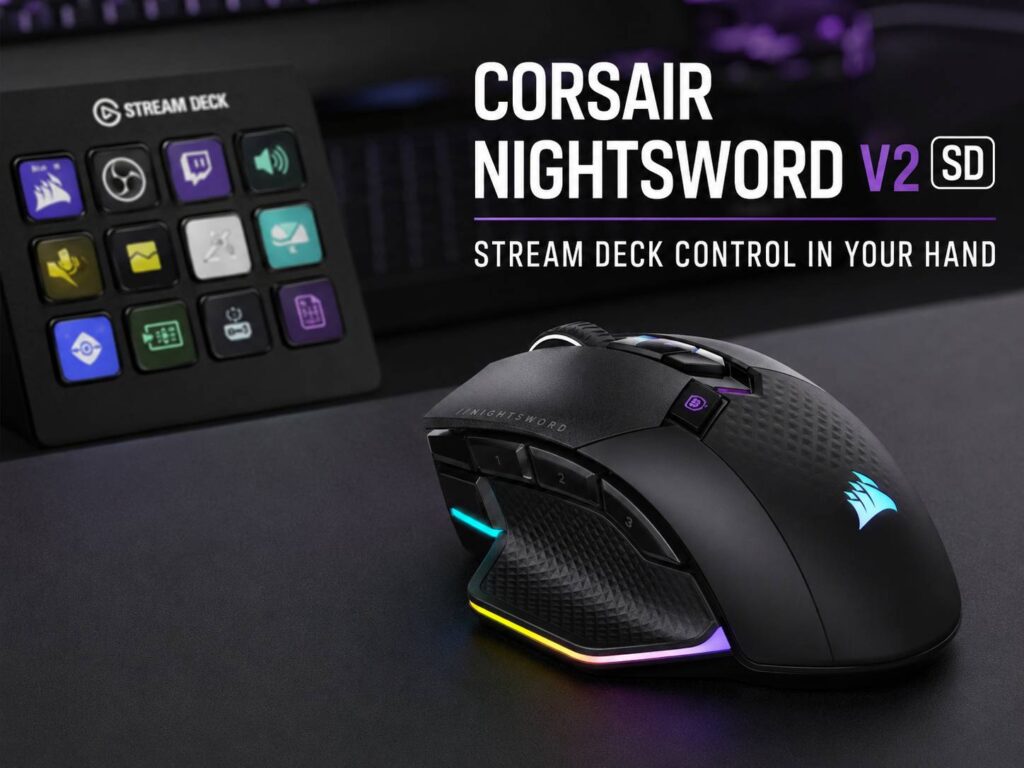
Corsair has introduced the Nightsword v2 Wireless SD, a wireless gaming mouse built for players, streamers, and creators who want faster desk control. Its main feature is simple: it brings Stream Deck actions to a gaming mouse.
That makes this launch stand out from a normal mouse refresh. Corsair kept the familiar right-handed Nightsword shape, cut the weight, added modern wireless hardware, and tied several buttons to Elgato Stream Deck actions.
The result is a mouse that fits games, streaming, editing, media control, and daily PC work. It still works like a premium wireless gaming mouse, but it can do more than point, click, and aim.
The Nightsword v2 Wireless SD has 11 buttons in total. Eight of them can trigger Stream Deck actions, and one dedicated Stream Deck Launch Button opens a Virtual Stream Deck on the screen.
That gives users quick access to common controls. Streamers can switch OBS scenes. Gamers can trigger game commands. Creators can open tools, run shortcuts, or control media from the mouse.
What makes the Nightsword v2 Wireless SD different
Most gaming mice focus on weight, sensor speed, button feel, and battery life. Corsair covers those basics here, but the Stream Deck feature gives the Nightsword v2 Wireless SD a clearer role.
This mouse acts like a small control hub under your hand. It can launch apps, open folders, switch scenes, start recordings, mute a mic, paste saved text, change profiles, or run custom actions.
That makes it useful for people who do more than play one game at a time. A streamer often manages OBS, Discord, chat, music, alerts, and camera settings. A creator often switches between apps, folders, timelines, and saved commands. A gamer often wants quick access to push-to-talk, macros, profiles, and media controls.
So the idea feels practical. Your hand already rests on the mouse, and the extra controls sit in a natural place.
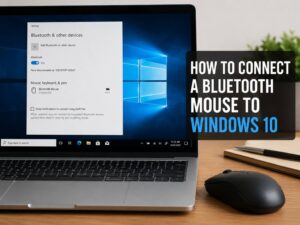
Need a simpler setup guide for wireless peripherals? This related guide on how to connect a Bluetooth mouse to Windows 10 without the usual headaches can help with pairing basics and common Bluetooth issues.
Key specs and features
The Corsair Nightsword v2 Wireless SD comes with a strong feature list for gaming and desktop control.
- 33,000 DPI Corsair MARKSMAN S optical sensor
- 750 IPS tracking speed
- 50G acceleration
- Up to 8,000Hz polling in wired and 2.4GHz wireless modes
- 11 programmable buttons
- 8 buttons with Stream Deck action support
- Dedicated Stream Deck Launch Button
- Optical main switches rated for up to 100 million clicks
- 89g body weight
- Right-handed ergonomic shape
- 3-zone RGB lighting
- 2.4GHz SLIPSTREAM wireless
- Bluetooth
- USB wired mode
- USB-C charging
- Up to 170 hours of battery life in 2.4GHz mode with lighting off at 1,000Hz
- Up to 365 hours in Bluetooth mode with lighting off
- US price of $129.99
The 89g weight matters here. This is not an ultra-light esports mouse, but it is still lighter than many large mice with extra buttons, RGB, and wireless hardware.
That balance fits the product well. Corsair built it for control and comfort, not only raw speed.
Stream Deck control gives it a clear purpose
The Stream Deck feature is the main reason to look at this mouse. Corsair owns Elgato, so the pairing feels natural.
The mouse works with Stream Deck software, which gives the extra buttons more depth than basic macros. Users can build profiles for games, streaming, editing, calls, music, or work. Then they can trigger those actions from the mouse.
For example, a streaming layout can include:
- Start stream
- Stop stream
- Change OBS scene
- Mute microphone
- Play intro music
- Save replay
- Open chat
- Toggle camera
A work layout can include:
- Open browser
- Open email
- Launch notes app
- Paste saved text
- Control volume
- Open downloads folder
- Start screen recording
- Switch display mode
This gives the Nightsword v2 Wireless SD more daily use than a normal gaming mouse. It can sit at the center of a full PC setup, mainly for users who already like shortcuts.
Gaming hardware still matters
Corsair did not build the Nightsword v2 Wireless SD around software alone. The hardware still matches the premium price.
The MARKSMAN S optical sensor reaches 33,000 DPI. That full range is more than a normal setup needs, but it gives wide control over sensitivity. The 750 IPS tracking speed and 50G acceleration help the mouse keep up with fast hand movement.
The mouse supports up to 8,000Hz polling in wired and 2.4GHz wireless modes. That means it can send movement data up to 8,000 times per second. This feature works best with fast PCs and high-refresh monitors.
Still, 1,000Hz remains a strong choice for most users. It feels smooth, saves more battery, and works well for daily gaming. The higher polling mode suits players who care about every small input delay.
The optical main switches fit the same premium target. Corsair rates them for up to 100 million clicks, and they use light-based actuation for fast response.
Shape, size, and comfort
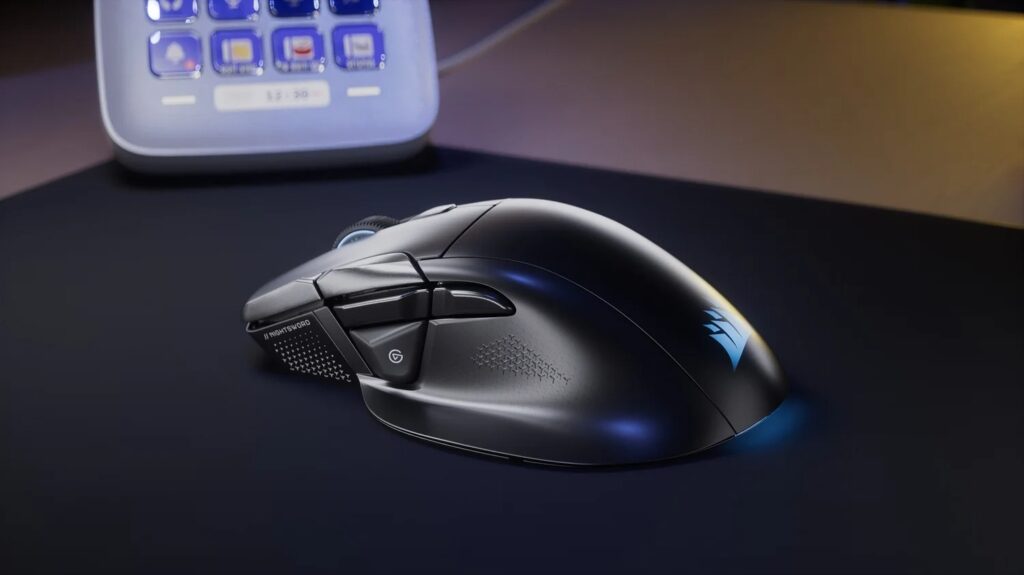
The Nightsword v2 Wireless SD uses a large right-handed shape with a thumb rest. This design gives the hand more support than a narrow esports mouse.
The mouse measures 129.6mm long, 78mm wide, and 40.9mm tall. That points to a full-size body. Medium and large hands should get the best fit. Small-hand users may find it wide, mainly near the thumb area.
The shape suits palm grip and relaxed claw grip. It does not look like the best match for fingertip grip users who prefer tiny, low-profile mice.
The 89g weight feels reasonable for this type of mouse. It has 11 buttons, RGB, wireless hardware, and a wide shell, yet it stays under 90g. That gives it a nice middle ground between comfort and control.
Battery life and connection modes
Corsair gives the Nightsword v2 Wireless SD three connection modes: 2.4GHz SLIPSTREAM wireless, Bluetooth, and wired USB.
For gaming, 2.4GHz wireless is the main mode. It supports low latency and higher polling. Bluetooth gives longer battery life and works well for laptops, travel, or basic desktop use. Wired USB helps during charging and keeps the mouse usable at all times.
Battery life changes with polling rate and lighting. Corsair rates the mouse for up to 170 hours over 2.4GHz with RGB off at 1,000Hz. In Bluetooth mode, it can reach up to 365 hours with lighting off.
Turn on RGB or raise polling to 8,000Hz, and battery life drops. That is normal for a mouse that sends data more often. Users who want long runtime should lower the polling rate and keep lighting off during work hours.
Who this mouse is made for
The Corsair Nightsword v2 Wireless SD targets users who want more than a basic gaming mouse. It fits a desk setup where gaming, streaming, shortcuts, and app control all matter.
It makes sense for:
- Streamers who use OBS, Discord, chat tools, and audio controls
- MMO, MOBA, RPG, and strategy players
- Gamers who like extra buttons near the thumb
- Creators who use shortcuts many times per day
- Users who already like Stream Deck tools
- PC setups that need fewer separate control devices
It is not the best match for:
- Left-handed users
- Players who want a tiny mouse
- Buyers who only play fast FPS games
- Users who never use macros or shortcuts
- People who want the lightest possible gaming mouse
The Nightsword v2 Wireless SD has a clear place. It gives one hand more control, and that is the point.
Price and value
Corsair lists the Nightsword v2 Wireless SD at $129.99 in the US. That places it in premium wireless gaming mouse territory.
The price fits the feature set. Buyers get tri-mode wireless, an 8,000Hz polling option, optical switches, RGB lighting, a 33K sensor, 11 buttons, and Stream Deck control.
Still, the value depends on how much the buyer uses Stream Deck actions. A streamer or creator can get strong daily use from the extra controls. A basic gaming user may get better value from a simpler and cheaper mouse.
That makes this product easy to understand. It is not only about aiming better. It is about faster control over the full PC setup.
Final thoughts
The Corsair Nightsword v2 Wireless SD brings a fresh idea to the gaming mouse category. It combines strong wireless gaming specs with Stream Deck control, and that gives it a clear identity.
The shape is large and right-handed. The price sits high. The Stream Deck feature will appeal most to users who already like shortcuts, profiles, and custom commands.
For streamers, creators, and gamers who manage several tools at once, this mouse makes sense. It turns common actions into quick thumb controls, and it reduces the need to reach for the keyboard or a separate Stream Deck.
Corsair did not just release another wireless gaming mouse. It built a mouse for people who want faster control across games, streams, apps, and daily PC tasks.