What Makes a Mouse Good for FPS Gaming?
A good FPS gaming mouse helps your hand talk to the game with less delay and less effort. It will not aim for you. Still, it gives you a cleaner base for flick shots, tracking, recoil control, and small crosshair corrections.
For shooters like Counter-Strike 2, Valorant, Apex Legends, Call of Duty, Fortnite, and Overwatch 2, the right mouse matters. You need steady tracking, fast clicks, smooth movement, and a shape that fits your hand. After that, practice does the rest.
Many buyers look at huge DPI numbers first. That is understandable, but it is not the best place to start. A mouse with a massive DPI range can still feel bad if the shape hurts your grip or the feet drag on the pad.
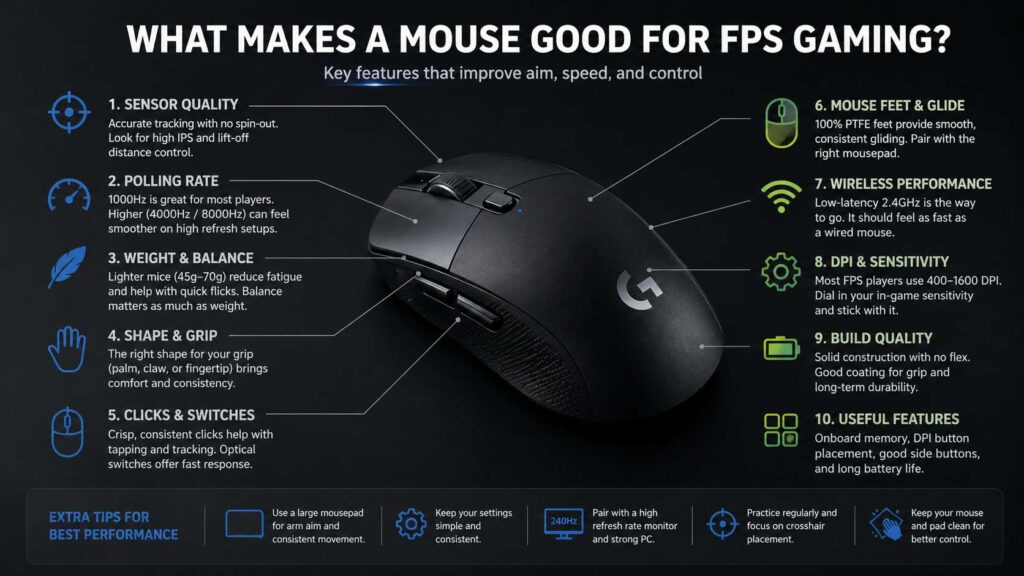
So, what makes a mouse good for FPS gaming? Start with the basics: sensor quality, low latency, weight, shape, click feel, mouse feet, and a stable wireless or wired connection. These parts affect real gameplay far more than RGB lighting or a long feature list.
Sensor Quality Matters More Than Max DPI
The sensor sits at the heart of every gaming mouse. It reads your movement and sends that movement to the game. If the sensor tracks poorly, your aim feels off, even with good mechanics.
A strong FPS mouse sensor should track fast swipes without spinouts. It should handle slow crosshair movement without jitter. Plus, it should feel predictable across your whole mousepad.
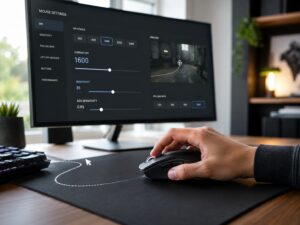
DPI means dots per inch. A higher DPI makes the cursor move farther with the same hand movement. For FPS games, many players use 400, 800, or 1600 DPI, then adjust in-game sensitivity. That gives better control than using extreme DPI settings.
DPI still matters, but not in the way many ads suggest. A mouse with 30,000 DPI does not automatically beat one with 16,000 DPI. In practice, most players never use the top range. They need clean tracking at normal settings.
For a broader look at DPI outside gaming, this guide on whether DPI matters on office mice explains the idea in simple terms. The same basic rule applies here: useful DPI matters more than huge numbers.
Polling Rate and Input Delay
Polling rate tells you how often the mouse reports its position to your PC. A 1000Hz mouse reports up to 1000 times per second. A 4000Hz mouse reports up to 4000 times per second. An 8000Hz mouse reports up to 8000 times per second.
That sounds like a clear win for higher numbers. In real use, the gain depends on your setup. A high polling rate makes more sense with a fast PC, a high refresh rate monitor, and games that run at stable frame rates.
For most players, 1000Hz still works well. It feels responsive and uses less battery on wireless mice. Then, 4000Hz can feel smoother on 240Hz or 360Hz monitors. At 8000Hz, movement can feel sharper, but battery life drops faster.
A low latency gaming mouse should feel instant during flicks and spray transfers. Still, polling rate is only one part of that feel. Sensor processing, wireless tech, click delay, and game performance all matter too.
For a deeper breakdown, read this guide on 1000Hz vs 4000Hz vs 8000Hz polling rate mouse. It covers the differences in a more direct way.
Weight and Balance
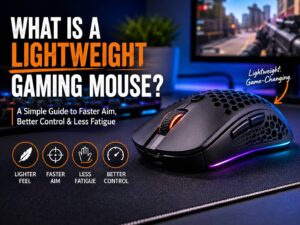
Weight affects how fast you start and stop the mouse. A lighter mouse usually helps in FPS games, mainly during quick flicks and repeated target changes. Less weight means less effort, and that can reduce fatigue during long sessions.
Many modern FPS gaming mice fall between 45g and 70g. That range works well for many players. Some prefer heavier mice, though, mainly for palm grip or slower aim styles.
Balance matters just as much as the number on the scale. A mouse that feels too heavy at the back can drag during fast swipes. A front-heavy mouse can feel awkward during small corrections. A balanced mouse moves more naturally.
A lightweight FPS mouse should still feel solid. The shell should not creak. The buttons should not wobble too much. The mouse should not feel hollow in a cheap way. Low weight helps, but weak build quality hurts trust during tense rounds.
Shape and Grip Style
Shape decides comfort, control, and grip stability. It often matters more than sensor specs. A great sensor in the wrong shell still feels wrong.
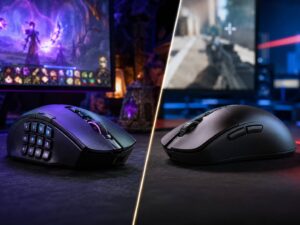
Palm grip works best with fuller mice. Your hand rests on the mouse, so the shape needs enough height and support. This grip feels stable, but it can slow tiny finger movements.
Claw grip gives a mix of speed and control. Your palm touches the back of the mouse, and your fingers bend over the buttons. Many FPS players use claw grip for quick flicks and steady aim.
Fingertip grip uses mostly the fingers. Your palm barely touches the mouse. This grip can feel very fast, but it needs a mouse with the right length, low weight, and easy lift control.
Hand size plays a big role too. A mouse that feels perfect for one player can feel cramped or bulky for another. For this reason, check length, width, hump height, side curve, and front button height before buying.
Click Feel and Switches
FPS games need clean clicks. Your left and right buttons should feel crisp, fast, and easy to control. A mushy click can make tap firing feel dull. A click that feels too light can cause accidental shots.
For most shooters, light to medium clicks work best. They allow fast firing without too much finger strain. Still, they need enough resistance to stop misclicks during tense fights.
Optical switches appear in many modern gaming mice. They use light-based actuation and often reduce debounce delay. Mechanical switches still feel great in many models, so switch type alone does not decide quality.
Side buttons matter too. Most FPS players need two good side buttons, not a full row of extra buttons. They work well for melee, push-to-talk, abilities, grenades, or ping commands. Too many buttons can get in the way of your thumb grip.
Mouse Feet and Glide
Mouse feet control how the mouse moves across the pad. Good feet feel smooth, stable, and easy to stop. Poor feet feel scratchy or slow, and that can hurt aim consistency.
Most gaming mice use PTFE feet. Large, rounded feet often glide better than thin, sharp-edged ones. After a few days of use, new feet usually break in and feel smoother.
Your mousepad changes the feel too. A control pad gives more stopping power. A speed pad helps wide swipes and fast turns. A hybrid pad sits between the two.
Low sensitivity players usually need a larger pad. A big pad gives more room for arm aim and full turns. Then, low lift-off distance helps during resets. The mouse stops tracking sooner after you lift it, so your crosshair drifts less.
Wireless vs Wired for FPS Gaming
Modern 2.4GHz wireless gaming mice work very well for FPS games. They remove cable drag and keep the desk cleaner. For many players, that makes aim feel freer.
Bluetooth is different. It suits office work and casual use, but it is not the best choice for serious FPS play. Use the included 2.4GHz receiver for gaming.
Wired mice still make sense. They cost less in many cases, need no charging, and keep setup simple. A soft cable can feel close to wireless, mainly with a mouse bungee.
The best choice comes down to feel. A good wireless mouse beats a poor wired mouse. A good wired mouse beats a heavy wireless mouse with an awkward shape. Pick the one that gives you steadier aim.
DPI and Sensitivity Setup
A good FPS mouse needs the right settings. DPI and in-game sensitivity work together. Many players compare setups with eDPI.
eDPI means mouse DPI multiplied by in-game sensitivity. For example, 800 DPI times 0.35 sensitivity equals 280 eDPI.
Lower eDPI gives more control, but it needs more arm movement. Higher eDPI helps fast turns, but it can make small aim changes harder. Tactical shooters often feel better with lower sensitivity. Faster games can suit medium sensitivity.
Do not copy a pro player’s settings without testing. Use them as a starting point, then adjust. You should be able to turn around without strain, track a moving target, and stop your crosshair on a small point.
Keep your settings simple. Use one DPI value. Change sensitivity inside the game. Then train with that setup for several days before judging it.
Build Quality and Coating
Build quality affects trust. During a close match, the mouse should feel solid and predictable. It should not creak, rattle, disconnect, or forget settings.
The coating matters during long play. Some matte coatings grip well. Some glossy shells feel slippery. Rubber side grips can help, but they can wear down over time.
Grip tape can fix a slippery mouse. It adds a little thickness, so use it only where your fingers need more hold. For claw and fingertip grip, small strips near the sides and buttons can make a big difference.
Good software helps too. You should be able to set DPI, polling rate, lift-off distance, debounce settings, and onboard profiles without hassle. Once the profile saves to the mouse, the software should not need to run every time.
Features That Help in Real FPS Games
Useful FPS mouse features are simple. You need a strong sensor, low delay, good clicks, smooth feet, and a shape that fits. After that, small extras can help.
Onboard memory saves your settings. A battery indicator helps with wireless models. A firm scroll wheel helps with weapon swaps or jumps. A well-placed DPI button prevents accidental sensitivity changes.
RGB lighting does not help aim. It can look nice, but it often adds no value in actual matches. Battery life matters more for wireless mice.
Extra buttons can help in games with many abilities. Still, a bulky side panel can hurt grip. For pure FPS gaming, two side buttons are usually enough.
Best FPS Gaming Mouse Checklist
Use this checklist before buying:
Lightweight body, usually 45g to 70g.
Shape that matches your grip style.
Size that matches your hand.
Reliable sensor with clean tracking.
At least 1000Hz polling rate.
Stable 2.4GHz wireless or soft wired cable.
Crisp main clicks.
Two easy side buttons.
Smooth PTFE feet.
Low lift-off distance.
Strong shell with little flex.
Simple software and onboard memory.
A return window helps a lot. Shape is hard to judge from photos. A mouse can look perfect online and feel wrong after one match.
Final Verdict
The best FPS gaming mouse is not the one with the biggest spec sheet. It is the one that feels steady in your hand and responds exactly the way you expect.
Start with shape, weight, and grip comfort. Then check sensor quality, polling rate, click feel, feet, and connection type. After that, tune DPI and sensitivity until your crosshair feels controlled.
For most players, the sweet spot is a lightweight mouse with a proven sensor, 1000Hz to 4000Hz polling, crisp clicks, smooth feet, and a comfortable shell. High polling rates and premium sensors help, but comfort and control still matter more.
A good FPS mouse should fade into the background. You stop fighting the hardware and focus on aim, timing, movement, and smarter fights. That is the real sign you picked the right mouse.