You are getting ready to leave the house, but your phone battery is sitting at 12%. You plug it in, glance at the clock, and start looking for any trick that can squeeze in a little more power before you go.
One of the most common tips is to turn on airplane mode. The idea sounds simple. Your phone disconnects from cellular networks, stops receiving calls, and reduces background activity. That should leave more power available for the battery.
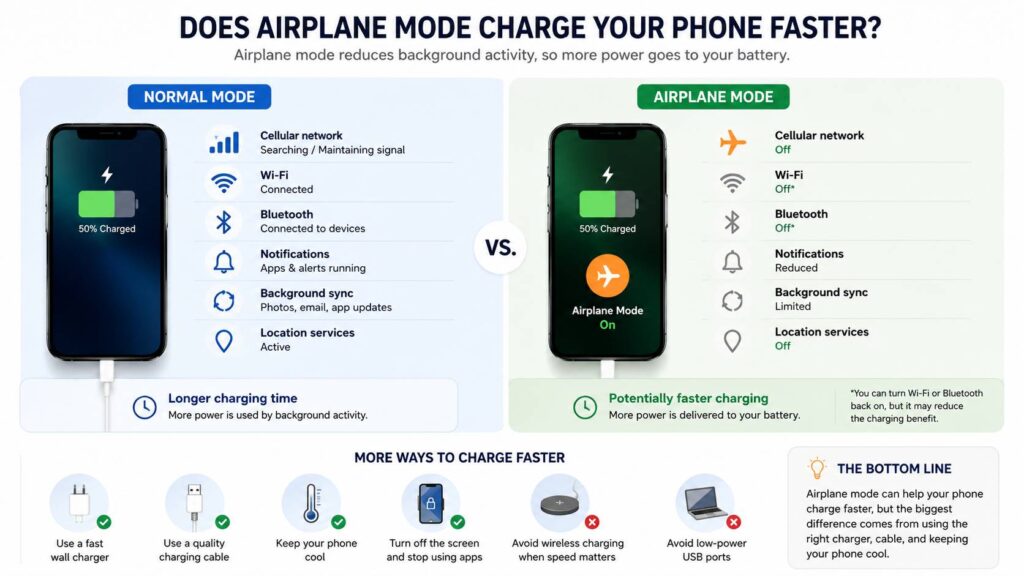
So, does airplane mode charge your phone faster? Yes, in many cases it does. The difference is usually small, though. Airplane mode does not make your charger more powerful. It simply reduces the amount of electricity your phone uses during charging.
The benefit can become more noticeable when your phone has a weak signal, receives many notifications, or keeps syncing data in the background. Still, a good charger, a compatible cable, and a cool phone will have a much bigger effect.
Why Airplane Mode Can Reduce Charging Time
Your phone continues to use energy after you connect it to a charger. The display, processor, cellular modem, Wi-Fi, Bluetooth, location services, and background apps all need power.
The charger has two jobs at that point. It must power the phone’s active features and send the remaining energy to the battery.
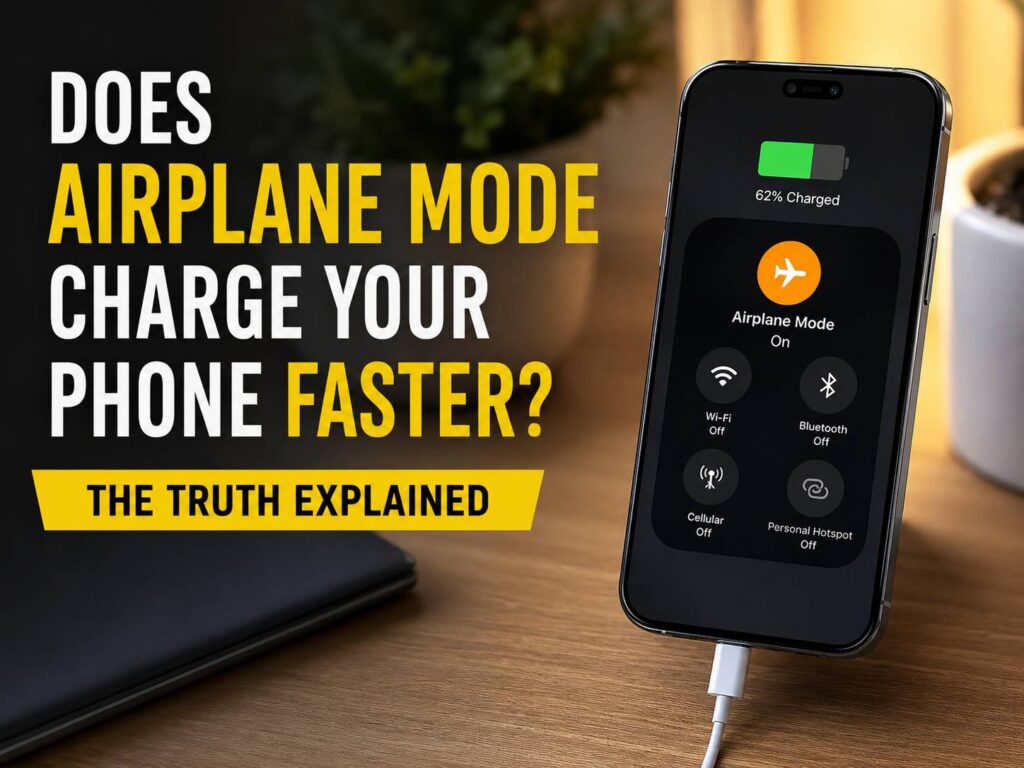
Airplane mode turns off the cellular connection. On most phones, it switches off Wi-Fi and Bluetooth too, though you can turn them back on manually. This cuts some of the phone’s background power use.
For example, your device may stop:
- Searching for a stronger mobile signal
- Switching between 4G and 5G networks
- Receiving calls and text messages
- Downloading mobile data
- Checking for network updates
- Syncing some apps through cellular data
That reduced activity can leave a little more power for charging.
The effect is easier to notice in places with poor mobile coverage. A phone can use extra energy when it keeps searching for a nearby tower. Turning on airplane mode stops that search.
How Much Faster Does Airplane Mode Charge a Phone?
There is no single percentage that works for every phone. Charging speed changes based on the charger, cable, battery level, phone model, temperature, signal strength, and active apps.
On a modern phone connected to a proper fast charger, the difference may only save a few minutes. The charger already supplies much more power than the phone uses when idle.
The improvement can feel larger in certain situations:
- The phone has one bar of cellular signal
- The device keeps switching networks
- Several apps send constant notifications
- Photos or videos are uploading to the cloud
- The phone is charging through a weak USB port
- Background downloads are running
- You need a quick charge from a low battery level
In real use, airplane mode works best as a small emergency trick. It can help when you have 15 or 20 minutes before leaving and do not need calls, messages, or mobile data.
It is useful, but it is not magic.
Airplane Mode Does Not Turn On Fast Charging
Airplane mode and fast charging are two separate things.
Fast charging relies on communication between the phone, charger, and cable. All three parts must support the correct charging standard and power level.
Turning on airplane mode will not fix:
- An old 5W charger
- A damaged cable
- A loose charging connector
- A dirty charging port
- An unsupported charging standard
- A weak laptop USB port
- Charging limits caused by heat
- Disabled fast-charging settings
A compatible wall charger will usually make a far greater difference than airplane mode.
For example, a phone that supports 25W charging will not receive 25W from a basic 5W adapter. Airplane mode cannot change that limit. It only reduces the power used by the phone itself.
Turn Off Wi-Fi and Bluetooth Too
Modern phones let you switch Wi-Fi and Bluetooth back on after airplane mode is active. This is useful on flights, but it can reduce the charging benefit.
Wi-Fi may keep several tasks running, including:
- Cloud photo backups
- App updates
- Email syncing
- Messaging services
- File downloads
- Video or music streaming
Bluetooth can keep connections active with smartwatches, earbuds, speakers, fitness trackers, and car systems.
Check the connection icons after turning on airplane mode. Switch off Wi-Fi and Bluetooth too when charging speed matters more than connectivity.
Keeping the Screen Off Makes a Bigger Difference
The display often uses more power than the phone’s wireless connections. High brightness, video playback, social media, gaming, and navigation can all slow charging.
Using the phone during charging creates another problem. It produces heat.
Charging already warms the battery. Gaming, recording video, or streaming content adds more heat from the processor and display. Phone software can reduce charging power when the device becomes too warm.
For a faster top-up, follow these steps:
- Plug the phone into a compatible wall charger.
- Turn on airplane mode.
- Switch off Wi-Fi and Bluetooth.
- Lock the screen.
- Leave the phone unused.
- Keep it away from direct sunlight.
- Remove a thick case when the device feels hot.
Do not place the phone in a refrigerator or freezer. Sudden temperature changes can cause condensation inside the device.
Does Turning the Phone Off Charge It Faster?
A phone that is completely powered off uses less energy than one in airplane mode. This creates the best conditions for charging.
Still, the difference may remain small with a modern fast charger. Phones use little power when the display is locked and background activity is limited.
Turning the phone off works well during a real battery emergency. Airplane mode is more convenient for most people since the phone can still run alarms, play downloaded music, show offline documents, and take photos.
Airplane mode gives you a good balance. It reduces battery use without making the phone completely unavailable.
Wired Charging Is Usually Faster Than Wireless Charging
Wireless charging is convenient, but wired charging is often better when time matters. Wireless chargers lose more energy through heat, and poor alignment can reduce charging speed.
A wired USB-C charger usually delivers power more directly. The phone, adapter, and cable still need to support the correct charging standard.
Some phones need a specific cable to reach their maximum rate. A charger may have enough wattage on paper but still charge slowly if it does not support the phone’s required protocol.
Qi2 chargers have improved wireless alignment and power delivery. They can be a good option for desks, nightstands, and travel. The KUXIU D5 Qi2 2 charger is one example of a compact charging device built around this newer wireless standard.
Still, a compatible wired charger is usually the better choice for a quick battery boost.
Why Charging Slows Down Near 80%
Phone batteries do not charge at the same speed from 0% to 100%.
Many devices accept more power at lower battery levels. The phone then reduces the charging rate as the battery gets closer to full. This lowers heat and reduces stress on the battery.
That is why charging from 10% to 50% often feels fast, but charging from 85% to 100% can take much longer.
Airplane mode cannot override these battery controls. The phone’s charging system still decides how much power the battery can safely receive.
This makes airplane mode more useful during short charging sessions at lower battery levels. It will have less impact when the phone is already close to full.
Battery Protection Features Can Slow Charging
Many Android phones and iPhones include battery protection settings. These features can delay charging, stop at a set limit, or wait before completing the last part of the charge.
For example, a phone may stop near 80% and finish charging closer to the time you normally wake up. Other devices let you set a fixed charging limit.
These settings are designed to reduce battery wear. They can make charging feel slower, but they are not usually signs of a bad charger.
Check your battery settings when the phone regularly stops at the same percentage.
More Ways to Make Your Phone Charge Faster
Airplane mode can help, but the following steps often have a larger effect:
- Use a charger that supports your phone’s fastest charging mode
- Use a cable rated for the required power level
- Plug the charger into a wall outlet
- Avoid old computer USB ports
- Stop gaming and video streaming
- Lock the display
- Lower the brightness when you must use the phone
- Keep the phone cool
- Clean dust from the charging port
- Replace damaged or loose cables
- Check whether fast charging is active in the settings
- Avoid wireless charging when you need power quickly
A short charge can still be useful. You do not need to reach 100% every time. Charging from 15% to 50% may be enough to get through the rest of the day.
Does Airplane Mode Save Battery When You Are Not Charging?
Yes. Airplane mode can reduce battery drain when the phone is not connected to power.
The largest benefit often appears in areas with weak cellular coverage. Your phone may use more energy when it keeps searching for a network inside a basement, rural area, tunnel, or large concrete building.
Airplane mode stops that search.
The phone will still use some energy for alarms, the display, the processor, and offline apps. For longer battery life, combine airplane mode with battery saver and low screen brightness.
Is It Safe to Charge a Phone in Airplane Mode?
Charging a phone in airplane mode is safe. The setting only changes the phone’s wireless connections. It does not disable charging controls or bypass battery protection features.
You can activate airplane mode before or after connecting the charger. The order does not affect charging safety.
Use an undamaged cable and a compatible adapter. Stop charging the phone when it becomes extremely hot, smells unusual, or shows signs of battery swelling.
Does Airplane Mode Really Make a Difference?
Airplane mode can help your phone charge faster, but the improvement is usually modest. It works by reducing energy use inside the phone. It does not increase the power supplied by the charger.
The trick works best when the mobile signal is poor, the battery level is low, and you only have a short time to charge. Turn off Wi-Fi, disable Bluetooth, lock the display, and leave the phone alone for the best result.
A proper wall charger and compatible cable matter far more. Heat, background activity, and charger quality can change charging speed by a much larger amount.
My honest view is that airplane mode is worth using when every minute counts. It is free, easy, and takes only a second to turn on. Just do not expect it to transform a slow charger into a fast one.