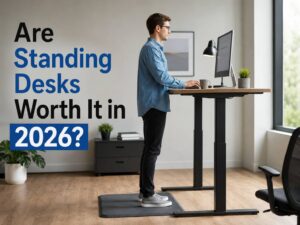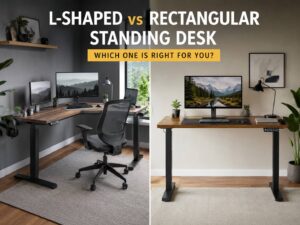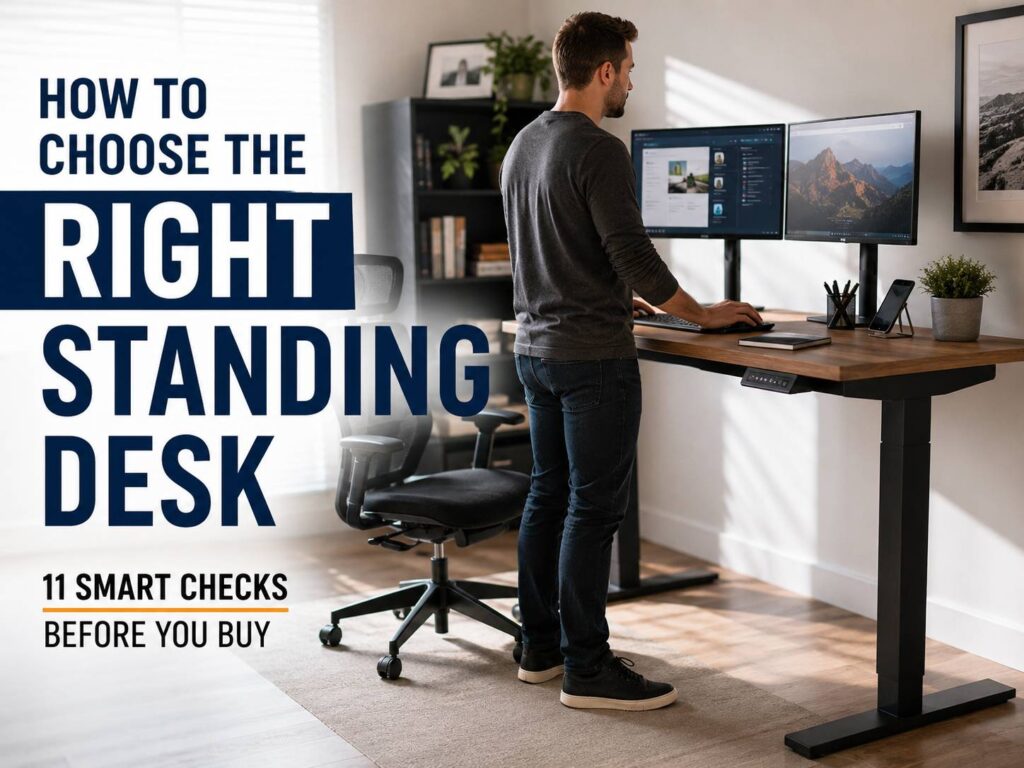
A standing desk sounds like a simple upgrade. You press a button, raise the desk, and work on your feet. Then real life steps in. Some desks wobble at full height. Others feel too shallow for a monitor, keyboard, mouse, and laptop. A few look great online but turn messy once you add cables, chargers, speakers, and a monitor arm.
So, the right standing desk is not always the most expensive one. It is the one that fits your body, your room, your gear, and your daily work. A good height adjustable desk should make sitting and standing feel easy. It should not add one more problem to your day.
This guide walks through the main things to check before buying a standing desk for a home office, gaming setup, studio desk, or shared workspace. It covers desk height, desktop size, motor type, stability, cable control, posture, safety, and common issues people notice after a few weeks.
Start With the Right Standing Desk Height
Standing desk height matters more than it seems. A desk that sits too high can lift your shoulders and strain your neck. A desk that sits too low can make you lean forward and bend your wrists. After a long workday, those small posture problems can feel much bigger.
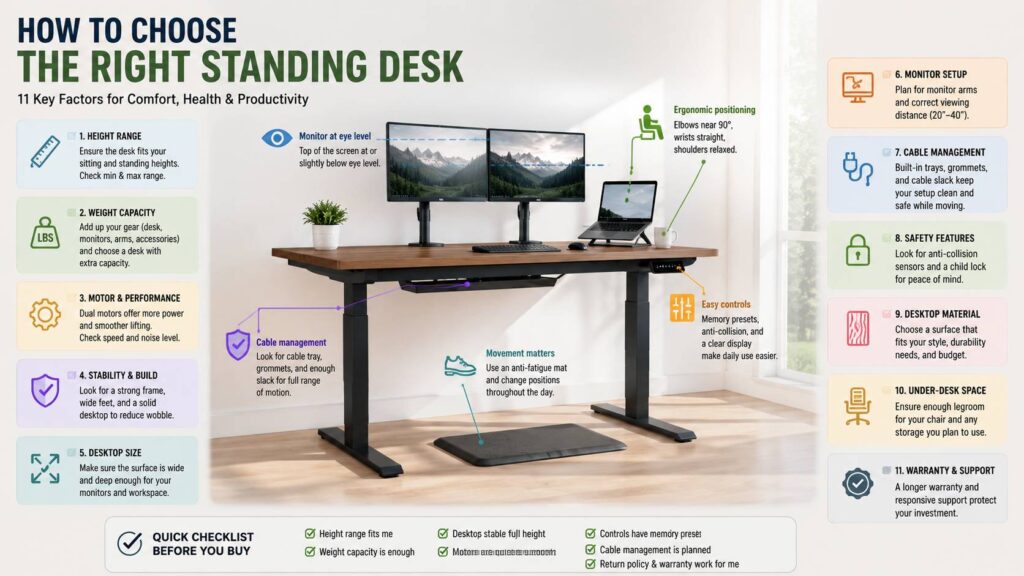
At standing height, your elbows should sit close to a 90 degree angle. Your forearms should feel level with the keyboard. Your wrists should stay straight, not bent upward. At the same time, your shoulders should stay relaxed.
For many adults, standing keyboard height lands somewhere between 36 and 46.5 inches. That range gives you a useful starting point, but it will not fit every person. Shorter users need a frame with a low minimum height. Taller users need a high maximum height that still feels steady near the top.
Before you buy, check these details:
- Minimum height for seated work
- Maximum height for standing work
- Height range with the desktop installed
- Memory presets for quick changes
- Stability at your full standing height
Next, compare those numbers with your elbow height. This quick check can save you from a desk that looks good in photos but feels wrong every day.
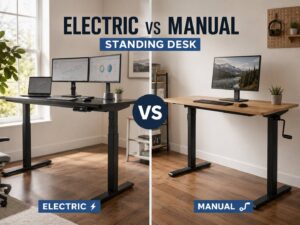
Decide Between an Electric Desk, Manual Desk, or Converter
Standing desks come in three main types: electric standing desks, manual crank desks, and standing desk converters.
An electric standing desk works best for daily use. It raises and lowers with a motor, so you can switch positions without effort. Better models include memory buttons, smoother lifting, anti-collision features, and quieter motors. The main downside is price. You also need a nearby power outlet.
A manual standing desk costs less. It uses a crank or hand lift system. It can work for a simple setup, but the extra effort gets annoying fast, especially during a busy day.
A standing desk converter sits on top of your current desk. It saves money and keeps your existing furniture. Still, it adds height, takes up surface space, and can feel cramped. It works better for laptop users than for people with large monitors.
For most people, an electric height adjustable desk gives the best mix of comfort and daily use. You will move more often if the desk makes movement easy. For a deeper comparison, this guide on standing desk vs standard desk can help you decide whether the upgrade fits your routine.
Choose the Desktop Size Before the Frame
Picking the frame first can lead to a poor fit. Start with the desktop size instead. Your work surface decides how comfortable the whole setup feels.
A 48 x 24 inch desktop works for a laptop, one monitor, and a few small accessories. It can feel tight with speakers, a desk lamp, notebooks, or a full-size keyboard.
A 55 x 28 inch desktop gives more room. It fits one large monitor or two smaller monitors, plus a laptop stand and mouse space.
A 60 x 30 inch desktop feels better for dual monitors, content creators, developers, gamers, and people who keep papers nearby.
A 72 x 30 inch desktop suits larger rooms and heavier setups. It gives you more space, but it needs a stronger frame.
Depth matters too. A 24 inch deep desk can place the monitor too close to your face. A 28 or 30 inch deep desktop gives you more room for screen distance, a monitor arm, and a cable tray.
For most home office users, a desk around 55 to 60 inches wide and 28 to 30 inches deep feels like the sweet spot.
Check the Real Weight Load
A standing desk must lift more than your laptop. Count the full setup before you trust the listed weight capacity.
Your load can include:
- Desktop weight
- One or two monitors
- Monitor arms
- Laptop and dock
- Speakers
- Keyboard and mouse
- Microphone arm
- Camera or light
- Cable tray
- Power strip
- Notebooks and desk accessories
A basic desk with a 110 lb capacity can work for a light setup. For dual monitors and heavier accessories, look for at least 176 lb. For a large wood top, big monitors, and studio gear, 220 lb or more gives you safer headroom.
Do not run a desk close to its limit every day. The motor works harder. The frame can feel less steady. The lift speed can slow down. For that reason, a stronger frame often feels better long after the new-desk excitement fades.
Pick the Right Motor Setup
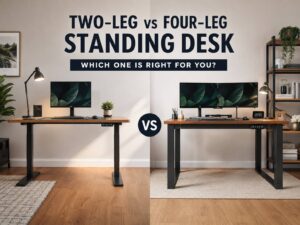
Single motor desks use one motor to move both legs. They cost less and work well for lighter setups. Still, they can feel slower under heavier loads.
Dual motor standing desks use one motor per leg. They lift more weight, move more evenly, and often feel smoother. For a laptop and one monitor, a single motor desk can do the job. For two monitors, a heavy desktop, or a wide setup, a dual motor frame is the safer choice.
Noise matters as well. Some desks sound smooth and clean. Others make a rough grinding sound. That gets old during calls, late-night work, or shared-room use.
In practice, the motor should feel boring. Press the button, move the desk, get back to work. That is the goal.
Take Stability and Wobble Seriously
Wobble is one of the most common standing desk complaints. A desk can feel solid at sitting height and shaky at standing height. The taller the frame goes, the more movement you can notice.
Look closely at these parts:
- Leg shape
- Frame width
- Foot length
- Desktop thickness
- Crossbar design
- Floor type
- Monitor arm weight
- Maximum height rating
Carpet can make wobble worse. A heavy monitor arm can add shake. A thin desktop can flex during typing.
Real opinion: stability matters more than app control, fancy buttons, or a sleek product photo. A desk that wobbles every time you type will bother you daily. A basic keypad will not.
For taller users, stability above 45 inches deserves extra attention. Read comments from people near your height. General reviews can miss this problem.
Plan Your Monitor Setup Early
A standing desk will not fix poor monitor placement by itself. Your screen should sit straight in front of you. The top of the screen should sit at or slightly below eye level. The monitor should sit about an arm’s length away.
Laptop users need extra care. A laptop placed flat on the desk surface puts the screen too low for long sessions. Use a laptop stand, external keyboard, and external mouse. That setup lifts the screen and keeps your arms in a more relaxed position.
For dual monitors, place your main screen in front of you. Put the second screen slightly to the side. A large curved monitor can work well, but check desk depth first. Big screens need more distance.
A monitor arm can free up desk space and improve screen height. Still, it adds weight and can increase wobble on weaker desks. This monitor arm vs stock stand guide can help you choose the better setup for your screen and desk size.
Think About Cable Management Before Delivery
Cable mess gets worse on a standing desk. The desk moves up and down, so every cable needs enough slack. A short power cable can pull from the wall. A tight monitor cable can tug on the port. Loose cables can hang behind the desk and make the setup look unfinished.
Plan these items early:
- Cable tray under the desk
- Power strip mounted under the top
- Longer monitor cables
- Velcro straps
- Cable sleeve
- Desk grommets
- Extra slack for full height
- Safe route for power cords
After setup, raise the desk to its highest point. Then check every cable. Nothing should pull, stretch, rub, or catch.
This step feels boring, but it saves frustration. A clean cable setup makes the desk feel finished and safer to use.
Compare Desktop Materials
The desktop affects price, strength, feel, sound, and long-term wear. So, do not choose it only by color.
Particleboard with laminate costs less. It can look clean and resist light scratches, but cheaper tops can chip along the edges.
MDF gives a smooth surface and good value. It feels solid enough for most home offices. Still, exposed edges can suffer from water damage.
Bamboo looks warm and often costs less than hardwood. Quality varies, so check thickness, coating, and weight.
Solid wood feels premium and lasts longer. It weighs more and costs more. It also needs a stronger frame.
Glass tops look sleek in photos. In daily use, they show fingerprints and can limit monitor arm options. Glass gets harder to live with as you add more gear.
For most users, a thick laminate, MDF, bamboo, or solid wood top works better than glass. The surface should handle typing, mouse movement, notebooks, cups, and monitor mounts without feeling fragile.
Check Controls, Presets, and Safety Features
A good control panel makes sit-stand changes quick. Memory presets matter. They let you save your seated height and standing height, then switch with one press.
Look for these control features:
- Smooth up and down buttons
- Two or more memory presets
- Lock mode for homes with children
- Anti-collision detection
- Clear height display
- Quiet button response
Anti-collision detection can stop the desk after it hits an object. Still, do not trust it blindly. Keep chairs, drawers, pets, cables, and storage boxes clear.
A lock button helps in family homes. Kids can press desk buttons out of curiosity. A moving desk can trap small items, spill drinks, or damage cables.
Do Not Forget Seated Comfort
A standing desk still needs to work as a normal desk. You need a good chair, proper seated height, and enough leg clearance.
For seated typing, the keyboard should sit near elbow height. Your feet should rest flat on the floor or on a footrest. Your shoulders should stay relaxed. Your wrists should stay straight.
Check the space under the desk. Some frames place support bars, control boxes, or cable trays where your knees need room. Chair arms can hit the desktop too. That small annoyance becomes irritating after a few days.
A standing desk works best after both positions feel right. Poor seated posture plus short standing breaks will not feel good for long.
Build a Sit-Stand Routine You Can Keep
Standing all day is not the goal. Long standing can create foot pain, leg fatigue, and lower back strain. Long sitting creates its own problems too. The better routine mixes sitting, standing, and short movement breaks.
Try this simple rhythm:
- Sit with good posture for about 20 minutes
- Stand for about 8 minutes
- Move or stretch for about 2 minutes
You do not need to follow that pattern perfectly. Use it as a guide. The real goal is posture change during the day.
For example, stand during calls. Sit during deep typing. Walk during short breaks. Stretch your calves and shoulders. Shift your weight from one foot to the other.
An anti-fatigue mat helps during longer standing sessions. Supportive shoes help too. Bare feet on a hard floor can feel fine for five minutes, then painful after an hour.
Watch Out for Common Standing Desk Mistakes
Many standing desk problems are easy to avoid.
A desktop that is too small looks tidy online, then feels crowded after setup.
Others ignore depth. A shallow desk pushes the screen too close and leaves little room for a keyboard, mouse, and notes.
Standing too long on day one can make your feet, knees, and back ache, and that is an easy way to give up on the desk.
Laptop users often keep the laptop flat on the desk. That forces the neck downward.
Cable planning gets skipped too. Then wires pull every time the desk rises.
Style can cause another problem. A pretty desk with weak legs still wobbles. Looks matter, but daily comfort matters more.
Measure first. Then buy. That one habit prevents most regrets.
How Much Should You Spend on a Standing Desk?
Budget standing desks can work well for light setups. Expect thinner tops, lower load ratings, fewer controls, and more wobble at tall heights.
Mid-range desks fit most buyers. They often include dual motors, better controls, stronger frames, and more desktop choices.
Premium desks make sense for heavy gear, tall users, large tops, and long workdays. You pay for stronger legs, better motors, cleaner controls, safer lifting, and better finishes.
Real opinion: do not spend extra only for app control. Day to day, two buttons do the work: sitting preset and standing preset. Put more of the budget into stability, height range, desktop size, and motor strength.
Best Standing Desk Choice by User Type
Laptop users should choose a 48 or 55 inch electric desk with a laptop stand, external keyboard, and mouse.
Dual monitor users should choose at least 55 x 28 inches. A 60 x 30 inch top feels more comfortable.
Tall users should focus on maximum height and wobble control. A dual motor frame with a wider stance helps.
Shorter users should check minimum height. Some desks do not go low enough for comfortable seated typing.
Gamers should check depth, cable routing, monitor arm support, and weight capacity.
Creators should choose a stronger frame and wider desktop. Cameras, lights, speakers, tablets, and large monitors add weight fast.
Small-room users should measure chair clearance and walking space first. A compact electric standing desk can work, but only with careful planning.
Final Standing Desk Buying Checklist
Before you choose the right standing desk, confirm these points:
- The height range fits your seated and standing posture
- The desktop has enough width and depth
- The frame supports your full gear weight
- The desk stays stable at your standing height
- The motor type fits your setup
- The controls include memory presets
- The desktop material suits daily use
- The desk supports your monitor arm
- The cable setup has enough slack
- The room has space for chair movement
- The return policy protects you after delivery
A standing desk should make work feel easier, not more complicated. Start with your body and your setup. Then look at style, extras, and price. The right desk gives you more control over posture, more movement during the day, and a cleaner workspace that still feels practical after the first week.