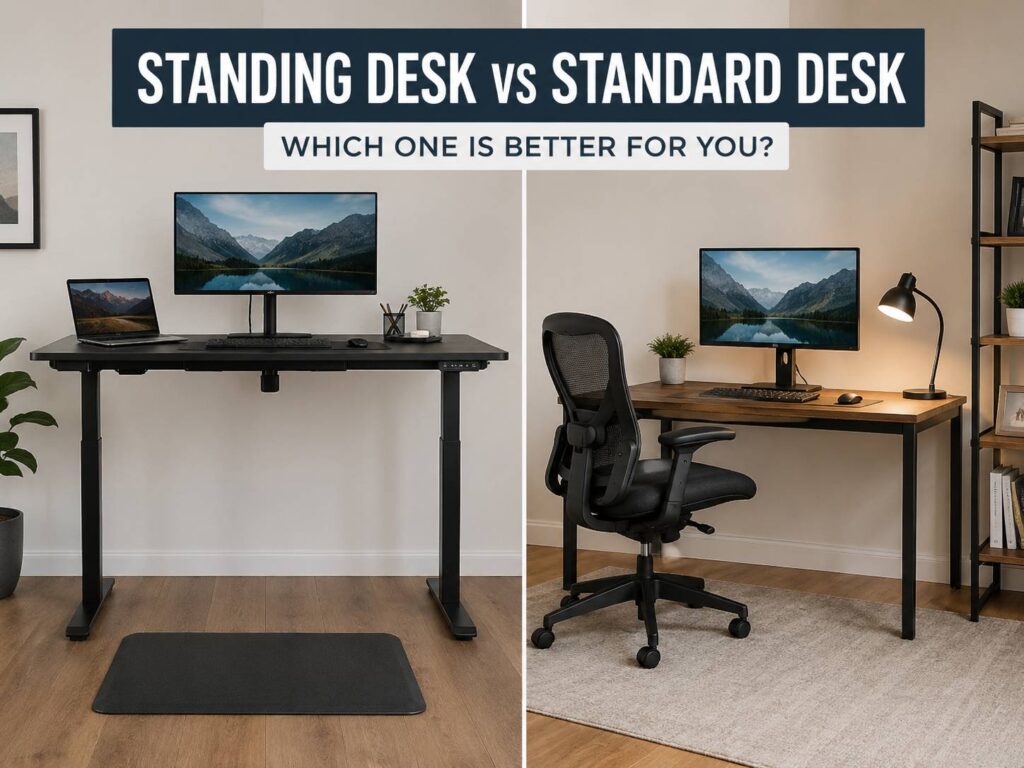
The standing desk vs standard desk debate sounds simple at first. One lets you work on your feet. The other keeps your setup fixed and familiar. Yet the better choice is not always obvious once you look at comfort, posture, cost, space, focus, and real daily use.
A standing desk gives you more freedom to change position. A standard desk gives you stability, lower cost, and a familiar setup. Both can work well. Both can feel awful with the wrong chair, poor monitor height, or a messy workspace.
So, which desk fits real home office work better? The answer comes down to how you work during a normal day. Some people sit for deep focus, stand for calls, then move around between tasks. Others prefer one calm seated setup with a good chair and a monitor at eye level.
This guide breaks down the real differences, the common problems people run into, and the buying details that matter before you spend money.
Standing Desk vs Standard Desk: The Core Difference
A standard desk stays at one height. Most people use it with an office chair, a keyboard, a mouse, and one or two monitors. It works best once the chair, screen, and desk height match your body.
A standing desk moves up and down. Electric models use motors and preset buttons. Manual models use a crank or lift system. Desk converters sit on top of a normal desk and raise the keyboard and monitor together.
The main benefit of a standing desk is not standing all day. That mistake causes sore feet, tired knees, and lower back tension. The real benefit is posture variety. You can sit, stand, stretch, and reset your body without leaving your desk.
By comparison, a standard desk depends more on your chair and habits. A fixed desk can feel great with the right chair and monitor position. It can also create neck and shoulder pain if the screen sits too low or the keyboard sits too far away.
What a Standing Desk Does Better
A standing desk works best for people who feel stiff after long seated sessions. It gives your body a reason to change position. That matters during long workdays, especially for remote workers, writers, developers, designers, and anyone who spends 6 to 9 hours near a screen.
For example, standing during calls can feel more natural. You breathe better, move your hands more, and avoid slumping into the chair. Short admin tasks can feel easier too. Email, task planning, file sorting, and quick reviews all work well in standing mode.
Plus, a standing desk can make the afternoon feel less heavy. Standing for 20 or 30 minutes can make you feel more alert. That does not mean the desk gives you more energy by itself. It simply breaks the pattern of sitting in one position for too long.
A standing desk is a strong choice for:
- Remote workers who spend most of the day at a computer
- People who feel back or hip stiffness after sitting
- Users who take many video calls
- Small business owners who move between tasks
- Writers or editors who like to stand during light work
- People who want a more active desk routine
Still, the standing desk only works well with good habits. Sit for focused work. Stand for calls and short tasks. Then move for a minute or two between sessions.
What a Standard Desk Does Better
A standard desk wins on simplicity. It costs less, has no motors, and rarely needs maintenance. A solid fixed desk can last for years. It does not wobble from height changes, and it usually handles heavy equipment with less fuss.
For deep work, a standard desk often feels calmer. Coding, writing, editing, bookkeeping, research, and long design sessions can feel more stable from a seated position. The desk does not move. The monitor stays in place. Cables stay still.
At the same time, standard desks give better value for tight budgets. You can spend less on the desk and put more money into a better chair, monitor arm, keyboard, or footrest. That can bring a bigger comfort gain than buying a cheap standing desk.
A standard desk makes sense for:
- Lower budgets
- Heavy monitor setups
- Desktop PC users
- Small rooms
- People who prefer seated focus
- Workers who already take frequent breaks
- Users who want fewer moving parts
A fixed desk is not unhealthy by default. Poor posture and long periods with no movement cause most problems. A standard desk can still support a strong home office setup once you pair it with the right chair and screen height.
Comfort During Long Workdays
Comfort depends on more than desk type. Your chair, screen, keyboard, floor, shoes, and habits all matter.
A standing desk can reduce that locked-in feeling people get after hours of sitting. Your hips move more. Your lower back gets a break from the chair. Your shoulders can reset between tasks.
But standing too long creates its own problems. Feet start to ache. Knees get tired. It is easy to lean to one side without noticing. That uneven posture can irritate the lower back.
A standard desk feels better during long focus sessions. A supportive chair can carry your body weight, hold your lower back, and keep your arms steady. For seated work, the chair matters as much as the desk. A bad chair can ruin even the best desk setup. For a full setup upgrade, this best affordable office chair guide for 2026 is a good next read.
In practice, the best comfort setup mixes sitting, standing, and movement. No desk should keep you frozen in one position all day.
Posture and Desk Setup
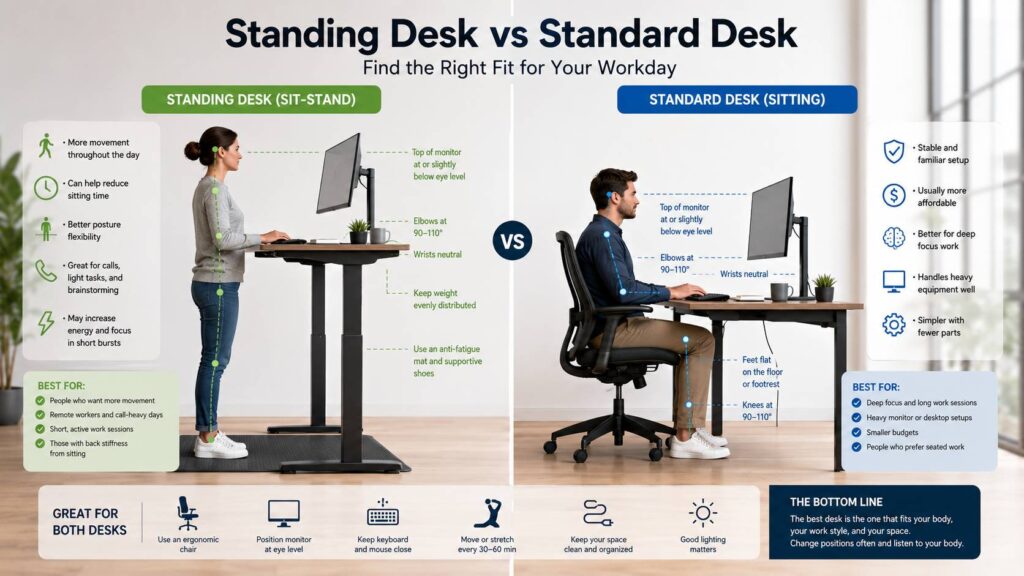
Good posture starts with simple angles. Your elbows should rest near a right angle. Your shoulders should stay relaxed. Your wrists should stay straight. Your screen should sit in front of you, not off to the side.
For seated work, your feet need support. They should rest flat on the floor or on a footrest. Your chair should bring your arms to the right height without lifting your shoulders.
For standing work, the keyboard should sit around elbow height. The monitor should sit high enough so you do not bend your neck down. You may need a monitor arm, riser, or laptop stand to get this right.
Next, check distance. A screen placed too close can strain your eyes and neck. A screen placed too low can make you lean forward. That is one reason many home office users compare a monitor arm vs stock stand after they fix the desk itself.
Small changes matter. Raise the monitor. Bring the keyboard closer. Move the mouse near the keyboard. Clear the desk surface. These changes often fix more pain than a new desk.
Focus and Productivity
A standing desk can help with focus during quick tasks. Standing feels useful for calls, planning, light editing, and checking messages. It can make you feel more engaged, mainly during short sessions.
Deep work is different. Long writing, coding, spreadsheets, design work, and careful research often need a still body and steady hands.
That said, a sit-stand desk gives you options. You can stand during light work, sit during demanding work, then switch again before your body feels tired. That rhythm keeps the day from feeling flat.
A standard desk can still support strong focus. It gives you one fixed place for work. The setup does not change, so your brain learns the routine. For people who dislike adjusting furniture, that calm setup can feel better.
So, standing desks do not make people productive by magic. They help most once the user builds a simple routine.
Health and Movement
Standing more can reduce long seated time. That is useful for many desk workers. Still, standing still for hours is not the goal. Your body needs movement, not just a new posture.
The best habit is simple:
- Sit during deep work
- Stand during calls or light tasks
- Walk for 1 or 2 minutes between work blocks
- Stretch your calves and hips during breaks
- Change position before pain starts
This pattern works better than trying to stand all day. It also works for standard desk users. A fixed desk user can still get up every 30 minutes, walk to get water, and reset posture throughout the day.
The desk helps. Your routine matters more.
Cost and Value
Standard desks cost less in most cases. They have fewer parts and fewer failure points. A sturdy fixed desk, a good chair, and a monitor arm can create a strong setup without a high budget.
Standing desks cost more. Electric motors, steel frames, control panels, and stronger legs raise the price. Cheap standing desks often wobble at higher positions, especially with dual monitors.
For a standing desk, check these details before buying:
- Height range
- Weight limit
- Frame stability
- Desktop depth
- Motor noise
- Memory buttons
- Cable tray support
- Warranty
- Return policy
A desk converter costs less than a full standing desk, but it can feel bulky. It can also raise the keyboard too high while seated. That creates wrist and shoulder strain.
For value, avoid the cheapest standing desk with a weak frame. A mid-range electric model usually feels better and lasts longer. For a fixed setup, put more of the budget into the chair and monitor position.
Space and Room Fit
A standard desk fits more rooms. It stays at one height, so wall shelves, cables, lamps, and monitor arms are easier to plan.
A standing desk needs more clearance. The surface moves up and down. Cables need extra slack. Monitor arms need room behind the desk. Power strips need safe placement.
Measure before buying. Check desk width, depth, and max height. Then check your room layout. A desk that looks fine online can feel too large in a bedroom office.
For one monitor, a smaller desk can work. For two monitors, choose more width. For a laptop, use a separate keyboard and mouse. Laptop-only setups force the screen too low on both desk types.
Common Standing Desk Issues
Standing desks solve one problem, but they can create others.
Real user complaints often include:
- Wobble at standing height
- Sore feet after long standing sessions
- Motors that sound louder than expected
- Cable pull during height changes
- Control buttons that feel cheap
- Desk tops that scratch easily
- Monitor shake during typing
- Poor depth for large screens
- No space for speakers or accessories
Most of these issues come from weak frames, poor setup, or standing too long. A good mat helps your feet. Supportive shoes help too. Still, posture and movement matter more than accessories.
The biggest mistake is simple. People buy the desk, stand too much for one week, feel sore, then stop using the feature. Start with short standing blocks instead.
Common Standard Desk Issues
Standard desks have fewer moving parts, but they still cause comfort problems.
Common issues include:
- Desk height that does not match the user
- Chair arms hitting the desk edge
- Poor leg clearance
- Keyboard placed too far forward
- Monitor placed too low
- Feet hanging without support
- Cluttered surface
- Long sitting blocks with no breaks
A fixed desk needs careful setup. Raise your chair so your elbows match the desk height. Then support your feet with a footrest if they no longer reach the floor. Raise the monitor so your neck stays neutral.
You may not need a new desk first. You may need a better chair, better screen height, and a cleaner work surface.
Best Desk for Back Pain
A standing desk can help people who feel stiff from sitting. It lets the body move through more positions during the day. But it does not fix back pain on its own.
A standard desk can work well for back comfort too. The chair must support the lower back. The screen must sit high enough. The keyboard and mouse must stay close.
For back comfort, check these points:
- Your shoulders stay relaxed
- Your lower back feels supported
- Your elbows stay close to your body
- Your wrists stay straight
- Your feet feel stable
- Your screen does not pull your head forward
- You change position during the day
Pain that keeps coming back needs professional advice. For normal stiffness, better posture and more movement often help.
Which Desk Should You Choose?
Pick a standing desk if you want more movement during the workday. It suits calls, short tasks, remote work, and people who feel stiff from sitting. It works best with a stable frame, good cable management, and a simple sit-stand routine.
Pick a standard desk if you want lower cost, strong stability, and a simple setup. It suits heavy equipment, long focus sessions, and rooms where a moving desk feels awkward.
For most home office users, the best choice is a sit-stand desk with a good chair. That setup gives you seated comfort and standing flexibility. It also gives you room to change posture without breaking your work rhythm.
Still, a standard desk with the right chair and monitor height can feel just as comfortable. The desk type matters. The full setup matters more.
Final Verdict
A standing desk is the better choice for people who want more movement, take many calls, and feel stiff after sitting too long. It gives you more control during the day and helps break up long seated blocks.
A standard desk is the better choice for budget buyers, heavy setups, and people who prefer seated deep work. It is simpler, steadier, and easier to set up in small rooms.
The best home office desk is the one that keeps your body supported and lets you change position before discomfort starts. For many people, that means a standing desk. For others, it means a standard desk, a better chair, a raised monitor, and regular breaks.