A 4K webcam sounds like an obvious upgrade. More pixels, sharper video, better calls, and a more professional look. That is the promise.
Real use feels a bit different. A 4K webcam can look excellent, but only in the right setup. Your lighting, internet speed, video app, room, webcam software, and computer all affect the final image. So, buying a 4K webcam will not fix every video problem by itself.
For creators, streamers, teachers, coaches, and people who record videos, a 4K webcam can be a smart upgrade. For regular work calls, a good 1080p webcam often gives better value. The difference matters, mainly if you know how and where you plan to use it.
This guide explains where 4K helps, where it feels overrated, and what to check before buying one.
What Does a 4K Webcam Actually Do?
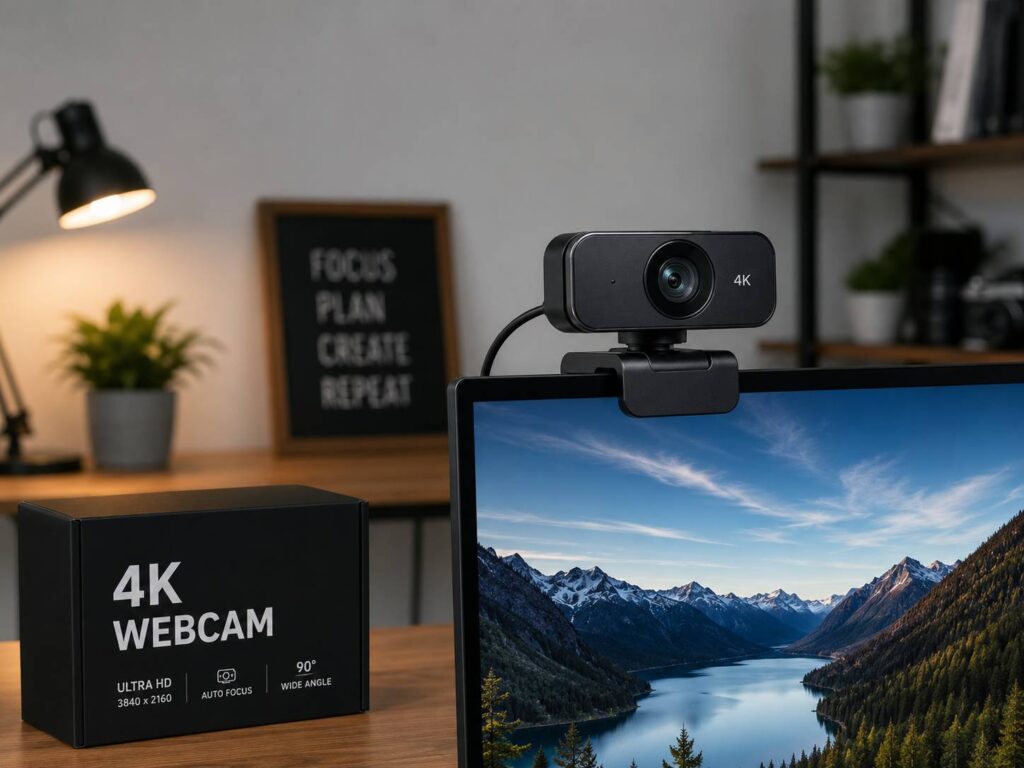
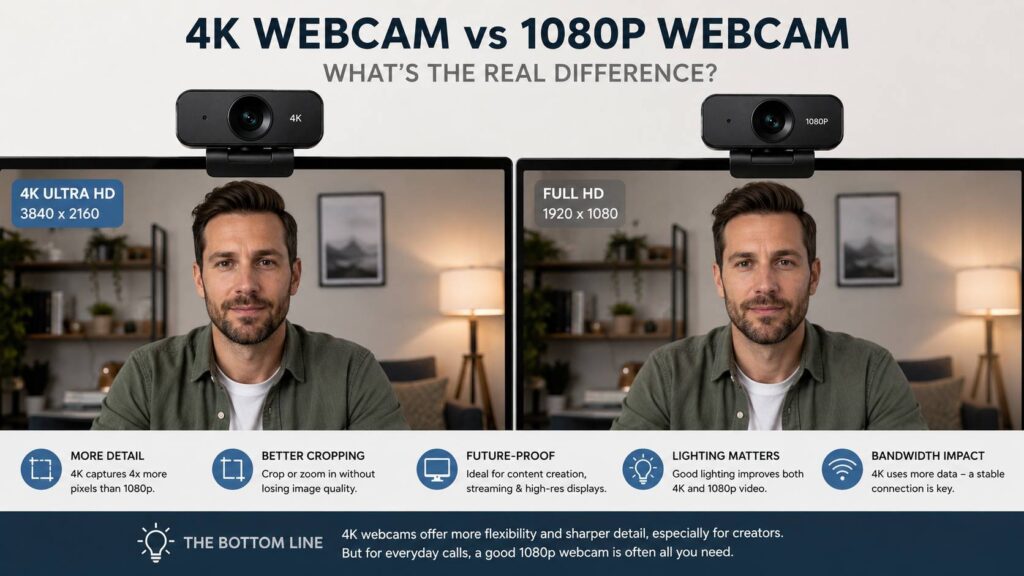
A 4K webcam records video at 3840 x 2160 pixels. That is four times the pixel count of 1080p Full HD. In simple terms, it captures more detail.
That extra detail can help your face look sharper. It can also make product demos clearer and give you more room to crop the frame. For example, you can record a wide shot and later zoom in without making the image look too soft.
Still, resolution is not the whole story. A cheap 4K webcam with a small sensor and weak lens can look worse than a better 1080p model. That can be a surprise when you see “4K” on the box, then wonder why the image still looks grainy or flat.
A webcam needs light. It needs good processing. It needs stable software. Without those things, 4K becomes just a bigger file with the same old problems.
Is a 4K Webcam Worth It for Video Calls?
For normal video calls, 4K is nice, but not always needed. If you use your webcam for Zoom, Microsoft Teams, Google Meet, interviews, remote work, online lessons, or client meetings, the video app often compresses your image.
That means the people on the call may not see a true 4K picture. The app may lower the quality to save bandwidth, reduce lag, or keep the meeting stable. So, your expensive 4K webcam may send a feed that looks closer to 1080p, or sometimes lower.
Even so, a 4K webcam can still help a little. The camera can crop from a sharper image before sending the video. This can make auto-framing and digital zoom look cleaner. It can also help if you sit farther from the monitor.
Still, lighting makes a bigger difference. A soft light in front of your face can improve your video more than the jump from 1080p to 4K. A clean background helps too. So does placing the webcam at eye level.
For most office calls, a good 1080p webcam is enough. For a deeper comparison, this 1080p vs 4K webcam guide explains the practical difference in more detail.
Is a 4K Webcam Worth It for Streaming?
A 4K webcam can be useful for streaming, but it is not the first upgrade most streamers need.
Viewers care about clear audio, stable frame rate, good lighting, and a clean layout. A sharp camera helps, but it will not save a stream with poor sound or harsh shadows. Many streamers still broadcast at 1080p since it gives a good balance between quality and performance.
That said, 4K becomes useful if you crop your camera feed. For example, you can start with a wide frame, then zoom into your face for certain scenes. The image stays cleaner than it would on a 1080p webcam.
It also helps if you make clips for YouTube Shorts, TikTok, Instagram Reels, or vertical video. You can record one 4K source and crop it into different formats later.
For casual streaming, 1080p is fine. For more polished content, 4K gives you extra room to edit and frame your shot. If you are comparing a webcam with a camera setup, this webcam vs mirrorless camera for streaming guide may help you decide where your money should go.
Is a 4K Webcam Worth It for YouTube and Content Creation?
Yes, this is where 4K webcams make the most sense.
Creators get more value from 4K than regular meeting users. If you record product reviews, online courses, tutorials, webinars, coaching videos, reaction videos, or talking-head content, 4K gives you more flexibility.
You can crop in during editing. You can make a close-up from a wider shot. You can record horizontal video and reuse part of it for vertical clips. This saves time and gives your content more polish.
A good 4K webcam can also be easier than a mirrorless camera. You plug it in, open your app, and start recording. There is no battery stress, no capture card in many cases, and less setup work.
Still, a 4K webcam will not fully match a mirrorless camera. Larger camera sensors handle low light better. Real lenses give better background blur. Colors can look richer too. But for many creators working from a desk, a 4K webcam is simple, practical, and good enough.
The Real Benefits of a 4K Webcam
The biggest benefit is flexibility. The extra resolution gives you more control over the frame.
Here are the main advantages:
- Sharper local recordings
- Cleaner digital zoom
- Better cropping for editing
- More detail for product demos
- Better framing on large monitors
- More room for auto-framing
- Easier reuse for vertical clips
- More future-proof video files
A 4K webcam also helps if you move between different types of work. You can use it for calls during the day, record tutorials later, then stream at night. That makes the higher price easier to justify.
The upgrade feels more useful when your camera becomes part of your work. If your webcam helps you sell, teach, present, review products, or build trust with an audience, 4K starts to make more sense.
The Problems People Notice With 4K Webcams
A 4K webcam can feel underwhelming at first.
The first problem is lighting. A dark room makes any webcam struggle. A 4K sensor may show more detail, but it can also show more noise. Your face may look grainy, shiny, or too sharp.
The second problem is compression. Video apps reduce quality during calls. Streaming platforms compress video too. So, the clean 4K image from your camera can lose detail before anyone sees it.
Autofocus can be annoying as well. Some webcams hunt for focus if you move, hold up an object, or sit in uneven light. The image may pulse in and out, which looks unprofessional.
Computer performance matters too. 4K video uses more processing power. Older laptops may heat up, drain battery faster, or struggle during recording. USB ports can also limit performance. Some webcams need a faster USB connection to deliver their best quality.
Then there is the background problem. A sharper camera can show clutter more clearly. That messy shelf behind you may suddenly become part of the shot.
4K Webcam vs 1080p Webcam: Which Is Better?
The better choice depends on how you use the camera.
A 1080p webcam is still the smarter buy for many people. It costs less, works well with most apps, and needs less bandwidth. For meetings, interviews, online classes, and family calls, it often does the job well.
Choose a 1080p webcam if:
- You mostly join work calls
- You do not record videos often
- You want strong value
- Your room has average lighting
- Your laptop is older
- You do not want to adjust many settings
Choose a 4K webcam if:
- You record videos for YouTube or courses
- You stream and crop your camera feed
- You create product demos
- You want cleaner local recordings
- You use OBS or recording software
- You sit far from a large monitor
- You already have decent lighting and audio
In plain terms, 1080p is enough for most calls. 4K is better for content work.
Specs That Matter More Than Resolution
Resolution gets attention, but other specs shape the image just as much.
Sensor quality matters a lot. A better sensor captures cleaner detail and handles shadows better. Lens quality matters too. A weak lens can make a 4K image look soft, even at full resolution.
Frame rate is another key point. A 4K webcam at 30 frames per second can look sharp. A 1080p webcam at 60 frames per second can look smoother. For movement, live demos, and gaming streams, smooth motion can matter more than sharp still detail.
Autofocus should feel calm. A webcam that keeps refocusing during a call becomes distracting fast. For product videos, quick autofocus helps. For meetings, stable focus often feels better.
Field of view matters too. A wide lens shows more of the room. That can help with group calls, but it may show too much background. A narrower view feels more personal and cleaner for solo calls.
Built-in microphones are usually average. Some are fine for quick meetings, but a USB microphone or headset usually sounds much better. Clear audio often makes you seem more professional than sharper video.
What Internet Speed Do You Need for a 4K Webcam?
For local recording, internet speed does not matter. Your computer saves the video file directly.
For calls and live streaming, upload speed matters. A stable upload connection is more useful than a high number that drops every few minutes. Wired internet is better than weak Wi-Fi for long streams, webinars, and client presentations.
A 4K webcam will not fix a bad connection. If your video freezes, lags, or turns blurry during calls, your network may be the issue. The app may lower video quality to keep the call running.
1080p is easier to send and more stable. 4K works best when your computer and connection can handle it without stress.
How to Make a 4K Webcam Look Better
A 4K webcam needs a good setup to shine. Small changes can make a big difference.
Place the webcam at eye level. This gives a more natural angle and avoids the awkward laptop-camera look. Move the camera close enough so your face fills the frame without heavy digital zoom.
Add soft light in front of you. A window can work, but daylight changes during the day. A small LED panel or ring light gives steadier results. Avoid strong light behind your head, as it can make your face look dark.
Clean the background. A sharp webcam can reveal more than expected. A simple shelf, plant, curtain, or plain wall often looks better than a busy room.
Open the webcam software and adjust the settings. Try exposure, white balance, field of view, sharpness, and focus. Auto mode is convenient, but manual settings can look better in mixed lighting.
Use a separate microphone if possible. Better sound makes the whole setup feel more polished.
Should You Use a 4K Webcam or Your Phone?
A modern phone can look better than many webcams. Phones have strong sensors, good processing, and better low-light handling. For video quality alone, a newer phone can be impressive.
A webcam is easier for daily use, though. It stays on your monitor, starts quickly, and does not drain your phone battery. You can take calls without mounting your phone every time.
For occasional recording, your phone may be the better value. For daily calls, lessons, streams, and desk work, a dedicated 4K webcam feels more convenient.
Who Should Skip a 4K Webcam?
Skip a 4K webcam if you only need basic video calls. A solid 1080p webcam will likely make more sense.
You should skip it if your room is dark and you do not plan to add lighting. You should skip it if your laptop already struggles with video apps. You should skip it if you expect every meeting app to show your video in true 4K.
Be careful with very cheap 4K webcams too. Some models advertise 4K but use weak sensors, poor lenses, and rough software. The result can look dull, noisy, or over-sharpened.
A high-quality 1080p webcam is often better than a poor 4K webcam.
Who Should Buy a 4K Webcam?
A 4K webcam is worth buying if video quality supports your work.
That includes YouTubers, streamers, online teachers, coaches, consultants, course creators, product reviewers, sales teams, and remote workers who present often. It also helps people who record tutorials, demos, webinars, and training material.
The upgrade makes more sense after you fix the basics. Good lighting, stable internet, clean framing, and clear audio should come first. Once those are in place, 4K adds polish and editing freedom.
For the right person, a 4K webcam is not just sharper. It is more flexible.
Final Verdict: Is a 4K Webcam Worth It?
A 4K webcam is worth it for recording, streaming, cropping, and content creation. It is less useful for basic video calls.
Most remote workers should buy a good 1080p webcam and spend the rest of the budget on lighting or audio. That setup will often look better than a 4K camera in a dark room.
Creators get more value from 4K. The extra detail helps with editing, zooming, reframing, and publishing across different platforms. It also makes your recordings feel more polished without the extra work of a full camera setup.
So, the honest answer is simple. Buy a 4K webcam if you create content or need flexible framing. Stick with 1080p if you mainly join meetings. Either way, do not ignore lighting and sound. They shape the final result more than you might expect.