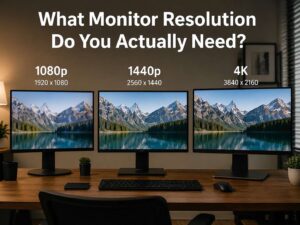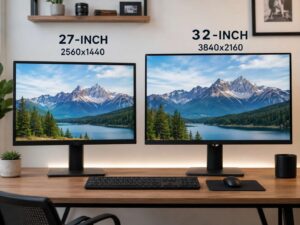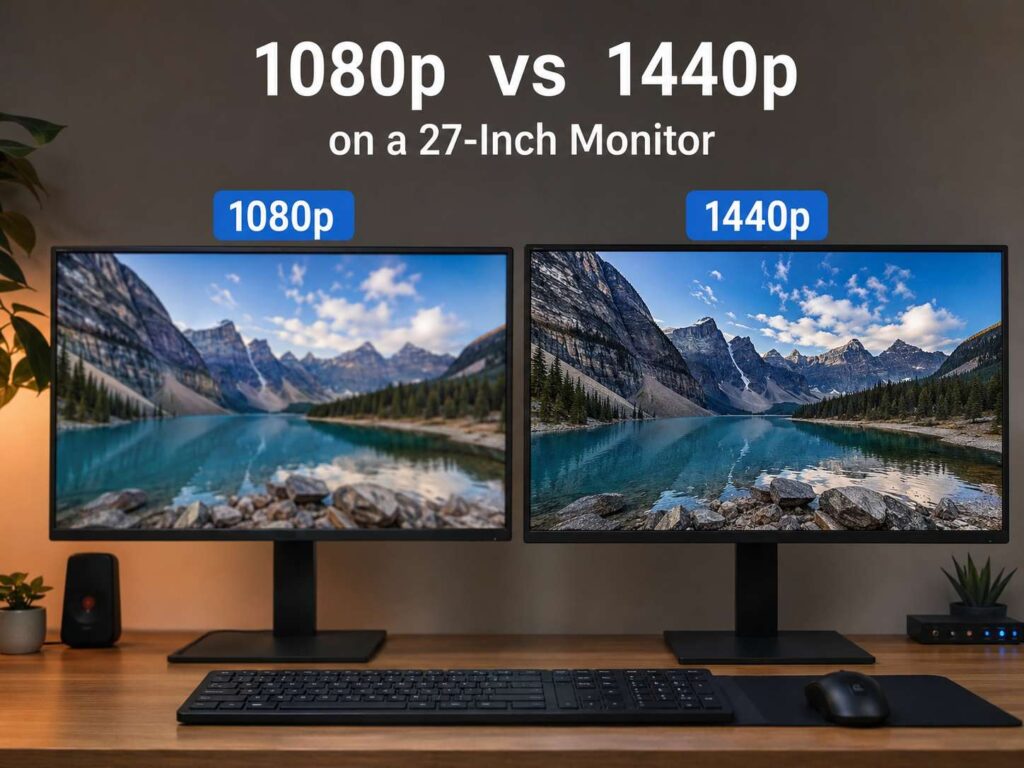
1080p vs 1440p on a 27-Inch Monitor: The Simple Answer
A 27-inch monitor can feel like a big upgrade, but the resolution matters a lot. If you are choosing between 1080p and 1440p on a 27-inch screen, 1440p is the better choice for most users.
It looks sharper. Text feels cleaner. Games show more detail. You also get more space for apps, browser tabs, documents, and editing tools.
That said, 1080p still has a place. It costs less, runs better on weaker PCs, and works fine for casual use. For competitive gaming, it can even make sense if your main goal is high frame rates.
Still, here is the honest opinion: 1080p on a 27-inch monitor is usable, but 1440p feels right. Once you compare them side by side, the difference is hard to ignore.
Why 27 Inches Changes Everything
Resolution does not work alone. Screen size changes how sharp an image looks.
A 24-inch 1080p monitor can look pretty good on a desk. The pixels are packed closely enough, so text and icons still look fairly clean. Stretch that same 1080p resolution across a 27-inch screen, and the image gets larger, but not more detailed.
That is the problem with 27-inch 1080p monitors. They give you a bigger picture, but the pixels become easier to see. Text can look a little soft. Small icons may look rough around the edges. Web pages may feel larger, but not clearer.
A 27-inch 1440p monitor has many more pixels. It gives you a sharper image and more useful workspace. You do not just get a bigger screen. You get a screen that can show more at once.
For work, gaming, and everyday browsing, that extra detail makes the monitor feel more modern.
Pixel Density: The Detail That Actually Matters
Pixel density explains the real difference between 1080p and 1440p on a 27-inch monitor.
A 27-inch 1080p display has about 82 pixels per inch. A 27-inch 1440p display has about 109 pixels per inch. That jump is easy to see from normal desk distance.
At 82 PPI, text can look a bit blurry, mainly if you sit close to the screen. Fine lines in spreadsheets, menus, and websites do not look as clean. For some people, this is not a deal breaker. For others, it becomes annoying after a few days.
At 109 PPI, 1440p feels much sharper. It is not as demanding as 4K, but it still gives a clear upgrade over 1080p. This is why 27-inch 1440p is the sweet spot.
It gives better sharpness without making everything too tiny. Windows at 100% or 125% scaling usually feels comfortable.
Text Clarity and Daily Office Work
If you work at your desk for hours, 1440p is the safer pick.
Text clarity matters more than people think. Emails, Word documents, Google Docs, WordPress posts, spreadsheets, dashboards, and code editors all look better at 1440p. The letters look cleaner, and the whole screen feels less tiring.
A 27-inch 1080p monitor gives you a bigger view, but not much more usable space. Everything looks larger. You do not fit much more content on the screen compared with a smaller 1080p monitor.
A 27-inch 1440p monitor gives you more room. You can place two windows side by side and still read both. You can keep a browser open on one side and a document on the other. You can see more spreadsheet columns. You can edit content with fewer scrolls.
Real opinion: for writing, research, SEO work, coding, and normal office use, 27-inch 1440p is a clear upgrade. It feels cleaner and calmer. A 27-inch 1080p screen can feel too chunky after you get used to QHD.
Gaming at 1080p on a 27-Inch Monitor
Gaming is where 1080p still makes sense.
A 1080p monitor is easier for your PC to run. Your graphics card has fewer pixels to push, so you can get higher FPS. That matters if you play fast games like Counter-Strike 2, Valorant, Fortnite, Apex Legends, Rocket League, or Call of Duty.
For competitive players, smooth motion can matter more than sharp detail. A 27-inch 1080p monitor with 144Hz, 165Hz, or 240Hz can still be a good choice if the price is right.
The downside is image quality. On a 27-inch panel, 1080p games can look softer than expected. Distant enemies, fine textures, grass, signs, and small details can look less clear. Anti-aliasing helps, but it cannot fully fix the lower pixel density.
If you sit farther back, the softness matters less. If you sit close, you will notice it more.
Gaming at 1440p on a 27-Inch Monitor
A 27-inch 1440p gaming monitor gives a better visual balance. It looks sharper than 1080p, but it does not hit your graphics card as hard as 4K.
Games with detailed worlds benefit the most. Racing games, RPGs, open-world games, strategy games, and story games look cleaner. Textures look better. Edges look smoother. Distant objects are easier to read.
For gaming, the best setup is a 27-inch 1440p monitor with at least 144Hz. You get smooth motion and sharp detail in one screen.
There is one catch. You need stronger hardware. A weak GPU may struggle at 1440p in newer games. You may need to lower settings or use upscaling tools like DLSS, FSR, or XeSS.
Choose 1080p if you want the highest FPS on a budget. Choose 1440p if you want the better-looking game and your PC can handle it.
Productivity: 1440p Feels Like a Real Upgrade
For productivity, 1440p does not just look nicer. It changes how the screen feels.
A 27-inch 1080p monitor often feels like a larger basic screen. It is comfortable for simple tasks, but it does not give you much more room to work.
A 27-inch 1440p monitor gives you a wider workspace. You can write, research, compare products, manage files, edit images, and track data with fewer window switches. That saves time in small ways every day.
This matters if you work from home, manage websites, edit content, use spreadsheets, or spend long hours inside browser-based tools.
Good buying decisions are not only about the headline spec. Real use matters. The same idea applies in other product categories too.
Video, Movies, and Streaming
For streaming and video, the difference between 1080p and 1440p is less dramatic than it is for work.
A 1080p movie or YouTube video can still look good on a 27-inch 1080p monitor. If you mostly watch videos from a little farther away, 1080p may be enough.
1440p still has clear benefits. Subtitles look sharper. YouTube videos that support 1440p show more detail. The browser, controls, menus, and interface feel cleaner.
Panel quality matters a lot here. A good 1080p IPS monitor can look better than a cheap 1440p panel with weak contrast and poor colors. Resolution is not the only thing to check.
For video watching, look at brightness, contrast, color quality, viewing angles, and speakers if you plan to use the built-in audio. External speakers or headphones will sound better than monitor speakers.
Photo Editing and Creative Work
For photo editing, graphic design, and content creation, 1440p is the better fit at 27 inches.
You get sharper detail and more room for tools. Editing apps feel less cramped. You can see more of your timeline, layers, side panels, and preview area.
A 1080p 27-inch monitor can handle basic Canva work, simple thumbnails, and light edits. Still, it is not ideal for detail work. You may zoom more often, and small details can look less precise.
Color quality matters too. Do not buy a monitor only because it says 1440p. A good creative monitor should have strong sRGB coverage, decent factory calibration, and stable viewing angles.
For most creators, a 27-inch 1440p IPS monitor is the best value. It gives a nice mix of sharpness, size, and price.
Common Problems With 27-Inch 1080p Monitors
A 27-inch 1080p monitor is not useless. It still works for everyday use. Still, it has some real downsides.
Common issues include:
- Text can look soft at desk distance
- Icons and menus can feel too large
- Web pages show less content
- Spreadsheets feel tight
- Games can look less detailed
- Fine lines are not as clean
- The screen may not feel like a true upgrade
The biggest complaint is simple: people expect a larger monitor to feel better. A 27-inch 1080p screen is bigger, but not sharper. If you upgrade from a 24-inch 1080p screen, you may feel disappointed.
If your goal is easier reading with bigger text, 1080p can work. If your goal is sharper detail and more space, choose 1440p.
Common Problems With 27-Inch 1440p Monitors
A 27-inch 1440p monitor is the better pick, but it still has trade-offs.
Possible issues include:
- Higher price
- More demand on your GPU
- Smaller text at 100% scaling
- Some older apps may not scale perfectly
- Cheap panels can still have poor colors
- High refresh rate models need stronger hardware
The biggest mistake is buying 1440p for gaming without checking your PC first. A normal laptop can often run a 1440p monitor for web use and office work. Gaming at 1440p is harder.
If you play modern games, check your graphics card before buying. For older GPUs, 1080p may give a smoother experience.
1080p vs 1440p for Console Gaming
For console gaming, 1440p can be a smart middle ground.
Modern consoles support higher resolutions, and many games offer performance modes. A 1440p monitor can give you sharper visuals than 1080p without needing a full 4K screen.
Still, check support before you buy. Not every console, game, or refresh rate setup works the same way. HDMI version, refresh rate, VRR support, and monitor compatibility all matter.
For Nintendo Switch, 1080p makes more sense. The Switch targets lower output, so a 1440p monitor will scale the image. It will work, but it will not look as sharp as native 1440p content.
Is 1440p Worth It Over 1080p at 27 Inches?
Yes, 1440p is worth it for most 27-inch monitor buyers.
The upgrade is easy to see in daily use. Text looks cleaner. Games show more detail. Apps feel less cramped. The whole monitor feels more useful.
The price gap is not as big as it used to be. Many 27-inch 1440p monitors now come with high refresh rates, IPS panels, adjustable stands, adaptive sync, and good color coverage at fair prices.
That does not make 1080p a bad choice. It is still fine for budget setups, school desks, spare screens, casual gaming, and older PCs. It is also a good pick for users who care more about FPS than image sharpness.
Buying a monitor is a bit like reading a proper product review. You need the real strengths and the real limits, not just the main number on the box.
Best Choice by User Type
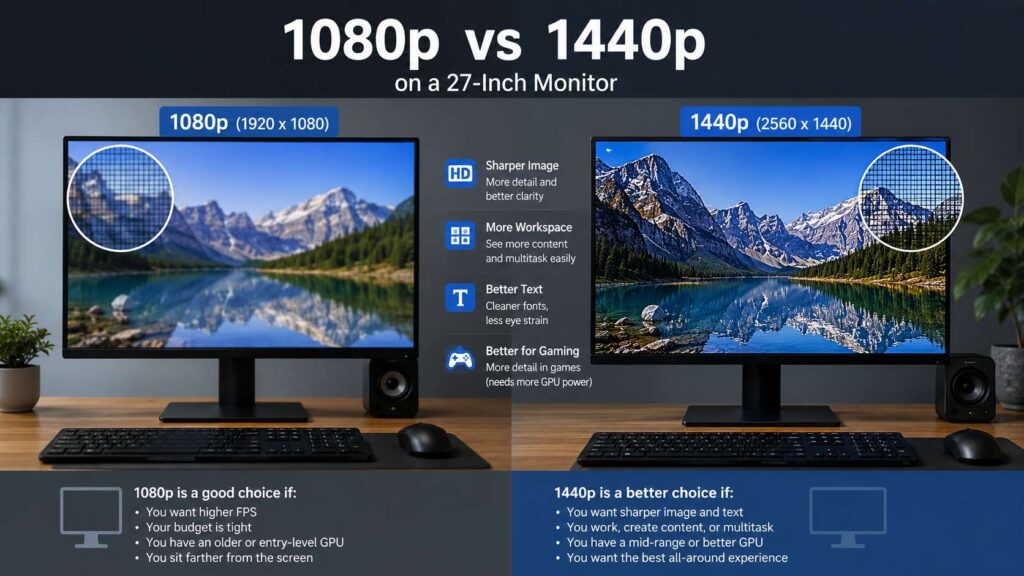
Choose 1080p at 27 inches if:
- You want the lowest price
- You play esports games
- You want high FPS on weaker hardware
- You sit farther from the screen
- You prefer larger text
- You need a basic monitor for casual use
Choose 1440p at 27 inches if:
- You want sharper text
- You work long hours at your desk
- You edit photos, videos, or website content
- You use two windows side by side
- You play modern games on a decent GPU
- You want a monitor that feels good for several years
Buying Tips Before You Choose
Do not pick a monitor by resolution alone.
Check these parts before buying:
- Panel type: IPS is a safe pick for most users
- Refresh rate: 144Hz or higher is great for gaming
- Stand: height adjustment helps a lot
- Ports: check HDMI, DisplayPort, and USB-C
- Brightness: 300 nits or higher is better for bright rooms
- Color coverage: 99% sRGB is a good target for normal creative work
- Adaptive sync: useful for smoother gaming
- Warranty: better support matters if problems appear later
For most people, the best all-around choice is a 27-inch 1440p IPS monitor with at least 100Hz or 144Hz. It works well for office work, browsing, content creation, and gaming.
Final Verdict: 1440p Fits a 27-Inch Monitor Better
The 1080p vs 1440p on a 27-inch monitor debate has a clear winner. 1440p fits this screen size better.
It gives you sharper text, cleaner images, more workspace, and better detail in games. It also feels more comfortable for long work sessions.
1080p still works if you are on a tight budget or want high FPS with weaker hardware. It is not a terrible choice. It just feels less sharp on a 27-inch screen.
If you want the better long-term buy, choose 1440p. It costs more, but the daily experience is better. For a monitor you will use for years, that upgrade is worth paying for.